I’m installing it on a old 120gb ssd. I’ve created a 1gb partition called bios boot for grub. Although there was no option for selecting the partition as bootable. Grub installation reported no problems. What is wrong?
Is the SSD partitioned with GPT or MBR? Can you post your partition structure with filesystems?
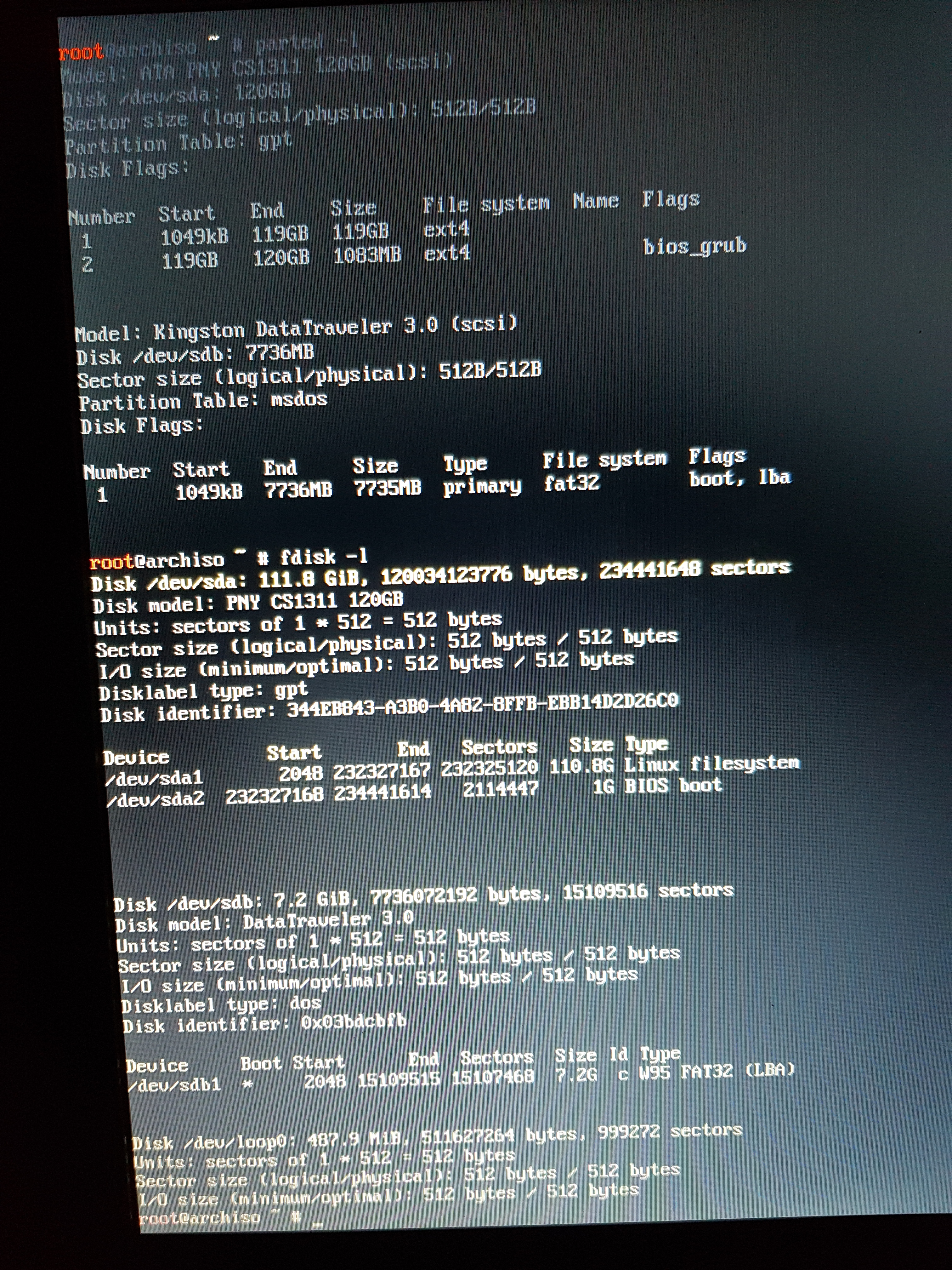
Pretty sure your bios_grub partition needs to be the first partition on the disk. But if you’re going to bios boot, I would just partition with MBR instead.
How do I do that?
What tool are you using to format the disk?
Cfdisk
https://wiki.archlinux.org/index.php/Gdisk#Convert_between_MBR_and_GPT
this might be useful to convert your current setup from GPT to MBR.
sgdisk -m /dev/sda
Once you do that you’ll be able to remove partition #2. Additionally, youll need to mark your root with the boot flag. You should be able to do this with fdisk or cfdisk if you prefer.
See in the picture you posted, the difference between /dev/sda and /dev/sdb? /dev/sdb (your install media) is partitioned with mbr and is marked as bootable.
1 Like
I converted the disk but there’s still no option to select it as bootable.
does it say the disklable type is dos when you run fdisk -l
No. Actually it still says gpt despite running the command.
If you’re willing, you could start over. run wipefs on the disk and re partition it with fdisk.
It worked! I managed to partition it and select as bootable.
2 Likes