KVM Model:
2 Port Triple Video KVM
EMI Model No:
DAE7B58B47
PAAG-E3132B
USB Interface (5-gigabit or 10-gigbit):
5gbps
Problem:
tl;dr: Is it safe to have power plugged into the KVM via the included power adapter to the 9-12v DC power adapter AND have power provided to the KVM via the USB-3.0 A “R” port?
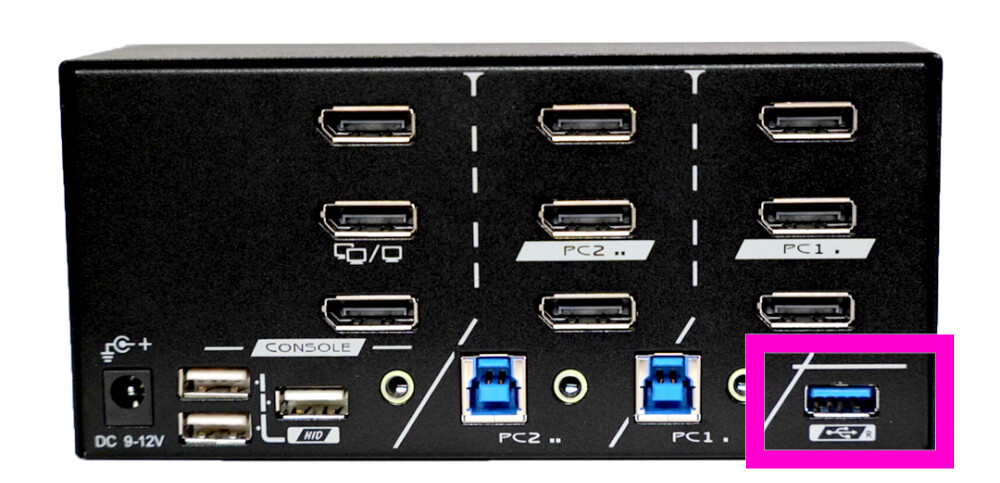
I have the L1T KVM and a Coolgear CG-U3MINI7PH (7 Port USB 3.2 Gen 1 Mini Powered Hub w/ ESD Surge Protection). I’ve noticed that the USB hub is able to power the KVM entirely without the DC barrel jack plugged in[1]. I was quite surprised to find out that the USB hub could power the KVM entirely, and have been concerned that this is unexpected and that the two power supplies could “fight” each-other[2] and end up killing components.
Is there anything to be worried about here?
Other Notes:
I haven’t actually had any obvious problems with running this configuration[3], but I’m still concerned that I’m doing something “bad”  I did look, but I haven’t been able to find any existing clear answers to this in the forum.
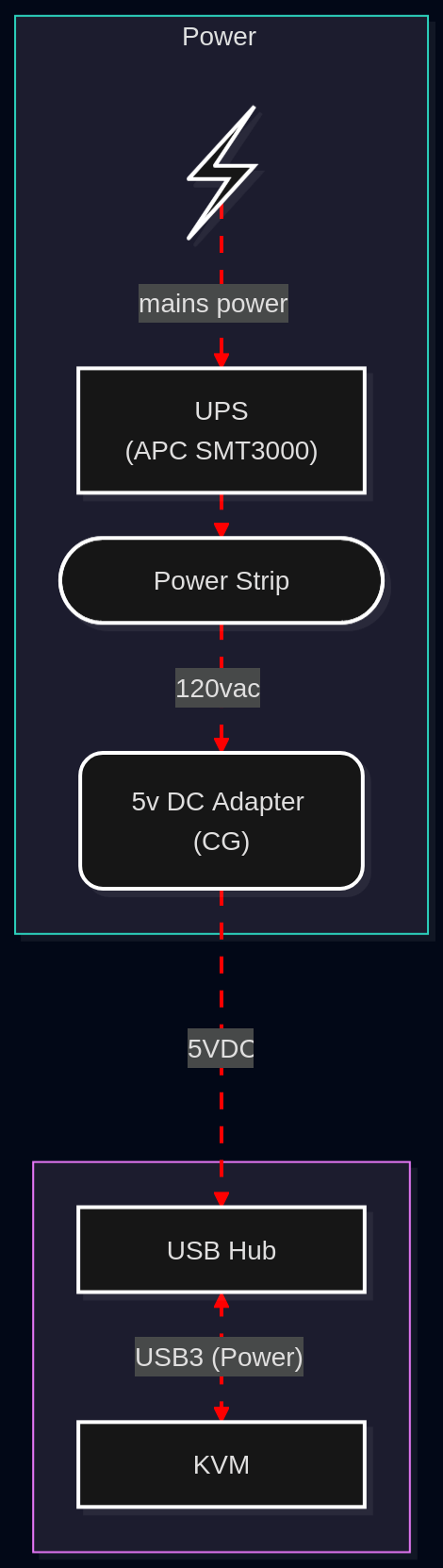
Here’s a diagram of the whole chain:
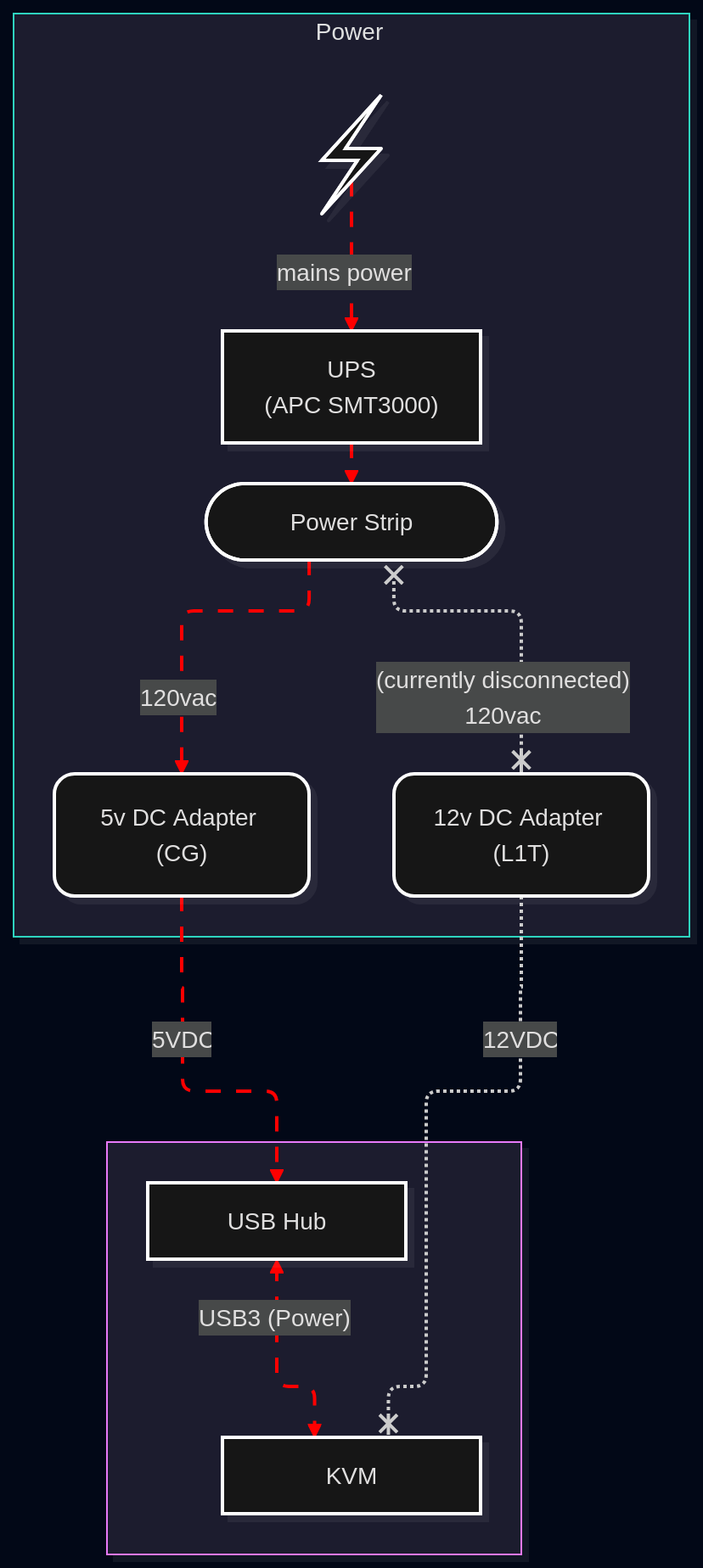
Diagram Source
flowchart TB
    %%% # Relationships
    %% note: the link id's `pp` means "power path"

    %% ## Mains Power to adapters
    Mains pp1@-- mains power -->
    UPS pp2@-->
    PowerStrip

    %% ## Adapters to devices

    %% ### Mains Power to USB HUB
    PowerStrip pp3@-- 120vac -->
    DC5V("5v DC Adapter (CG)") pp4@-- 5VDC -->
    USB-HUB

    %% ### Mains Power to KVM
    PowerStrip x-. (currently disconnected) \n 120vac .-x
    DC12V("12v DC Adapter (L1T)") -. 12VDC .-x
    KVM

    %% ## How the USB Hub is connected to the KVM
    %% Note: Power seems to be traversing this connection, and powering the KVM
    USB-HUB pp5@<-. USB3 (Power) .-> KVM

    %% This is the "true" direction of the USB link.
    %% KVM -. USB3 .-> USB-HUB

    %%% # Styling
    classDef powerFlow stroke:red,stroke-dasharray: 9,5,stroke-dashoffset: 900,animation: dash 25s linear infinite;
    class pp1,pp2,pp3,pp4,pp5 powerFlow;

    %%% # Node Definitions
    %% Main Devices

    %% %% Subgraph with empty name just helps the graph look better
    subgraph KVM-Graph [" "]
        USB-HUB[USB Hub]
        KVM
    end

    %% Power Devices/Nodes
    subgraph Power
        Mains@{ shape: bolt }
        UPS["UPS \n (APC SMT3000)"]
        PowerStrip([Power Strip])

        DC5V
        DC12V
    end

    %% %% Commented out for simplicity, included for detail
    %% subgraph Desk
    %%     subgraph PCs
    %%         PC1 -- USB3 --> KVM
    %%         PC1 -- DisplayPort x2 --> KVM
    %%         PC2 -- USB3 --> KVM
    %%         PC2 -- DisplayPort x2 --> KVM
    %%     end

    %%     KVM --> Monitor1 & Monitor2
    %% end

    %% USB-HUB -. USB .-> USB-Devices@{ shape: processes }
I, being buzy/lazy/lack of energy, have been running the KVM on just the USB HUB’s power for many years now, because I’ve been concerned that two power supplies would conflict
↩︎I don’t really have any substantive grounding for this concern, which is why I’m asking about it. ↩︎
The most common issue I run into is devices not reconnecting to my linux system after switching sources, but I have been assuming this is an issue of my devices/linux/the USB hub, and not the KVM. ↩︎
 (the sound it made was
