Hi,
As of today, my Keychron K3 Max’s wireless (dongle-based, not Bluetooth) is fucking up:
It now seems to behave as if it has a link, but immediately drops it and re-negotiates when a key is pressed (my conjecture based on observing the LED patterns). As you can see, I can’t type with it - I have to plug in USB for now.
So far I’ve tried:
Looking in dmesg for signs of anything sus (not found anything untoward)
If that was along the lines of bad-battery thinking, I did think about that - I tried with the wireless mode with the USB plugged in just for power, and it made no difference. (I’d hope the battery wasn’t toast, too! I’ve only had this keyboard for 4 months…)
As an aside, switching to wireless mode out of USB mode is usually how I wake up my system from suspend and it fails to do that now. A possible clue… seems like it might not even be connecting to the dongle?
Have you tried resetting the keyboard? Long press FN + J + Z.
I’ve had some weirdness too with my K1 Max a couple of days ago and it all got solved resetting, disconnecting the dongle, connecting with a cable to the PC and switching back to the wireless dongle.
In my situation it wasn’t keeping up with fast typing for some reason. I know it’s a wacky procedure but maybe it will work.
There’s also a reset button under the space bar key, in case the keys combo doesn’t work.
Yes I’ve tried resetting the keyboard, I even wrote it in my inital post…
It killed my custom backlight setting, so I’m pretty sure it worked.
I’ll try your order-of-operations, though, I didn’t bother unplugging the dongle from the PC as part of the resetting process.
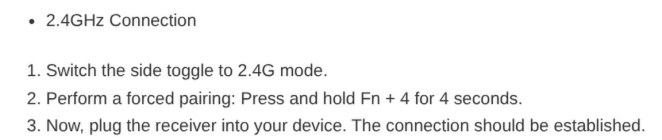
No amount of resetting it in funny orders did anything, but the official re-link procedure did:
This fixed it.
Whatever in the fuck caused it to spontaneously lose link binding, I have no fucking idea, and I’d like it not to happen again lmao
Thanks anyhow