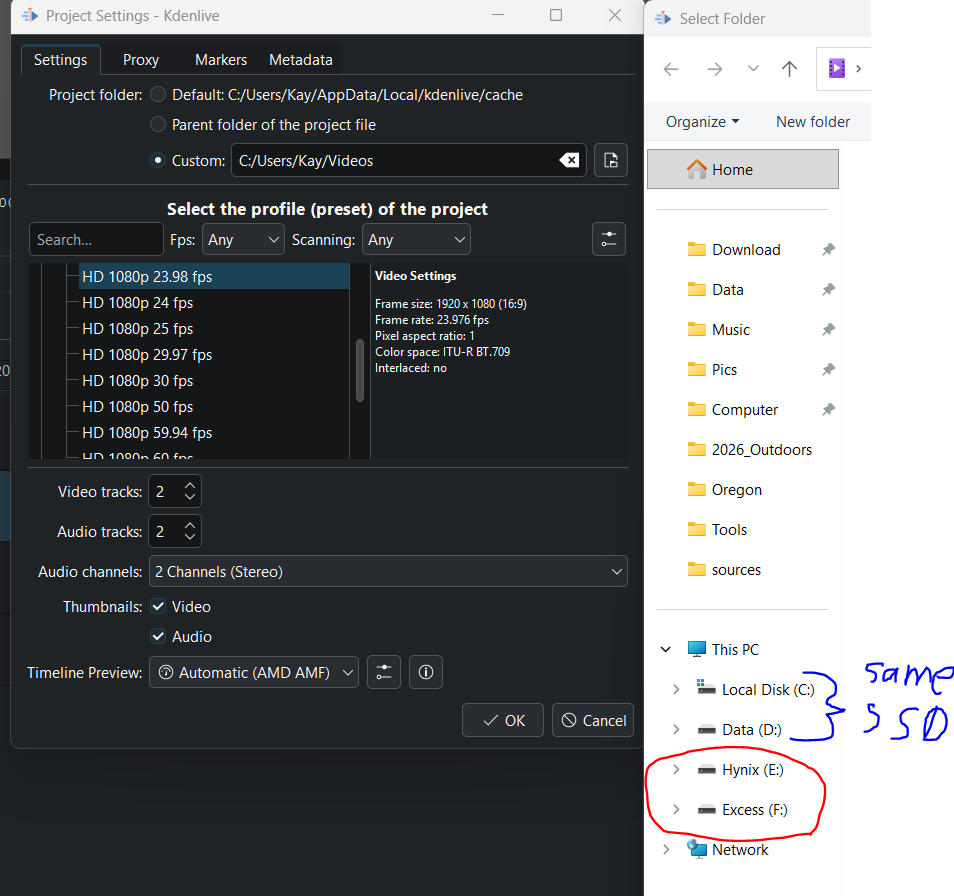
I just discovered Kdenlive and cut a video. Nice software. I use it on W11.
I have two m.2 (one of them has W11 on one partition and a data partition) and one old SATA SSD. I use the 256 SATA SSD as a scratch disk to wear it out instead of my m.2. So, any downloaded files or files I play around with go on the SATA. m.2 usually only get used if a file is final.
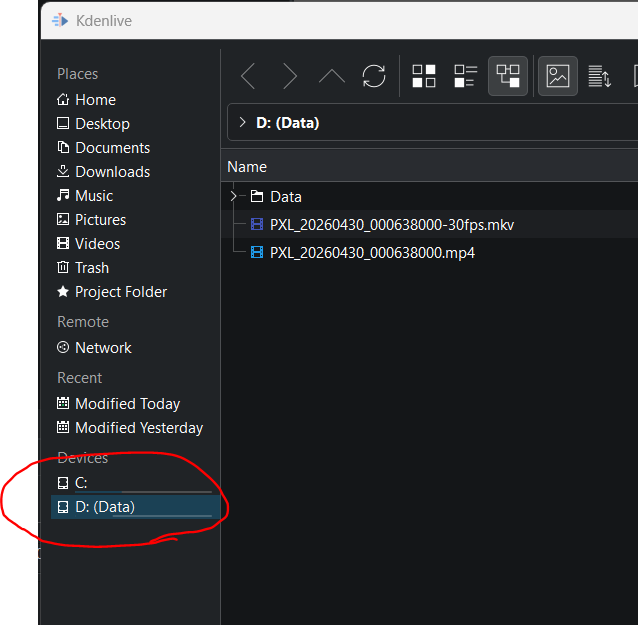
Kdenlive can see my SATA SSD when I start the project and it can use the SATA to store the project file. It also sees the SATA to save the rendered file (after editing) to. But when inserting the media (where i bring my original in to begin with, it only sees the one m.2 SSD that has W11 on it (it sees both partitions) . And in my case, it converted the H264 file to an mkv file. So, i had to move the 2GB h264 file to my “good” m.2 SSD, and the 31GB mkv file also ended up there. Ideally i would have “worn out” my old SATA SSD instead.
I googled for this, but all explanations only talked about mounting in Linux. i also tried the free version of DaVinci Resolve, and that could see all three SSD just fine.
All Google tells me is related to if a drive isn’t available at all (like assigning drive letter).
This must be a bug, correct? I can’t believe W11 requires extra mounting just for this one software for just one function. Is there a way to use all SSD?