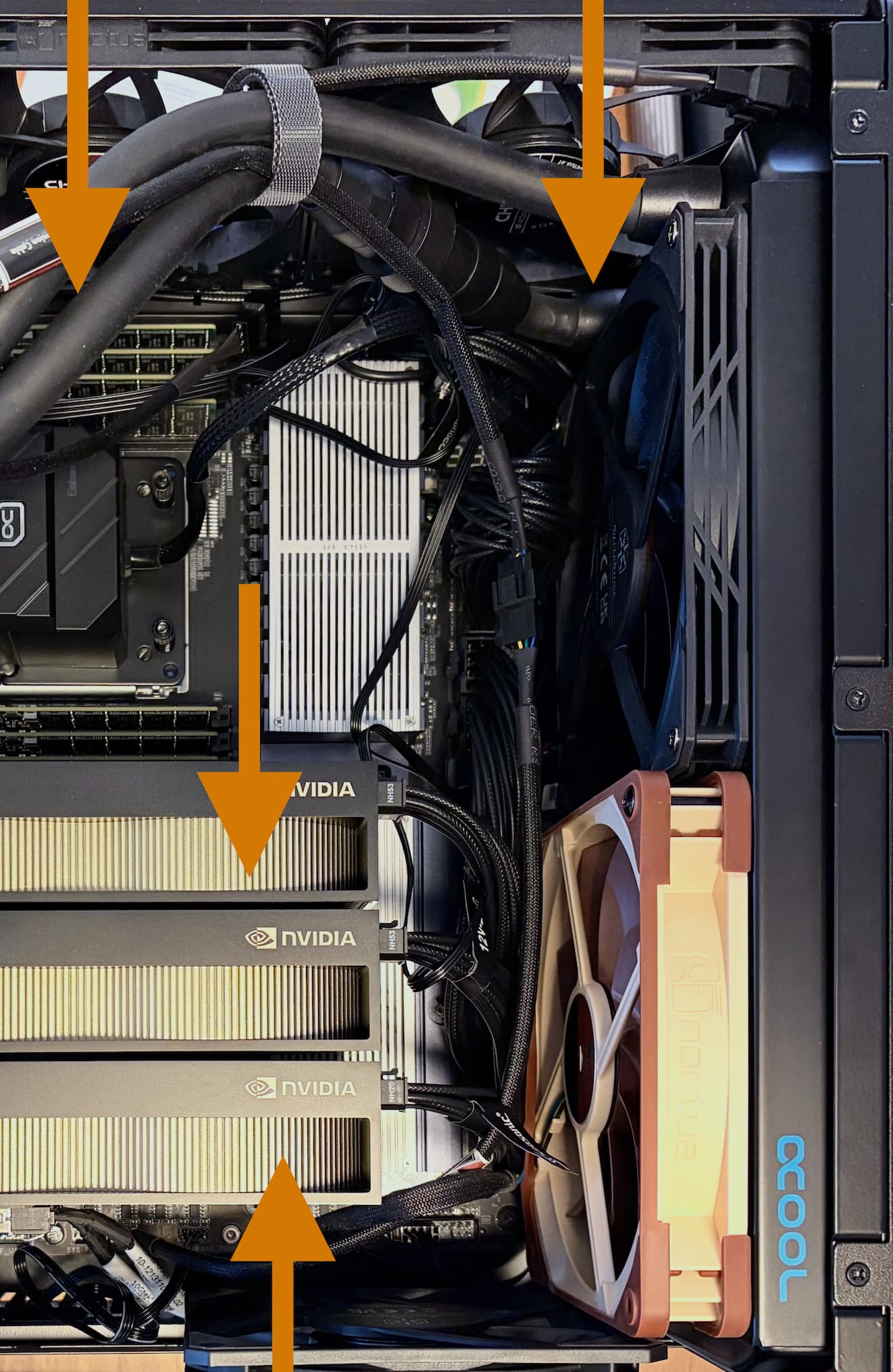
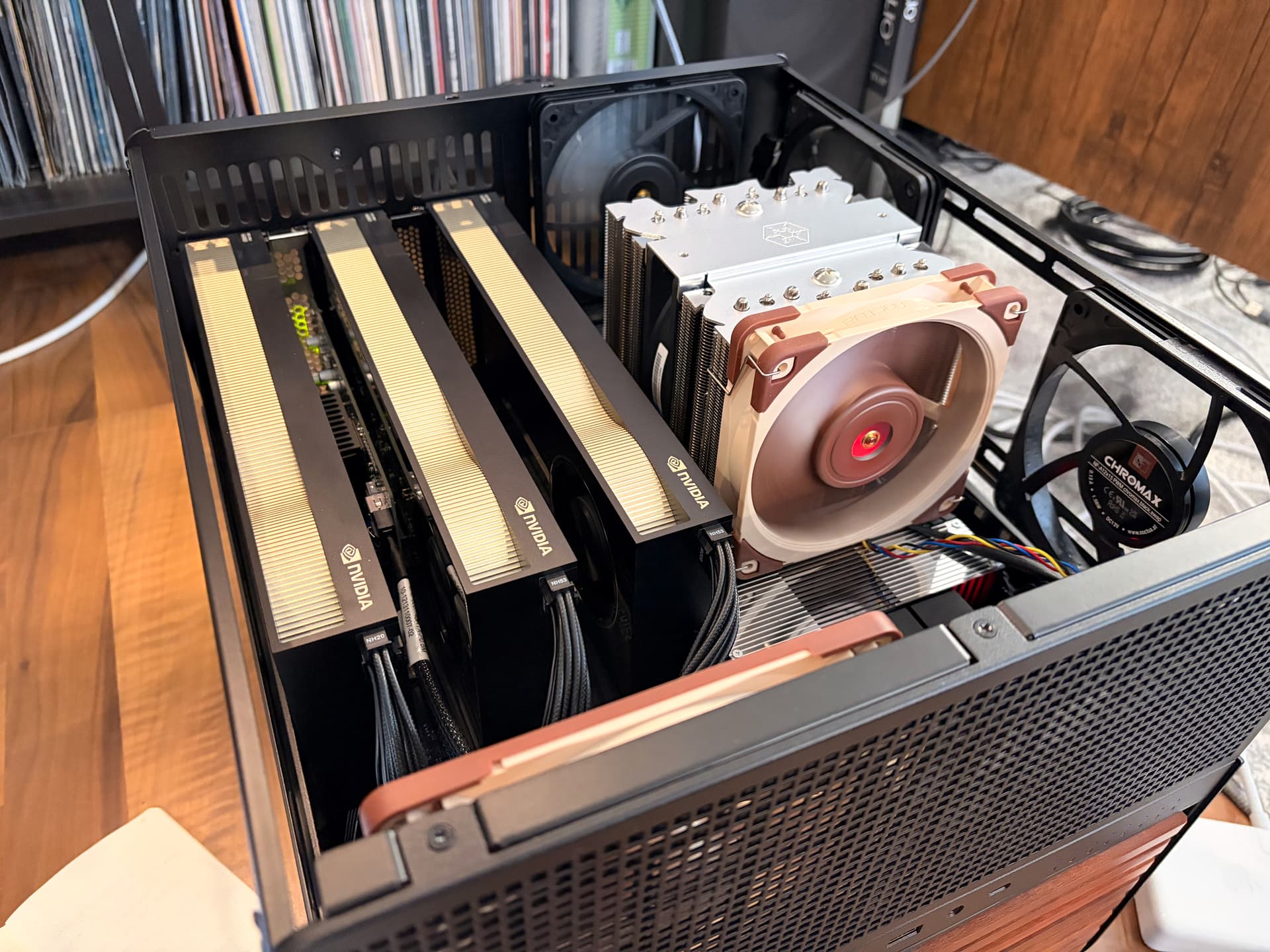
An in-progress snapshot of this multi-user CUDA workstation build. This is based on the Threadripper Pro platform, running in an AI TOP motherboard, a bunch of storage, and three RTX Pro 6000 MaxQ GPUs.
The purpose of this node is to be a host for multiple CUDA devs, who connect via VS Code Remote to the node, and then work within GPU-enabled Dev Containers (Docker) on various projects. Can’t go into too much detail, but the work does not involve LLMs, it’s mainly focused on signal processing (mostly audio), video, and generative 3D graphics / world models. Devs might spin up live experiments, allowing test users to dial into the node from display clients (e.g. VR headsets) and interact with the experiment, off-loading the computation to this node. An experiment might require a dozen or more distinct models (or other CUDA-accelerated processing staged) to run, and a scheduler allocates these to the available GPUs, streaming them from NVMe storage or a ramdisk as needed.
Some pictures (more details on the parts below):

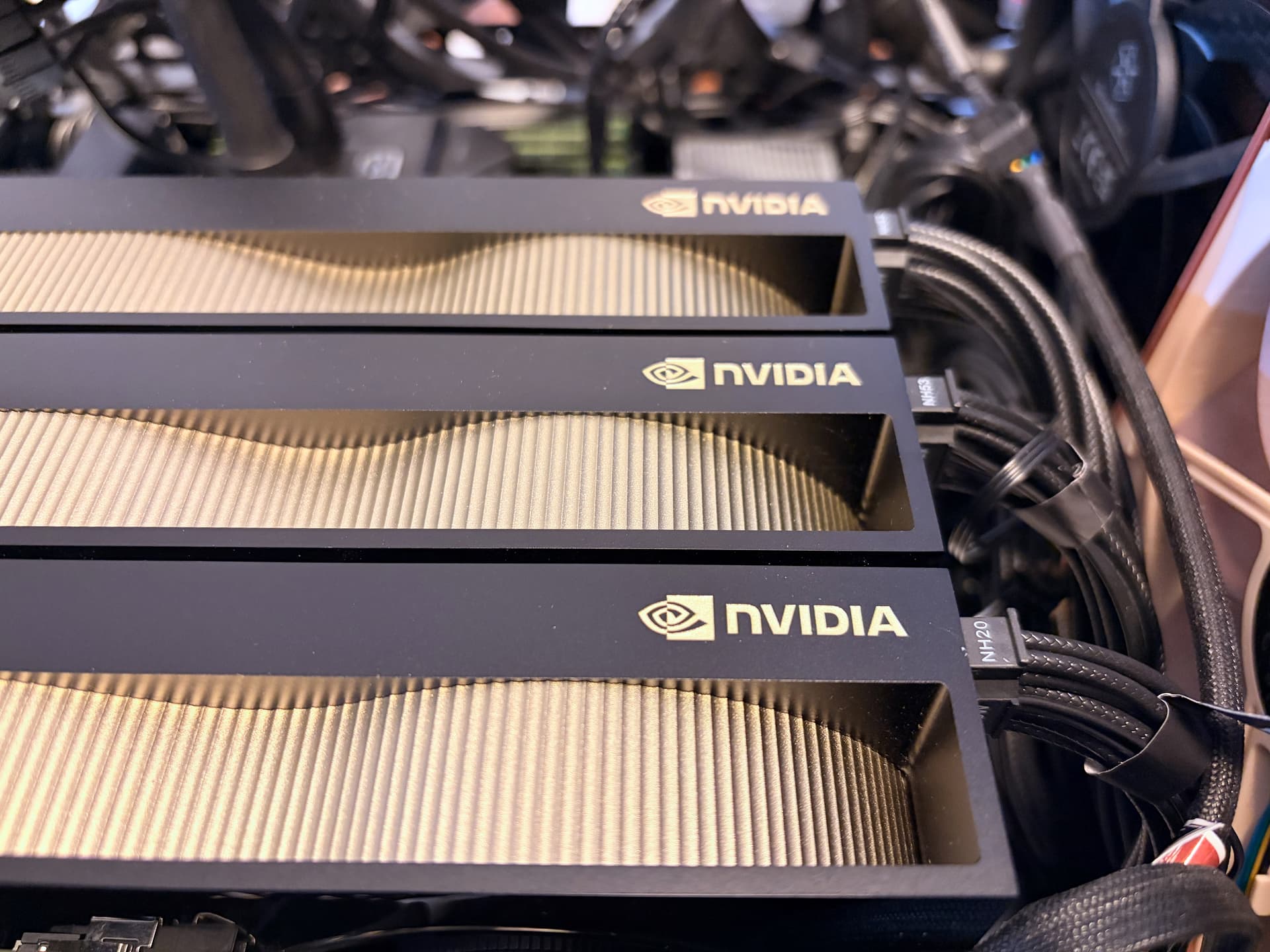
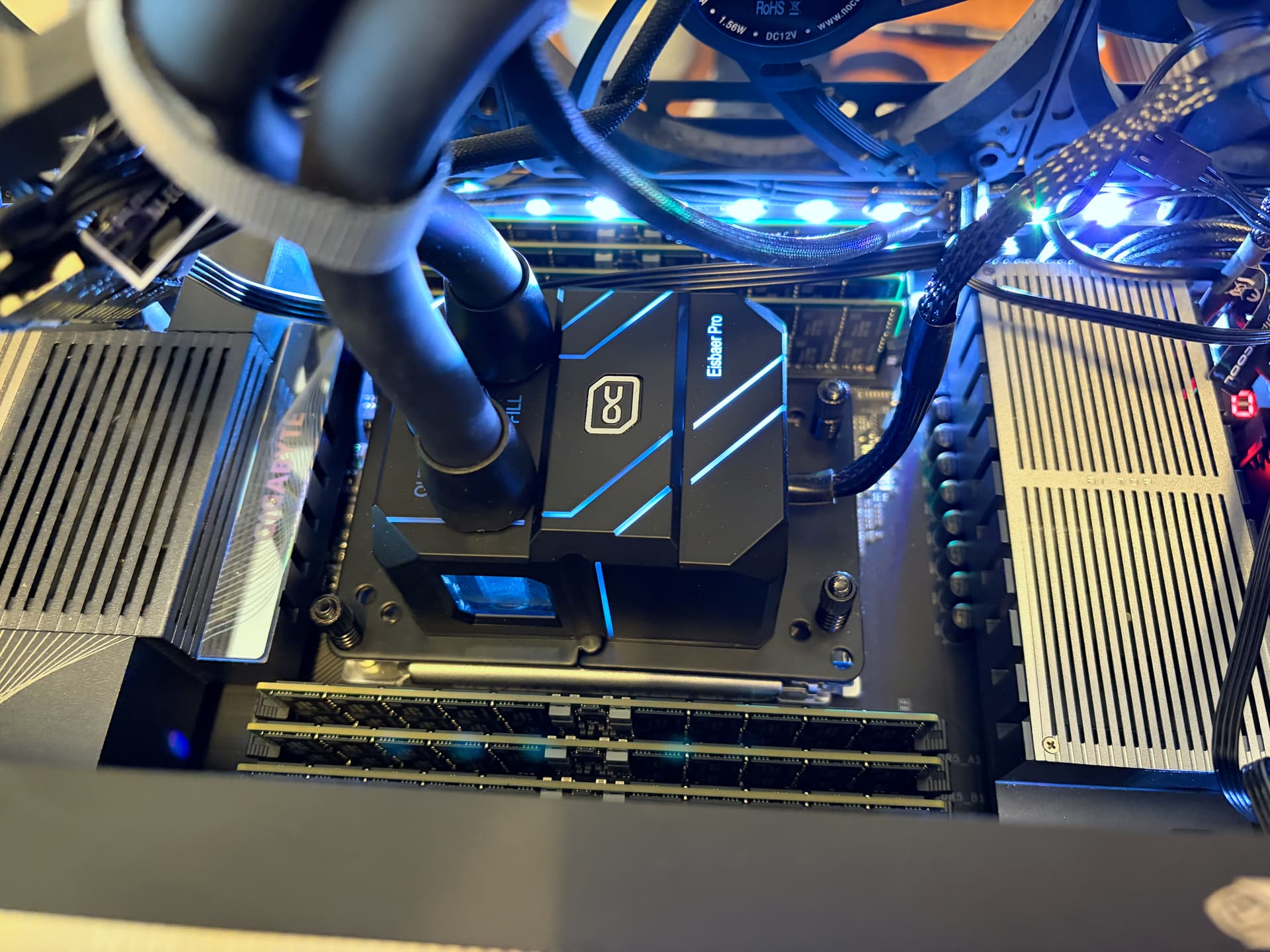
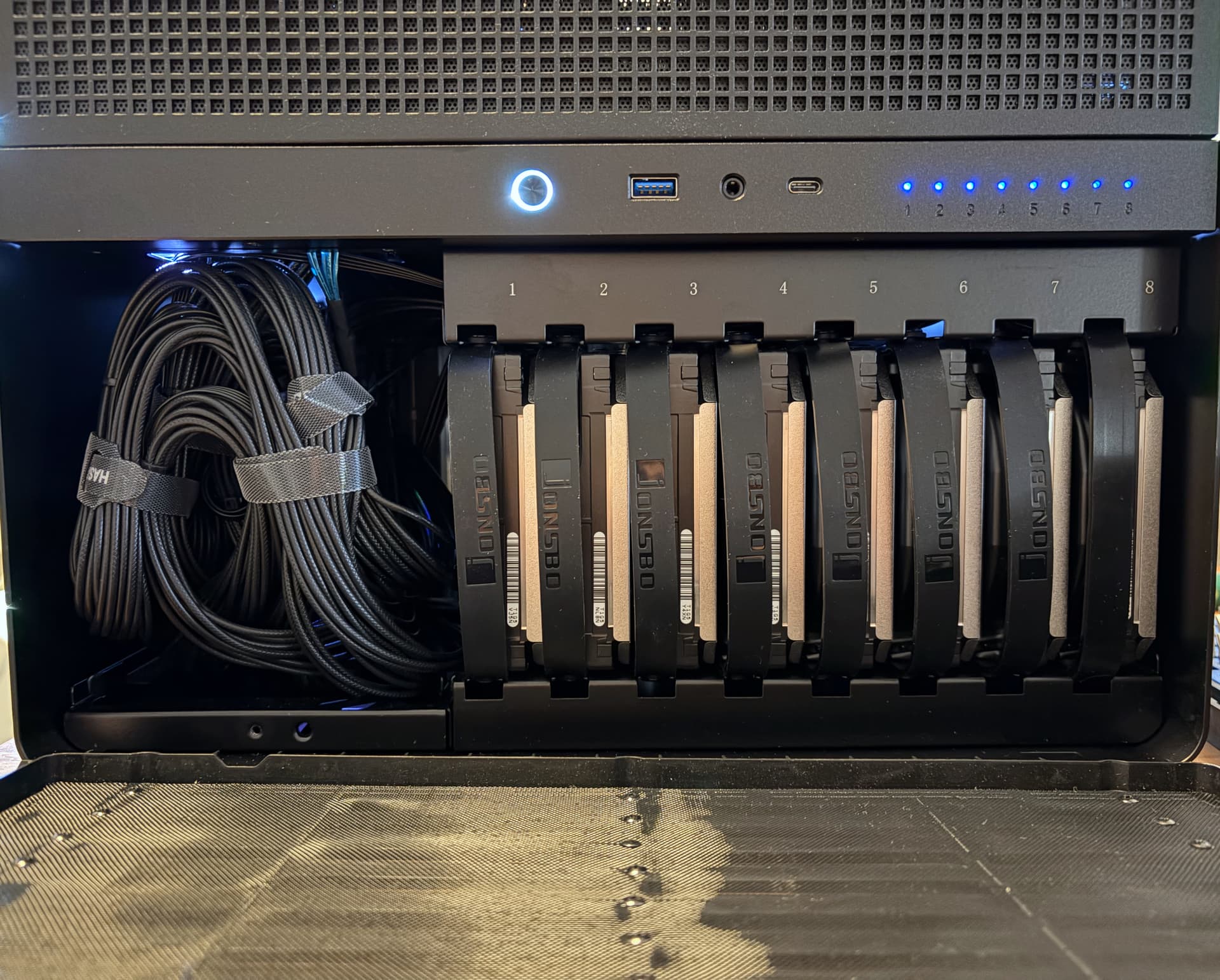
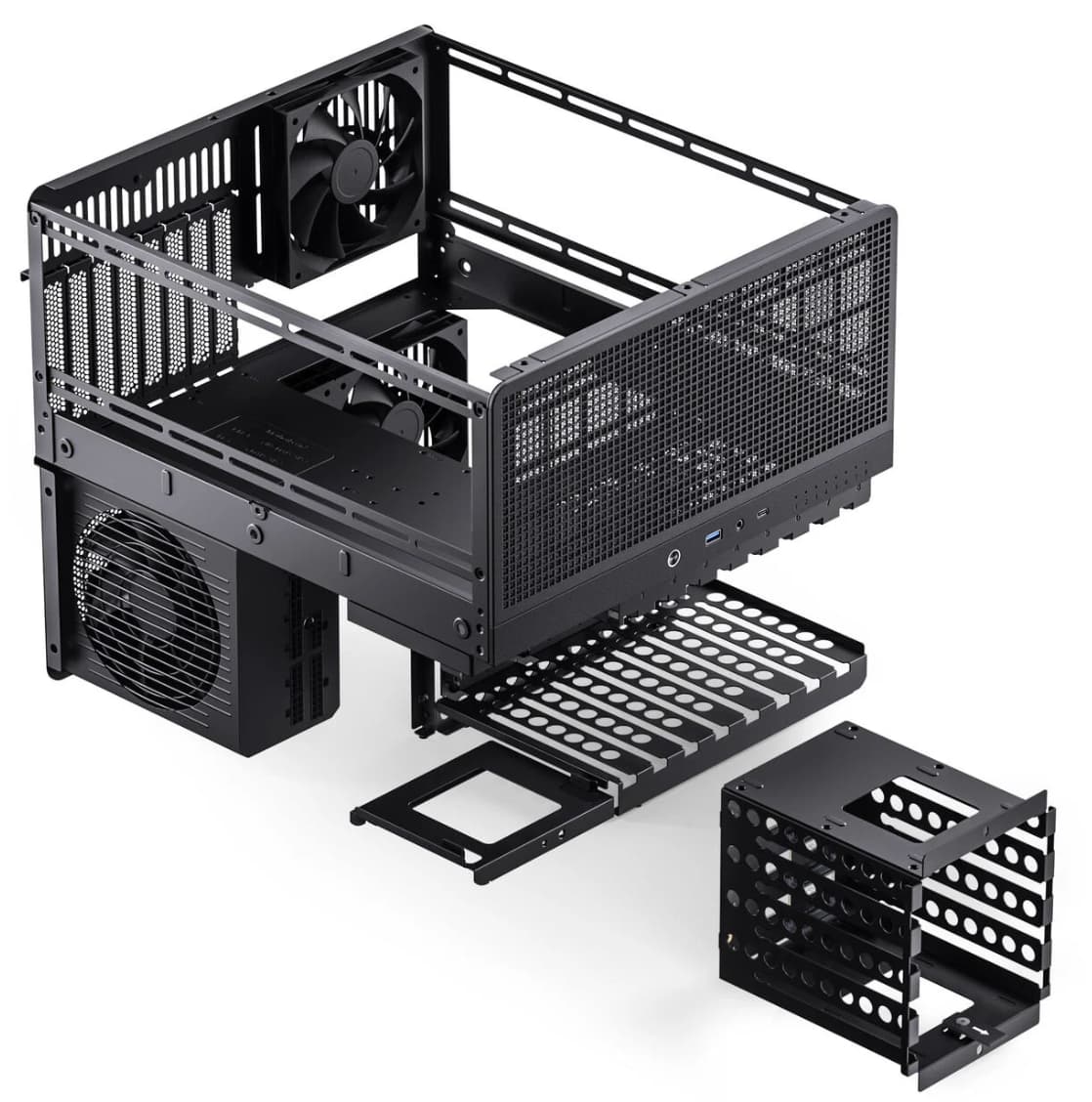
Case: Jonsbo N5
Space is a concern, and this case offers good density and airflow, with plenty of storage mounts. But overall, the case is disappointing on several fronts for a build like this (EEB-ish motherboard, fully loaded)
- Jonsbo uses no less than 5 different types of screws for this case. While some can be replaced with “standard” thumb screws, others can’t. Phillips (three sizes), special shortened PH00 (radiator cover front), hex (the lid), etc. - it’s a nightmare to keep track of these.
- The case is inexplicibly excactly 8mm too short for a 360 rad to fit on either side. The motherboard clearance, mounting holes, etc. all line up nicely for a 360 AIO, the only limiting factor is case length/depth. This led to the switch from the SilverStone 360 AIO we used previously to the Eisbär Pro 280
- For a decently long PSU, the left front drive cage on the lower level has to be removed. Instead, we added an aftermarket metal 4x2.5" SSD cage behind the 8 other bays. This left bay also wouldn’t have any HDD LEDs even if left in. Removing this drive cage to make enough space for this PSU also means the front lower-level cover doesn’t close on the left side, as it is only held on with magnets, and that magnet in turn attaches to the drive cage.
- The HDD backplane fan power connectors Jonsbo supplies are fixed at 100% fan speed (3 pin only). They’re unusable.
- Worst of all for blower-style GPUs (like ours): the PCIe slot dividers Jonsbo uses block 1/5 of the airflow path. They’re too wide. I’ve never seen this before. We will snip these during the next cleaning check.
We made it work, but it did take a lot of time and effort. For a v2 of the N5 I’d love to see Jonsbo going for more standard components.
On the positive side, the case has an enormous void behind the HDD bays - lots of room for activities! We mounted more SSDs here, but there’s enough space for e.g. a full-size KVM, more HDDs, and plenty of other stuff.
MB: Gigabyte AI TOP
Technically a TRX50 MB, but designed for Threadripper 7k/9k Pro with 8 memory channels, 4 no-compromise Gen5 x16 slots, 4 M.2 NVMe slots, and 4 chipset-driven SATA ports.
To keep it short: this MB was the wrong choice, and we will move to a ASUS PRO WS WRX90E-SAGE SE shortly (it wasn’t available when this build started). A short list of gripes:
- Monitoring temps and fans on linux with this board is a nightmare as Gigabyte continues to rely on undocumented SuperIO control and bridge ICs for “Smart Fan 6”. Volunteers continue to hack away at the it87 driver to get this to work, but to this day we can only see half of the temps and fan speeds we need. In contrast, ASUS is actively contributing sensor support to linux.
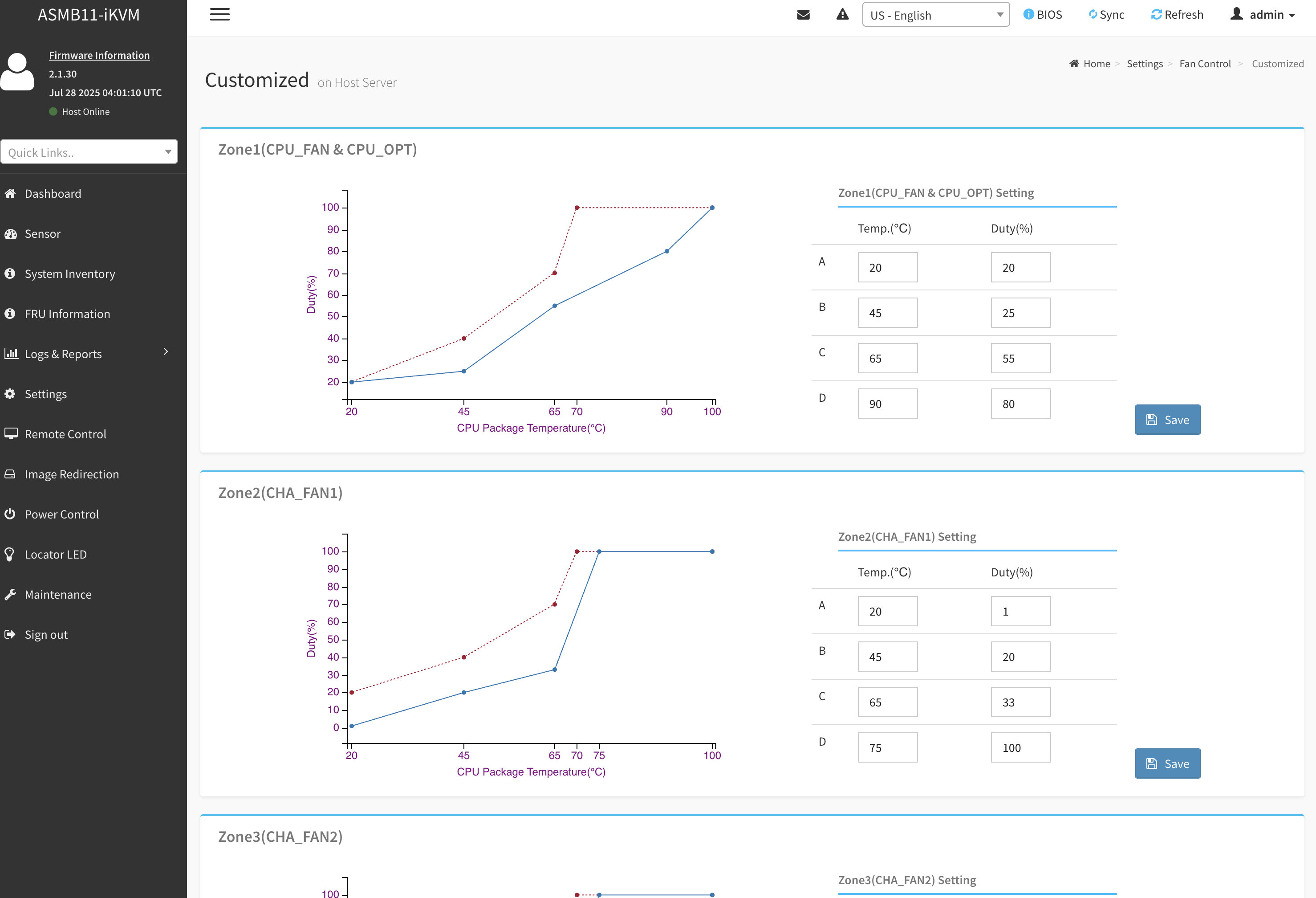
- Missing out of band management more than expected. The system is managed via a Dominion KX IV-101 KVM, so it’s mostly fine, but ASUS’s solution has much nicer integration (and allows for temp/fan management, too!)
- There are technically four NVMe slots on the MB, but only three should be used with high-density drives. The bottom right slot has no(!) cooling for the underside of the drive, and limited contact on top. The three others are cooled extremely well, even sitting underneath hot GPUs. The fourth drive is running at high-ish temps even while idle. Avoid this slot.
- As of the latest BIOS (Nov 2025), there’s a bug preventing the BIOS from enumerating all chipset SATA ports in AHCI mode (non-AMD-“RAID”). BIOS will show two of four drives connected, while linux and rescue systems correctly show all four, and all four work just fine.
Overall it’s been stable, but it’s a weird little board.
Other hardware
No complaints about any of the below. All working really well:
- Storage (local):
- 4x 8TB NVMe Gen4 SSDs (users)
- 4x 4TB SATA SSDs (boot & root)
- 8x 16TB SATA HDDs (via LSI HBA) (cold storage of checkpoints, training data)
- CPU: Threadripper PRO 7965WX
- currently core-count-limited in some workflows, looking to move to the 9985WX
- RAM: 512GB Kingston
- Could always use more, one of our projects uses 380GB of RAM during a build, putting pressure on the rest of the system
- Cooling
- Fans: mix of SilverStone and Noctua fans
- CPU: Eisbär Pro 280, which works really well, even with somewhat obstructed airflow. Pump is a tad loud, QDCs are not the leak-free tier.
- HDDs: air is pulled through the lower level by 2 120x25mm fans at the back
- TIM: Duronaut, and MinusPad (how could I not, I’m within shouting distance of ThermalGrizzly HQ
 )
)
- PSU: Seasonic PRIME PX ATX 3.1 PSU - rock solid, but biiiiiiig
- If you’re on 16A/240V, and need 3+ GPUs, the ASUS PRO-WS-3000P might be a better choice
Performance & Temps
Performance is great, as expected. It’s stable. It might sound like I’m complaining a lot above, but I’m just German . Overall I’m super happy with this build, and a bunch of stuff is planned for 2026.
CPU temps (top lines) under full load (mixed StressNG + RAM):
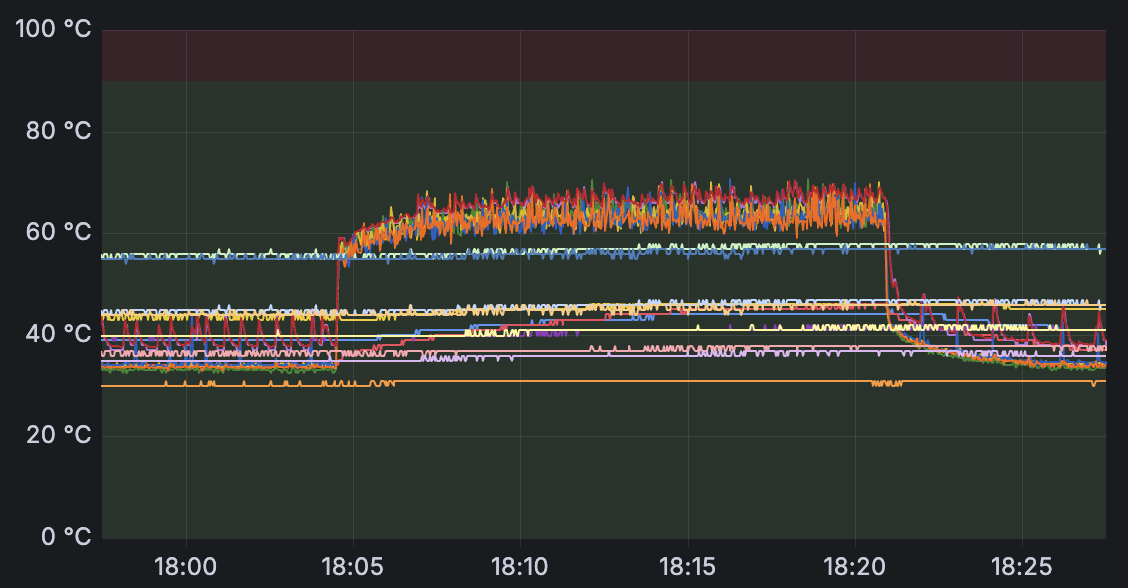
The blue/green middle lines are from sensors near the “hot” M.2 slot. If you’re wondering what the effect of the airflow path on GPU temps is - with the AIO venting “into” the case - the hottest GPU only gets 4C hotter when the CPU is fully loaded.
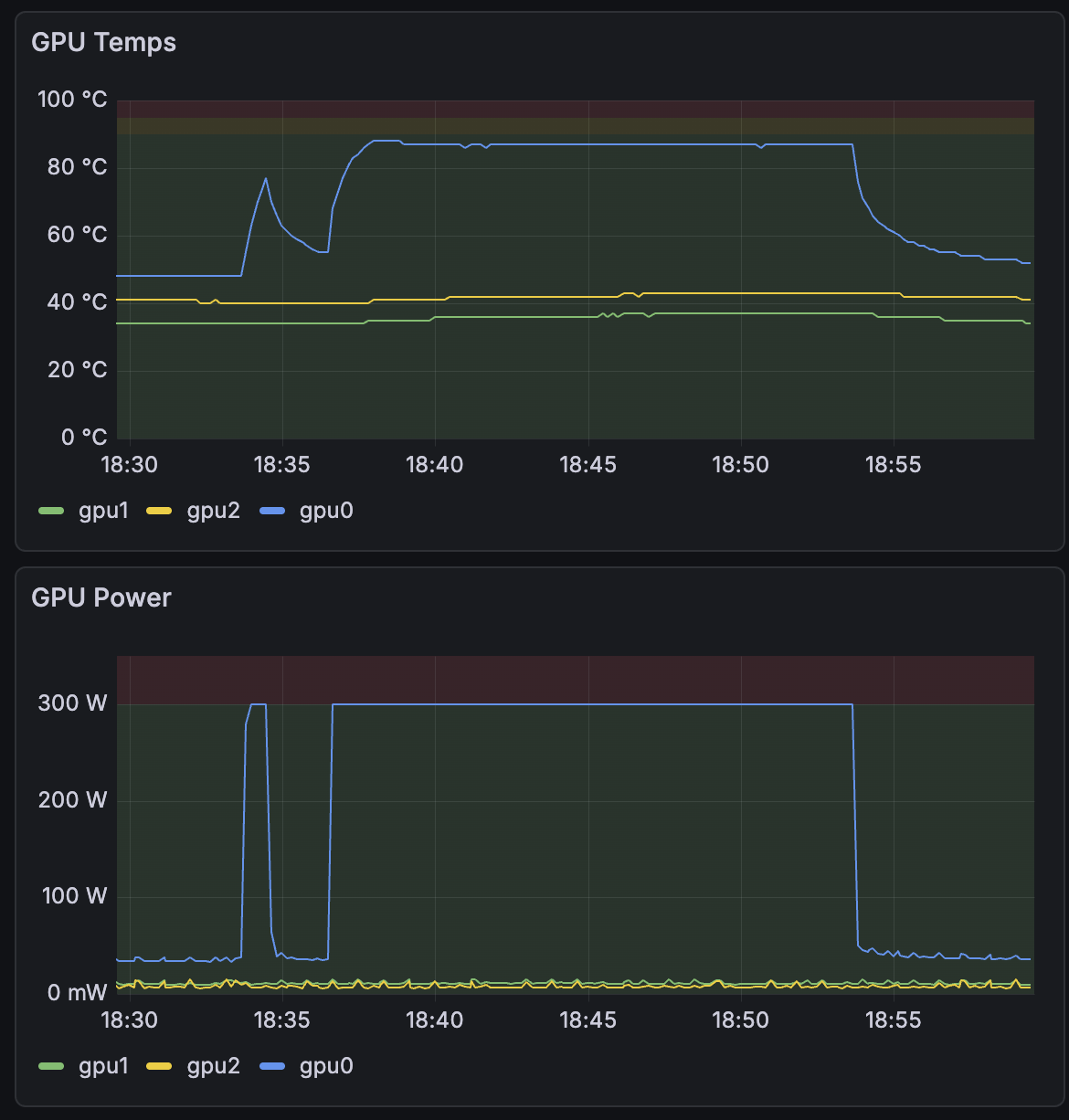
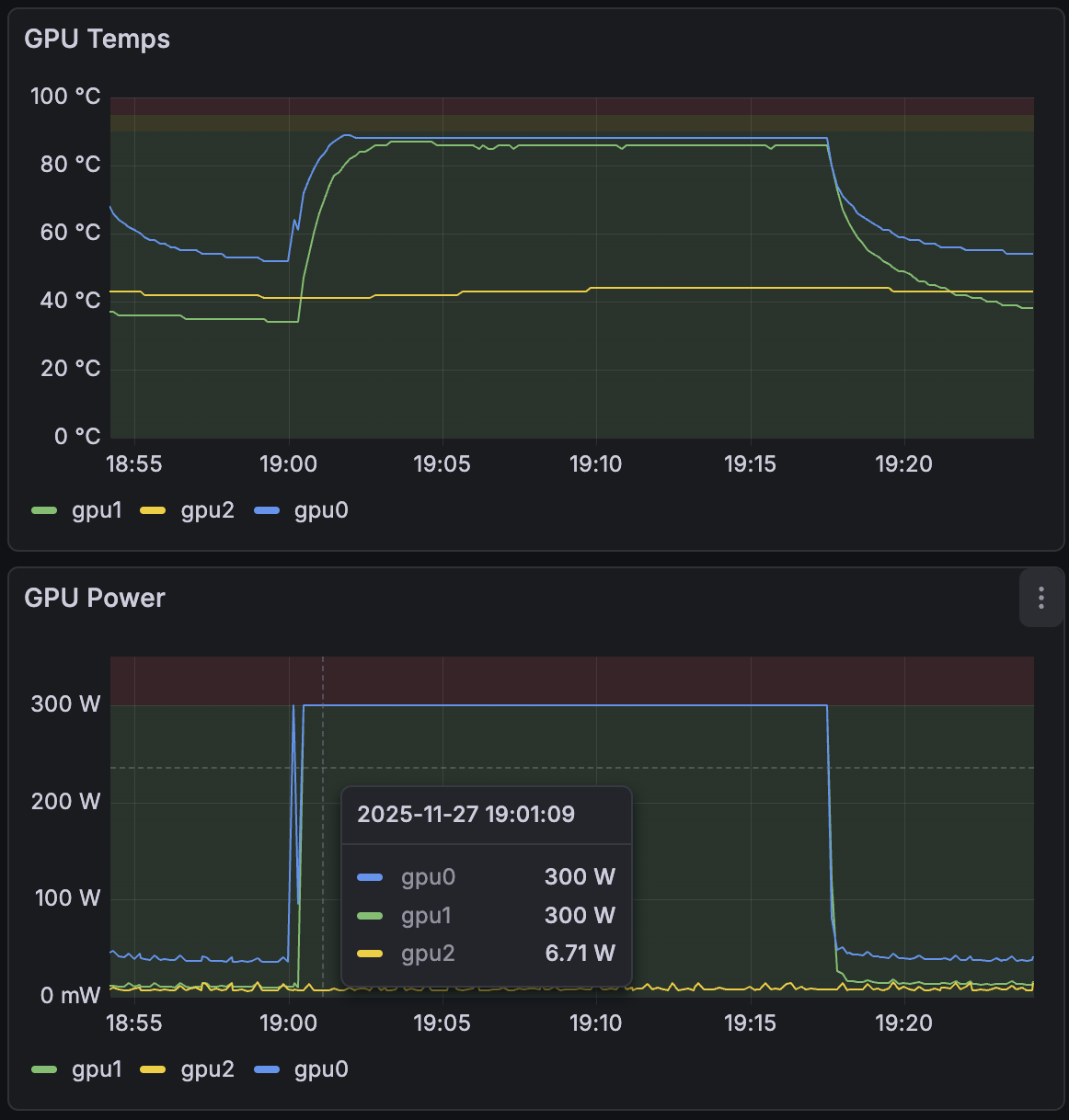
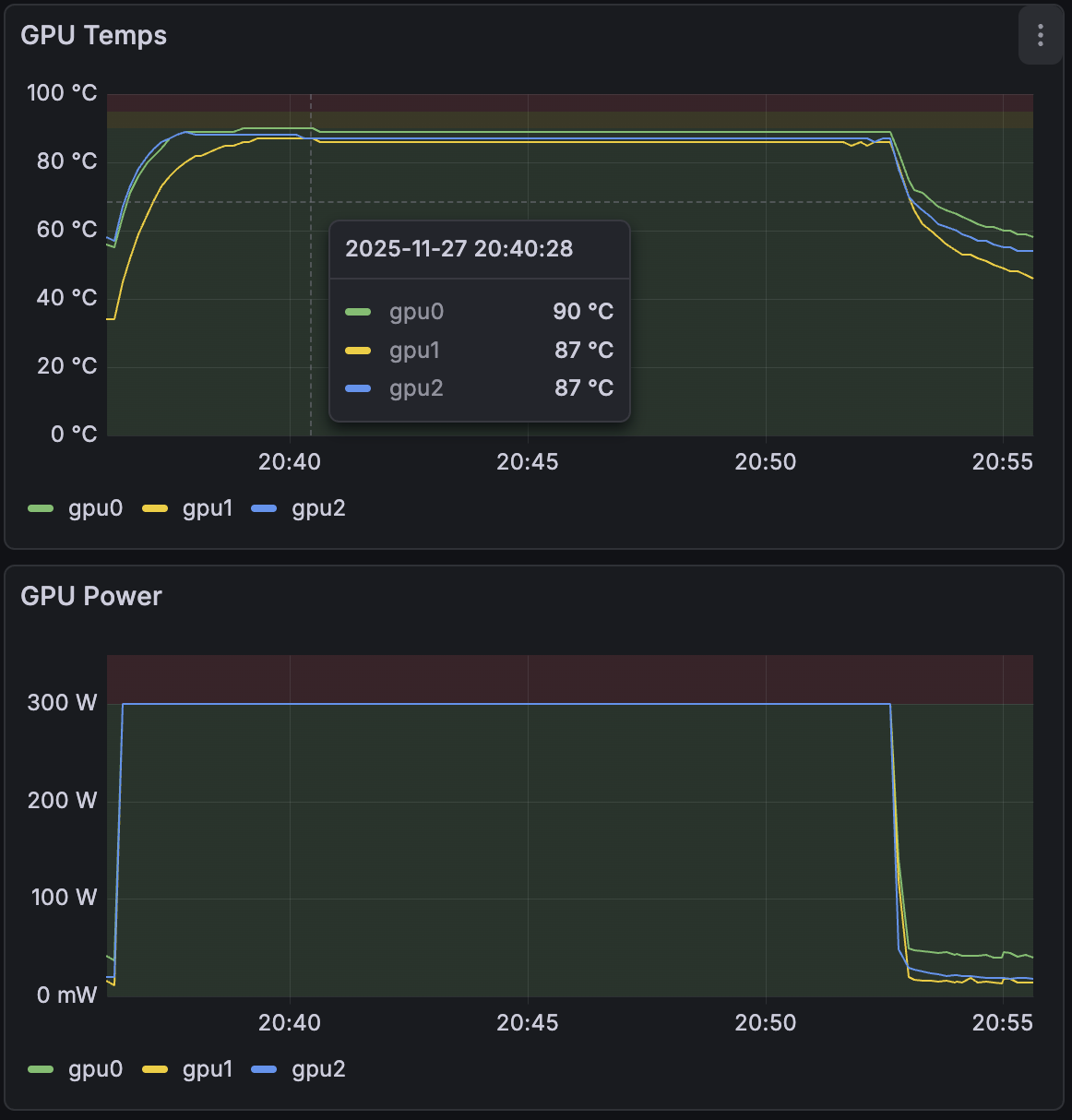
Which is a moot point because NVIDIA disabled fan control on these cards, and the built-in fan curve waits a long time to ramp up. Cards will hit ~90C immediately under load, with the fans sitting at 50% for minutes until they kick in. But that’s fine, the MaxQs only throttle at 95C or higher, so the base clock speed is maintained. Careful though, these are blower cards: there’s a minimum of 60cm of free space required at the back of the case, and no cables must cross the exhausts. These cards truly become hairdryers under load. That’s why Jonsbo’s insane PCIe dividers are also an issue.
Here are some burn-in tests: 1 GPU, 2, 3:
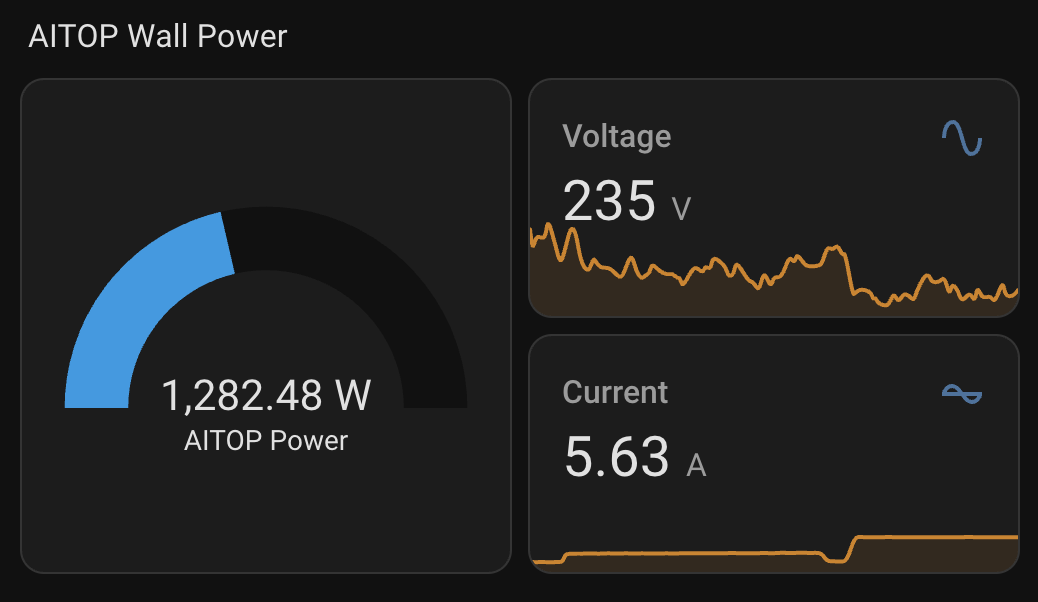
The system has its own circuit, and this is the wall power draw with all three at full utilization:
Memory
- about 101ns random access latency (MLC)
- all-read bandwidth 198 GB/s (MLC)
- mixed read/write (2:1 or stream-like): 250–258 GB/s (MLC)
GPU Burn
At full load all GPUs stay at 1.6Ghz core clock, and together produce 45,224 Gflop/s in the GPU Burn verification workload (with TensorCores enabled).