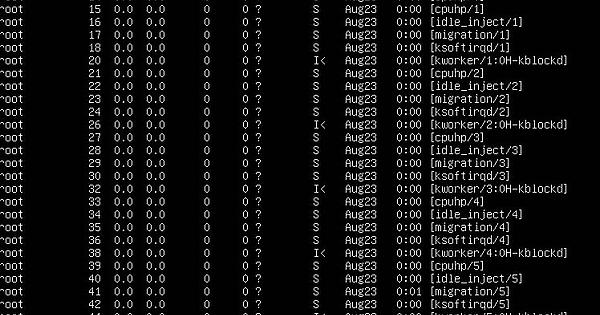
I am trying to run a cron job on a webserver that retrieves an image from a webcam every minute. It seems like something is happening where the jobs are not closing correctly, but I don’t know what is really going on. Below is the cron task and then some output from ps -aux.
* * * * * /bin/timout -s 2 50 /video_capture.sh
Within the file video_capture.sh is the ffmpeg command
If the script is to be called every minute then the crontab will work. If ffmpeg terminates by itself then you don’t need a “timeout”.
Only when using “timeout” and crontab you get task calls and terminations but ffmpeg will run for up to xyz time. The question is, is that what you mean or do you only want to capture one frame every minute? And whether ffmpeg will end by itself after making the frame, if not then define how long it should catch the frame, if you absolutely want to use “timeout” then it will rather be much s than m.
Set the crontab to every minute and let it run your script. Let your script contain ffmpeg which will take a snapshot of your frame. And the “timeout” will end the process after the specified time(two seconds). So ffmpeg has two seconds to live. Unless it ends earlier by itself.
Adjust the times and paths to your needs and take the test, it should work.
As for the original post… there may be two fundamental errors in logic there.
First, bad syntax and incorrect .sh initialization with crontab. Then the effect is that nothing is happening because ffmpeg was never run. But whether the crontab was able to initiate .sh can be easily checked because you would have that frame in the target location.
Second, incorrect use of timeout. You tried to terminate your .sh script and not the ffmpeg process. In other words, you tried to end something that doesn’t exist. We commonly refer to this .sh file as a script, but technically speaking, it is an absurdly simple call to anything other than commands in cli. In other words, there is no working entity in the form of script.sh in the system / memory because shortly after its execution its existence ceases to exist. So you are failing to terminate a process that is simply not on the system anymore. This script is just such an automated command executor and does not function as a background process. The process you initiate and terminate is ffmpeg itself.
The first cron will start ffmpeg and let it run as long as it wants.
kill.sh
#!/bin/bash
sleep 10 && killall -9 ffmpeg
The second cron will theoretically start at the same time as the first but wait 10 seconds for the termination to complete.
So ffmpeg theoretically has 10 seconds to live, then it gets killed, and restarted the next minute and then killed again after 10 seconds… and the loop is spinning.