CPU: 5800x
Mobo: Asus TUF GAMING X570-PLUS (WI-FI)
GPU: nvidia 3090
PSU: Corsair Hx1200 - 1200w 80 Plus Platinum
OS: Windows 11 (debloated, cause windows is shite)
Since the beginning of this year been getting random reboots on PC (been running for years non-stop without issues). Windows seems to give me WHEA-Logger issues with the Cache Hierarchy Error and APIC ID of mostly 10, with the occasional 14 thrown in there.
I have done some research and have adjust the PSU to be the “typical” profile as well as adjusting the windows power settings to disable pci-e power profile. But the reboots seem to be increasing in frequency.
Interesting fact is that is only really happens when the PC is idle. Never when playing games or stuff like that.
Also, occasional thing that occurs is that keyboard stops taking input. Lights are on, but can’t wake up machine or get keyboard to toggle caps or num lock lights. Replugging has no result. Reset is only option.
My thoughts are since machine has been running non-stop for about 4-5 years with heavy gaming (Streamer), maybe something is starting to fail in mobo or cpu. Starting with 3800x and upgraded to 5800x. 3800x still running fine in streaming machine (which started with 1600).
My solutions are (best cost thoughts) replace the mobo first and see if it solves it, then replace cpu (maybe 5700x3d) and see if that fixes it.
Any thoughts or solutions on fixing this without replacements of hardware?
EDIT: during a memtest run, got the same weird keyboard and mouse lockup… I am leaning more to mobo being flaky atm if usb’s are acting up.
Sounds like it’s a voltage stability problem, especially the part of it being unstable at idle. Are you using CPU offsets? If so that may be the cause.
First you should ensure you’re running the latest UEFI for your motherboard. After updating I’d recommend loading UEFI defaults. Then configure the memory to the correct settings and voltages. Prime95 blend runs would check both memory and processor stability, but memtest and OCCT would also work.
I do have the latest bios on my board and haven’t ever messed with any volatages.
Memtest completed 100% with zero problems except my keyboard/mouse didn’t take any inputs.
The only thing i have changed in the bios of any consequence is setting the DOCP on to 3200 for memory, but everything is on auto. Been running for years this way with no issues.
Did a short run with prime95 as well with no issues. Its just one of those frustrating things that I am at a loss for.
I will try reset bios to default everything again including memory and see if it still occurs.
Thanks, I am currently letting it run with completely reset bios settings. EVERYTTHING is on default atm. Just been up for a few hours with no restart.
If it does have a restart I will try this next.
Thanks
EDIT: quick update. System been running stable for 18 hours now including doing some gaming. Gonna try change a few settings in the bios for virtualization and other minor things.
Once that proves stable, will turn on the DOCP (ram speed from 1600 to 3200) and see if that is what is causing the instabilities now.
EDIT2 (24 hours after previous EDIT): Made the changes and still no reboot.
fwiw I’ve had about half a dozen 5800x have their IMC degrade after varying amounts of time to the point where they will throw memory errors even at stock memory settings. This happened on a fleet of varying B650 motherboards but most of them were different MSI skus.
I’m not sure if the problem is inherent to AMD CPUs or some kind of interaction with the motherboard where too much voltage is killing the IMC.
Sytem has been up for another 24 hrs on with DOCP turned on and no issues. What is weird is that all my settings are now exactly as they were.
My current theory is that somehow the bios “settings” got some corruption and resetting it properly cleared out everything. I have a UPS running on machine, so shouldn’t have any brownouts to cause this sort of thing. Been stable for many years.
I don’t overclock or mess with voltages at all. Stability for me trumps eaking out a tiny bit of extra speed. Looking back on windows logs it happened first in late December, then started increasing in frequency till recently when it could happen 2-3 times a day. full run of memtest showed zero issues.
But as in previous message, bios reset seems to have “solved” it for now.
Make sense then. I was running a bios from 2022 because had zero issues so never a need to update. With this problem I did get the latest one, so that was 2 years of updates in the new one.
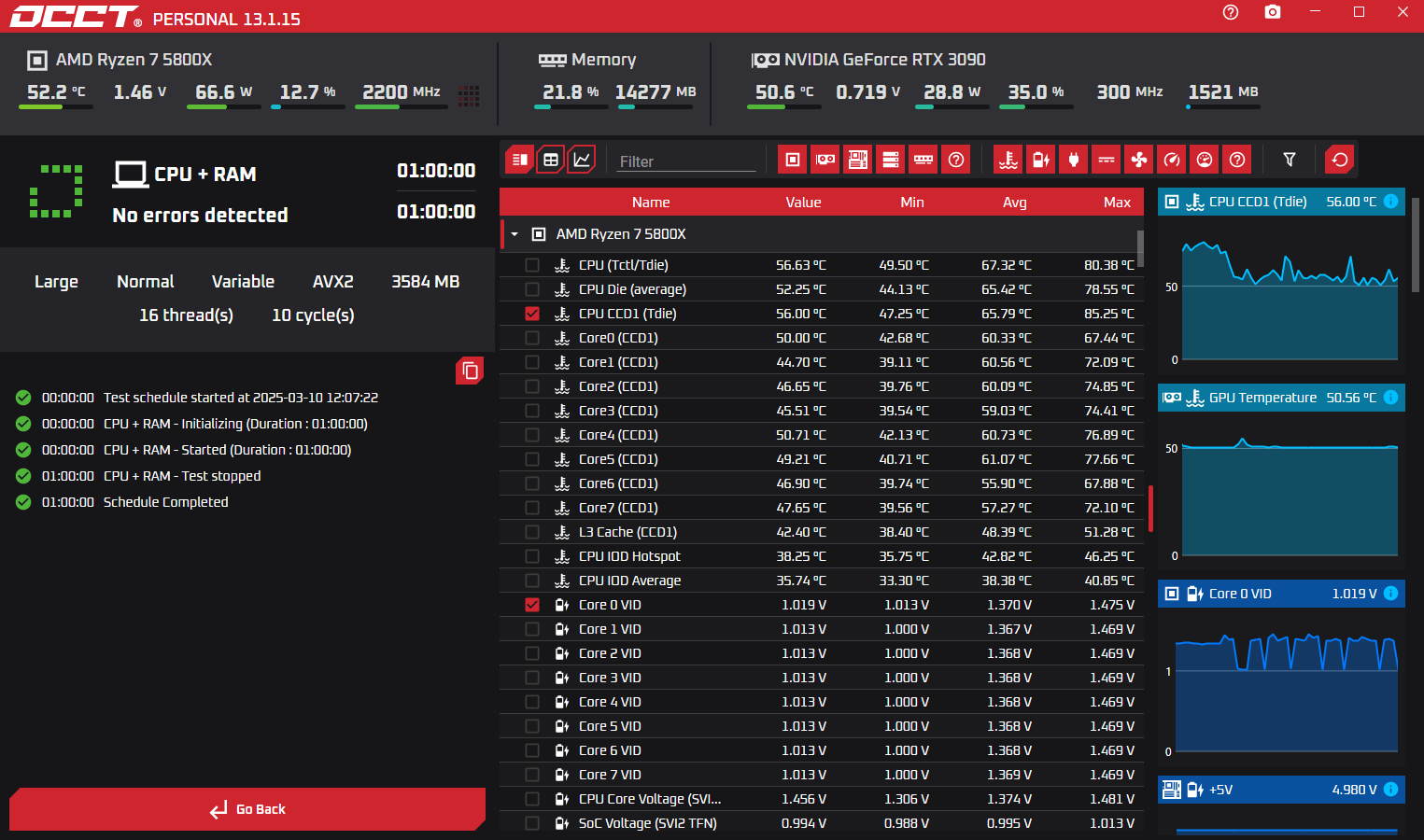
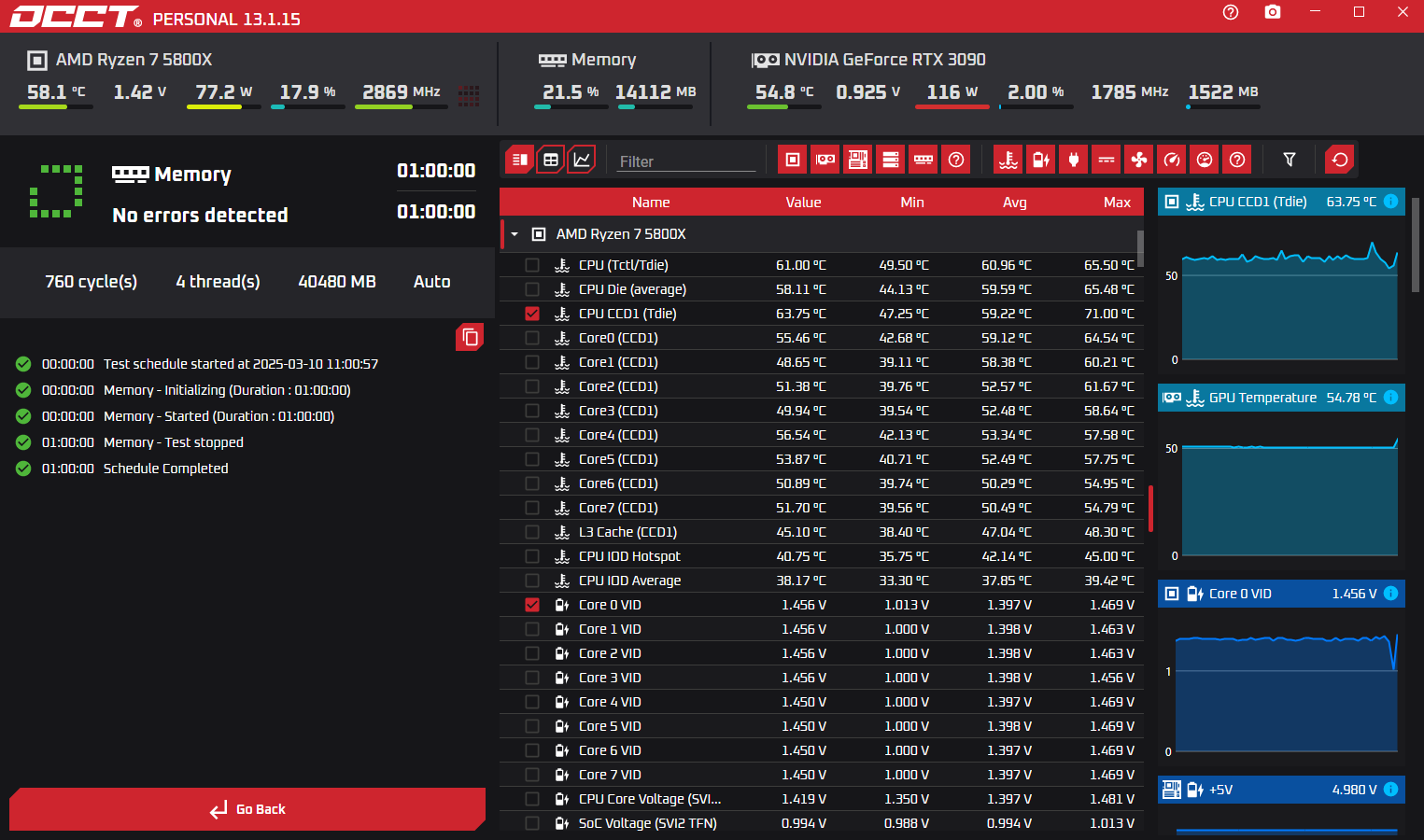
As said before occt is great for sniffing out issues. When doing tests make sure if you want to test the ram on occt; don’t use high cpu core count(use 2-4 cpu) with the ram test. If there is a issue with the cpu the ram will still fail with high cpu. Best to test both separately.
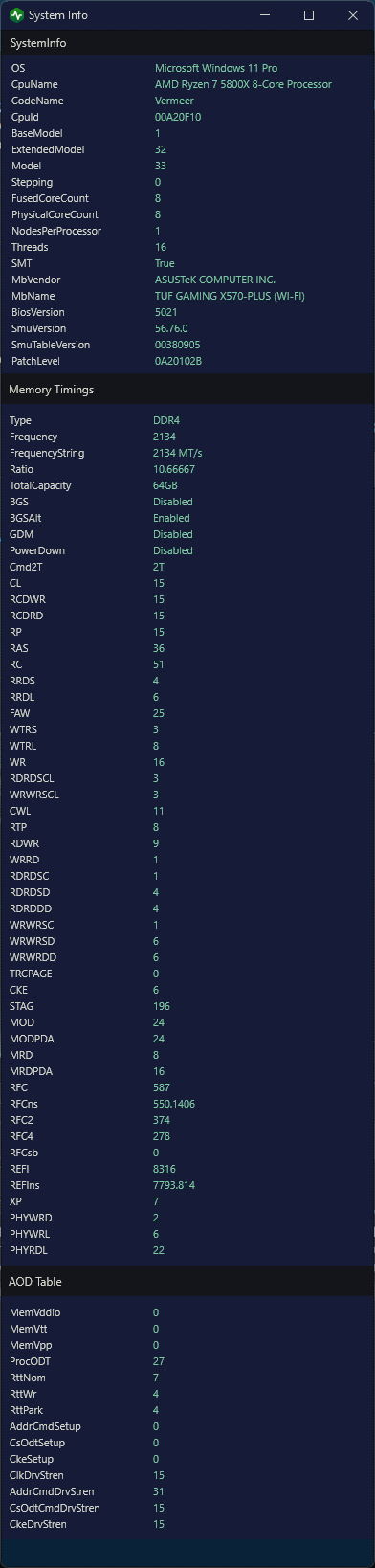
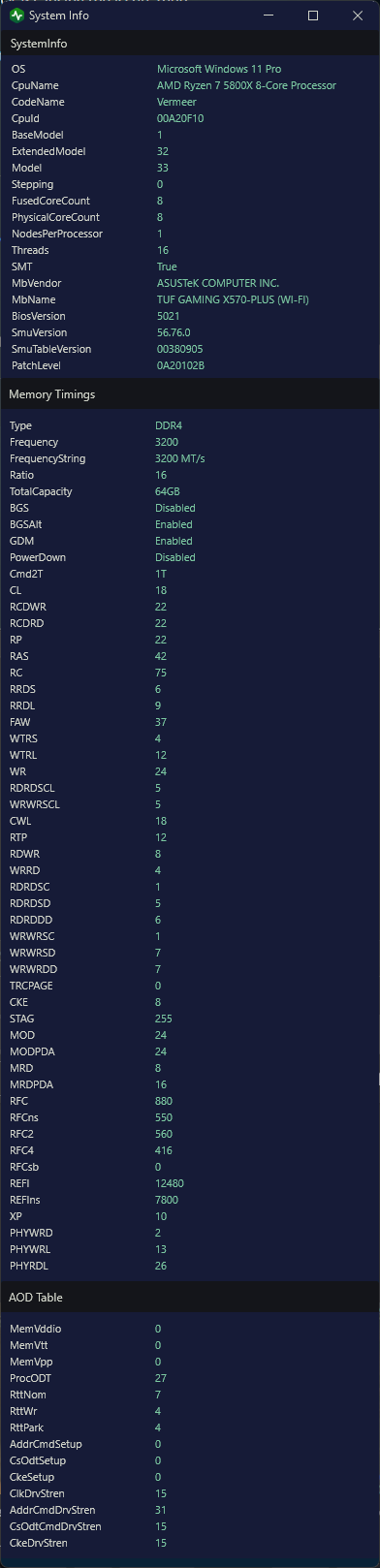
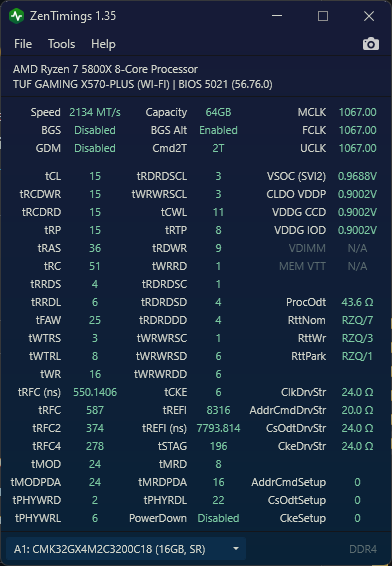
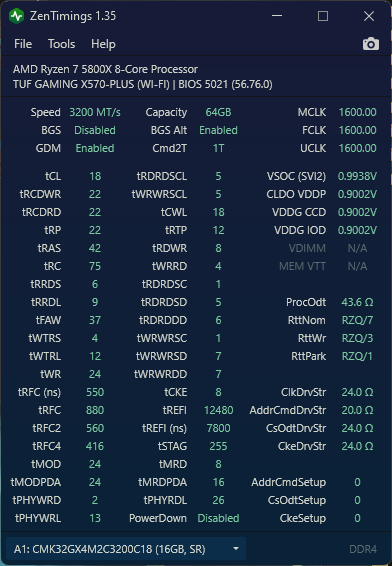
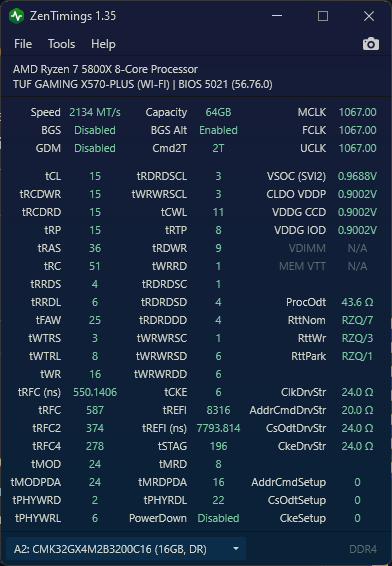
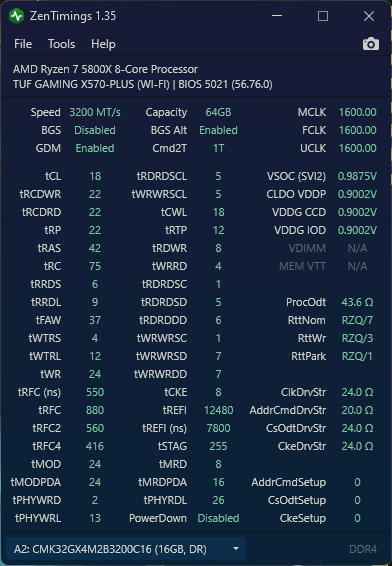
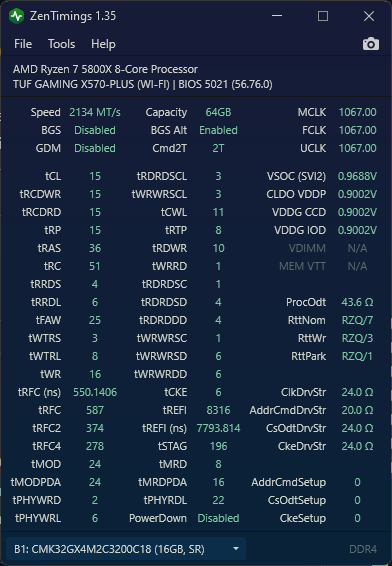
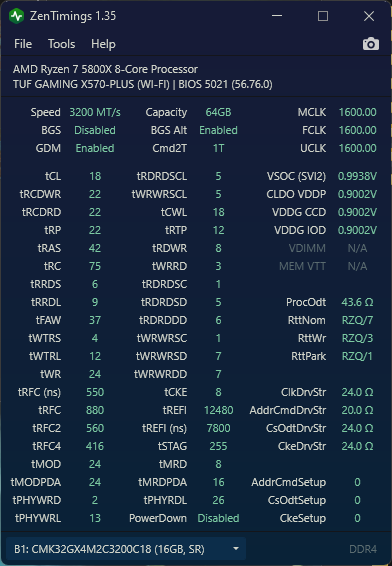
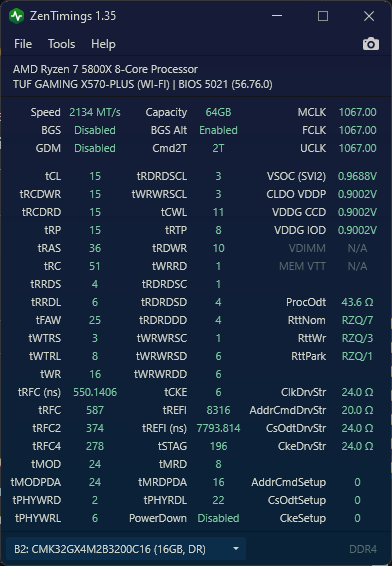
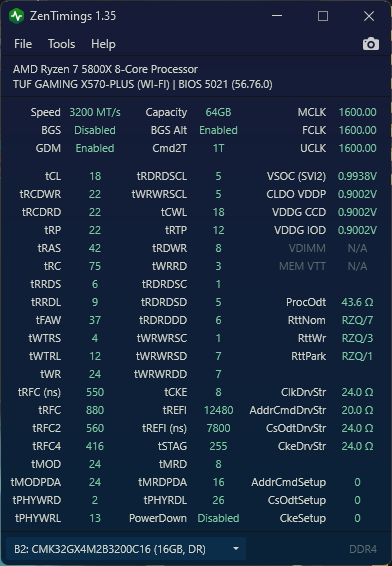
I’d recommend taking a Zentimings screenshot with the board under defaults, and another with the DOCP mode enabled. That will make it easy to determine what’s changing to narrow things down.
Seems to me the very same symptom. The guy solved it by slightly increasing Vcore voltage.
Personally I think chiplet-based Ryzen processors are the ‘bottom of the barrel’ dies i.e. left-over after cherry picked for expensive EPYCs. So they seemed to ‘degrade faster’ than expected. I don’t experience the same issue as yours. But adding a bit Vcore voltage helps mitigating my issue as well. In my case it’s instability under load quite the opposite of yours (and the Reddit poster). I guess it really depends which part of the processor degraded.
TLDR. Try adding 25mV offset (or another amount by trial and error) to Vcore in UEFI/BIOS. Leave the offset sign to ‘Auto’.
Thanks, I did come across a bunch of reddit threads, but quality of reddit has really plummeted after last few years, and that why I asked on this forum.
I really didn’t want to mess with voltages as I honestly don’t know what I am doing with them. I used to overclock my 486-SX from 25Mhz to 33Mhz by soldering a new crystal on the motherboard … showing my age, but have avoiding modern day OC as stability is far more important than an extra few FPS for me.