Intel Xeon x658 - 24 cores and 8 memory channels of speed?

PTS Results:

https://openbenchmarking.org/result/2604231-NE-INTELXEON28

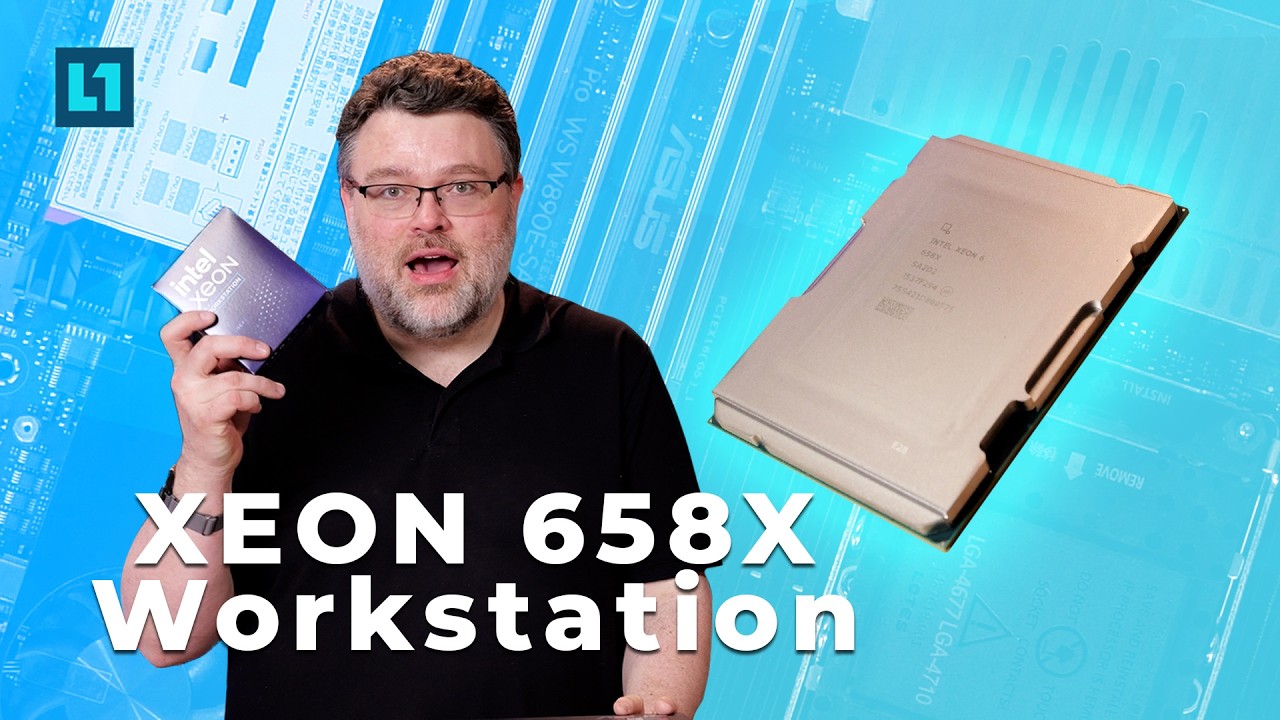
Intel’s Xeon 6 workstation launch, specifically the 24-core 658X paired with ASUS’s W890E Sage platform, is not about chasing peak core count, nor peak core performance, but more about redefining platform balance. This is effectively a workstation-class adaptation of Granite Rapids: 8-channels of faster DDR5, 128 lanes of PCIe Gen5, and a focus on sustained throughput rather than bursty, power-hungry boost behavior. Asus’ inclusion of active DIMM cooling and server-style features like BMC and dual PSU support underscores the direction—this is a server platform wearing a workstation badge, and the distinction is increasingly meaningless.

From a raw performance standpoint, the 658X is not able to dethrone high-core-count Threadripper. Lightly-threaded uplift is modest, roughly 5–7% over prior generation Xeons (but much more in multi-core workloads), and heavily threaded workloads still favor AMD’s larger SKUs. But that framing misses the point. Intel has shifted toward efficiency and consistency under load. Instead of dumping power into a few cores, Granite Rapids delivers materially better performance per watt at scale, with far less scheduler drama. The result is a CPU that feels more predictable and better behaved, even if it doesn’t top every chart.

Where this platform becomes genuinely disruptive is memory bandwidth and I/O. Eight channels of DDR5-6400 (and beyond, in practice) push real-world memory bandwidth into the 400–500 GB/s range, which is enough to fundamentally change workload characteristics. Many benchmarks that appear core-limited on paper shift toward bandwidth-bound behavior, allowing this 24-core part to compete with or exceed much higher core count systems. The same applies to PCIe: peer-to-peer bandwidth and lane availability make this platform particularly compelling for multi-GPU, storage-heavy, or accelerator-driven workloads. In contrast, AMD’s lower-core Threadripper Pro SKUs often underutilize their own platform capabilities, making Intel’s approach feel more cohesive at this tier.

This balance shows up clearly in modern workloads, especially AI and data-heavy tasks. AMX acceleration and sheer memory throughput allow the 658X to punch above its weight in inference and scientific computing scenarios, even when traditional CPU benchmarks suggest otherwise. The broader takeaway is that CPUs are no longer just orchestration layers for accelerators. In 2026-era systems, they are deeply involved in data movement, preprocessing, and coordination across increasingly complex pipelines. Intel’s design leans into that reality. Pat Gelsinger was right! The CPU is important here for these reasons, and AI Agents executing on the plan hatched over on the GPU side of things.

The net result is a platform that makes a strong case on capability per dollar rather than absolute performance. If you need maximum cores, Threadripper still wins. But if your workload is constrained by memory bandwidth, I/O, or platform scalability, the Xeon 658X is unusually compelling. You only need 24 cores to fully saturate 8 memory channels at 7200 and beyond? That’s a big deal for a lot of workloads. More importantly, it inverts the usual limitation: instead of less-expensive CPUs not properly utilizing the platform, here we have “modest” 24 core count CPU that can exercsie the features of the whole W890 platform. That makes me want a bigger core count SKU just to see what more cores can do.

Will we see even more memory bandwidth? At 6400 our best-case-scenario is just over 400 gigabytes per second.. with both CPU memory overclocks we can push well past that… It seems like this is the better platform for hosting a lot of networking and I/O if 24 cores is a sweet-spot for your workload.

This is not a result I was expecting at all, but I’m glad to see it.

8 Likes

Any chance we could see the COMSOL benchmarks on this CPU? I’m specifically interested in the “CFD-EM” benchmark which should be super memory bound.

3 Likes

I was hoping to see you ask for this, I’m a +1 on seeing these results Wendell. If there are any other complex multiphysics benchmarks out I would like to see those too, especially ones that struggle with offloading compute to GPUs, like active remeshing for fluid motion.

Really nice memory bandwidth there.

Whats the idle cpu / system power usage like?

Any stats on P2P PCIe latency between the RTX PRO 6000s?

I am in the process of building a new multi-GPU node and was considering the new W890 platform over a second WRX90-based machine. I ended up putting in an order for another WRX90 board and a 9965WX because I didn’t find any of the new Xeon CPUs listed at retailers. However, now I do see the 658x listed (it may have always been there and I managed to miss it) so I am reconsidering after seeing your video and your comments about P2P bandwidth.

If the 9965WX ends up getting fulfilled before my cancel request gets through I will stick with Threadripper Pro, but I can save a few bucks with Intel and it sounds like they are on-point with their IO capabilities which is what I care about most. (The lower TDP is welcome as well :+1:)

I’m putting together a demo with the Xeon 6XX, I’m looking for workloads that are memory bound. Let’s say it was possible to increase the memory bandwidth 300% on this platform. I would need source code so I can tweak things. Do you think some of the llama.cpp benchmarks would scale?

Are there any open source alternatives to these benchmarks?

Hello! I’m a member of the L1Techs team who assists in benchmarking. I have begun conducting benchmarks for COMSOL for the X658. I’ll be able to provide full results early next week for the longer tests, including the one you’re most interested in.

For now here’s some quick results from the CFD only test.

10GB CFD only test Solve Time: 20 minutes 56 seconds.

I should have some CFD-EM & EM only results for you next week, thank you for your suggestion!

2 Likes

I’ve tried running this on my HBM equipped Xeons (the ones that have almost 2TB/s of memory bandwidth) and it did not perform well, there’s something wrong/unoptimized in the codebase for CPU with high memory bandwidth.

Not exactly, or atleast not a good analog IMO; there’s MOOSE, but it’s more of a framework than a cohesive application and is typically poorly optimized, although an argument that the user should have just picked better boundary conditions could always be made.
There’s also ESI group’s OpenFOAM, but it basically picked the wrong tech tree to follow for versatile problem solving and can’t competently solve multiphysics problems because of it’s underlying architecture or even CFD problems that aren’t “simple” like very high mach or turbomachinery problems.

Probably the closest analog would be the community fork of OpenFOAM called foam-extend, but it doesn’t seem to be gaining much traction.

​​​ ​ ​

​​​ ​ ​

Random article detailing how insanely versatile true multiphysics software can/should be

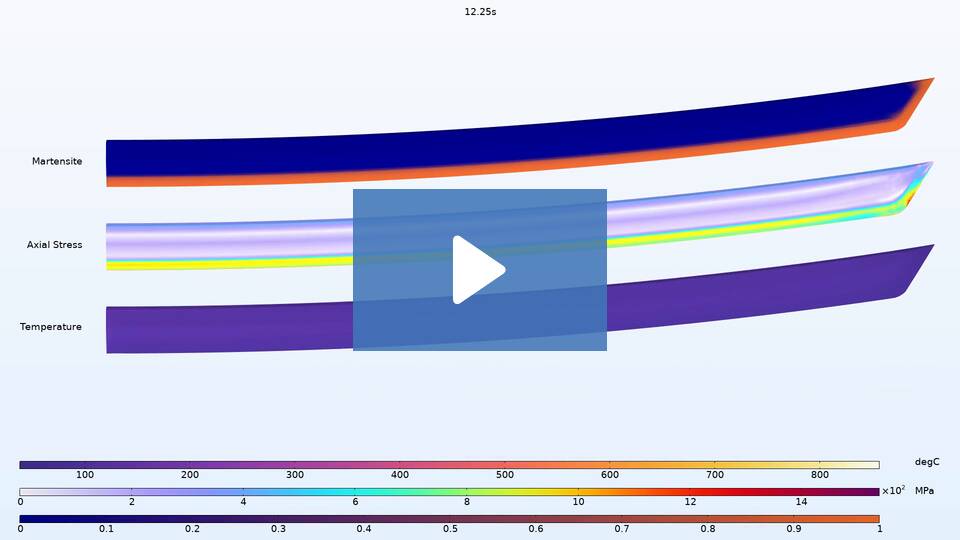
This article shows multiphysics simulating how a katana’s shape changes as it cools down and what kinds of crystals grow on which areas of the blade leading to the different hardnesses:

Modeling the Differential Quenching of a Katana | COMSOL Blog

1 Like

On a related note… I remember Wendell’s comment from one of the WRX80 videos (circa 2022) about needing at least an 5975WX (32C) in order to saturate all 8 channels because of the 4 chiplets. So it sounds like the x658 follows the same formula.

I’ve always wondered if a 5965WX (24C) would be enough since it’s 4 chiplets as well.

I mention this because it’s theoretically it’s possible to get around 200 GB/s in DDR4 3200 form and wonder if it could be a budget build considering the cost of DDR5 these days (I’m trying to decide between the two CPUs personally as i’ve had the memory and motherboard for years).

I’m already using an 2B Q8 model offloaded to the laptop cpu and dual-channel ddr5 with --ngl 0 --no-mmap and netting a 262k context with 60t/s. But I’m looking to finish this workstation for much larger 35B models - on a budget.

I think this is kind of a apple and oranges case. It does take a certain number of cores to generate enough memory bandwidth to saturate an architecture, but Intel kept dedicated memory controllers on each of the 2 tiles so they can communicate with memory directly, while AMD makes each chiplet route it’s memory requests to the IO die through somewhat anemic infinity fabric links (AMD does offer wide infinity fabric links on some processors though).

1 Like

Was there benchmarking done to figure how much more power efficient under full load this is compared to predecessor and AMD server? 3nm Intel but not 3nm TSMC,. being not Lion Cove but Redwood cove it is interesting. Undervolting ?

1.8nm vs 2nm, wee!

Suppose this platform can make the DDR5 run hotter due to more bandwidth.

Thank you for the review. In your commentary you mention Threadripper Pro systems, but none of the benchmarks include them - just the four channel memory Threadrippers. Given the focus on memory bandwidth I think it would be helpful to include them.

The 9995wx memory benchmark table was in there?

her’es the 24 core 7000 series:

AMD Ryzen Threadripper PRO 7965WX 24-Cores

Intel(R) Memory Latency Checker - v3.11b
Measuring idle latencies for random access (in ns)…
Numa node
Numa node 0
0 98.7

Measuring Peak Injection Memory Bandwidths for the system
Bandwidths are in MB/sec (1 MB/sec = 1,000,000 Bytes/sec)
Using all the threads from each core if Hyper-threading is enabled
Using traffic with the following read-write ratios
ALL Reads : 223820.2
3:1 Reads-Writes : 235988.3
2:1 Reads-Writes : 231002.3
1:1 Reads-Writes : 215740.6
Stream-triad like: 235548.5

Measuring Memory Bandwidths between nodes within system
Bandwidths are in MB/sec (1 MB/sec = 1,000,000 Bytes/sec)
Using all the threads from each core if Hyper-threading is enabled
Using Read-only traffic type
Numa node
Numa node 0
0 222320.2

Measuring Loaded Latencies for the systemUsing all the threads from each core if Hyper-threading is enabledUsing Read-only traffic typeInject Latency BandwidthDelay (ns) MB/sec

00000 433.53 222109.1
00002 434.56 222086.9
00008 436.12 222105.3
00015 437.65 222067.7
00050 432.04 222089.7
00100 438.19 221974.3
00200 117.14 138059.9
00300 114.71 92870.9
00400 113.69 68347.4
00500 113.25 55269.8
00700 112.65 39933.7
01000 112.20 28287.3
01300 108.08 21989.1
01700 107.46 17000.2
02500 107.13 11782.3

1 Like

would be interested to see benchmarks using the code–aster finite element system.
Simvia has released a dockerized container supporting openMP and OpenMPI. In my testing so far openMP so far seems to help when factorizing the matrix, and openMPI helps when solving.
Memory behavior using openMPI is very well behaved during the solve, but skyrockets at the end when the results are being written and consolidated from multiple processes. but if you have the ram, the speedup is real, up to 4 threads on my Haswell core-i7. Also, ai helps me to understand the error messages, which are all in French. Much easier to get going with it than in the past.

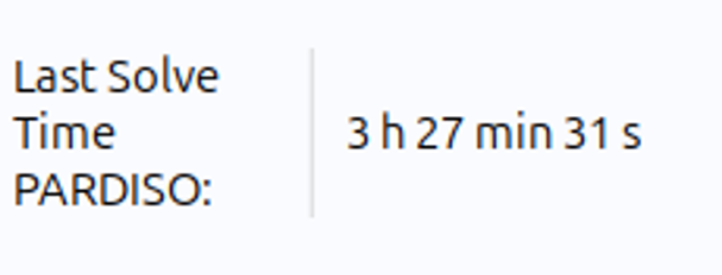
As an update to the COMSOL testing. We ran the 60GB CFD-EM test on the X658. We got the results and the PARDISO solving method came back with a terribly slow 3 hours and 27 minutes.

Looking at the logs it seems the test managed to use up the 128GB of RAM we have in the rig currently, causing an Out Of Memory state that pushed the system to swap to the SSD.

So, question for everyone, would you like for us to give it another shot at 256GB of memory? We have the kits to do so, but we want to know if you’re interested in seeing a scale at that price point, or if you prefer the more realistic 128GB bottleneck results.

1 Like

I picked up the W890E-SAGE SE motherboard and a 658X CPU, have put in 4x RTX PRO 6000s from my Threadripper Pro build for testing, and I am seeing lower p2p benchmark numbers than I did on my Threadripper Pro.

p2pBandwidthLatencyTest output:

[P2P (Peer-to-Peer) GPU Bandwidth Latency Test]
Device: 0, NVIDIA RTX PRO 6000 Blackwell Max-Q Workstation Edition, pciBusID: b, pciDeviceID: 0, pciDomainID:0
Device: 1, NVIDIA RTX PRO 6000 Blackwell Max-Q Workstation Edition, pciBusID: 69, pciDeviceID: 0, pciDomainID:0
Device: 2, NVIDIA RTX PRO 6000 Blackwell Max-Q Workstation Edition, pciBusID: 93, pciDeviceID: 0, pciDomainID:0
Device: 3, NVIDIA RTX PRO 6000 Blackwell Max-Q Workstation Edition, pciBusID: a8, pciDeviceID: 0, pciDomainID:0
Device=0 CAN Access Peer Device=1
Device=0 CAN Access Peer Device=2
Device=0 CAN Access Peer Device=3
Device=1 CAN Access Peer Device=0
Device=1 CAN Access Peer Device=2
Device=1 CAN Access Peer Device=3
Device=2 CAN Access Peer Device=0
Device=2 CAN Access Peer Device=1
Device=2 CAN Access Peer Device=3
Device=3 CAN Access Peer Device=0
Device=3 CAN Access Peer Device=1
Device=3 CAN Access Peer Device=2

***NOTE: In case a device doesn't have P2P access to other one, it falls back to normal memcopy procedure.
So you can see lesser Bandwidth (GB/s) and unstable Latency (us) in those cases.

P2P Connectivity Matrix
     D\D     0     1     2     3
     0	     1     1     1     1
     1	     1     1     1     1
     2	     1     1     1     1
     3	     1     1     1     1
Unidirectional P2P=Disabled Bandwidth Matrix (GB/s)
   D\D     0      1      2      3 
     0 1500.15  42.87  42.82  42.69 
     1  42.61 1534.92  42.79  42.70 
     2  42.75  42.70 1533.41  42.70 
     3  42.59  42.58  42.73 1530.41 
Unidirectional P2P=Enabled Bandwidth (P2P Writes) Matrix (GB/s)
   D\D     0      1      2      3 
     0 1503.85  41.89  41.74  41.58 
     1  42.91 1531.86  41.74  42.01 
     2  41.79  41.81 1534.97  42.10 
     3  41.89  41.39  42.30 1528.86 
Bidirectional P2P=Disabled Bandwidth Matrix (GB/s)
   D\D     0      1      2      3 
     0 1486.61  56.63  56.85  56.55 
     1  57.08 1503.06  56.98  56.35 
     2  56.54  56.57 1503.08  57.11 
     3  57.03  56.69  56.65 1500.17 
Bidirectional P2P=Enabled Bandwidth Matrix (GB/s)
   D\D     0      1      2      3 
     0 1485.20  75.24  74.44  74.81 
     1  75.32 1496.58  74.06  74.12 
     2  74.82  74.78 1500.89  75.32 
     3  74.68  74.69  75.38 1498.73 
P2P=Disabled Latency Matrix (us)
   GPU     0      1      2      3 
     0   1.20  14.46  14.38  14.36 
     1  14.44   1.20  14.32  14.37 
     2  14.47  14.40   1.12  14.31 
     3  14.40  14.31  14.33   1.21 

   CPU     0      1      2      3 
     0   2.33   7.53   7.51   7.51 
     1   7.67   2.18   7.46   7.39 
     2   7.59   7.48   2.26   7.38 
     3   7.73   7.44   7.49   2.17 
P2P=Enabled Latency (P2P Writes) Matrix (us)
   GPU     0      1      2      3 
     0   1.18   0.42   0.50   0.40 
     1   0.51   1.20   0.44   0.43 
     2   0.45   0.48   1.12   0.49 
     3   0.43   0.42   0.43   1.21 

   CPU     0      1      2      3 
     0   2.37   1.94   1.95   1.89 
     1   1.94   2.21   1.92   1.86 
     2   1.88   1.96   2.23   1.93 
     3   1.93   1.83   1.88   2.21 

NOTE: The CUDA Samples are not meant for performance measurements. Results may vary when GPU Boost is enabled.

p2pmark:

===========================================================
  PCIe LINK SCORE:           0.66
  (41.84 GB/s avg  /  63.0 GB/s PCIe 5.0 x16 theoretical)

  DENSE INTERCONNECT SCORE:  0.84
  (140.44 GB/s measured  /  167.36 GB/s ideal)

  1.00 = perfect, 0.00 = none
===========================================================


===========================================================
  Min latency:             1.33 us  (best pair, isolated)
  Mean latency:            2.25 us  (per GPU under full load)

  EFFECTIVE LATENCY:       3.22 us  (all GPUs done reading all peers)
===========================================================

I don’t have a copy of the results when I ran it on the WRX90E-SAGE + 7965WX, but I recall it being ~100GB/sec bidirectional P2P bandwidth and I got a bit lower than that (74GB/sec) on the Xeon. This is after setting “intel_iommu=on iommu=pt” - before that it was about half the speed.

I am a bit annoyed with myself as I did run these benchmark tests on AMD before the Xeon arrived, but I must not have saved my results as I cannot find them.

I do not see a way to turn off ACS in BIOS. Any tips on BIOS or kernel parameters that are effective on Intel platform for reducing overhead on PCIe P2P transfers?

That does seem a little low. You could turn pcie aspm off as a kernel boot parameter.

Also is the CPU configured for performance? What speeds your memory? Mine was 7200 and I had the Asus CPU profile loaded not the intel one which is likely pushing the CPU more than the intel profile.

Not during the p2p testing but the platform was also capable of 5.1ghz on some cores. Would be curious if that makes a difference in your case.

We could maybe also try disabling ionmu but I didn’t need to do that

That is strange, the simulation benchmark shouldn’t be using up that much memory, I wonder if there is some kind of scheduler weirdness going on.

I’d be interested to see the benchmark run of 256GB of memory. The 3h27m time does seem a little low, I was expecting the processor to maybe break 3 hours (for reference a Threadripper 7960X achieved 3h 50m 6s).

I have been using the BIOS Optimized Defaults (I reset to defaults on first boot) with the exception of enabling resizable BAR. However, I do see ASUS Advanced OC Profile is selected. My RAM situation is not optimal with only 4 DDR5-5600 RDIMMs installed (pulled from the Threadripper Pro machine I was comparing performance with).

I did test using stress-ng to peg a single core as well as the entire CPU, and I see it max out at 4.3GHz on any particular core. I am using an XE360PD AIO and at peak temps were around 65C, so something seems misconfigured as I would expect to at least see the advertised 4.9GHz boost speed. I know my RAM is not at the full 8-channels, and is under the full-spec DDR5-6400 - but I don’t expect that to affect boost clock rates. Looks like I need to do a bit more digging in the BIOS.

Regarding the PCIe P2P performance, I no longer have the RTX PRO 6000s in this Xeon build as the GPUs I ordered for this machine arrived earlier than I expected so I swapped them back to their home in the AMD machine. New GPUs have NVLink so the PCIe P2P performance is harder for me to measure, CPU ↔ GPU seems same speeds a with the RTX PROs.