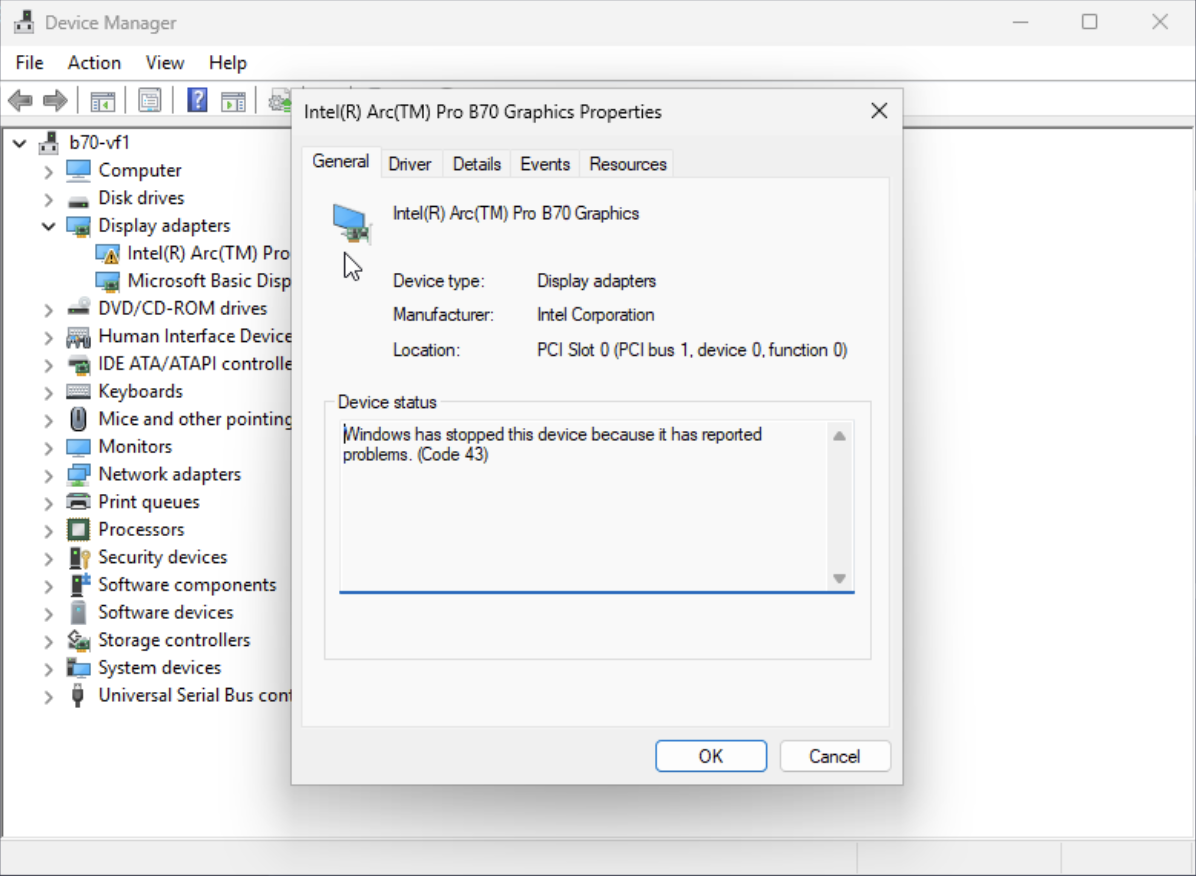
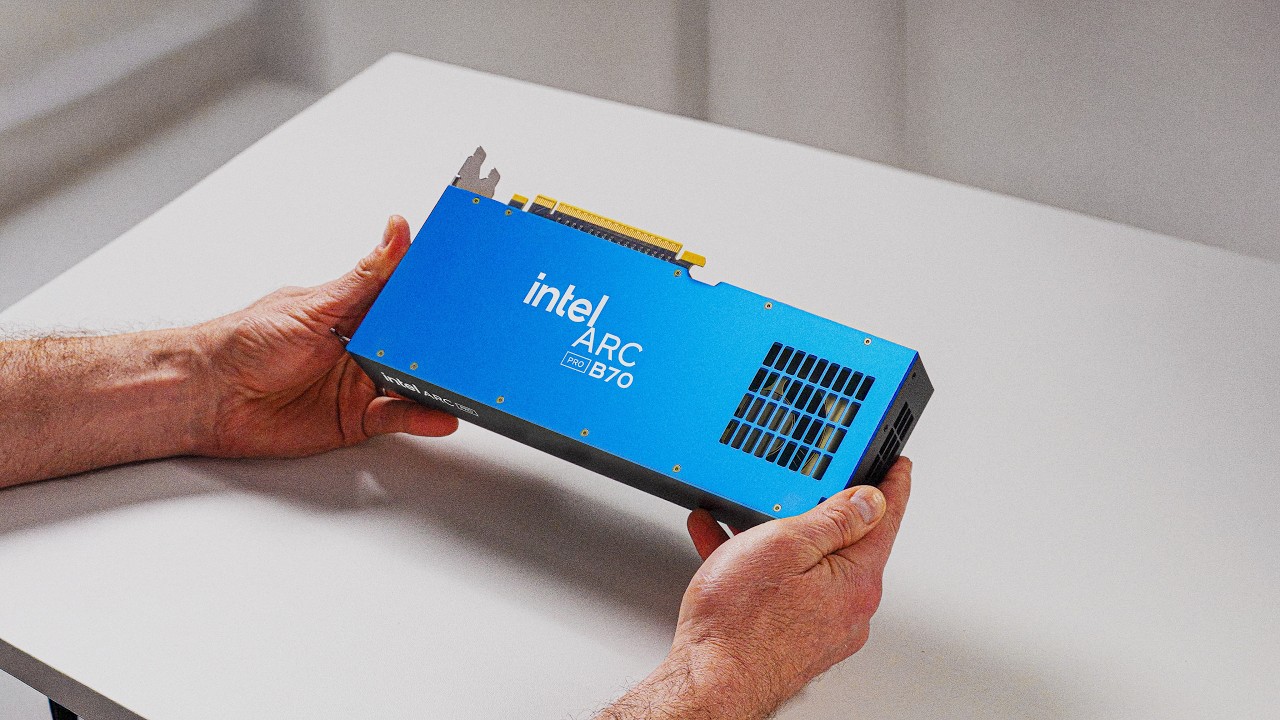
However when installing in a Windows 11 VM with the 8515 driver it throws a Code 43 for the card. The 6979 driver that was “stable” for VMs using B60 VFs does not recognize the B70.
@wendell I would like to see if MXFP4 can run on these cards, a model I would like to see comparisons with is gpt-oss 20b vs a reasonable dynamic quant. I am curious if it’s possible to use something like TurboQuant since that MXFP4 format might offer it performance gains.
Temps seem a bit on the high-side despite high airflow (78-80C), but the card doesn’t seem to be throttling. Functionally seems to work out of the box with the SYCL variant of llama.cpp, but performance seems to be on the low-side when comparing to an RTX PRO 4000. GGML_SYCL_F16=ON seems to make a big difference in the prompt processing speed. Not sure if there are any OneAPI updates or firmware updates anyone knows of that are coming soon.
Try the Vulkan path of llama.cpp instead - you’ll probably find it’s a fair bit better. Either that, or use Intel’s own fork of llama.cpp (it’ll be some way behind mainline, though).
I’m not sure why I’ve seen this suggested so many times. Vulkan has consistently performed worse for me on both B580 and B70 cards on llama.cpp. Would you happen to have any recent links showing improved performance on Vulkan? Curious to see why the Vulkan suggestion seems to popular. Another B70 owner on /r/localllama saw the same as me comparing Vulkan to SYCL.
Also, do you mean VLLM? Not sure if there’s a recent Intel separate variant for llama.cpp. Or maybe did you mean OpenVINO? I’ve tried that variant, but it’s not very stable compared to SYCL.
It’s really just my experience, last time I tried it on an Intel card (A770 16GB). It’s possible things have changed.
No, I mean llama.cpp. Last I looked at it, there was this:
…and it performed significantly better than the SYCL backend on mainline llama.cpp. That repo’s archived now, though, so who knows what the story is? Intel make it really difficult to figure this stuff out, which is a big part of the problem.
Last I saw, though, Intel weren’t contributing to the SYCL backend, just volunteers. That may have changed in the last few months, who knows?
Ah yeah, IPEX-LLM is supposed to have way better perf but it’s been deprecated and doesn’t have immediate available Docker images or builds in the mainline of llama.cpp. OpenVINO is supposed to be it’s successor in some aspects, but it’s not really there yet in terms of maturity.
This is exactly what I mean…there just seems to be no way to get the performance that you’ve paid for with these cards. It’s so damn frustrating, because they’ve built great hardware and nobody can realistically use it because their software team’s basically chaos incarnate.
I’ve wanted to love these cards, if only to stick it to The Man, but I also need things to actually work.
@wendell Did you do anything specific to get the gaming driver to install? I’m looking at one of these for a combo gaming/workstation system (video production, virtualization (yay cheap SR-IOV), and Minecraft)) and just wondering, had a friend with one try installing it today and it gave the error you originally got.
It would be nice if they supported llama.cpp a bit more, though it seems like there’s more development on the vLLM side (which has been a bit more difficult for me to setup). They have dedicated Intel employees working on the OpenVINO side (vs just one on SYCL plus volunteers). Performance seems stronger on vLLM, showing closer if not faster than the RTX Pro 4000. Another review for it came up here:
So… performance is really good, and all I had to do was upgrade ubuntu, purge the A770 kobuk and the other PPAs. Between that and causing my own headaches by accidentally clearing cmos and discovering through suffering that REBAR is an absolute requirement- as in, not performance degredation, no possible boot (at least on pice gen3 system). on my asus board D6 and D4 codes meaning display device initialization failed, and pci initialization failed (IIRC, it was late when I finally brought my gtx 970 strix to get into bios).
Now for more a more serious test.
I ran Qwen3.5-27B-Claude-4.6-Opus-Reasoning-Distilled.i1-Q4_K_M.gguf with -p 55000. Took ~14 minutes
model
size
params
backend
ngl
test
t/s
qwen35 27B Q4_K - Medium
15.39 GiB
26.90 B
Vulkan
99
pp55000
495.61 ± 9.24
qwen35 27B Q4_K - Medium
15.39 GiB
26.90 B
Vulkan
99
tg128
15.97 ± 0.11
Overall impressive performance this early, with promising future, provided they can meet demand.
So I’m still very new to this space, so forgive my ignorance.
Is the main use case for multiple B70s to run larger models? Is it currently possible to do so? All of the benchmarks and testing I’ve seen so far have been with smaller models; wouldn’t multiple cards allow for scaling across VRAM (assuming the software is there) and will we be bottlenecked by the PCI bus in a multi-gpu setup?
Hot off the press thought I would share my first tests, I’m on Ubuntu 24.04.4 LTS cards were recognized right away installed OneAPI drivers, tested in vLLM and tried Z image Turbo in ComfyUI so far and I’m impressed, cant wait to see where we go from here. Currently using intel/ai-containers/blob/main/vllm/0.17.0-xpu.md and YanWenKun/ComfyUI-Docker
Qwen/Qwen3-30B-A3B vLLM Dual Intel Arc B70 (FP8, TP=2)

============ Serving Benchmark Result ============
Successful requests:                     50
Failed requests:                         0
Maximum request concurrency:             50
Benchmark duration (s):                  28.06
Total input tokens:                      51200
Total generated tokens:                  25600
Request throughput (req/s):              1.78
Output token throughput (tok/s):         912.42
Peak output token throughput (tok/s):    1350.00
Peak concurrent requests:                50.00
Total token throughput (tok/s):          2737.27
---------------Time to First Token----------------
Mean TTFT (ms):                          6322.02
Median TTFT (ms):                        6356.80
P99 TTFT (ms):                           8648.43
-----Time per Output Token (excl. 1st token)------
Mean TPOT (ms):                          42.35
Median TPOT (ms):                        42.28
P99 TPOT (ms):                           50.00
---------------Inter-token Latency----------------
Mean ITL (ms):                           42.35
Median ITL (ms):                         37.97
P99 ITL (ms):                            45.26
==================================================
Thanks for letting me know! I pulled it this morning. I think the fix mostly targets Q8_0 perf for x3 performance, but I still saw about a 54.6% increase (9.31 t/s - >14.4 t/s) for TG on the Q6_K_XL model I’m using.
Joining the club, I bought my very own B70 Pro today!
The bad news is, due to the placement of the power connector, it will not fit into the system I had planned to put it in. So, it looks like it will need to sit for a while…