Hello everyone,
after a couple days of struggling with the b50, trying to get sr-iov working, I simply decided to stay with full passthrough to get my homeserver back up and running.
For testing, I’ve set up a new debian (13.3) netinstall and minimal setup for podman.
GPU is recognized, can be passed to Jellyfin, and is working without any errors or crashes, transcoding to HVEC and AV1 logged.
But for eveything that is being transcoded, I get Artifacts in the video, which are different in position for each file, but stay roughly at the same general area.
Example Video: i am not allowed to post links? no idea how to share it best, maybe image will do.
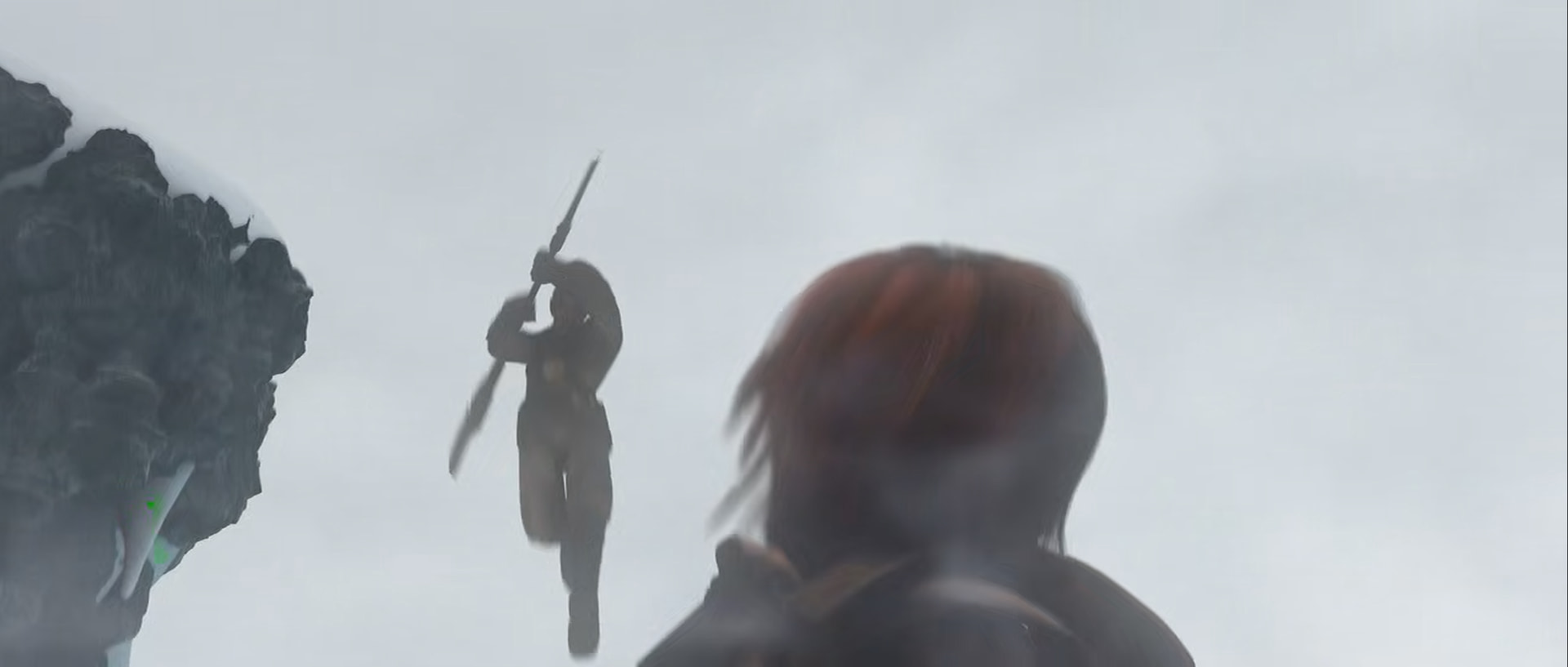
the command used for the transcoding was pretty much copied from jellyfin log:
root@f1a7fb153825:/# /usr/lib/jellyfin-ffmpeg/ffmpeg -init_hw_device vaapi=va:,vendor_id=0x8086,driver=iHD -init_hw_device qsv=qs@va -filter_hw_device qs -hwaccel vaapi -hwaccel_output_format vaapi -i /media/Sintel.mp4 -vf "setparams=color_primaries=bt709:color_trc=bt709:colorspace=bt709,scale_vaapi=w=1280:h=720:format=nv12:extra_hw_frames=24,hwmap=derive_device=qsv,format=qsv" -c:v av1_qsv -preset veryfast -b:v 1116000 -maxrate 1116001 -bufsize 4464000 -profile:v main -c:a copy -y /media/sintel_av1_test.mkv
Another thing i just noticed, when viewing videos that have the exact same properties (bitrate, etc) from the same creator, the artifacts stay in the same region across videos.
I am worried it might be a hardware issue…
Best regards!