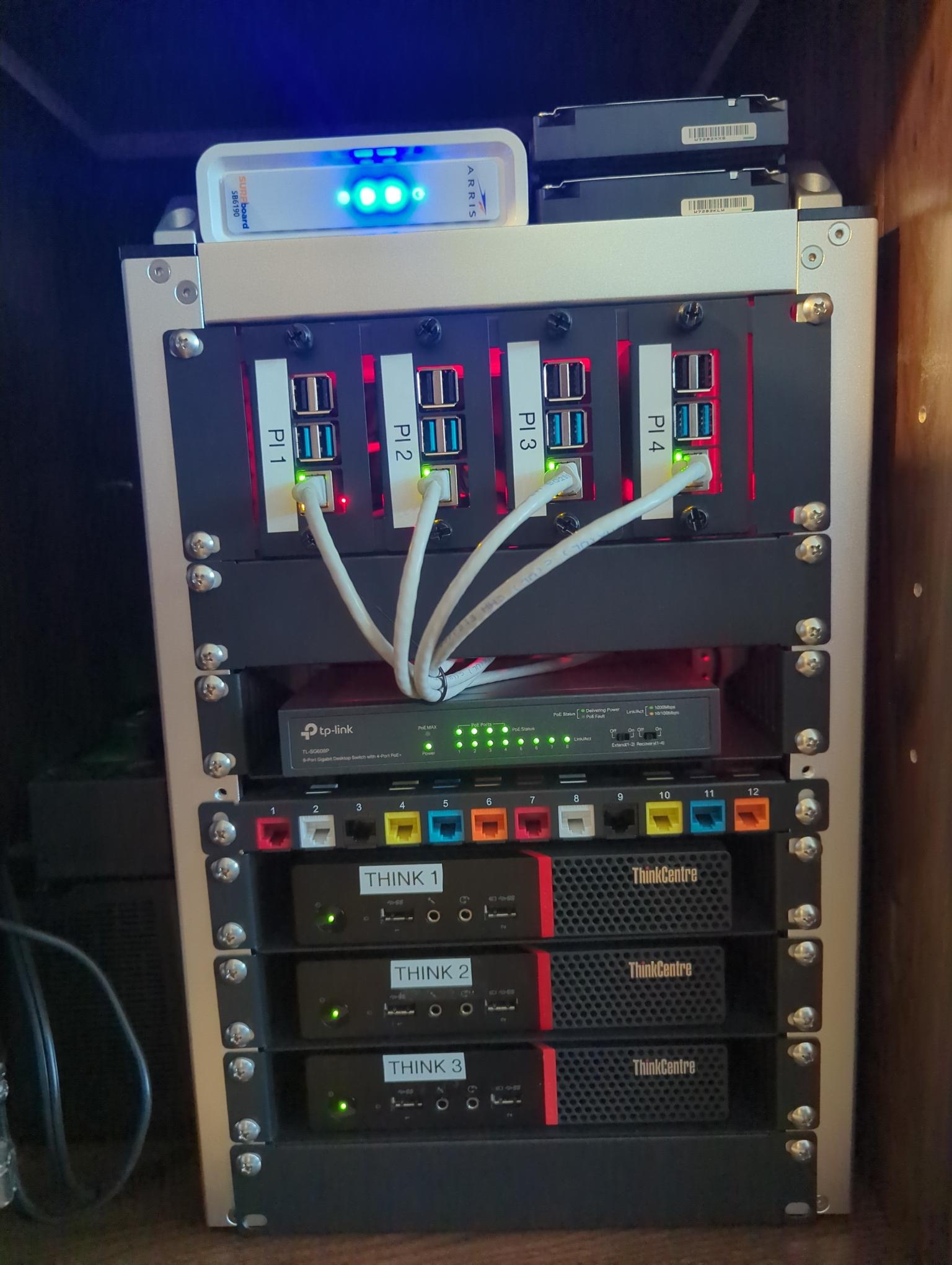
It all comes down to what your needs are and what you’re planning to do.
If you’re running Proxmox, you’re doing it for the virtualization aspect with maybe the LXC option. This makes virtual environments a breeze and allows you to quickly deploy, snap, change, use, revert or delete VMs. So you have a couple of options, each with its own pros and cons.
- VMs all the way, ignore the proxmox cluster, use the k8s stack inside the VMs for automatic scale up or down on each VM (1 to 3 VMs on each host)
- containerized k8s (which is kinda painful to set up, but should work), where you set up containers on each host and then k8s inside them
- drop the virtualization stack and install a general purpose linux distro and use k8s on top - if you need VMs, just use virt-manager (libvirt) on each of them (or incus VMs if you can get these to work)
If you go with VMs all the way and use the hypervisor for high-availability, it kinda defeats the purpose of k8s. But if you use VMs without the HA in combination with k8s, the advantage of combining the 2 is total scale out (fewer VMs with less virtual hardware and OS overhead, used for k8s, to better use the hardware you have - note that this isn’t optimal until you scale out to really beefy 32 - 64 cores and 2TB of RAM per host and I think more than 2000 containers, I don’t recall the testing, so for your scenario it wouldn’t really be that efficient). But the advantages of VMs are still there, e.g. take a snapshot before doing a change, live migrate VMs to upgrade and reboot hosts, quickly clone a VM, easily make a segregated network and segregated cluster for testing and have another virtualized cluster for prod / homeprod etc.
With LXC, you spare the overhead of the VMs virtual hardware and you can have some form of HA (although not really needed) to bring back whatever stuff was running from one of a failed node (e.g. if you run 3 LXC, 1 per host, for the k8s control plane and 9 LXC, 3 per host, as worker nodes, if 1 host dies, the 4 total containers can be relaunched on the other 2 hosts). The problem with this is that, unlike with VMs, you can’t live migrate them, you’d be taking the containers offline when you relaunch them on the restarted / repaired failed host. VMs with HA will get restarted during the failure of a host, but can be live-migrated back. LXC can’t do that (yet).
For K8s, these hypervisor level advantages aren’t important because the software you’re running is going to be restarted and launched on a different host anyway, by the orchestrator.
Which brings us to the last option: dropping virtualization. If you have no need for any VMs and you know you’re only running a single cluster and running everything in that cluster (kind of a bad choice, especially if actual prod is involved), then you can easily move everything to something better suited to run k8s on bare metal (idk what distro you’d prefer). You can do a setup with k8s / k3s and longhorn and that would be all you need (assuming you only need 1 k8s cluster).
I believe you can run cloudflare tunnels through traefik, haproxy or nginx and you should find tutorials online about your choice of reverse-proxy. Worst comes to shove, just run 2-3 (really low-spec’ed VMs and set up the tunnels on them). I’m not familiar at all with CF tunnels, so you’d have to look into that yourself.
A bare metal k8s will put you through the paces of distributed HA storage (like longhorn) and should be more efficient than a hypervisor (i.e. use less power for the same services, since you’re already running k8s in VMs), but you then lose access to some QoL improvements that a hypervisor brings.
The advantage of k8s though is that you don’t need HA on your hypervisor. You can cluster it if you need to in order to migrate VMs, but being able to automatically relaunch your workloads on other worker nodes (depending on the settings you put on your pods deployment) is neat.
As for best practices? It again depends on your needs. There’s no wrong way to do it (ok, there might be some bad stuff here and there), but it’s a matter of how you choose to set it up.
Personally I’d keep the virtualization stack for the convenience and if resource usage would be very important, I’d keep a k8s-only low-power cluster for homeprod stuff and use a beefier hypervisor stack for testing (that only gets powered on when I need to test things).