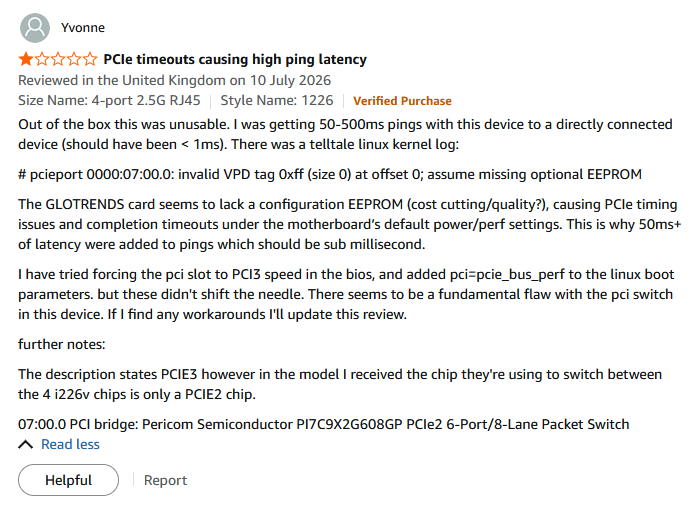
has anyone seen anything like this before? I recently bought from amazon: GLOTRENDS ST7419 2.5Gb Network Card with 4 RJ45 Port, Intel I226-V Controller, PCIe 3.1 x4. I’ve put it in a minisforum ms-a2 (latest bios).
When I ping other devices through this port there is horrendous ping - 50ms - 800ms.
PING 172.16.1.2 (172.16.1.2) 56(84) bytes of data.
64 bytes from 172.16.1.2: icmp_seq=1 ttl=64 time=332 ms
64 bytes from 172.16.1.2: icmp_seq=2 ttl=64 time=68.8 ms
64 bytes from 172.16.1.2: icmp_seq=3 ttl=64 time=509 ms
64 bytes from 172.16.1.2: icmp_seq=4 ttl=64 time=327 ms
I’ve turned off all power management, offloading etc. but it’s hard to imagine what could be causing hundreds of milliseconds of delays - other than some kind of catastrophic incompatibiltiy or design flaw
I don’t see any stats around packet retransmissions with either cable. I’ve also used the same network cable to do ping tests to the same target device via a switch and the pings are ~1ms as expected. I’ve also tried different ports on the 4-port card.
I’ve just now added the same card to an older dell precision tower (intel) and i’m also seeing problematic pings:
~$ ping 172.16.1.2
PING 172.16.1.2 (172.16.1.2) 56(84) bytes of data.
64 bytes from 172.16.1.2: icmp_seq=1 ttl=64 time=26.1 ms
64 bytes from 172.16.1.2: icmp_seq=2 ttl=64 time=51.8 ms
64 bytes from 172.16.1.2: icmp_seq=3 ttl=64 time=60.9 ms
64 bytes from 172.16.1.2: icmp_seq=4 ttl=64 time=21.8 ms
64 bytes from 172.16.1.2: icmp_seq=5 ttl=64 time=63.6 ms
64 bytes from 172.16.1.2: icmp_seq=6 ttl=64 time=34.7 ms
64 bytes from 172.16.1.2: icmp_seq=7 ttl=64 time=17.8 ms
64 bytes from 172.16.1.2: icmp_seq=8 ttl=64 time=91.0 ms
I’m fairly certain now that the card is faulty, and it’s not just a config or incompatibility issue with the minisforum ms-a2.
Name seemed familiar and when I checked my order history I bought a NVMe carrier board from them this month and when it was failing PCIe training I found out they slapped a very cheap SATA controller on it and is not a proper NVMe card.