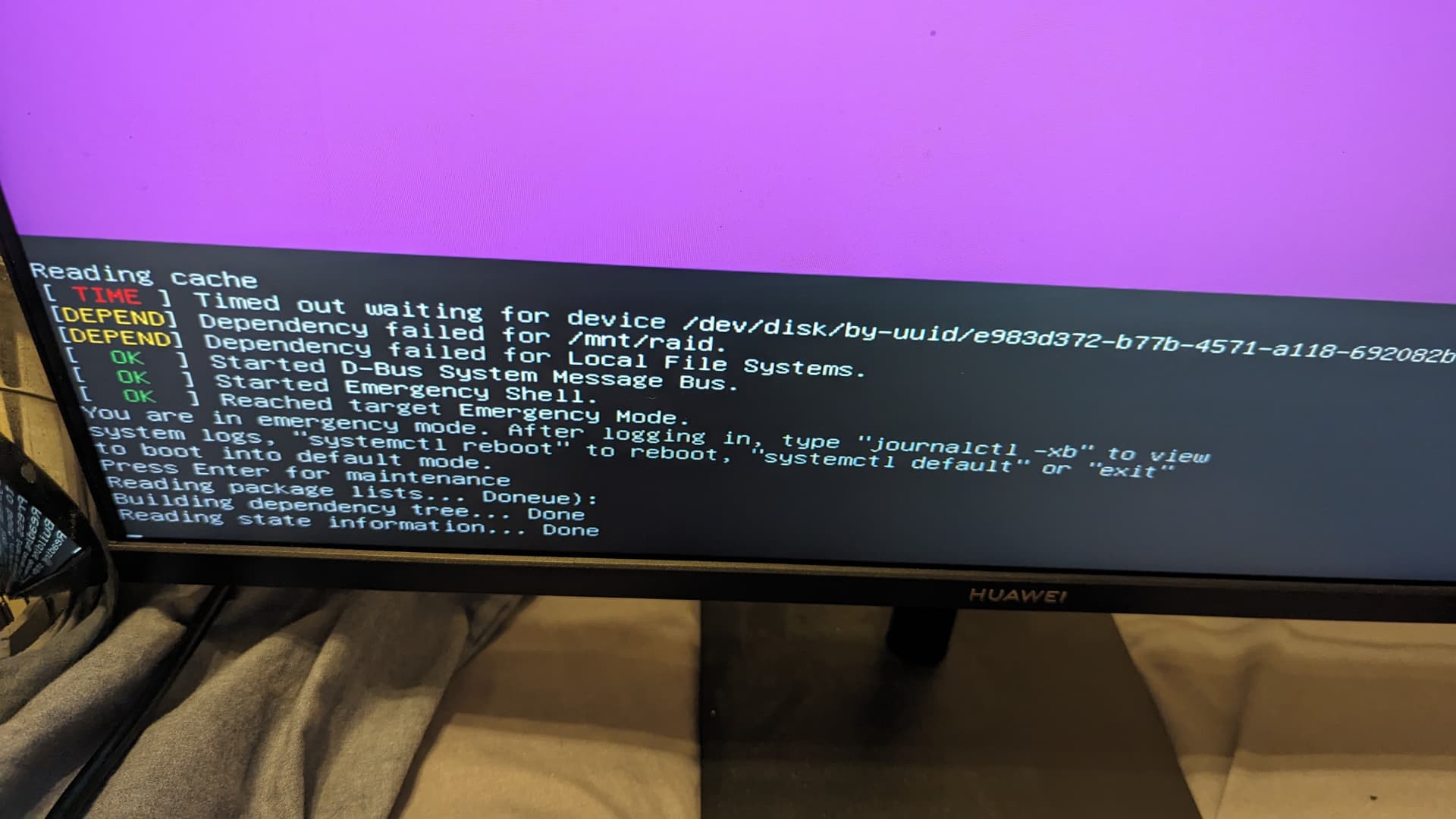
Hi guys, i have been having some issues with create a raid5 using mdadm.
I got some used wd red drives from ebay. I plugged them via sata did mdadm. When i would do a reboot to make sure the raid has mounted properly, I would get a recovery mode cycle. When i did the windows checkdisk command it said it had some back sectors in them, I did a “fix” reformatted them into ext4, put them back into linux, created another array, it didnt stick recovering mode boot cycle happened again. Got tired and returned the disks.
Now, I bought some cheap Sandisk usbs to test to make sure im not going crazy and doing the install mdadm correctly (before install new out of the box drives) when i run the command " mdadm --detail /dev/md0 " the, everything seems correct except the state which says : “active,degraded,recovering” whichh does seem correct because these are brand spanking new usbs A 2.0. The state of the wd red drives said the same thing "active.degraded,recovering " does that imply its something else?
Also the USBs have been partitioned to use 60 out of 64GB. 3 drives in RAID 5.
Yes they are plugged directly on to the motherboard (in USB A 3.x), the motherboard does not have any usb A 2.0 on the rear io 
Guys what the heck im doing wrong, i am pretty close to using UNRAID but this should work, I have followed multiple tuts from jeffgeerling digital ocean etc
Also when i do the " sudo mdadm --detail–scan >> /etc/mdadm/mdadm.conf" it adds the UUID of the sdc, not md0 which i find odd, in yt tutorials they UUID is the md0 drive. I have done multiple clean installs so not sure whats happening there
computer specs:
i759-60x
970 gpu
ddr4 16gb 2133 crucial
nvme boot drive