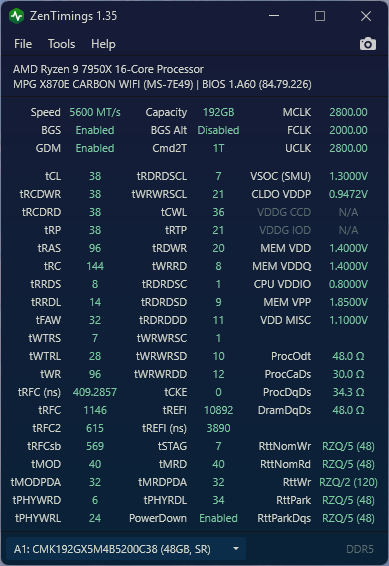
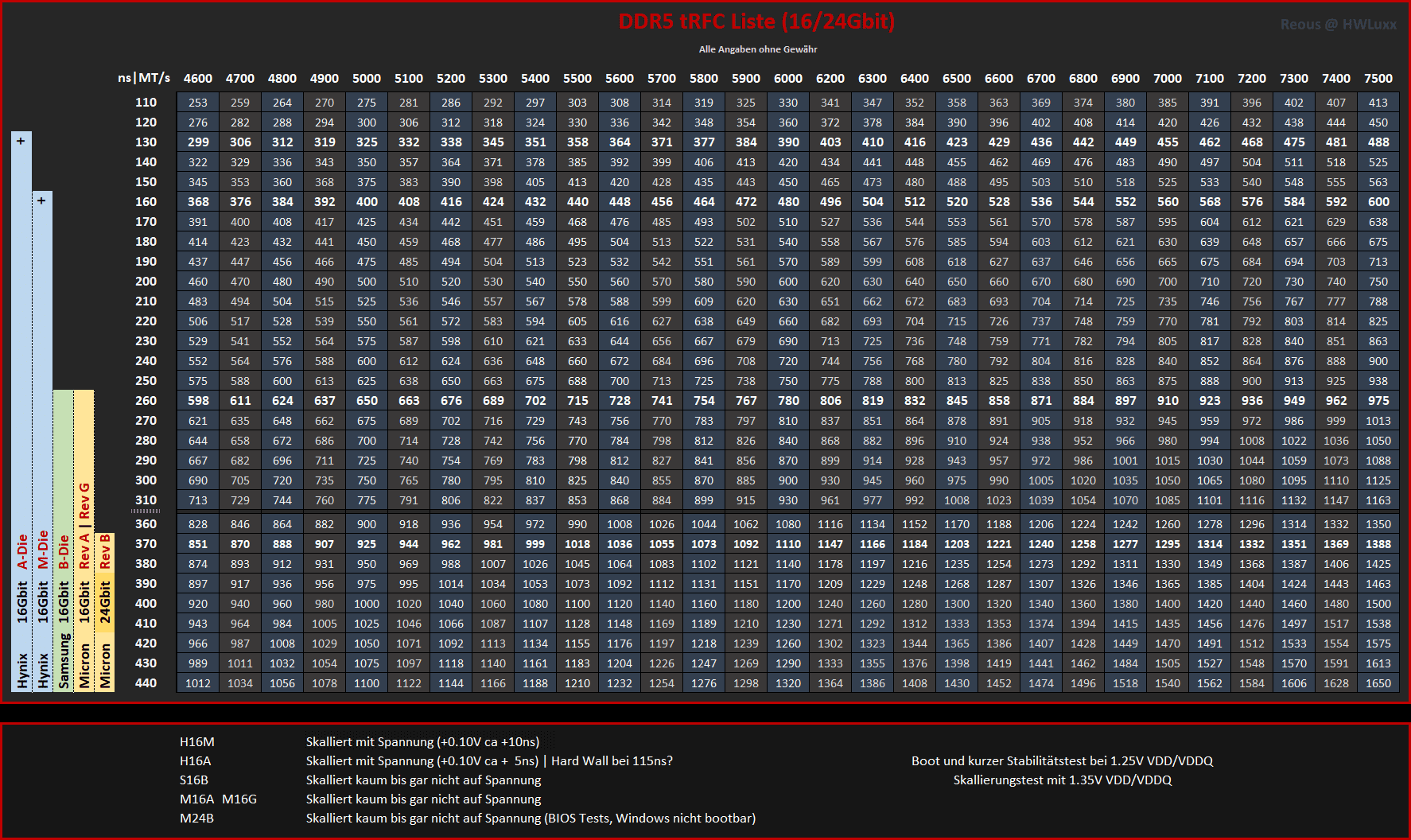
I’ve been struggling for a while with my 192Gb DDR5 RAM overclocking. I managed to get it fully stable at 5600Mt/s, but only with “default” option of 38,38,38,96,144 (what MSI BIOS offers for manual OC), which is far from ideal. I have had y cruncher running for 12 hours, having my PC to idle for long period of time and was also doing my regular work and gaming. No stability problems.
I’m confident my x870 MSI Carbon can handle better than that, especially after recent BIOS updates. But this is my work related PC and I’m willing to push it only so far without a fear of blowing my RAM.
I noticed there are similar cases on this forum, succesfully done by much more knowledgable people than me, but their configuration vary and I don’t think it’s wise to follow someone else’s approach step by step, even if the hardware might seem similar.
So, if anyone would feel like giving me some advice on how to properly approach memory overclocking for high density DDR5 RAM, what to start with, what to look out for etc., I’d very much appreciate it! There isn’t much (up to date) information regarding this specific combination.
Why 192Gb RAM? I use a lot of RAM for procedural Blender modeling. And I decided to OC it, one for the sake of having such expensive RAM already and also because I want to focus more on assisted game dev programming later. I read high frequency RAM with low latency helps, if GPU can’t fully take over in some cases.
Bonus question: Can RAM stability be influnced after additional undervolting of my CPU?
Here are my specs:
MSI MPG x870e Carbon BIOS 1.A60
7950x (default PBO, VSoC currently locked at 1.3v)
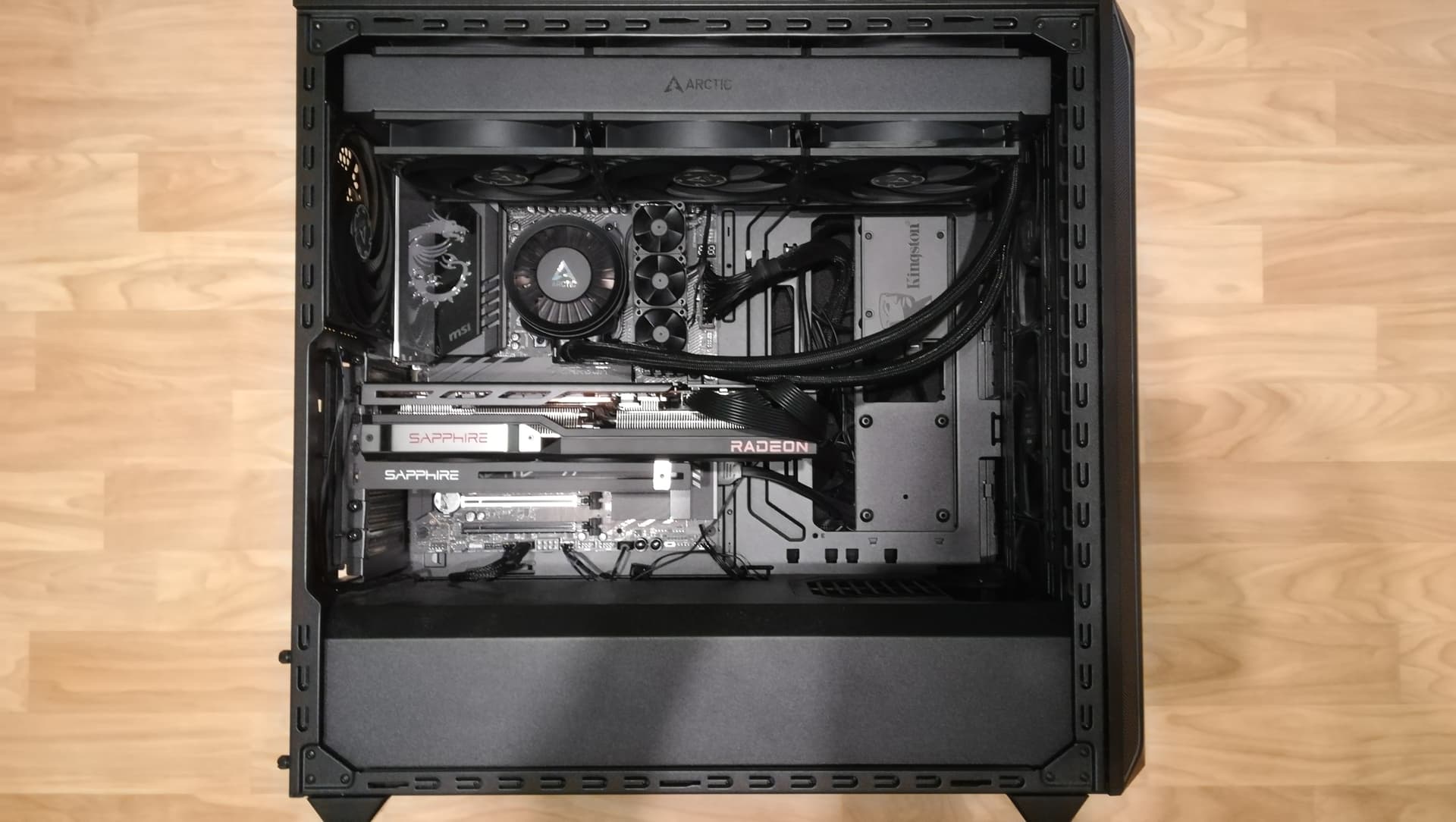
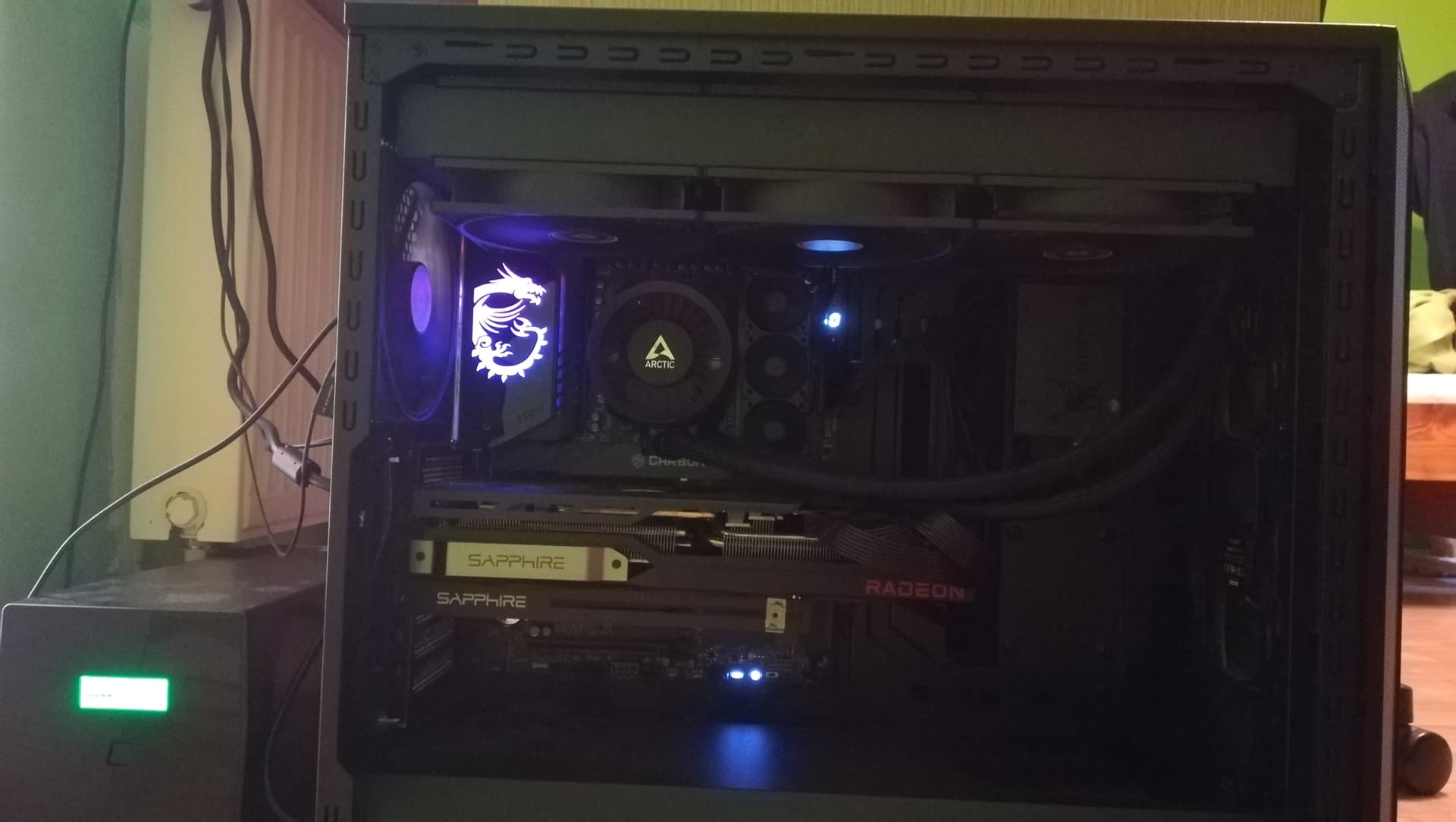
Arctic Liquid Freezer 420 in push pull configuration
Corsair Vengence 4x48Gb DDR5-5200 CL38 PC5-41600 DDR5 SDRAM UDIMM, SK Hynix, M-Die, 2R CMK192GX5M4B5200C38
- currently overclocked to stable 5600Mt/s, but with bad timings and still high voltage of 1.4 (besides start to lowering down voltages, I don’t know what else to do here)
- I also discovered my RAM is version with slightly less stable SK Hynix memory than the original ones from Micron
- RAM cooling is currently being handled by 3x 6k RPM server fans attached together (40x40x28)
- I measure the temperature through HWinfo app, BUT those RAM sensors supposedly measure only PCB temperature and are also unreliable, as sometimes those temperature values in the app freeze (ironic) or entire RAM section disappears. Everything else in HWinfo works well and is fully responsive. But sensors on RAM sticks are acting up every now and then. Don’t know why.
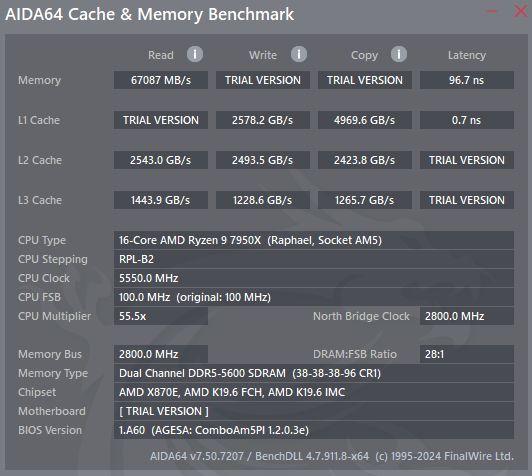
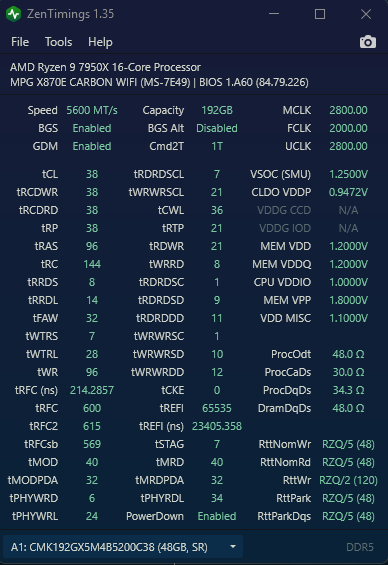
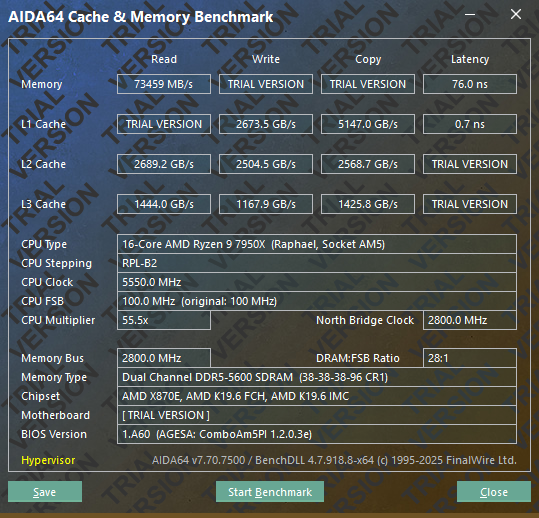


 and also because it was aimed at me, personally anyway)