Help with AM5 Asus B650M Pro Art Motherboard

Just completed by AM5 build a few weeks back and ran a few experiments with Proxmox and so far things are looking good but there a few minor issues.

MB: Asus Proart B650m creator
Ram: Kingston 128GB (32GB x 4)
Cpu: Ryzen 7950x3d
FAN: Deepcool Assassin IV

I outsourced the build to the IT shop. They identified stability issues in their testing and setup memory speed at 4200 MTs (which is the clock speed of the CPU) eventhough the memory can run at a 5600 MTs.

The current issues I am facing:

  1. Changing memory speeds in the bios setting causes the system to do (what I understand is called) memory training. This typically takes a few minutes to run but occassionaly can hang and then I have to reset the machine and clear CMOS before. The plan was to progressive increase the RAM clock speed to atleast 5000 MTs… but the constant memory training time and occasional hangs are a headache.

  2. The CPU fan speed occasionaly does not spin in Asus bios. This was working in the base bios configuration but after I made a few changes such as setting up iommu, changing memory speed it does not show the CPU fan speed. There are 3 fans in total one CPU and two case fans. The case fan speed are always showing in BIOS. This also causes a side effect where by the BIOS is not able to detect the CPU fan and throws an error message and I have set the setting to ignore this issue. Please note the fan is working and temps are normal…

  3. How do I identify optimal Bios setting for my CPU or setup? As loading the Optimal bios defaults does not seem to fix any issue to get me back to a baseline bios configuration from which I can make changes incrementally.

Please can someone advise.

Didn’t people advice you against 4 sticks :stuck_out_tongue:

There is an option to don’t do memory training everytime in bios. But that wont make it more stable and eveytime you change a setting on your bios it wil train again.

qfan control is also in the bios. at low temps the fan’s don’t have to work yet
are the fan’s connected to the right fan controllers on the motherboard ?

3 Trial and eror. First try to have a baseline where the system is running stable.

https://www.reddit.com/r/ASRock/comments/16sqqip/decreased_ddr5_ram_speed_with_four_sticks_is_it/

this is expected behaviour at 4 sticks

But is your system working stable ?

@mailman-2097
I looked at my bios for a second.
asus tuf gaming x670e 64 gb kingston 6000

I don’t use expo profile. it all turned in to unstable mess. I disabled the profiles. And i just put the speed at 6000 and that works stable for me.

with four stick. just try booting it you said you got it to 5000. try it. But 4800 might be more stable.

memory testing. you can read it from cache it speeds up your booting.

Bios → advanced - > AMD CBS → DDR Options → DDR Memory Features

Enable Memory Context Restore

on that other tread you say this bios is more complicated then the dell or hp. this is correct. But also more powerfull and more options :slight_smile: In a couple of months you can dream this bios to
@anon58845094 all wires and controllers are connected properly…

The system was super stable from the IT supplier after they did the build. I ran a few experiments it was good.

Things started to go downhill when , changed some BIOS setting stuff like IOMMU, slight increase in RAM speed from 4200MTs to 5000 MTs.

Unfortunately I did not save the baseline config in Bios, since I came across this option later.

I thought load optimised defaults would do the trick as this is my go to hack but that did not pan out well.

I faced some issues at 5000Mts with the VMs so then I decided to downgrade RAM to 4200 Mts and this time the system did not post correct got stuck in memory training.

So I decided to take it back to the IT shop to get back to the stable baseline.

Next time will be more diligent. The BIOS has 8 config save slots and I can save BIOS setting to USB…

Bios defaults should run stable. Why not figure out what is going wrong.

If it’s going back to dealer try to return 2x ddr5 dims

maybe go in bios. and post some pictures with phone. in this tread. Let try fix this setting

when i was configing this pc. I also had my mind set on 128 gb ram. I’m really happy i went with 64gb ram. And i still never had a situation where i didn’t had enough

There are so many options in BIOS… its a science in itself.
I saw that the IT shop guys did set this feature.

My only problem is I don’t have a KVM and I have to go to the living room since the system is connected to ethernet so I can get good download speeds.

Changing bios settings means connecting the hdmi out to TV…
Super inconvenient.

So its a new computer not connected. To a screen and a keyboard and mouse. If people do this with servers. There is a system inside the system that makes this workable. So you can remote in to the bios. for example.

If i would set up a system like this. It will be connected to keyboard screen and mouse until its configued stabely. If it is running headless. like you say. I’m not sure you want to overclock anything. Because you are not behind the system to observe its health. And quicker memory speeds are also a overclock.

Overal it sounds like this is not well planed.

maybe a cheap switch with some utp cable to connect it next to your main pc
on my monitor i have multiple inputs. i often switch there same with my tv

I might sound harsh. but i don’t mean this bad. And i do want to help you that is why i reply

Its all right appreciate the feedback…

IPMI was considered but in my region server boards are really hard to source or are more expensive in general.

So shelved this route.

Will plan for KVM switch some soon; but I want some thing on a budget or need more time for a DIY PI KVM.

Priority is to complete my work related project in next couple of months, so really hard to tackle all the problems at once.

Its not really poor planning; I am constrained by my apartment unit. There are wifi black spots and/or too much wifi interference overall.

The internet modem is placed in the living room so I am forced to keep the system behind the TV in the living room near the modem and the shit router from my ISP.

I ran into all these issues when I was doing experiments on my HP mini pc.

Was not really clear on this solution… You have some links of the device. the closest I got was a hdmi splitter…

I don’t see the problem Network wise. Network cables can be longer then one meter. But you are going to put it there when its in production. And if you do the configing right you don’t have to be in the bios that often. so a ipkvm wouldn’t be that needed.

Put the bios on default. Don’t do expo. put mem on 4800 enable everything for your virutal machine’s and the system should be stable. 128 gb ram might be better on a vm machine.

Try this on your desk. give the system a decent stress test. Install proxmox then put it back behind your tv. This will be quicker then going back to your suplyer. I don’t think anything is mis with your system.

(if router is shit, why not get a nice 4 port nic. and do a foribiden router in your proxmox setup)

There are a lot of cheap monitors on the internet just get a second hand smal one for 5 bugs. that you can connect to that system when its needed.

Yes this sound goods I will keep at 4800 mostly…

With network what I meant was … if I had good wifi I could have kept the machines near my work bench where I have 2 monitors already.

Keeping the AM5 machine connected with Keyboard, mouse and HDMI out to Tv and router is for faster download speeds… I do some cluster installs so keep everything LAN connected to get better speeds and avoid timeouts

I need an network uplift with additional switch (will go for managed switch so need time to do research), dedicated firewall etc… but this is 2025 project…

Supplier is a local IT shop, they did not charge much for the fix.

I recently switched to fiber at home 10gb. Is a managed switch realy needed how many networks do u want.

I seperate my networks on pfsense. So my wifi and server are on difrent networks. in your case it sounds you only need one fiber connection between the am5 and your workstation. just get two cheap melanox cards and long enough fiber cable

Not sure about not going for an unmanaged switch…
I will review this melanox card looks interesting…

Yes you are right but I will have 2 pass the fiber cable from one end of the unit to another… Not keen on this. I don’t need that much speed now, I will be happy with 2.5G.

You are right Pfsense can do VLAN, FW, VPN etc… it could be my one stop solution.

I was planning for Netgate device… but I will invest in HW once I learn the PFsense software on a VM…

Its not very clear what you want from your network. And what you want to do with this setup.

why do u want a managed switch ?
how big wil your network be ?
what tasks is this system going to perform ?

May not matter. Usually BIOSes save only a fraction of the settings, whether to flash or USB, and my experience is restore’s often incomplete. With some boards restore from USB doesn’t work at all, making save to USB useless for getting around reflashing destroying the flash save slots.

In general, assume all BIOS save and restore functionality needs to be tested to see what it actually does. Personally I just keep a separate written log of defaults and changes since that’s often proven faster, easier, and more reliable. It’s a stupid completely moronic workaround but I work with what I’m given.

2 Likes

Official specs are listed here under connectivity:

3600MT is what’s officially supported, you might be able to push it to ~4800 tops but that’s with a lot of luck and tweaking. Most cannot do more than 4000MT which is still above official specs.

  1. No idea, set duty cycle on Q-FAN instead?

  2. Not sure what you’re asking about, there’s no “baseline bios configuration” unless you’re referring to default settings as baseline.

I suggest you photograph or write down the profile settings. Some UEFI updates will remove these profiles. And while AMD boards allow you to save BIOS profiles to a flash drive, for some reason the profile is no longer valid (it will refuse to load) after some updates so it’s as good as deleted anyway. So, what I am saying is do no expect those profiles to stay in the UEFI unless you never update the UEFI version again. I keep ZenTimings screenshots of the profiles I use for this reason.

1 Like

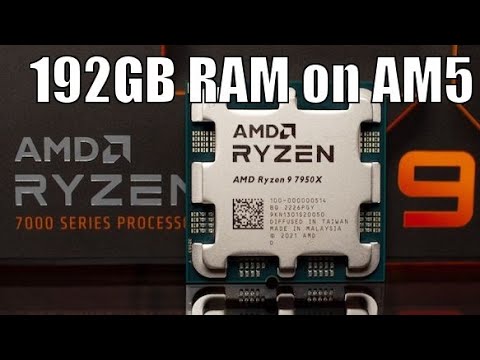
I had 192GB at 5200MT stable with the 650 Creator, but I swapped my B650 Creator/7950x System for a X670e Creator/9950x combination
I haven’t had the time and the nerve to test it properly yet, but after what I have tried so far I have the impression that it is not better.
But that could be wrong, it is always a huge effort to find the right settings when you push a system to its limits.

That said, use these settings as a starting point, but first update the BIOS to the latest version.

Here are the BIOS settings:

  1. Load EXPO/XMP profile
  2. Manually set the memory speed (i.e. 6000mhz) to override the speed set by EXPO/XMP
  3. Set VDD, VDDQ, and VDDIO_MEM to 1.35v or 1.4v
  4. Adjust the following memory bus termination values:
    ProcOdt = 48Ω
    ProcCaDs = 30Ω
    ProcDqDs = 34.3Ω
    DramDqDs = 34Ω
    RttNomWr = RZQ/4 (60)
    RttNomRd = RZQ/4 (60)
    RttWt = RZQ/2 (120)
    RttPark = RZQ/5 (48)
    RttParkDqs = RZQ/5 (48)

Test the stability with y-cruncher and Prime95 with Large FFT.
If your system is stable, you can use Memory Context Restore, then the system will boot without having to do memory training every time.

Edit: you should use a fan to cool the memory, that helps a lot

2 Likes

I do too, though ZenTimings doesn’t always report completely or accurately. So far as I know AM5’s been around long enough for it to currently be pretty solid, though.

6000 MT/s. 6 GHz would be 12000 MT/s, which I think so far’s been reported only for 1R 1DPC Arrow single channel.

I have encountered reports of stability at 6000 MT/s with 4x32 A-die and Raphael. But it seems like it hasn’t held up across AGESA versions for many of those folks. (The 4x48 B-die I did is at 4800. It’d boot 5200 but would error in within minutes under test and I wasn’t successful in finding its happy place.)

This may or may not help. I’d say try it, see what all gets changed, and possibly revert most of the values.

I’d look at test voltage-clock speed curve for the series the DIMMs are from. Broadly, 1.1 V should be fine to 5000, 1.2 or 1.25 for 5000-6000ish, and 1.35+ comes in at 6000+. However, some kit series stay below that. Required voltage may also be related to how tight the timings are but if there’s data on that I’ve had pretty much zero luck finding it.

Terminations are board and DIMM specific and, in my experience, reported values vary substantially between tunes. So copying someone else’s values may or may not help. I’d suggest surveying for reported values from similar mobo and DIMM combinations, comparing those to what the BIOS selects on auto if any are available, and then experimenting with parameter walks to see if they help. Doesn’t seem to be much data to base tuning strategies on on here either.

What I’ve encountered various folks posting around terminations is suggestive of AGESA interactions, so how training responds to terminations and timings may vary version by version. Copying values from older BIOSes to AGESA 1.2.0.2 might therefore bring additional difficulties.

FWIW, the DDR5 tunes I’ve done happen to match the list you’ve provided only on ProcCaDs and differ among each other on most other values.

Per DDR5 spec, shouldn’t matter for tREFI < 3.9 μs at < 85 °C and 1.9 μs for 85-95 °C. With quad DIMM I’ve taken to doing overnight temperature check runs starting from 1.1 V at 4800 as I’ve found eight or nine hours in temperatures often bump up 2-3 degrees.

Personally I wouldn’t lift tREFI out of spec until temperatures are coming in comfortably below 85 °C in hot testing with clocks and other timings looking pretty stable. @mailman-2097’s probably got enough of a learning curve getting clocks and primaries in for now.

Past that, with the Assassin IV’s setback I’d expect fairly decent thermal margin on this build without going to partially blocking off its intake by adding on DIMM downflow fans. Particularly with parts like the 7950X3D, IMO downflow composes better if the CPU’s under water.

Amen. I usually call it good enough before getting that far.

tREFI is where most of the performance gain is to be had, though, after the frequency but before the primaries. But it can be finicky with temperatures. So make sure to do thermal tests, i.e. with the GPU running too.

1 Like

No dGPU in this one but generally what I do for hot testing in air cooled builds is put on Furmark2, turn off the top front-mid intake that tries to counter the flowthrough, and back down the other fan curves a bit (within what I’m comfortable with for CPU, CPU VRM, and dGPU core, hot spot, and GDDR temperatures).

There’s lots of ways to (manually) apply coordinate descent or other optimization techniques to tightening timings. Just my personal preference to keep tREFI, tRFC1, and tRFC2 as a temperature linked group so I’m not wondering if it’s tFAW or whatever making errors.

FWIW, I’ve gotten decent boosts from pulling in tRFC while leaving tREFI at 3.9 μs.