Hello.
Didn't find any solutions about this on internet. I recently downloaded Gnome-Shell desktop environment to Linux Mint(Cinnamon) and I tried replacing Cinnamon with Gnome. I couldn't find a possibility to do it.
I tried running Gnome-shell on terminal and it told me to run "--replace" command, which doesn't exist.
Any help?
If you have autlogin enabled, log off first.
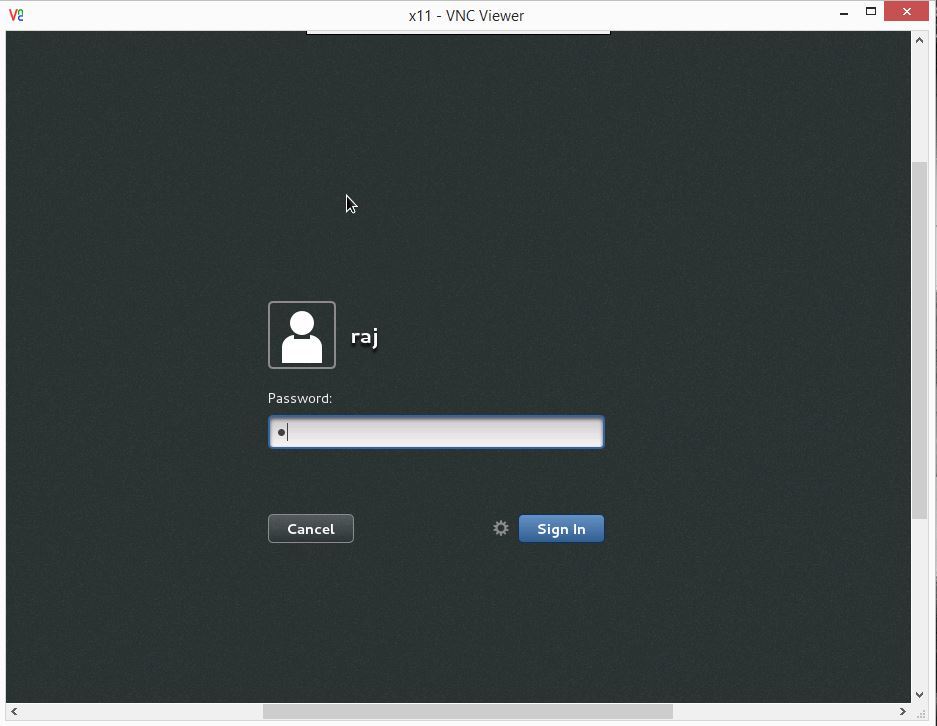
Before entering your password, look for settings or options icon (it's a gear in gdm) and select the desktop you want.
You can remove Cinnamon at a later time if you want.
I've actually gone through this the day berfore yesterday. In the end, I opted to switch back to OpenSuse since it already had gnome-shell by default. If you prefer to stick to debian/ubuntu based distros, there's ubuntu-gnome and debian too
Anyway it seems like the point of Mint was to get rid of everything gnome. and if you install gnome, mint will hate you for doing it. There might be a way of fixing it and get it running, but I wouldn't go through that hassle when I already had a suse USB stick and it took only 10 minutes to install using the "import mountpoints" in the advanced partition section of the installed. Flagged my / for formatting, and assigned /home to the corresponding one without formatting it.
There is no "options" like menu in my version for some reason. I only have possibility to run different sessions or change language.
If you are using GDM (the default after installing gnome) you should see a grey gear left of the blue "login" button.
stolen from google images for your convenience :P
Thanks Willdrick, that was what I was talking about.
Does your logon screen resemble that one MrSmiley or what do you mean by "different sessions" ?
It's been a long time since I wrote to that thread.
I have this kind of login streen.
Also stole it from the internet.
Please use the search function for this.
Despite being an Ubuntu guide it works on its derivatives
Just omit the adding of a repostiory direction in the guide for cinnamon. and use the uninstall all the packages that are used to install gnome on ubuntu.
Basically just make the guide work for you because it will work. If you need help Ill tell you the commands to run :D (in PM)
Also if you have gotten it install just select it where Lamda is .. and make it cinnamon when you login?
https://forum.teksyndicate.com/t/how-to-guide-ubuntu-switching-desktop-environments/76509?u=r00tz31820