Help me figure out if this SSD is counterfit/tampered

Considering how many counterfit stories of components (SSDs, SAS controllers, etc) from China are floating around lately, I figured I’d ask the people here what they think before deploying this in my semi-production machines.

So I bought this SSD from China via Ebay and it was listed as “open box”. It came in a sealed antistatic bag (probably easy to procure). Below are the SMART stats. Does anything look suspicious? Can the wear level attribute even be messed with?

=== START OF INFORMATION SECTION ===
Model Family:     Intel 730 and DC S35x0/3610/3700 Series SSDs
Device Model:     INTEL SSDSC2BA800G4
Serial Number:    
LU WWN Device Id: 5 5cd2e4 04c33b309
Firmware Version: G2010150
User Capacity:    800,166,076,416 bytes [800 GB]
Sector Sizes:     512 bytes logical, 4096 bytes physical
Rotation Rate:    Solid State Device
Form Factor:      2.5 inches
TRIM Command:     Available, deterministic, zeroed
Device is:        In smartctl database 7.3/5319
ATA Version is:   ACS-2 T13/2015-D revision 3
SATA Version is:  SATA 2.6, 6.0 Gb/s (current: 6.0 Gb/s)
Local Time is:    Thu Nov 20 16:54:10 2025 EET
SMART support is: Available - device has SMART capability.
SMART support is: Enabled

=== START OF READ SMART DATA SECTION ===
SMART Status not supported: Incomplete response, ATA output registers missing
SMART overall-health self-assessment test result: PASSED
Warning: This result is based on an Attribute check.

General SMART Values:
Offline data collection status:  (0x00) Offline data collection activity
                                        was never started.
                                        Auto Offline Data Collection: Disabled.
Self-test execution status:      (   0) The previous self-test routine completed
                                        without error or no self-test has ever
                                        been run.
Total time to complete Offline
data collection:                (    0) seconds.
Offline data collection
capabilities:                    (0x79) SMART execute Offline immediate.
                                        No Auto Offline data collection support.
                                        Suspend Offline collection upon new
                                        command.
                                        Offline surface scan supported.
                                        Self-test supported.
                                        Conveyance Self-test supported.
                                        Selective Self-test supported.
SMART capabilities:            (0x0003) Saves SMART data before entering
                                        power-saving mode.
                                        Supports SMART auto save timer.
Error logging capability:        (0x01) Error logging supported.
                                        General Purpose Logging supported.
Short self-test routine
recommended polling time:        (   1) minutes.
Extended self-test routine
recommended polling time:        (   2) minutes.
Conveyance self-test routine
recommended polling time:        (   2) minutes.
SCT capabilities:              (0x003d) SCT Status supported.
                                        SCT Error Recovery Control supported.
                                        SCT Feature Control supported.
                                        SCT Data Table supported.

SMART Attributes Data Structure revision number: 1
Vendor Specific SMART Attributes with Thresholds:
ID# ATTRIBUTE_NAME          FLAG     VALUE WORST THRESH TYPE      UPDATED  WHEN_FAILED RAW_VALUE
  5 Reallocated_Sector_Ct   0x0032   100   100   000    Old_age   Always       -       0
  9 Power_On_Hours          0x0032   100   100   000    Old_age   Always       -       0
 12 Power_Cycle_Count       0x0032   100   100   000    Old_age   Always       -       1
170 Available_Reservd_Space 0x0033   100   100   010    Pre-fail  Always       -       0
171 Program_Fail_Count      0x0032   100   100   000    Old_age   Always       -       0
172 Erase_Fail_Count        0x0032   100   100   000    Old_age   Always       -       0
174 Unsafe_Shutdown_Count   0x0032   100   100   000    Old_age   Always       -       1
175 Power_Loss_Cap_Test     0x0033   100   100   010    Pre-fail  Always       -       13090 (1 22)
183 SATA_Downshift_Count    0x0032   100   100   000    Old_age   Always       -       0
184 End-to-End_Error        0x0033   100   100   090    Pre-fail  Always       -       0
187 Reported_Uncorrect      0x0032   100   100   000    Old_age   Always       -       0
190 Temperature_Case        0x0022   072   072   000    Old_age   Always       -       28 (Min/Max 21/29)
192 Unsafe_Shutdown_Count   0x0032   100   100   000    Old_age   Always       -       1
194 Temperature_Internal    0x0022   100   100   000    Old_age   Always       -       28
197 Current_Pending_Sector  0x0012   100   100   000    Old_age   Always       -       0
199 CRC_Error_Count         0x003e   100   100   000    Old_age   Always       -       0
225 Host_Writes_32MiB       0x0032   100   100   000    Old_age   Always       -       3
226 Workld_Media_Wear_Indic 0x0032   100   100   000    Old_age   Always       -       1781
227 Workld_Host_Reads_Perc  0x0032   100   100   000    Old_age   Always       -       99
228 Workload_Minutes        0x0032   100   100   000    Old_age   Always       -       4254844
232 Available_Reservd_Space 0x0033   100   100   010    Pre-fail  Always       -       0
233 Media_Wearout_Indicator 0x0032   100   100   000    Old_age   Always       -       0
234 Thermal_Throttle        0x0032   100   100   000    Old_age   Always       -       0/0
241 Host_Writes_32MiB       0x0032   100   100   000    Old_age   Always       -       3
242 Host_Reads_32MiB        0x0032   100   100   000    Old_age   Always       -       0
243 NAND_Writes_32MiB       0x0032   100   100   000    Old_age   Always       -       218

SMART Error Log Version: 1
No Errors Logged

SMART Self-test log structure revision number 1
No self-tests have been logged.  [To run self-tests, use: smartctl -t]

SMART Selective self-test log data structure revision number 1
 SPAN  MIN_LBA  MAX_LBA  CURRENT_TEST_STATUS
    1        0        0  Not_testing
    2        0        0  Not_testing
    3        0        0  Not_testing
    4        0        0  Not_testing
    5        0        0  Not_testing
Selective self-test flags (0x0):
  After scanning selected spans, do NOT read-scan remainder of disk.
If Selective self-test is pending on power-up, resume after 0 minute delay.

The SATA error is probably because it’s in a USB enclosure right now.

Yeah, most likely tampered with unfortunately. :roll_eyes:

Intel is a major supporter of SMART and their implementations are usually very good. The fact the table shows all the same values for various attributes says a lot! Get a refund while you can.

2 Likes

“Open box” is very commonly used for items used as spares in datacenter servers, or drives pulled from servers that were never used

I don’t see anything necessarily alarming in the SMART output.

What are you basing this on?

Checking the data when directly connected is a much better idea by the way.

2 Likes

Had you paid a bit more attention:

Those hex-values are all identical. No, Intel doesn’t do it that way :roll_eyes:

HTH!

You can test the capacity with f3write and f3read (you are on linux, right?)

for actual read and write speed you can do hdparm

Not sure what hex values you’re talking about, but the lack of any POH or power cycles really points to SMART data being wiped. I’ve gotten “unused” from companies in the US, and all of them test, at a minimum, that there’s no data on it. You really expect at least 1 power cycle for that alone, usually at least one more when they received it to make sure they don’t get duds. There’s no company (that would own enterprise storage) that doesn’t check to wipe their data before selling a drive, even if they’re 100% sure they never used it or put data on it. So yea… doesn’t look right.

Not sure how to tell counterfeit vs tampered. My best guess is that if you can write to the drive fully twice then it was just a SMART reset. Not sure if that potentially causes other issues though.

1 Like

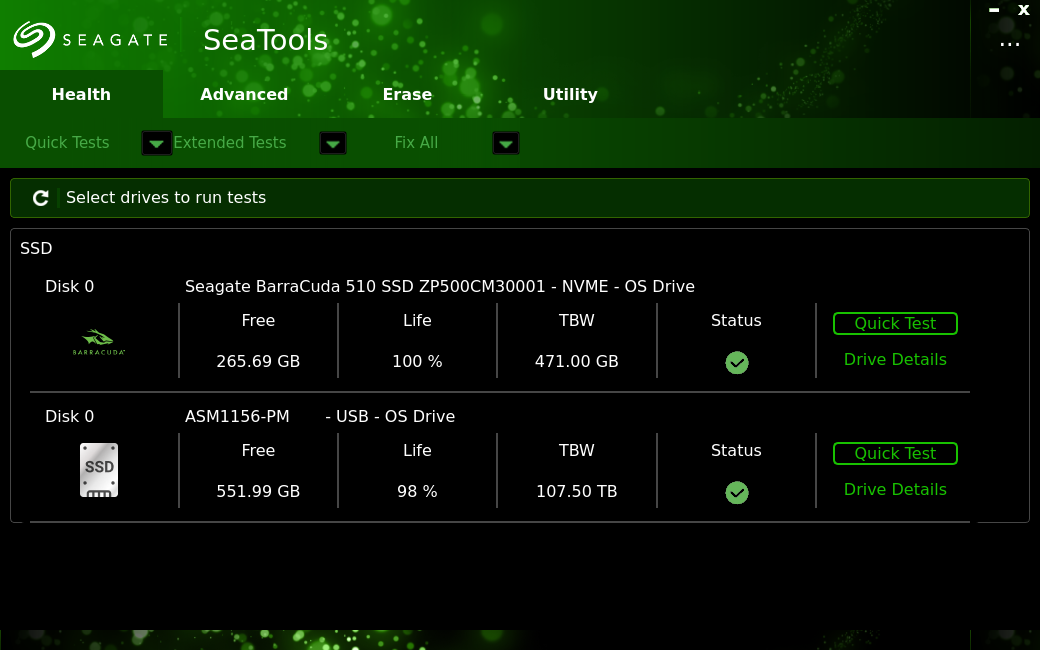
run seagate seatools. it works on any drive brand.

post the TBW on the main page of the app as well as the smart data from it.

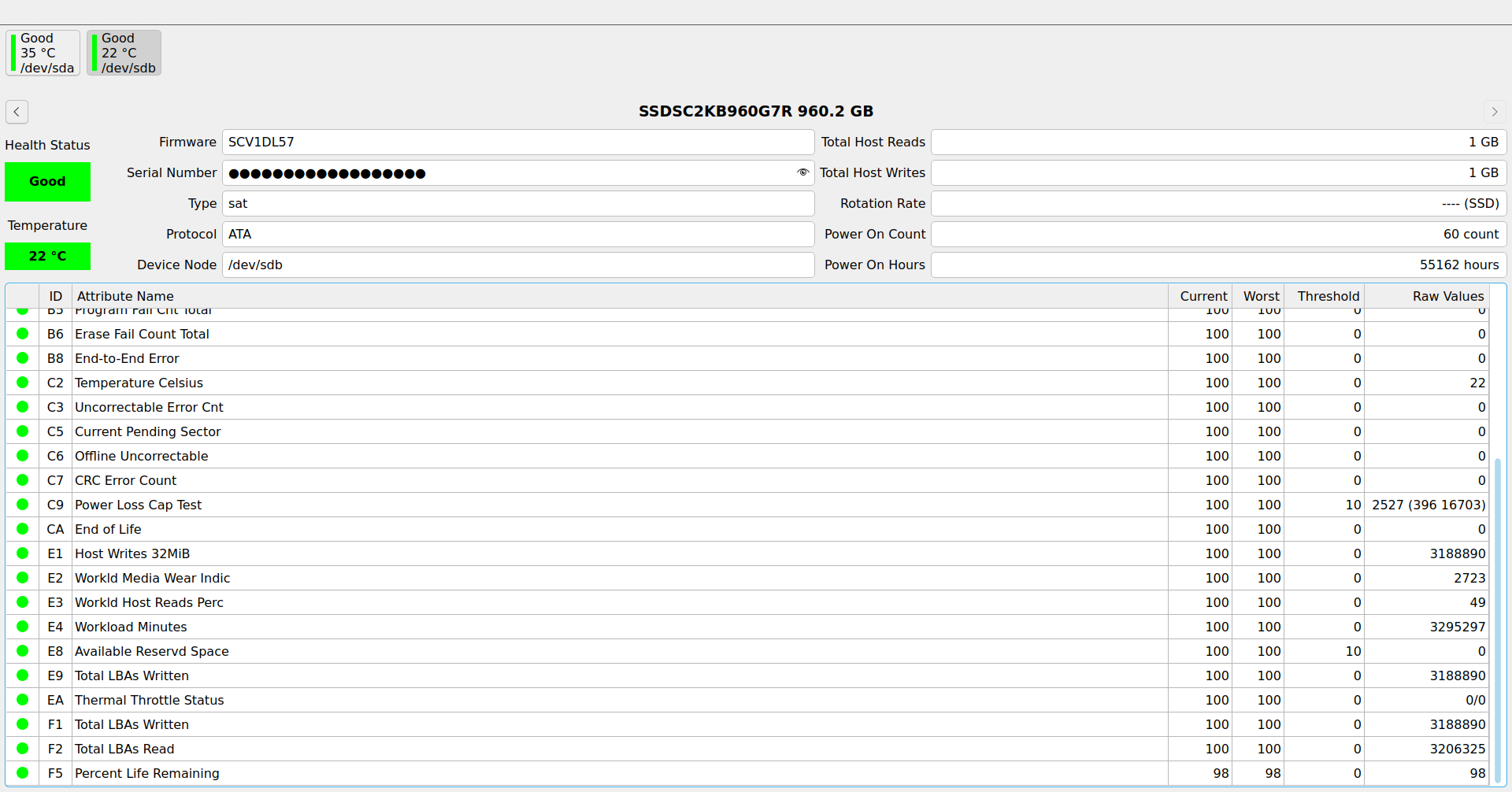
it’s the only peice of software that reads the smart data and TBW right for a dc-s4500 drive as well as the TBW. compare that to the data qdiskinfo has

note: I have mine also connected to usb enclosure

Thank you for all the info. I’ve left it in the USB enclosure since yesterday to see how it behaves. If no major red flags appear, I’ll connect it directly in the machine. Here’s what SMART shows now:

SMART Attributes Data Structure revision number: 1
Vendor Specific SMART Attributes with Thresholds:
ID# ATTRIBUTE_NAME          FLAG     VALUE WORST THRESH TYPE      UPDATED  WHEN_FAILED RAW_VALUE
  5 Reallocated_Sector_Ct   0x0032   100   100   000    Old_age   Always       -       0
  9 Power_On_Hours          0x0032   100   100   000    Old_age   Always       -       18
 12 Power_Cycle_Count       0x0032   100   100   000    Old_age   Always       -       1
170 Available_Reservd_Space 0x0033   100   100   010    Pre-fail  Always       -       0
171 Program_Fail_Count      0x0032   100   100   000    Old_age   Always       -       0
172 Erase_Fail_Count        0x0032   100   100   000    Old_age   Always       -       0
174 Unsafe_Shutdown_Count   0x0032   100   100   000    Old_age   Always       -       1
175 Power_Loss_Cap_Test     0x0033   100   100   010    Pre-fail  Always       -       13090 (1 1109)
183 SATA_Downshift_Count    0x0032   100   100   000    Old_age   Always       -       0
184 End-to-End_Error        0x0033   100   100   090    Pre-fail  Always       -       0
187 Reported_Uncorrect      0x0032   100   100   000    Old_age   Always       -       0
190 Temperature_Case        0x0022   072   065   000    Old_age   Always       -       28 (Min/Max 21/35)
192 Unsafe_Shutdown_Count   0x0032   100   100   000    Old_age   Always       -       1
194 Temperature_Internal    0x0022   100   100   000    Old_age   Always       -       28
197 Current_Pending_Sector  0x0012   100   100   000    Old_age   Always       -       0
199 CRC_Error_Count         0x003e   100   100   000    Old_age   Always       -       0
225 Host_Writes_32MiB       0x0032   100   100   000    Old_age   Always       -       3
226 Workld_Media_Wear_Indic 0x0032   100   100   000    Old_age   Always       -       1781
227 Workld_Host_Reads_Perc  0x0032   100   100   000    Old_age   Always       -       99
228 Workload_Minutes        0x0032   100   100   000    Old_age   Always       -       4255931
232 Available_Reservd_Space 0x0033   100   100   010    Pre-fail  Always       -       0
233 Media_Wearout_Indicator 0x0032   100   100   000    Old_age   Always       -       0
234 Thermal_Throttle        0x0032   100   100   000    Old_age   Always       -       0/0
241 Host_Writes_32MiB       0x0032   100   100   000    Old_age   Always       -       3
242 Host_Reads_32MiB        0x0032   100   100   000    Old_age   Always       -       0
243 NAND_Writes_32MiB       0x0032   100   100   000    Old_age   Always       -       3166

A few things I noticed:

  • I haven’t done any writes on it and yet the 243 NAND_Writes_32MiB attribute increased quite a lot. Could it be the firmware logs that are doing the writes?
  • it has a MBR partition table on it, without any partitions, so it’s definitely not in out-of-factory state.
  • the 9 Power_On_Hours was 0 when I turned it on (now it increments as expected), but the 228 Workload_Minutes was 4M+ which equals about 8 years of use. Could it have been in a server in a powered down state for that time, maybe as a hot spare in some RAID array?

@regulareel I’ll definitely use that f3 utility on it. Thank you for mentioning it.

I’m trying to pay attention, but you’re not communicating much - “those hex values”

The only hex values I see that are “all the same” (mostly the same, at least) are the attribute flags… which don’t seem relevant

What am I missing?

Also, are you really so confident to conclude anything at all through a USB enclosure? Not even knowing what brand/chip it’s using?

2 Likes

vs. refurbished vs. secure erased? Could either of those have similar effects?

I know the answer in general is “yes” but I don’t know anything about Intel drives (except Optane, which isn’t too applicable)

That number does seem weird. It was probably never initialized, according to this discussion on the Solidigm Community forum (where the OP’s supposedly new drive has a count equalling ~2110 years).

When it comes to NAND_Writes_32MiB I’ve noticed a steady increase on my S4510 drives as well, despite the drives being predominantly read in use. I assume this is the drives reallocating/refreshing storage to new pages to counter NAND charge decay, to keep read speed up to spec.

Edit to add: Given my experience with Intel S3500 and S4510 drives that I’ve bought myself from various sources I don’t see anything worrying in your drive’s SMART data. The only thing I don’t recognise is the SMART Status not supported: Incomplete response, ATA output registers missing; this might be because it’s hooked up via USB?

This topic was automatically closed 273 days after the last reply. New replies are no longer allowed.