Heuristic for model size, parameter count, and GPU VRAM
Agreed. To add a heuristic, I usually look the file size on the downloads is approximately the amount of VRAM you need.
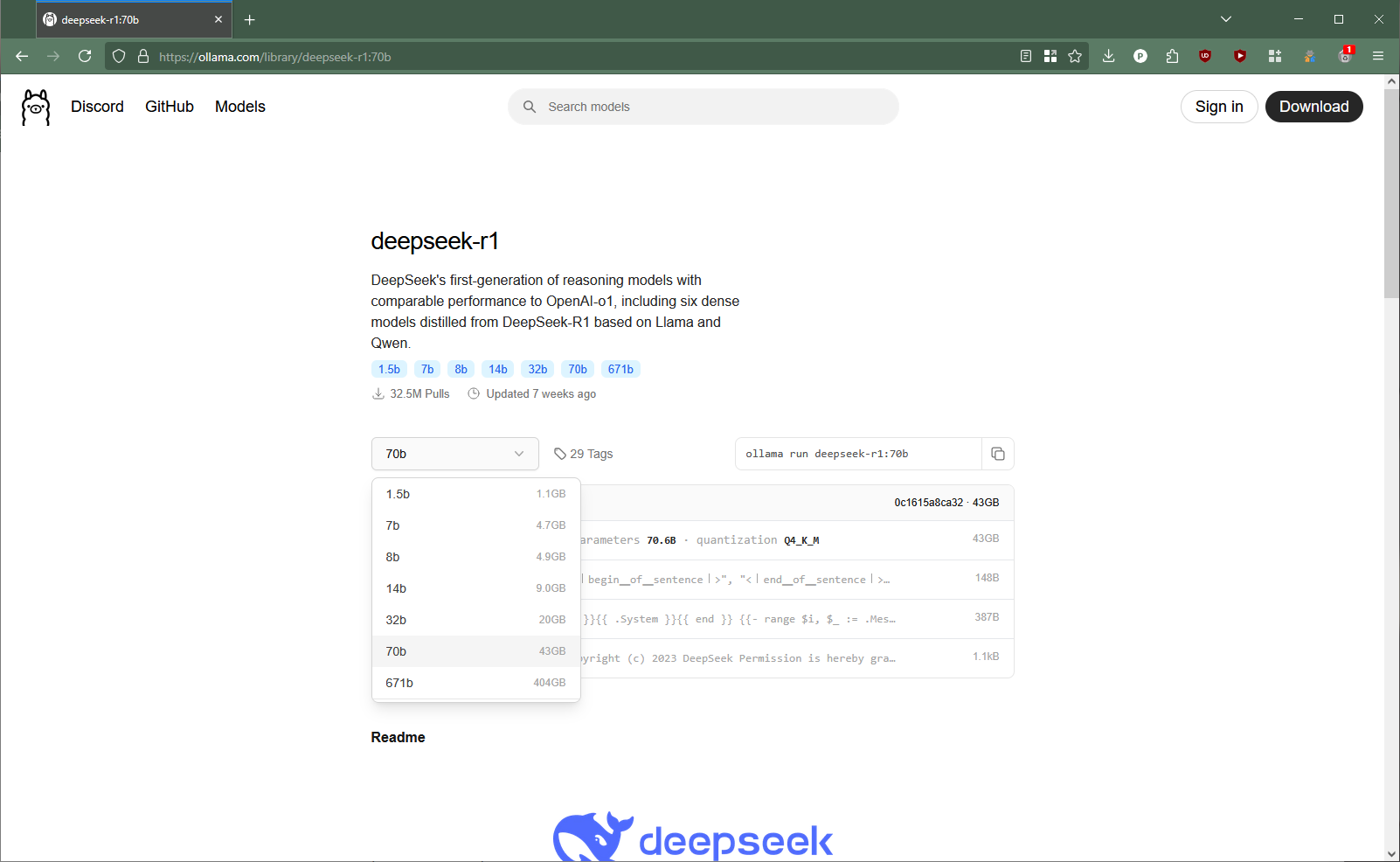
Another is that for every 1 Billion parameters ~ 1GB of Vram. Though the model size is a much better indicator of if the model will fit in your gpu.
There’s also a trade off between the parameters and quantization level. Generally for better model outputs, you want a higher parameter model at a the highest quantization level your system can handle.
Answer to the OP’s question: use the 14B r1 model for the 9070
Given the OP is running a rx 9070
the vram is ~12gb and the the model size is 9GB, the upper end of your models should be about 14B, as you should be able to run ~12B parameter models.
When your GPU doesn’t have enough vram to fit the model parameters for inference, ollama will use the system memory and cpu for inference. The tokens/second will be lower and slower compared to a gpu, but you can run bigger models at slower speeds
LMStudio is great, just keep in mind that the license is for personal use. Ollama has a MIT license, so if you are making money with your model endpoint, I’d definitely learn how to use it.
That said, I really like how they have hardware compatibility filters for models. It’s great if you don’t know what parameters and quantization. The devs also have someone who will frequently fine tune and release models when companies release them relatively quickly. I follow their discord to learn about new models XD
Other model suggestions: look into qwq for advanced reasoning models
If you are dead set on running a model similar to the r1 model, I would consider running qwq, as the r1 models on ollama are fine tuned qwen models
I’ve been trying out the unsloth models and I find that the outputs are much better than the base qwq models
The 70B model is a fine tuned llama model
Quantization vs Parameter count: Go for more parameters at a lower quantization when possible
If you want to learn more about model parameters vs quantization, this is a great post
In my experience, this still holds up.
There isn’t as many quantization levels for the deepseek-r1 model on ollama.
Gemma 2 and picking a model at varying parameter sizes and quantization levels
Gemma 2 is a pretty good example of having lots of quantization and parameter counts.
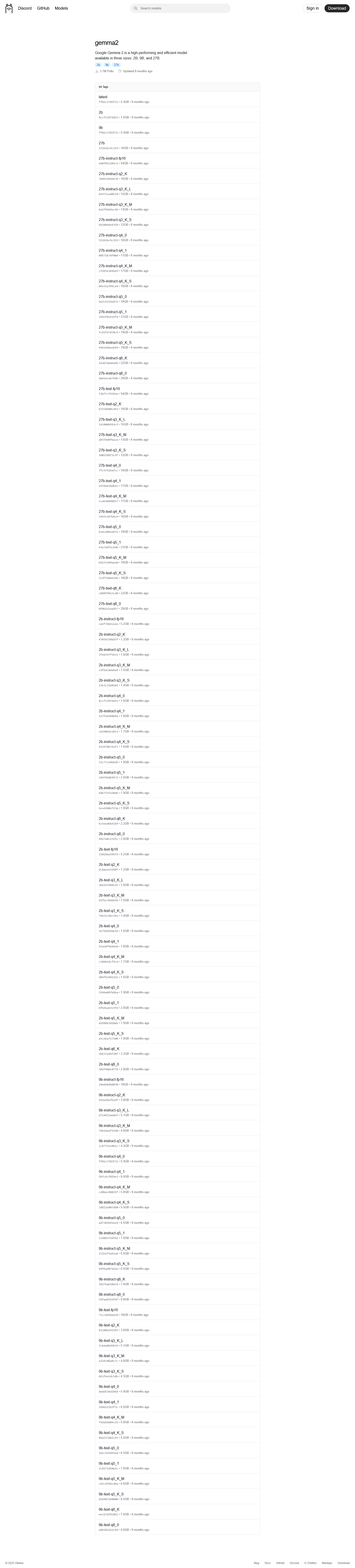
To illustrate this process, let’s assume that there isn’t a performance drop off at higher quantization levels.
Technically it drops off after q5
Interesting Results: Comparing Gemma2 9B and 27B Quants Part 2 : LocalLLaMA
interesting_results_comparing_gemma2_9b_and_27b/
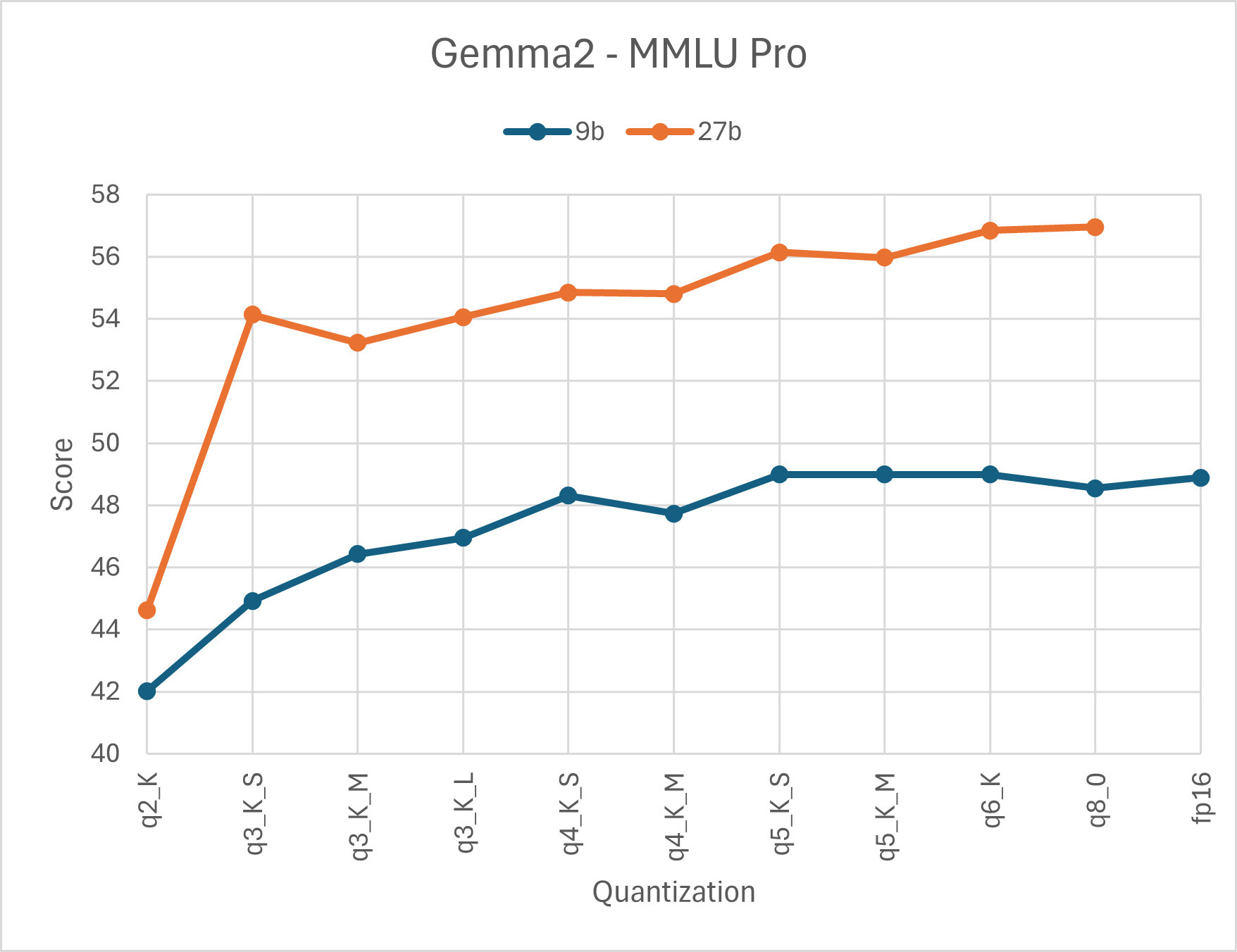
Given the OP has a 12gb, I would start with the base 27B model as the size is only 16GB. If performance is good and fully utilizes the gpu enough stay there. Otherwise drop down to the 9B base model.
You’ll also notice that there are other models such as ...b-text-q... or ...b-instruct-q..., these are the fine tuned versions. instruct refers to instruction fine tuned, which indicates the model is designed to follow instructions. text refers to text fine tuned, which indicates the model only takes and generates text.
I would agree if you need a llm to follow your prompts, instruct is much better.
If you aren’t happy with the base models, try the instruct at higher quantization level and drop it down if ollama isn’t using your gpu. The next gemma version I’d try with the 9070, is the
27b-instruct-q3_K_S the model size is about 12 gb. If ollama is offloading it to the cpu, then I’d drop down to the 9b-instruct-q8_0 .
Repeat this process for any other popular models on ollama. The LocalLLaMA forum is a great place to see what models people use. The LM Studio and Ollama Discord servers are also great for learning when new models are available