my main pc’s are running linux
but these mac’s 1 of 2 i already own
are for separate workstations an task
ie
1
is for media streaming hub & media trans-code/converter
&
the other is for use as cad designing an 3d printer station
my mac mini is the 2018 version
with OS Sequoia & i7 six core , 32gb ram , 128gb storage
_
i plan to upgrade the ram to 64gb later but for now
im use the one i got new not referbed off amazon as
_
my light auto cad fusion/3d printer station with my
Longer LK5 Pro 3 3D Printer an also for use as my infuse media hub
with my nas
_
i do plan to get 1 more mac with the same specs an add more ram an use
to replace my current nas with it an use the 4 x Thunderbolt 3 for a small server storage farm but thats later for now what i want an need
_
info an advice on is this
i dont what the swap memory to disc enabled just the ram
compression as i dont have the extra ram yet an have little main storge will following this step by step guide work with this mac an os

GitHub - Leo-YiLuan/Disable-Swap-Memory-macOS14: Guide to disable swap memory…
Guide to disable swap memory on macOS 14.1.2. Contribute to Leo-YiLuan/Disable-Swap-Memory-macOS14 development by creating an account on GitHub.
with hardware , apps , an custom setup
3
can i use an upgrade the ram from the 32GB 2666 MHz DDR4
to 64gb with another brands 2 x 32gb set or does it have to be this

64GB Memory Upgrade for 2019-2020 Apple iMac (27-inch)
Upgrade the RAM of your 2019-2020 Apple iMac to 64GB through OWC and save up 55% versus buying directly from Apple. Backed by a lifetime OWC limited warranty.
or alts like
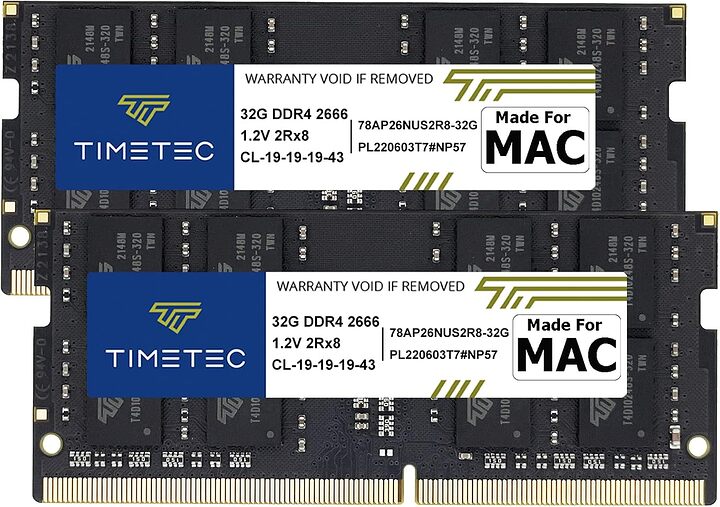
Timetec 64GB KIT(2x32GB) Compatible for Apple DDR4 2666MHz for Mid 2020 iMac…
Buy Timetec 64GB KIT(2x32GB) Compatible for Apple DDR4 2666MHz for Mid 2020 iMac (20,1/20,2) / Mid 2019 iMac (19,1) 27-inch w/Retina 5K Display, Late 2018 Mac mini (8,1) PC4-21333 / PC4-21300 MAC RAM: Memory - Amazon.com ✓ FREE DELIVERY possible on…
or

Crucial RAM 64GB Kit (2x32GB) DDR4 2666 MHz CL19 Laptop Memory CT2K32G4SFD8266…
There’s an easy cure for a slow computer: more memory. Designed to help your system run faster and smoother, Crucial Laptop Memory is one of the easiest and most affordable ways to improve your system’s performance. Load programs faster. Increase…
are these app still compatible on my 2018 i7 mac mini
(edit update mac sequoia 15.0)
current os version -
drmare M4V Converter
m4vconverterplus
avs4mac
what are the best alts to photoshop & krita & Flowblade
either free or lifetime fee are prefered
how do i force set mounted drives (exturnal usb & netwok) & apps to stay after reboot
an auto mount after login
can i set a exturnal nvme ssd to be use a temp storage/cache an as scratch disk , meaning can i have two thundebolt 3 exturnal nvme drives 1 for system caching & 1 for temp files iv got 3 of these nvme’s
so i can use 2 on 1 mac (the one with mem compress & disc swap enable)
that for workstation use an the 3rd nvme on the
(the one with mem compress & disc swap disabled)
that for use as a nas storage server
can you recommand some good 40Gbps thunderbolt 3 NVMe SSD Enclosures & 1ft thunderbolt cables that will work with this mac
is ther a way to set a custom sysctl setting file like this
sudo sysctl vm.swappiness=133
sudo sysctl vm.page-cluster=4
sudo sysctl vm.dirty_background_ratio=5
sudo sysctl vm.dirty_ratio=50
sudo sysctl vm.watermark_scale_factor=10
sudo sysctl vm.vfs_cache_pressure=400
sudo sysctl vm.dirty_expire_centisecs=1000
sudo sysctl vm.dirty_writeback_centisecs=0
sudo sysctl vm.dirtytime_expire_seconds=1800
(my custom linux config) but for mac
as i dont need a lot of caching that often , is ther
a mac version of the command string if so how does the go , whats the file to edit
an is nano edit a thing on mac