MB: Gigabyte Z790 Aorus Master
CPU: Intel i9 13900k
RAM: 32 GB DDR5
PSU: Thermaltake 1000W
Bios is updated to the latest June 29 version.
GFX Card is a GTX 1080 that served me well for 10 years in my main system. If I can get the system running stable a 3090 will replace the 1080 in this system.
However, when I try to boot up with the GFX Card plugged in I get no video. The MB display shows either Ab or Ad which is “I’m sitting in BIOS/UEFI waiting for you to do something” OR it is “I’m ready to boot an OS” respectively.
If I remove the GFX card and set bios to “initial display” to iGPU and then put the gfx back in it will boot and I was able to get into CachyOS and lspci and it shows the gfx card there. I even switch the video out to the gfx card.
If I go back to bios though and switch “initial display” back to PCIe and reboot, no video shows up. I know there’s probably nothing wrong with leaving it the way it works but any idea whats going on here?
Try toggling CSM. If the card only has a classic BIOS, it is required for the board to POST to it. The converse is also true. If the card only has a UEFI firmware, it will never init with CSM enabled.
3 Likes
Ok it boots now, when trying to get it to install an os it has some hiccups.
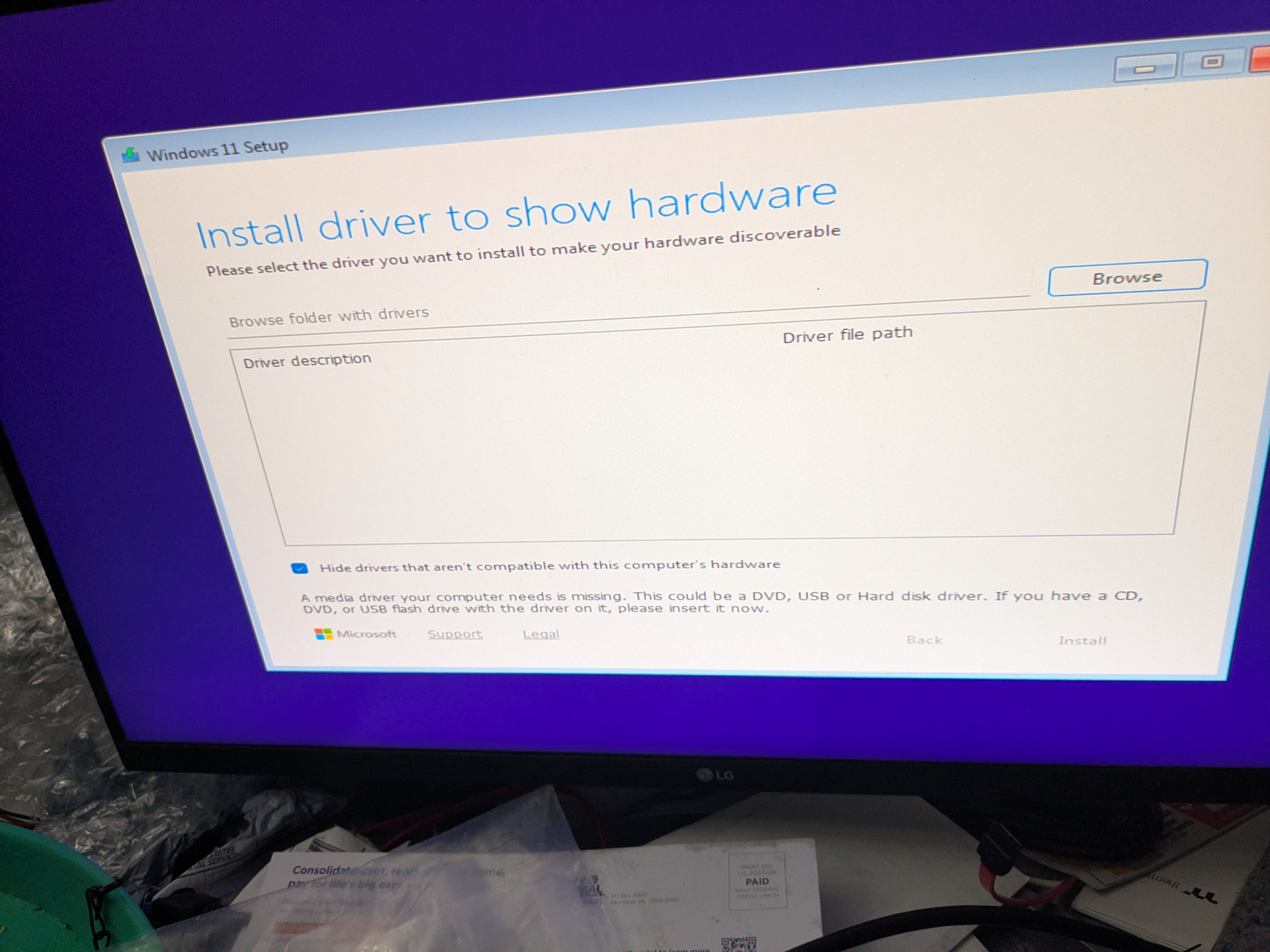
Booting windows 11 it says “no compatible devices found” and shows me a prompt let me install drivers for said devices.
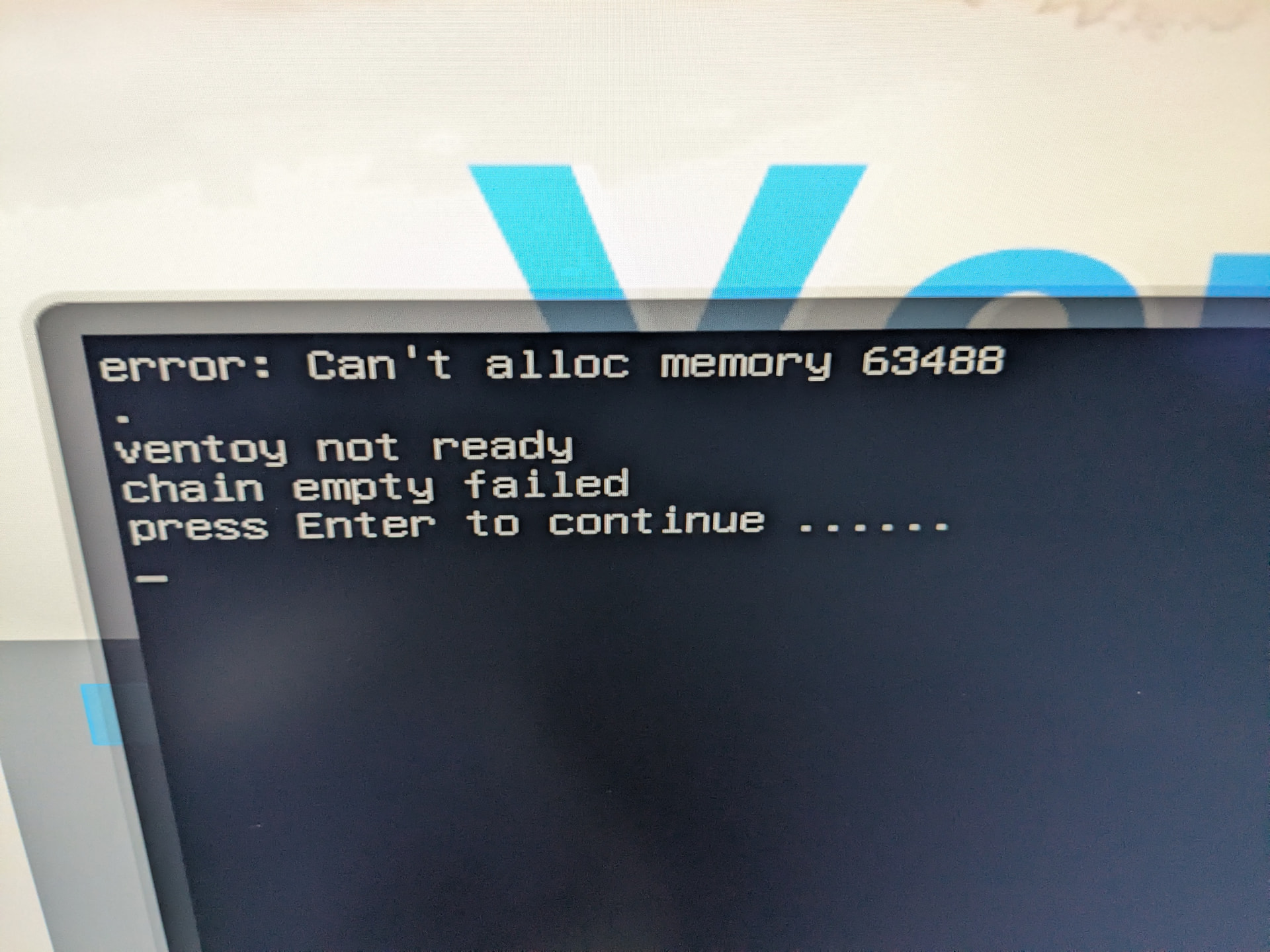
Mint & CachyOS on Ventoy also gives an error.
Hirens boots just fine though from Ventoy.
Going to try without Ventoy and see if that goes anywhere.
Now secure boot is throwing a fit when I try and boot cachyos, I did get Mint to boot once. Windows gets to the very first screen and says please wait and shows me the image I attached. I’m running out of ideas. I have two nvme drives in the system at the moment.
1 Like
Don’t NVMe drives require drivers?
Could be wrong, but that’s last I heard
1 Like
I wasn’t aware of that, I will report back when I more news.
Back to the bios. Turn off RST, it may also be labeled VMD. Not sure where it will be in there exactly.
I’m not sure i am understanding your issue exactly (can you get to atleast the bios?) if it’s a cachy issue it may be that you are using a 10 series nvidia gpu - which are no longer supported on the proprietary drivers. you will need to go to the AUR to run the 580 driver.
Try and install cachy with just the base / non-nvidia proprietary version. (sorry i don’t run cachyos so not sure what the install options are re nvidia) - then install the 580 driver from the AUR.
sudo pacman -Syu
sudo pacman -S nvidia-580xx-dkms nvidia-580xx-utils nvidia-580xx-settings lib32-nvidia-580xx-utils opencl-nvidia-580xx
you might need to also add nvidia-drm.modeset=1 to your bootloader kernel parameters (e.g., in /etc/default/grub or your EFI boot entry) then rebuild your initramfs to ensure the modules load at boot
sudo mkinitcpio -P
I hope you sort it out - good luck.
actually i just searched that ventoy error and it could be a ventoy issue [issue]: error: can't alloc memory 63488 ventoy not ready chain empty failed · Issue #2643 · ventoy/Ventoy · GitHub some people got around it by pressing using the F5 TOOLS and choosing text mode. maybe try balena etcher instead of ventoy.
good luck
Sorry, I am back at work today. I will have to get to this tonight. I may not get back to troubleshooting till Friday and Saturday (my days off).
That’s fine, take your time.
I have a bad habit of completely abandoning threads without notice, grave digging them, or both (lol)
VMD is disabled by default
Two checks I think are worth and don’t see mentioned: are you in UEFI or CSM mode? I guess the first, they’re set automatically but still maybe check that.
Next is resizeable bar and above 4G encoding enabled? If so, disable the first, try booting and then the second one if you’re still unable to display off the GPU first.
If VMD is off, I’m not sure why the heck it would be asking for a storage driver.  Makes me go “hmmmmm”.
Windows 10 installed just fine on the nvme as well. Old version of 10 as well. Will try the other stuff soon.
Oh! Perhaps your board or drive doesn’t have the new secure boot certificates. That could maybe look like this. Also very strange stuff.
I swapped to the other CPU I had, a 12th gen i3, and the system is still doing the same thing so I’m going to look for a new board to buy and swap it out. Hopefully the new board also has more luck with the i9.