First time writer here. I have enjoyed Level1Techs youtube vids for a while, and decided to try the forums when I encountered the problem mentioned in the topic.
I was upgrading my htpc/living room gaming PC with an m.2 NVMe drive, when I booted up the screen was black. After switching to the onboard graphics, the picture came back.
While on onboard graphics I tried to reinstall nvidia drivers, but the installer could not find compatible hardware. The Device manager does not list my GPU.
Steps I have taken:
Made sure graphics adapter was NOT set to IGD in BIOS
Updated BIOS to latest version
Reinstalled windows (was going to anyway)
Removed NVMe drive and tried a SATA drive, in which case the GPU works fine
My hardware:
Motherboard: MSI H110i pro m-itx
GPU: Gigabyte GTX1050Ti windforce OC 4G
CPU: Intel G4560
RAM: 2x4 GB Micron Ballistix 2400 MHz
Storage: Adata SX6000 m.2 PCIe 256 GB (NVMe) + 60 GB Corsair Force for testing (SATA)
It’s like the NVMe drive disables the GPU, and I have no clue how. Hope some of you can help.
I’m not sure how to figure out if my slots share lanes. It doesn’t seem to be part of the MSI support documents. It is a m-itx board with one GPU slot and one m.2 slot, so I am not able to move parts that much
PCI-Ex16 1
PCI-E Gen 3.0
SATAIII 4 M.2 Slot 1x 2280 Key M(PCIe Gen2 x 4)
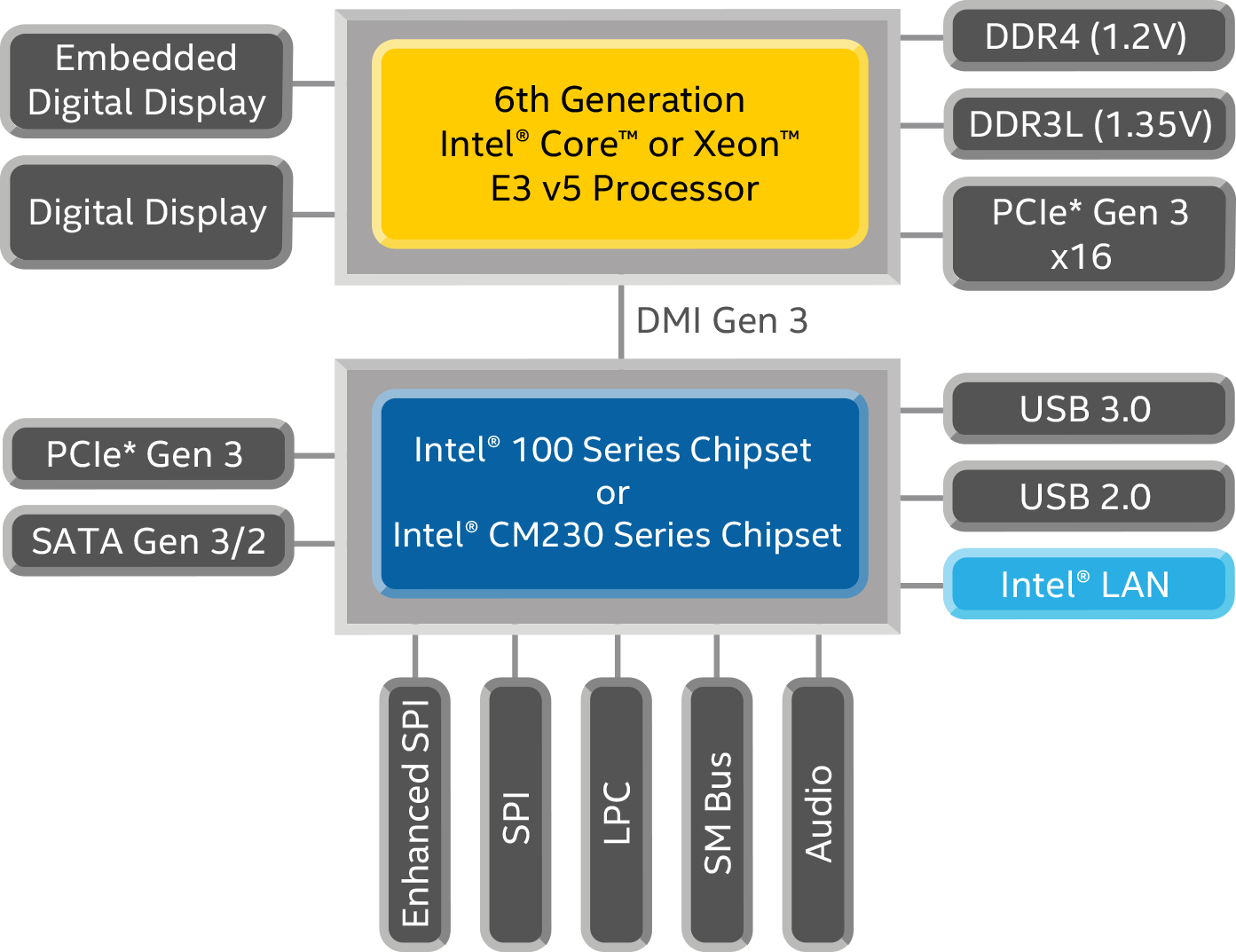
Looks like to me the CPU hasn’t enough PCIe Lanes to Power the GPU by x16 and the M.2 drive by x4. Since you can’t easily solder more PCIe Lanes into the CPU try to set the GPU in the Bios to x8 then it should work. No worries tho, I’ve seen benchmarks were it doesn’t make a difference if a GPU run with x8 Lanes or x16 lanes for most Gaming Stuff.
It seems all my BIOS allows, is to change the “PEG0 max link speed” from auto to Gen 1, Gen 2 or Gen 3. I have tried setting it to Gen 2, still no luck. I guess it still uses 16 lanes, just at a slower speed. Does that make sense?
Here is my suspicion but I am not sure at all so maybe someone else can verify or clarify this issue
but:
I don’t think that the Chipset can magically get you more PCIeLanes than the CPU can provide. Since the CPU is maxed out at 1x16 Lane the Chipset take x4 to provide to the m.2 so the GPU gets x12 so it is turned off. I would say that without a CPU that can provide at least x20 Lanes OR a BIOS Setting allowing you to run the GPU x8 you are stuck, I’m afraid.
To resolve this Issue: Set the GPU to x8 or test with a CPU that has more PCIe Lanes, minimum 20 Lanes.
Supported Processor PCI Express Port Configurations
1x16
Does that means that it can provide the Lanes from 1x16 Lane from the CPU? If not than the BIOS is the problem, right?
Edith:
Supported Processor PCI Express Port Configurations
Configurations indicates the number of lanes and bifurcation capabilities for which the processor PCI express port is enabled. Note: The processor’s actual PCI express configurations will be determined or limited by the value of this chipset attribute even if the processor is capable of additional configurations.
It means the CPU does not connect to the chipset with any of it’s 16 direct lanes of PCIe. So for the sake of this topic it is x16 Gen. 3 on the slot and x2/x4 Gen. 2 on the M.2.
If anything I would expect you might lose some sata ports but the manual literally says nothing about what gets sacrificed when using m.2. @noenken is right though, it should just work. The m.2 should run through DMI and not use any of the x16 lanes from the GPU.