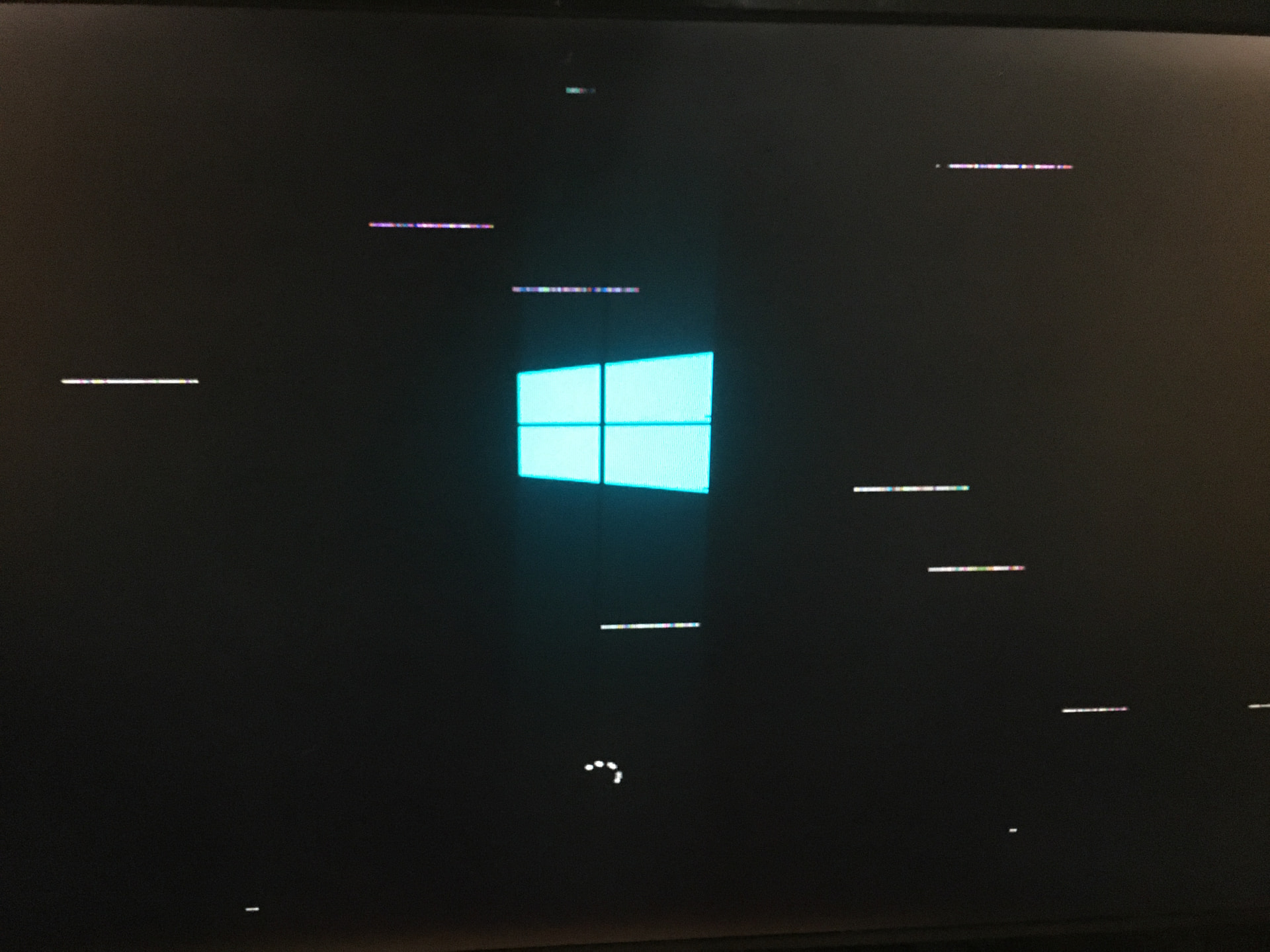
So I have a mITX build with an RTX 4070, which works fine on cold boot, but when you restart it, there are graphical issues that make the GPU crash (typical garbled graphics, random crashes/reboots, etc.)
I can run this thing at 4k Halo Infinite for hour with no issues whatsoever, but when I restart it, the glitches start appearing. And I’ve noticed that anything that taps into the GPU will get the card to read clocks of 10000mhz and utilization spikes to 100%, even though I just opened Firefox. There are no bluescreen crashes in particular, but I’m inclined to see if there were any minidumps and see what Windows reports.
But I keep going back to the fact that the entire thing works flawlessly when from cold boot! Why is it happening? What type of behavior is this? Never seen this before.
So right now I don’t know what to do - got a spare 3080 (confirmed working)but I gotta get a spare PSU cable to get it to work and test. But in the meanwhile, if you got any tips, would appreciate them!
Look for a “fast boot” setting in your BIOS. If it’s enabled then your system may be skipping initialization steps during restarts so disabling it may help.
Something else that may be worth a try is using DDU to clean out your current nVidia drivers and install fresh.
A normal driver install is fine but you can also use NVCleanstall and enable MSI mode for better latency at the same time… that may be the default now, I haven’t checked in quite some time.
Nah son, I already went through all that - has nothing to do with the drivers, because this is a clean install even. I am literally speaking about graphic corruption, white streaks all over the desktop and everything.
I need some type of hardware level troubleshooting. I am running a dedicated RAM test now to see if it has to do with the memory or the motherboard?
I can only test the 2nd GPU once I get the new power cables (you only need those WHEN you need those)
Yeah that sounds like hardware especially on a clean install.
Sometimes that type of artifact is caused by the display side, try a different DP/HDMI cable if you have an extra one and plug it into a different output on the card if there’s another one that’s open.
Maybe try underclocking memory on the GPU using MSI afterburner if you suspect VRAM on the card is questionable.
While troubleshooting it may be helpful to restart windows graphics drivers without rebooting by using the keyboard shortcut win-ctrl-shift-b
RAM test finished with no errors. I can leave Furmark on the GPU running an hour and it’ll be fine, but if I restart… it goes bonkers again. I just don’t get it…
I wonder if taking a screen capture when artifacts are visible if they’d be captured. “Streaks” are often display side artifacts and if that’s the case then they should be impossible to capture with a screen shot.
Are you using CSM? If this OS install wouldn’t be too bad to recreate, you may try toggling that. It looks like a hardware initialization quirk, not resetting properly on a soft restart.