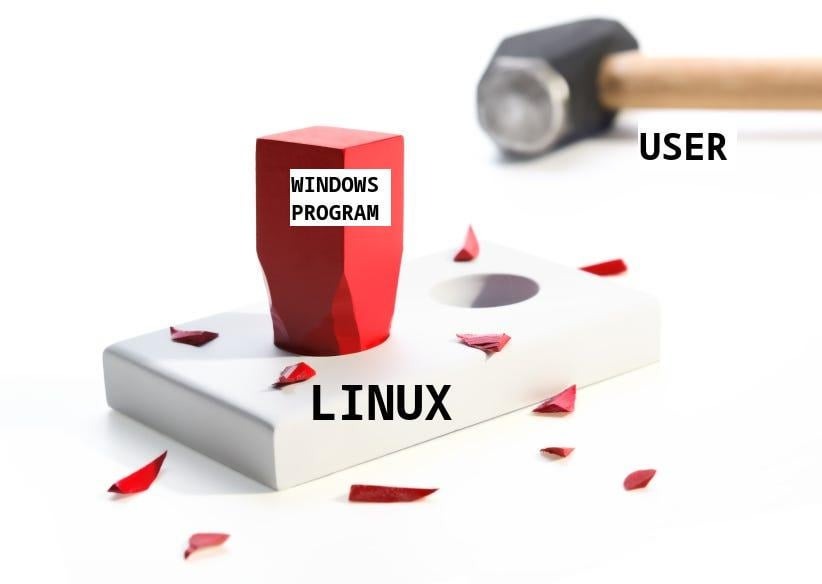
Giving microslop the boot! Teething pains adjusting to the switch, asking about random grievances

I’ve committed hard to daily driving linux and never looking back, the reasons just keep piling on. From the mountains of e-waste created from blocking updates on perfectly cromulent hardware, to bloat, security issues and the gall to put ads in an OS you charge money for… I suppose I don’t have to tell anyone here how Windows has managed to make itself the least sexy option out there. I’m quite tech savvy, and I’ve always had ubuntu or mint on laptops and computers that doesn’t need specific programs or gaming. I’ve never been a power user though, I know how to google simple things that need doing, and how to do it, but not why it does the thing. My main professional tool is Clip Studio Paint, which I after committing to linux got working through wine/bottles. Gaming trough steam works perfectly fine. Long story short, the first couple of days on CachyOS have been lovely, but there are some things that I can’t seem to figure out, and don’t understand enough to know what to search for.

  1. OBS: When streaming with OBS in windows, I could “connect account” in the app, and control broadcasts and such. I can’t seem to figure out how to do that in cachyOS. I can stream just fine using a stream key, but it’s a lot more cumbersome than just connecting the account, and doesn’t give me the same control.

  2. Blue yeti microphone: On windows I’d use the logitech software (Ghub) to provide very pleasant and efficient processing. (Compressor, noise cancelling, EQ and so forth) I have managed to get similar effects using “Easy effects” on CachyOS, and I’m able to pipe that through to OBS and monitor it just fine. However, while broadcasting, the audio is super choppy and completely unusable. Monitor audio is still fine while streaming, it’s on youtube/twich the choppiness happens. The system is barely even taxed using these things, the horsepower is there but maybe not allocated? I FIXED IT! For posterity if anyone should find this post with a similar issue: It was user error. I used the libfdk AAC audio encoder in OBS. When I switched to FFmpeg AAC it was buttery smooth. (Embarrasing, since that was the first thing I thought of and believed I had tried. I must have forgotten to apply or something!)

  3. USB: After waking from sleep, sometimes my microphone or mouse will not work until I unplug/replug the cable/dongle. I’ve switched the plugs around ports, and it doesn’t seem to be any particular port being problematic. Is there a way to maybe virtually unplug/replug devices in software? Or better yet, is there a way to keep them from disappearing? I have an old man back and my flesh is failing me when having to dive under desks.

  4. Unable to wake from sleep: Several times I’ve had to reset the system because it won’t wake from sleep. I try clicking the mouse, keyboard, drawing tablet hotkeys and the microphone mute button. Nothing. How can I reliably wake my PC from sleep?

  5. KDE PLASMA: I have a tiny digital clock on a panel in the bottom right of my wacom screen, set to float always on top. It works just fine most of the time, except when using Clip Studio Paint through Wine/bottles. This always stacks above the clock. A minor nuisance, but I’d really like to have it my way! Also, sometimes this widget duplicates itself and I have to delete the extra clock that has been added.

  6. Middle mouse button: It behaves WEIRD in many cases. In some games like say ARC raiders I normally use the middle mouse button to ping the map or world. Straight up doesn’t work! In other shooters I have middle mouse button set to throw grenades. It will hesitate, and sometimes I’ll need to press twice to get it to react. And when it does work. while the grenade is being held ready to throw with the middle mouse button pressed, I lose the ability to mouse look until I release the button.

Any help with any or all of these issues would be greatly appreciated!

OS: CachyOS x86_64
Kernel: Linux 6.19.11-1-cachyos
Uptime: 1 hour, 9 mins
Packages: 1633 (pacman)
Shell: fish 4.6.0
Display (Cintiq 22HDT): 1920x1080 in 22", 60 Hz [External]
Display (Acer X34A): 3440x1440 in 34", 100 Hz [External] *
DE: KDE Plasma 6.6.4
WM: KWin (Wayland)
WM Theme: Breeze
Theme: Breeze (Dark) [Qt], Breeze-Dark [GTK2], Breeze [GTK3]
Icons: candy-icons [Qt], candy-icons [GTK2/3/4]
Font: Noto Sans (10pt) [Qt], Noto Sans (10pt) [GTK2/3/4]
Cursor: capitaine (24px)
Terminal: alacritty 0.17.0
Terminal Font: monospace (12pt, Regular)
CPU: AMD Ryzen 5 9600X (12) @ 5.49 GHz
GPU 1: AMD Radeon RX 9060 XT [Discrete]
GPU 2: AMD Radeon Graphics [Integrated]
Memory: 4.36 GiB / 30.51 GiB (14%)
Swap: 3.68 MiB / 30.51 GiB (0%)
Disk (/): 158.29 GiB / 1.82 TiB (9%) - btrfs
Local IP (eno1): XXX.XXX.XX.XX
Locale: en_US.UTF-8

2 Likes

Browser docks including the account login are disabled on Wayland because the currently used CEF version doesn’t work on it. Well… it’s a little more complicated, but that’s the gist of it.

2 Likes

Someone can correct if I’m wrong on this, but for

  1. Last I checked, I believe there was an upstream bug in CEF effecting OBS on Wayland which made them disable the twitch integration for wayland

  2. I do not know how to fix that but I have a friend who has the same issue with that specific microphone without ghub. I was actually going to try and help him with that tonight so if I find something I’ll post back if noone else has answered that yet, but it seems to be the mic in their case…

2 Likes

Thank you for the reply! I must admit that most of what you’re talking about is beyond my current level of understanding. Am I correct in inferring from your post that if I want to have the ability to connect account and have a chat dock I should switch distros? (or desktop environment?) I’d rather not do that, the current setup for Clip Studio Paint is working on wayland, I’m not confident I could make it work without guides specific to X11. Also, both OBS and CSP needs to be working at the same time, since I stream making art in CSP. Also2, I REALLY like CachyOS, It’s so smooth and responsive, and KDE Plasma just feels so much more intuitive than say cinnamon or Gnome that I’ve used in the past.

Thank you for replying, I’m looking forward to any insight you might have found while helping your friend!

Not technically one of your grievances, but if you only need these effects when using OBS, why not do them in OBS? No messing with third-party interactions. Just right-click your microphone-source in OBS and select Filters. Every single effect you’ve mentioned here has a native equivalent in OBS. :wink:

2 Likes

Just replying again to say I found out the problem on my end, OBS was using the wrong audio encoder. (Dunno If it applies to your friend, but I thought I’d mention it just in case!)

1 Like

While better than nothing, the native OBS filters just aren’t as good. The compressor is okay, but not great. The noise filter struggles with recognizing what’s noise and what’s speech, cutting off the starting and ending syllable of sentences. This is exacerbated when two people are talking in the same mic. The EQ is just three bands, not granular enough for filtering specific pitches like hums, whines etc. I do see now that they support VST2.x plugins, which probably would offer sufficient options. But since I also need processing to make voice chat more pleasant for my multiplayer friends, I’d rather have one control for everything.

2 Likes

No, it has nothing to do with Distro or Desktop Environment. It’s a general issue on Wayland.

I use the Reaper VST-plugin-pack myself: REAPER | ReaPlugs They are seriously good.

It comes as a .exe, but I’m sure there’s a way to extract the plugins manually…

1 Like

My limited understanding of how linux works on a core level is becoming apparent. Is there a way I could stop using Wayland (I understand the option is X11?) and continue to use CachyOS as I am currently?

All DE (KDE,Gnome) are or will be Wayland only. Even the old DE that still use X11 are working on going Wayland. I suspect (or hope) all relevant apps will go along.

I’m actually glad KDE/Gnome as the largest DE put their foot down since this waffling between X11 and Wayland is an unnecessary confusion and requires duplication of efforts. New users don’t need to get dragged into these often ideological fights about display protocols, bootloaders or package managers.

They do something called X-Wayland that offers compatibility with Wayland apps. Someone smarter here can explain that better.

For the better or worse, you better get used to live with Wayland. If that isn’t an option for now, use a DE that still uses X11 (Cinnamon, XFCE). But then you give up fractional scaling, good multi-monitor support etc. For some reason I think KDE still offers X11 and at login you should be able to switch? KDE will drop X11 at 6.8. Gnome dropped it with #50.

I have no idea what the equivalent is called in Windows. It works, which is all I care about.

1 Like

Yeah no all things considered I’m more happy here on CachyOS/Wayland/KDE Plasma than I’ve ever been with any previous linux distro or DE, and I don’t want to go against the zeitgeist and natural evolution of the ecosystem just to have a feature that is more of a convenience than anything. IF I’m understanding the issue correctly, the issue is CEF (Whatever that might be) which is something that needs fixing by either the Chromium, OBS or Wayland contributors/devs, and all I can do is wait and hope for full compatibility in the future?

1 Like

Unless some new information emerges, that is basically it. It is hard for developers to have they legacy code that needs to serve X11, but also Wayland. That is why i say, better pull the band-aid off now and go all Wayland and focus on improving that.

If an app is popular, many people will notice an issue and report it and developers may fix it.

You are on Arch, so any fixes will show up soon. i would be more concerned about LTs distros.

Going to an older DE may fix this one issue, but it will introduce 10 more new issues.

Yes by installing the corresponding X11 session packages, but if and how specifically for CachyOS I don’t know, you’d have to consult their documentation or support channels.

That’s not true. XWayland provides backward compatibility for X11 applications on Wayland, not forward compatibility for Wayland on X11.

And the way it works is basically running a reimplementation of an X11 server under Wayland. It’s a good stopgap solution, like pipewire-pulse is, but not the endgoal.

As it stands there are very few (if any?) applications that are exclusive to Wayland. Most applications use some kind of tooltkit that already handles both anyway.
They might have features that only work on one of the two, but that’s a whole different set of rabbit holes.

Not sure what you mean by this? Windows doesn’t use X11 nor Wayland for fairly obvious reasons.
Windows has DWM as the window manager, but that’s not really “equivalent”.

1 Like

I don’t have fixes for your particular issues, but wanted to post in solidarity. A week ago I started the same process from Windows 11 to Mint. Just plain had enough. It’s been fairly pain free thus far. It’s worth the effort!

1 Like

I am a week and a half or so into the change. I still have gripes, but I love it here. To go back to my original list:

  1. The OBS issue remains. It’s not a dealbreaker, just annoying. All I can do is wait.
  2. Solved. I needed to use the right audio encoder. (which in my case was FFmpeg AAC.)
  3. This has magically resolved itself, mostly. I dunno why, although I have been doing a lot of tinkering with USB adjacent stuff, trying to make my spacenavigator 3d mouse work. Or I could have gotten lucky with a background update of something. The only thing that routinely needs unplugging/replugging nowadays is my microphone, whose plug I now keep within arms reach.
  4. Magically fixed. Dunno if anything I did fixed it, if it was related to the issue of USB devices being “forgotten” or a system update was the fix. Now it sleeps and wakes as it should.
  5. Suddenly works perfectly. I changed two things, I added a tiny weather widget next to the clock, and I also moved the start menu from lower middle to right middle, to avoid it grabbing my cursor when moving “through” it to get to my cintiq located under the monitor. I don’t know why, but this fixed the always on top issue. Maybe it just needed another round of saving the config for it to take?
  6. Middle mouse button suddenly works perfectly. Might be related to my other USB/peripheral issues and the steps taken to remedy those.

NEW EXPERIENCES AND GRIPES!

A: Documentation. I know, I know, this is a community driven OS and it’s too much to hope for documentation on every contribution. But DEAR SIR, MADAM OR OTHER, for the love of cod, PLEASE don’t add in your documentation “ To build just run ./configure, make, and make install as usual.” I am a virgin, there is no "as usual” for me. At least buy me some fries first! Luckily I was able to google those terms and figure out what to do. But then when I finally got the app built, it failed. Why? It sure as shugar wasn’t suggested to me in any way that it was a SIGFPE. So it didn’t dawn on me that I needed to try the troubleshooting step relating to a crash with a SIGFPE whatever that might be. Long story slightly less long: What was causing the error was that I needed to install something called GIT-LFS, so I could download larger files from github. In this case the large file in question was a .PNG image. WHY ON EARTH is this a thing that I learn about after googling the meaning of an abbreviation in the bottom troubleshooting step of the documentation of a niche peripheral? I know handholding is for the weak of heart and mind and all, but if an app requires an additional piece of manually added git functionality to be built, shouldn’t that be the FIRST THING in the instructions?

B: Not like the other girls. Sometimes it feels like things are different between distros just for the sake of being different. When battling the drivers for my 3dconnexion spacenavigator, I tried to make a daemon called “spacenavd” work. After rubbing sand in my eyes and eating glass for an evening, all things pointed towards the culprit being Wayland, while the daemon was speaking X11. I managed to find someone on Ubuntu Wayland that had solved the issue, so hope soared. I simply had to add “use-x11 = no” to a config file, and Bob’s your uncle. Nope. nothing. Everything SEEMED like it should work, but that fix simply did nada. Somehow I found a log (I think I was monitoring the daemon line by line) and it said it didn’t recognize the command “use-x11”. Disheartened, I went to comment out the line, but inspiration struck: All the other disabled features in the config file was using “false” instead of “no”, so i tried changing “ use-x11 = no” to “ use-x11 = false”. Boom! It worked! Why would Ubuntu use “no” and CachyOS use “false”? And why would the log say that it didn’t recognize the COMMAND “use-x11” when what was causing the problem was the VALUE “no”?

C: More KDE PLASMA. I love how I got things set up, except some small gripes with the task switcher. I have a lot of dark grays in my theme, which I love and don’t want to change. But I’d LOVE to be able to change the highlight color of the active square in the task switcher. It is VERY low contrast so I have to switch around to notice it. I’d love to be able to have it be user defined, both color and opacity etc. And on the topic of the switcher, I’d love to be able to have it ignore certain things. I use wine/bottles to run Clip Studio Paint, and whenever I do that the task switcher shows a bunch of wine glass icons, which I assume is background stuff that wine does to work it’s magic. I’d just love to have the task switcher ignore certain things, like those wine glasses that aren’t tasks that can be switched to in any meaningful way and just adds clutter to my switcher.

I realize that I am currently an old man yelling at clouds at this point. But at least I’ve put my gripes into writing and perhaps it might shift the mindset of someone who might happen to read it in a more novice-friendly direction? Or we can all trauma bond and repeat the old chestnut about building our own airplane on the tarmac.

If documentation tells you to use terminal, the OS isn’t ready for desktop use by normal users. At least not for the use case you have. Windows can be used by normal users without CLI - that is the bar.

Even worse IMHO, sometimes there is a good GUI tool that can accomplish what you need to do. but documentation and other users still tell you to use CLI.

This just proves my point of that distro not being ready for normal users for that application. A user should not need to research Wayland/X11 or edit files.

Wine is a very unreliable and crude software. Only simple apps work and there are downsides. If you want Windows experience and use Windows apps as intended, use W11. If you want to use Linux, use Linux software. I know people use all kind of reason when choosing an OS. But the pragmatic reason are the apps you need to use.

If documentation tells you to use terminal, the OS isn’t ready for desktop use by normal users. At least not for the use case you have. Windows can be used by normal users without CLI - that is the bar.

Even worse IMHO, sometimes there is a good GUI tool that can accomplish what you need to do. but documentation and other users still tell you to use CLI.

I am a normal user, and I don’t mind tinkering. I don’t even mind learning new things. My gripe is with developers and contributors assuming knowledge in the user, when it would be so much more inclusive and not a whole lot more effort to write “this is how you tie your tie” instead of saying “to finish getting dressed, tie your tie as normal.”

This just proves my point of that distro not being ready for normal users for that application. A user should not need to research Wayland/X11 or edit files.

I am a normal user, and I feel like the distro is ready for me at least. My gripes doesn’t mean I’m not finding value or enjoying the experience overall. A car user shouldn’t have to research gaskets, but sometimes visiting a mechanic isn’t the right choice and you can choose to do it yourself. I have had to use things like hex editors and regedit to make esoteric software or hardware work in windows before, that doesn’t mean windows wasn’t ready for normal users.

Wine is a very unreliable and crude software. Only simple apps work and there are downsides. If you want Windows experience and use Windows apps as intended, use W11. If you want to use Linux, use Linux software. I know people use all kind of reason when choosing an OS. But the pragmatic reason are the apps you need to use.

It might be crude and unreliable. That doesn’t change the fact that it works perfectly fine for my usecase, and the thing I bring up is an annoyance and doesn’t affect the functionality of the app at all. The whole point of this is that I DON’T want a Windows experience. I can currently use a windows app perfectly fine in Linux after a little bit of setup, why should I go back to pay for being spied on, being force fed AI, being served ads, being less secure, having my encryption keys handed over to fascist governments just to use my preferred professional tool “as intended”? I think the idea that I need to use Linux native software when on Linux is creating a false dichotomy that runs counter to the philosophy of “computing, my way”. When apps like Krita catch up to my needs, I’ll switch over to that, but CSP through wine will do me just fine for now.

That sounds like an oxymoron :slight_smile:

We can define “normal” all day long. But 99% of users just turn on their PC and use it.

You are using Arch. This is for people that learn a lot about the OS. The Arch WiKi is the best, but you are expected to learn the context of an answer. Imagine you read the dealer manual for an Audi: they will describe how to repair something based on the assumption a trained mechanic with proper tools is doing it. It isn’t written for a person who never changed their own oil.

If you read one part of the WiKi, it doesn’t repeat the rest of the wiki, you have to research. Don’t like that? Don’t use Arch and pick a simpler distro tailored to people that want a ready OS. The whole idea of Arch is to build your own distro. CachyOs just gives you a shortcut. This can be great, but also gives the false impression of Arch.

If you yourself say it is unreliable, that isn’t a glowing recommendation for people to use it that way.

As long as using Windows apps requires tinkering, workarounds, or is just not reliably possible, Linux apps are required. This would change if using Windows apps (even if it is a VM behind the scenes) works as easily as containers and without “ifs” and “buts”.

We all have different expectations, needs and tolerance. But most people just want an easy experience and not a long list of “doesn’t work”, “unreliable” or similar. I think i have a hard time reading your thread. You basically list a lot of things that don’t work, or are hard in Linux - but at the same time you make it sound like the better choice. The same way you say you want to tinker, but then complain the forum or Wiki requires added knowledge to research.