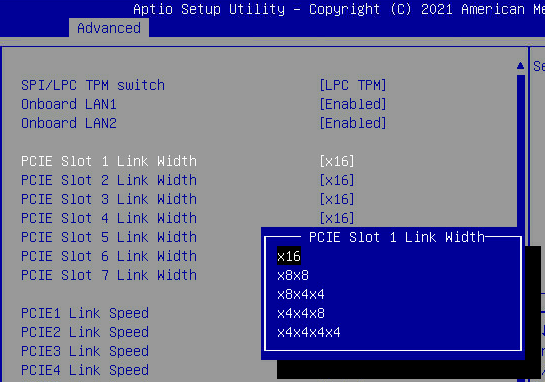
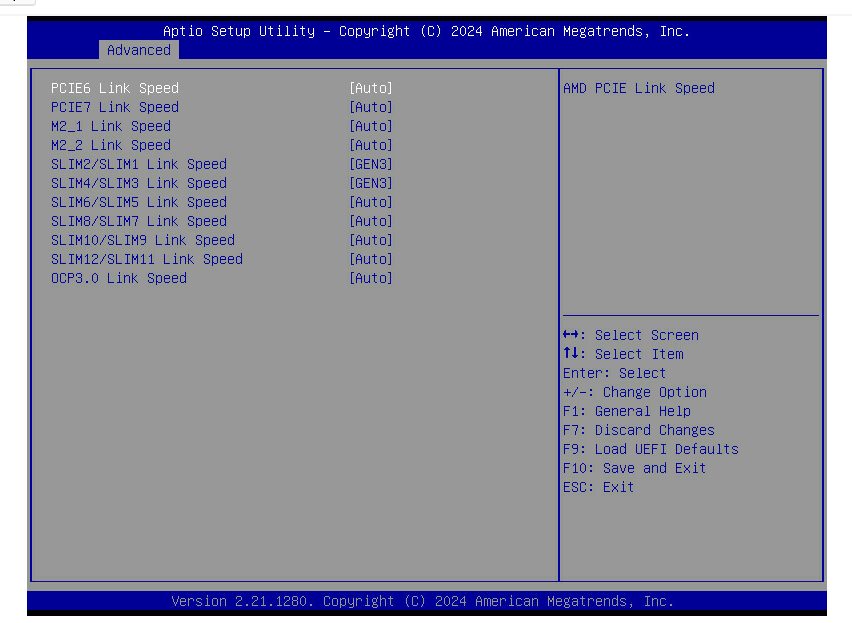
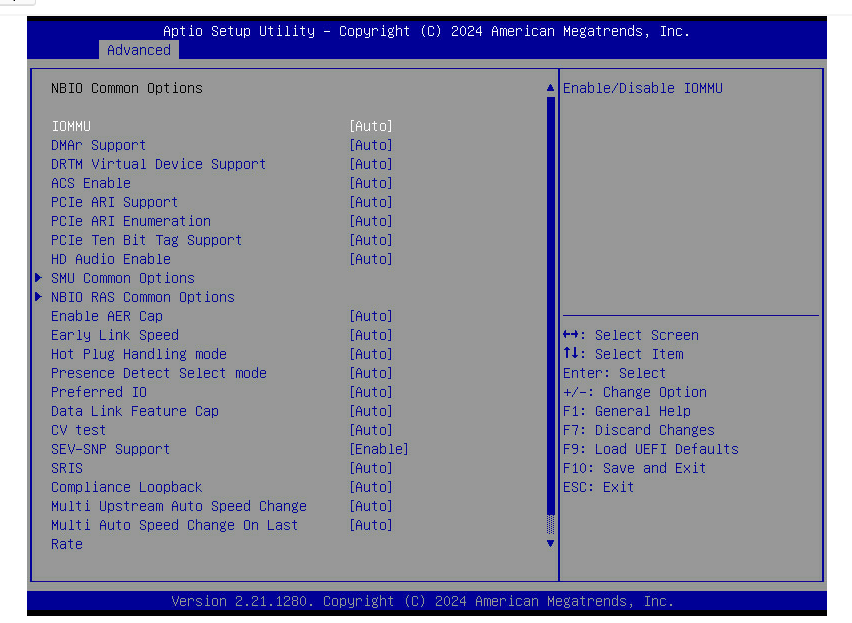
Has anyone been able to get any non-m.2 pci drives to work with an ASRock ROMED16QM3 motherboard? I have two U.2 pci hard drives which work fine in other machines, either with a pcie 8x → U.2 riser card or with SlimSAS → U.2 cables, but no matter what I try I can’t get them to show up on the ASRock motherboard. The two M.2 slots seem to work fine, but nothing plugged into the SlimSAS or PCI slots seem to work at all.
I have the latest bios.
I have tried toggling dozens of different BIOS options.
I’ve tried the U.2 together and separately.
I’ve tried many different SlimSAS ports.
I’ve tried with and without any m.2 drives installed.
I’ve tried various linux kernel flags (pci=realloc, pci=nocrs, pci=assign-busses)
It feels like I’m somehow missing some sort of actually_yes_please_work=disabled flag somewhere in the BIOS. Has anyone been able to get this to work?
Do a full CMOS reset on the board to reset all of your tinkering so far. Then either connect to a PCIe slot and have that slot enabled for bifurcation or if you want to use the SlimSAS port, set the port for PCIe standard. Those are all found in the BIOS menu.
Yes they are only 8x ports, but I tried them at both x4x4 and x8. One of them shares lanes with the m.2 drives so I removed the m.2 drives but it didn’t make any difference.
You would need to have it set to x4x4 and remove the m.2 drive at the same time. Might be worth retesting to make sure that is covered. Check dmesg after the system boots and make sure there’s no errors there, and maybe providing some sort of lspci -v output would be helpful too
Looks to be correct from the block diagram in the manual, at least for one of the slots.
The block diagram in the motherboard manual says that slot 6 is shared with M2_1 and M2_2 from 2x x4 lanes of port G2 - so you can either have the M2’s or the slot, not both.
Not clear from the manual if both of the M2 slots are switched at the same time or if they are individual.
Also shows SATA coming from port G2 which is odd - did a M2/NGFF->SATA adaptor come with the motherboard?
That leaves only slot 7 as the other PCIe slot.
The rest of the lanes are connected to slimline x8 connectors - all of those should be able to be configured in x4x4 mode.
That G2 on the block diagram is wild indeed. x8x4x4 slot that can be switched back to x16 or used by 2xM.2 x4. Usually it’s the other way around.
I’d disable any SATA on “SATA or PCIe/NVMe” BIOS setting when using this very slot. Unless you want SATA that is. Same with P0 and P1 that can run SATA as well. If they’re set to SATA, U.2 won’t work.
All EPYC CPUs have SATA capability/controller built-in and usually 8-16 of the lanes can be SATA. Today, you usually see this with 1-2 MCIO ports being either NVMe or SATA (1x SATA per x1 lane). MCIO8i → 8x SATA breakout cables are a thing now. I know Gigabyte ships them with their boards.
Block diagrams are usually better readable with AsRock. Maybe some intern had a shot in this rather confusing one.
I have tried disabling everything related to SATA in the bios. What is weird is that even leaving aside these two pcie slots, U.2 drives should work with the LP SlimSAS port. I have a SimSAS 8i → 2x U.2 cable but it doesn’t work at all, in any port. The system is supposed to be able to drive 24 pci drives. The ports are all set to x4x4. I tried manually setting the link speed to gen 3 but that doesn’t matter either.
pnp 00:05: disabling [io  0xfe00-0xfefe] because it overlaps 0000:c0:05.1 BAR 13 [io  0xf000-0xffff]
...
Jul 02 19:19:55 localhost kernel: pci 0000:c0:01.3: bridge window [io  size 0x1000]: can't assign; no space
Jul 02 19:19:55 localhost kernel: pci 0000:c0:01.3: bridge window [io  size 0x1000]: failed to assign
...
but none of the pci related bios settings or kernel flags seem to make any difference. Except pci=nocrs which just causes booting to halt.
Could it be that these ports actually only work with an ASRock backplane? Or some special linux kernel patches are required? I am using a pretty new kernel, 6.15.
Another thing I’m finding a bit confusing is that there seems to be another version of the ROMED16QM3 motherboard that I’m seeing in pictures of barebones systems on ebay. It has the pcie7 slot removed entirely and the m.2 slots are in different locations. The label on the motherboard still says ROMED16QM3 though.
What LEDs do your U.2 show? My Micron 7400 have flashing LED on the backplane every other second when they only have power but no PCIe link. And no flashing LED on proper link.
Is the power connection working properly? Do the drives work in other machines?
M.2 → U.2 adapter cable would certainly narrow things down if M.2 is working as you said.
Could be the cable too…we have a megathread about adapters and cables here for a reason