Yes you will need some cooling a shroud and fan something like this should keep it cool. I could have told you about the Grid driver, but I found that the Studio driver gave better 3DMark scores. It’s a few more steps to set up.
Glad you got it working. Cheers
Please tell me you are not raw dogging that p4 with no fan
Is this for Win 11 only? I tried the last part on two Win 10 rigs but nothing changed in the menu.
Thanks
In windows10,maybe there are more factors to make the options appear in menu. Enable Windows Insider Program maybe will be help, give a try.
In fact, click the option in menu just modiy some values in registry,we can do it manually.
assign default high performance gpu:
HKEY_CURRENT_USER\Software\Microsoft\DirectX\UserGpuPreferences, key=“DirectXUserGlobalSettings”, type=REG_SZ,value=“HighPerfAdapter=xxx;”
XXX stands for hardware ID’s VEN&DEV&SUBSYS of the tesla card, which can be found in device manager.
1 Like
I was just looking at the drop-down box, my cards are set up. But thought it’d be nice if this drop-down box worked and I would then be able to change to a different GPU on the fly to HP for benchmarking.
It’s a double edged sword
You have to set it per application and not just the Nvidia app with the original
I can change the number for EnableMsHybrid=2 to =1 for the M40 to use it in benchmarks as HP. Too bad we couldn’t have that change in a drop-down box. I also disabled and then re-enable the GPU after making the changes to set it as HP. Works by Regedit.
You know
I bet you can make a batch file as a short cut to quickly change the values
Can’t remember if you need to unload the driver or not but if you do all you have to do is disable and reenable the card in device manager if you do
Your probably right. I do use a batch file to purge win 10 updates before they happen and delete all files stored for those upgrades. I like once I get my PC running the way I like it, to not have MS come and destroy it with its updates and cause me hours of work sometimes trying to fix those bobo’s I can’t use restore point sometimes because MS updates purge those.
I currious make how look inside my P4 and opened I am interested how to put fan to her when I don’t have fan empty slots for power him hmm how u guys do it and on way is better motherboard who have more options to control fans no matter I see it some applications to control fans one of free is HW info have section for controlling the fans inside yesterday I see u can adjust manually speeds did anyone try


1 Like
You need to buy a blower fan and use a 3D printed shroud
You will kill the card if you use without a fan
Looks like if you put it back as normal you will need some kind of setup to pull air threw the card, since it looks like your ram slots may be in the way of using a push type on the front.
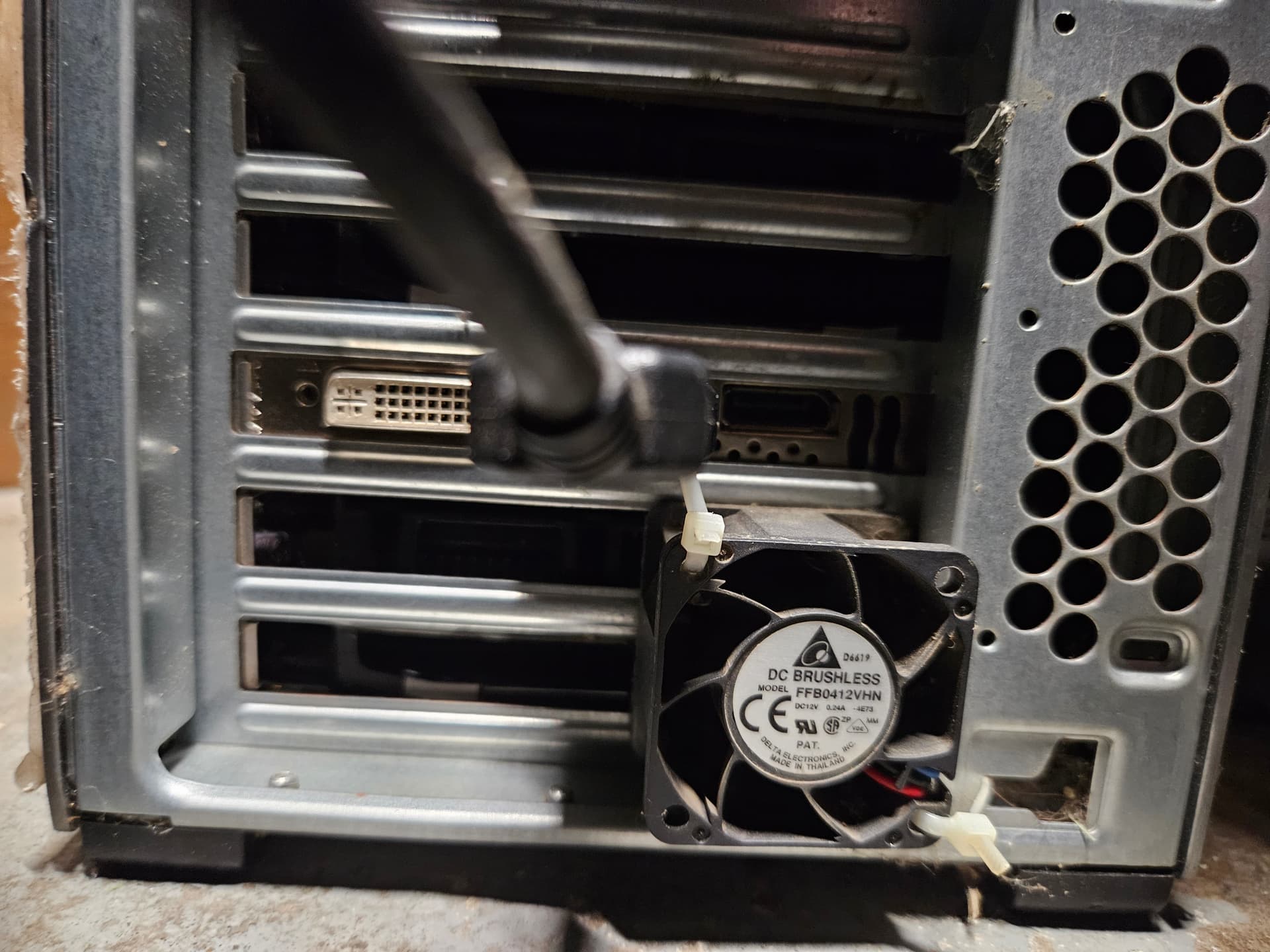
Edit: you should be able to use two 40mm fans on the back of the case with zip ties.
Zip-tieing them to the case and video card pulling air thew the card.
Edit: Here I have a push/pull setup a 40mm on the top of the video card inside pushing and another 40mm on the back of the case pulling these being only 9,500 RPM fans. The card in use is a Tesla M40 that stays under full load 24/7 so it needs good cooling. With that P4 you may be able to get away with one pulling air if the RPM is high enough.
Yeah I found reg edit to be the only way to get it working
Id probably go the other way with the fans and let shorter distance to get the core but the p4 isn’t very long
I done this setup with a k20xm and Xeon v5 as the out and after doing the enable 1 for Tesla and 2 for igpu never had to manually set it
If you want see they 4 blanks on the card if you solder pins or wires to the back of the card there it’ll give you fan power as this is just a p2000 or something so the fan power is wired up
What model HP is that computer? When we know that then we would be better to help you.
If this is the PC you are leaving the P4 in?
A basic fan controller will work fine if you don’t feel like soldering. Just 12v on a pot with fan out puts works fine usually get a 2v max drop so it’ll run 10v instead of 12v full tilt but can drop to 5v
Will this work well with Tesla P40?
Processor: Intel i5-12500
Motherboard: MSI Pro B760m-E DDR4
Ram:G.Skill RipJaws V Series 32GB (1 x 32GB) 288-Pin SDRAM (PC4-25600) DDR4 3200 CL16
SSD: Colorful CN700 PCIe 4.0 NVMe M.2 SSD
Thank you for answers!