Do you only have this problem with llama.cpp or in general?
I have two 7900XTXs with Ubuntu Server 25.04, but I use Ollama with Docker and OpenWebUI, so far no issues.
ik_llama.cpp plumbing for quants is missing from mainline and doesn’t have the same rocm enablement as mainline either
Thanks, that saves me time. I wanted to test in ik_llama.cpp next week, so I’ll wait a bit longer.
Can multi-GPU make up for lower VRAM? I’m fine with setting up something slower if the end result is the same.
yeah, just have to explicitly assign layers to gpu as in the how-to
1 Like
Actually, benchmarks by Phoronix showed a statistically significant, though not major, performance advantage for 3D V-Cache in prompt processing, for mainline llama.cpp of the specified release. Personal experience seemed to indicate more than 0.5x the posted performance of the 7950X for my 7800X3D, though the lack of inter-chiplet overhead probably contributed as well.
And given the way neither the mainline nor IK’s fork supposedly handled NUMA too well, the same penalty might also apply to a lesser degree for non-unified last-level cache.
But yes, it should be more or less pointless for token generation.
2 Likes
Humm have the hardware and ram just not all in the right place. Have 13 gen with 128 ram it run amd 7900xtx or I could bump amd 7950 to 128 GB. Never like the speed ram on that machine anyway. Amd 7950 has nvidia 5080 on it. Already has popos os so the script should work. Even actually have 3090.
The poor bastards guide to GPU memory is to make sure your PRIMARY GPU is a beast or best card but then to add a second card just for the memory (so here your just selecting the cheapest, but biggest extra memory card you can buy new or used and is a great use of your old GPU instead of flipping it). So to my example GPU1 is a 5070ti 16gb GDDR7 (instead of the 5080) and the savings I put into a 5060ti with 16gb so now I have 32gb for GPU MEMORY. That’s the same level a 5090 would give you but for under half the cost and it makes a HUGE difference running LLMs speed. On a desktop PC its about as much OMPH as you can justify on a budget but the second GPU2 could have been anything RTX, from a 3060 12gb/4070ti 12gb or SUPER with 16gb, what matters is the extra memory! LLMs live having the K-CACHE offloaded to GPU memory, but if you have the RAM and need the space, just turn it off. Why AMD have been so SLOW in getting the ROCm support needed for consumer plug and play (instead of pray and curse) and I hope they get their soon but nVidia seem to have no problem keeping up on the bleeding edge, pushing the envelope!
Just going to share this here. Some people probably think it’s a steal.
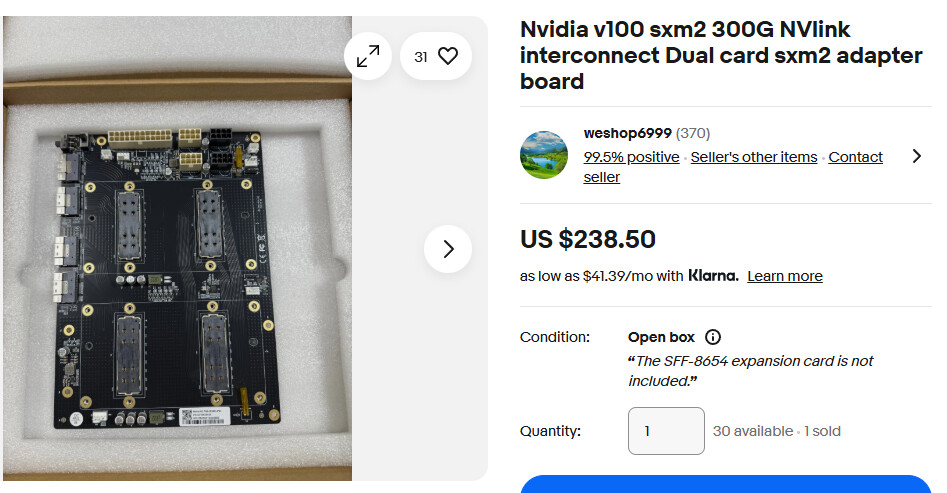
And the single card adapters are available again. Probably knock offs and not actually Nvidia made, I don’t know.
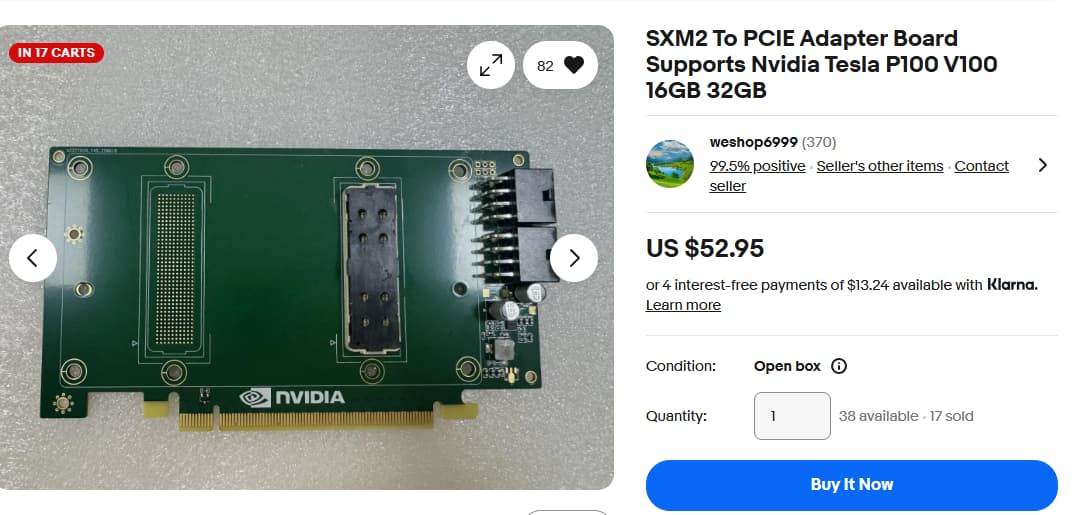
They sell those with waterblocks for $130 too. Don’t get your hopes up for packing them in 7 deep on a standard board, they’re still dual slot.
Would this be possible with older Epyc CPUs (thinking 7502) with 128g DDR4 3200 and an RTX A2000 ADA 16GB ?
Yes, if it is possible on a 128GB consumer desktop, it is possible on a 128GB server with the same 16GB VRAM. Just make sure to keep it in a single NUMA node, if possible.
For quants with generation quality closer to the original, you may want at least 256GB for iq2-class 2.5~3-bit quants, or 384GB for iq4-class ~4.5bit quants, to avoid overhanging model weights into SSD, which reduces generation performance by quite a lot. (But even then, the magic of MoE models is such that as little as half of the memory required could still produce a “usable” performance.)
Even then, to be able to run a 671B-parameter model on a 128GB RAM setup at all, and have it run much faster and (for some uses) with more capability than any 32-70B quant is already unthinkable even months ago.
2 Likes
When it first came out in the early days of USB, we always refered to is as Plug’n’Pray…I still call it that and stand by this assessment😂
So I am building a dual GPU setup in two boxes due to power supply needs (now downvolting) and I am lucky enough to have an RTX ADA 6000 for my LLM and a 4090 for my document ingest, on separate machines. I always thought the restrictions for the models was VRAM in GPU, and have stuck mainly to full 70B, are what is your experience in the performance comparison between 70B in VRAM vs your really large models in Q1? depth or reasoning, context? What’s the token count you are getting through CPU, this video of yours is super interesting and compelling for the absolute monster of a model you are running. would love to know more how it compares! I learn something new every day, but seriously thought it was always a GPU barrier. (currently getting about 25-30tk/sec on the 6000 for 70B with some fancy context work)
Hi all,
is there a way to get similar results with this setup ?
RTX-3090
64GB DDR4 3600
5900x
Or should I just move the RTX-3090 to a new machine ?
Thank you
This doesn’t rely on a recent CPU instructions?
My worry with the older Epyc was individual thread speed and maybe some limits in the memory bandwidth. I suppose I could always just YoLo it but I’d have to take down my currently functional local LLM setup and reconfigure.
I just built a new workstation and had some time to toy with this as it was idle. TLDR: this is really impressive! like WOW!!!
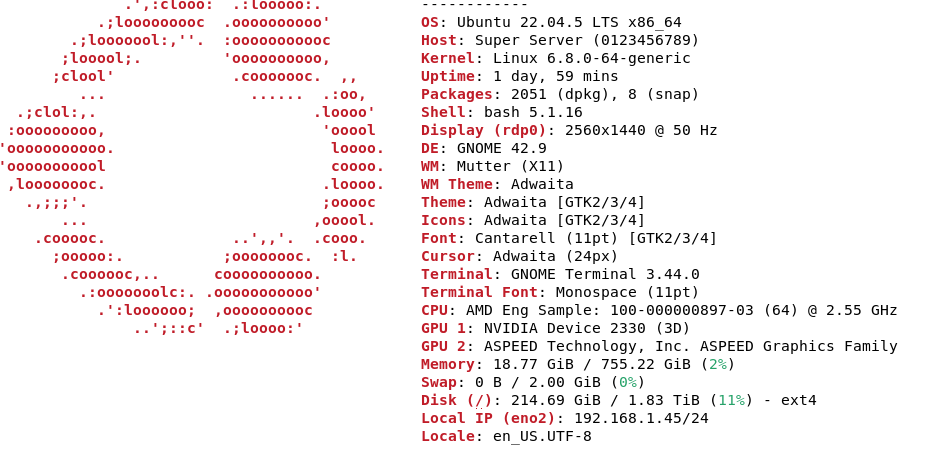
I ran the exact same setup as recommended in Wendell’s post (with some extra tweaking to leverage the GPU more). I was able to allocate layers 1-34 to the H100 and it works very well… I haven’t played with other distilled deepseek models and was just toying with this on a whim before I add in the second H100, but this is incredible. Good job to the forum! If I paste in a 100 page PDF as a comparison to benchmark with some questions. It is night and day compared to LM studio (albeit much slower as I don’t have a second H100 to pull the entire model into CUDA devices, with LM studio I was using 70B models). I have to write documentation for my work as I am creating new procedures that other engineers have to follow for debug and fail analysis. That I can just feed this a huge PDF or text file and it picks up on the minutia in 100 pages… incredible.

Looking forward to the fruits of these efforts, just need to see how I can throw some coffee money at y’all!!!
PS: CPU is a QS EPYC 9334
1 Like
you should try out the q2/4 models as they have much better perplexity too
I think the CUDA codepath in ik_llama.cpp required up to AVX2, which went back to Haswell and X99, and certainly Zen 2.
Bump RAM up to 128GB and the result may well be close enough, but 64GB is enough to try if you have at minimum a PCIe 3.0 x4 SSD. A DDR5 consumer desktop setup would do better, but not much better, unless you go 2DPC 2R with 4x64GB and start running the larger quants.
1 Like
Hey, I’m curious how you got this working. I also have a dual H100 PCIe setup and 1Tb RAM. I am just starting to play around with things, but having trouble getting the ik_llama to compile and build on 22.04. Also wondering what I could push thing to with the extra hardware since the IQ4_KS says its for 24G, unless I am not understanding. This is my first time really playing with quants because I mostly work with 70b models and image gen stuff which is way easier to run. I know I tried to run full fat deepseek when it first came out with no luck, but maybe this will do it.
1 Like