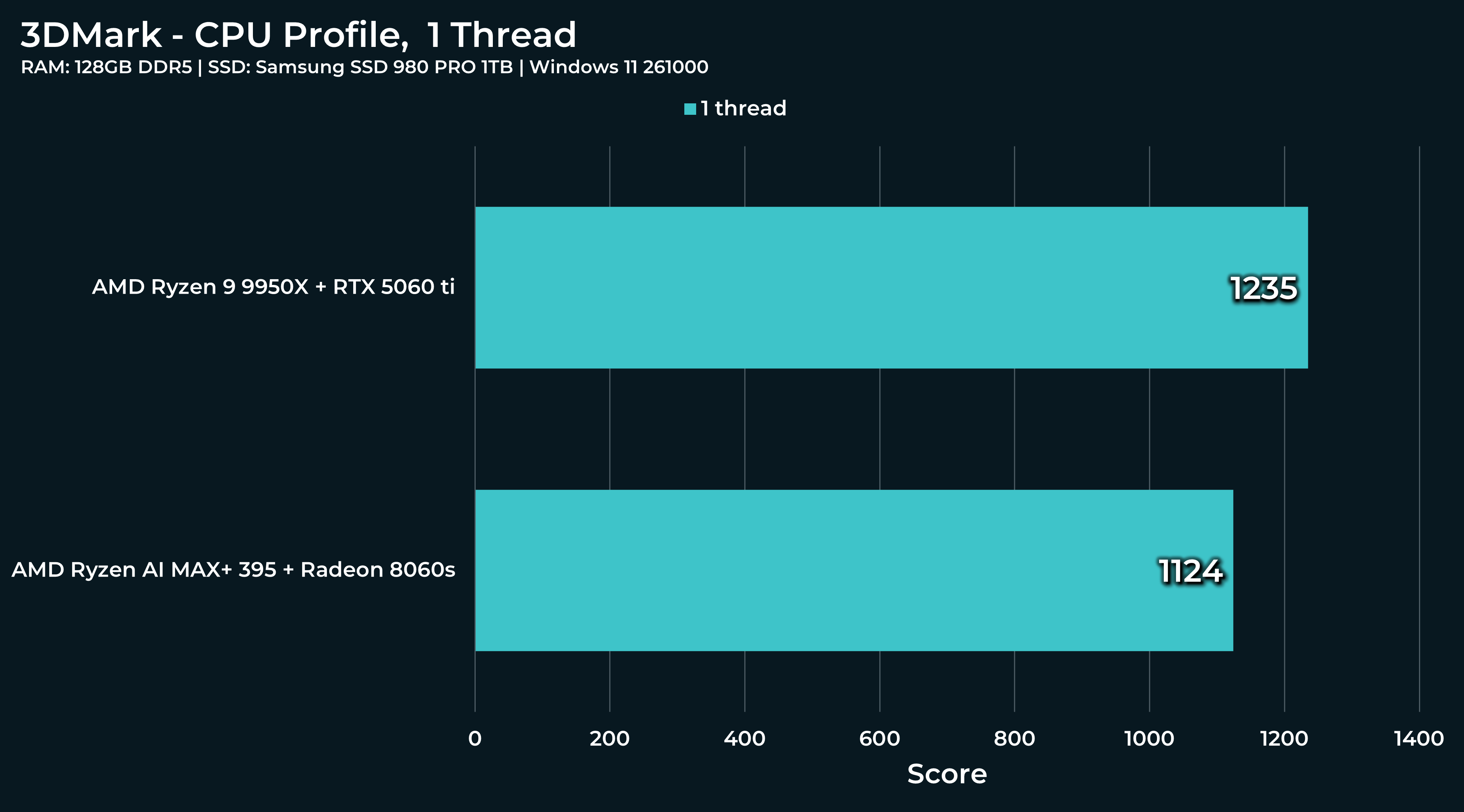
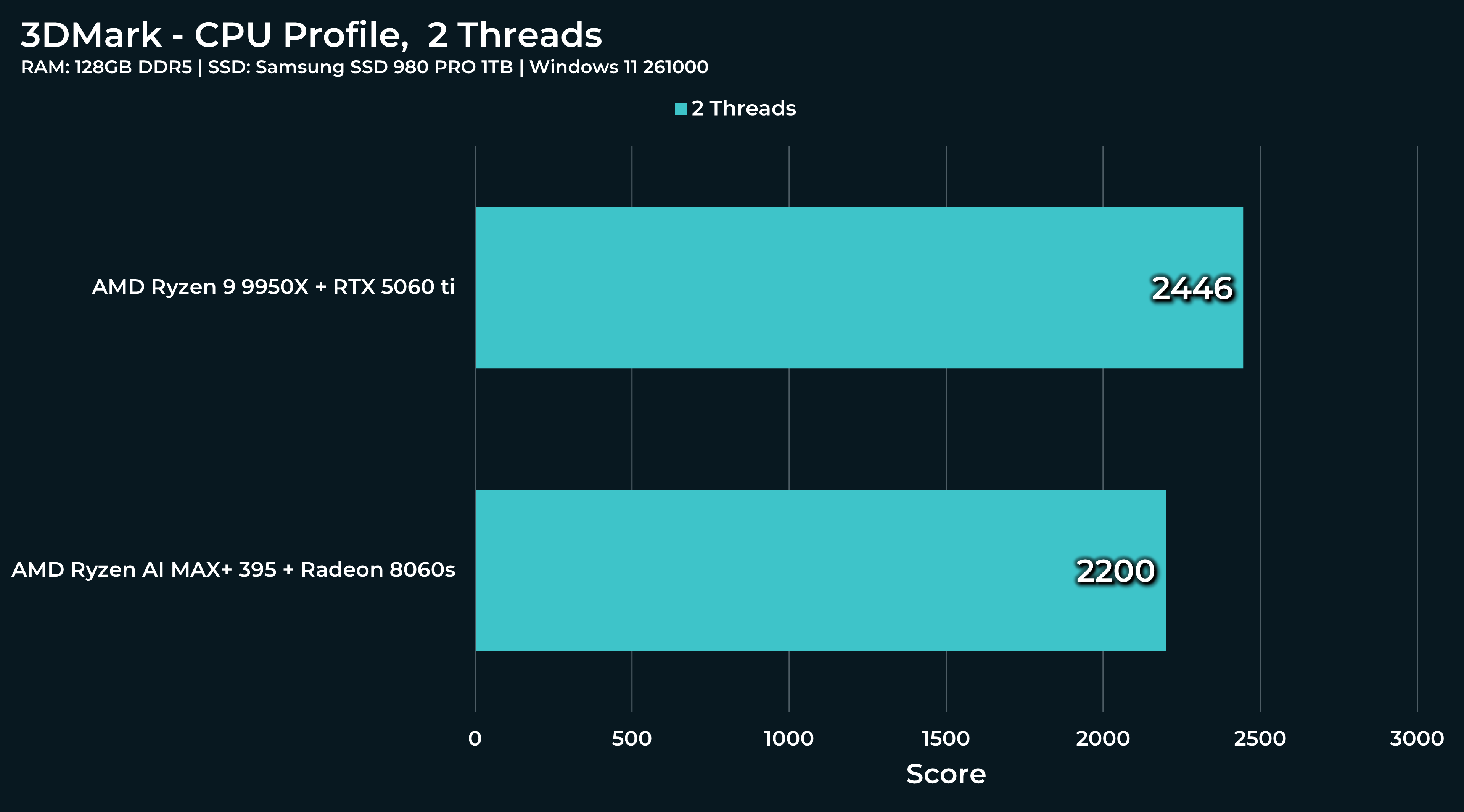
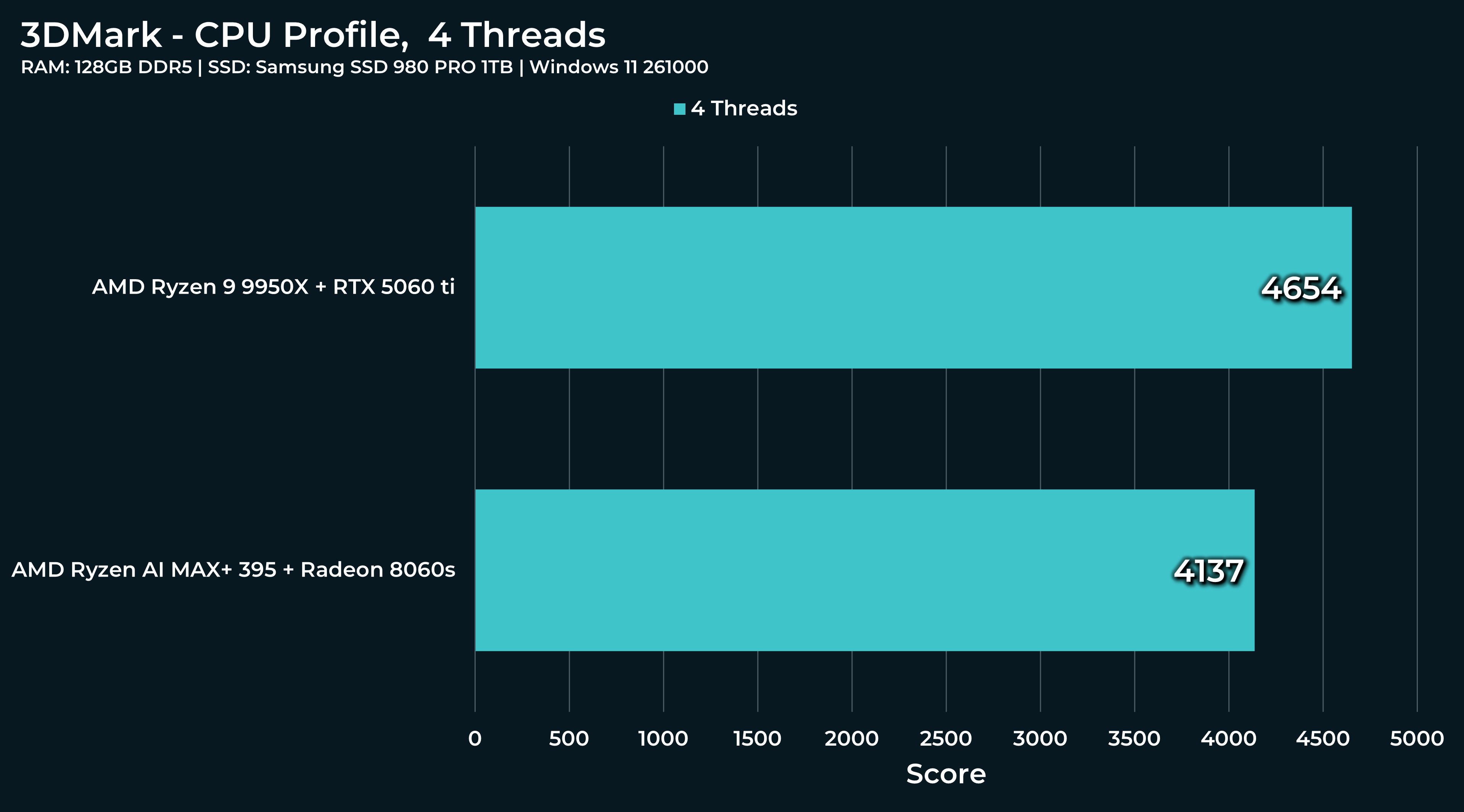
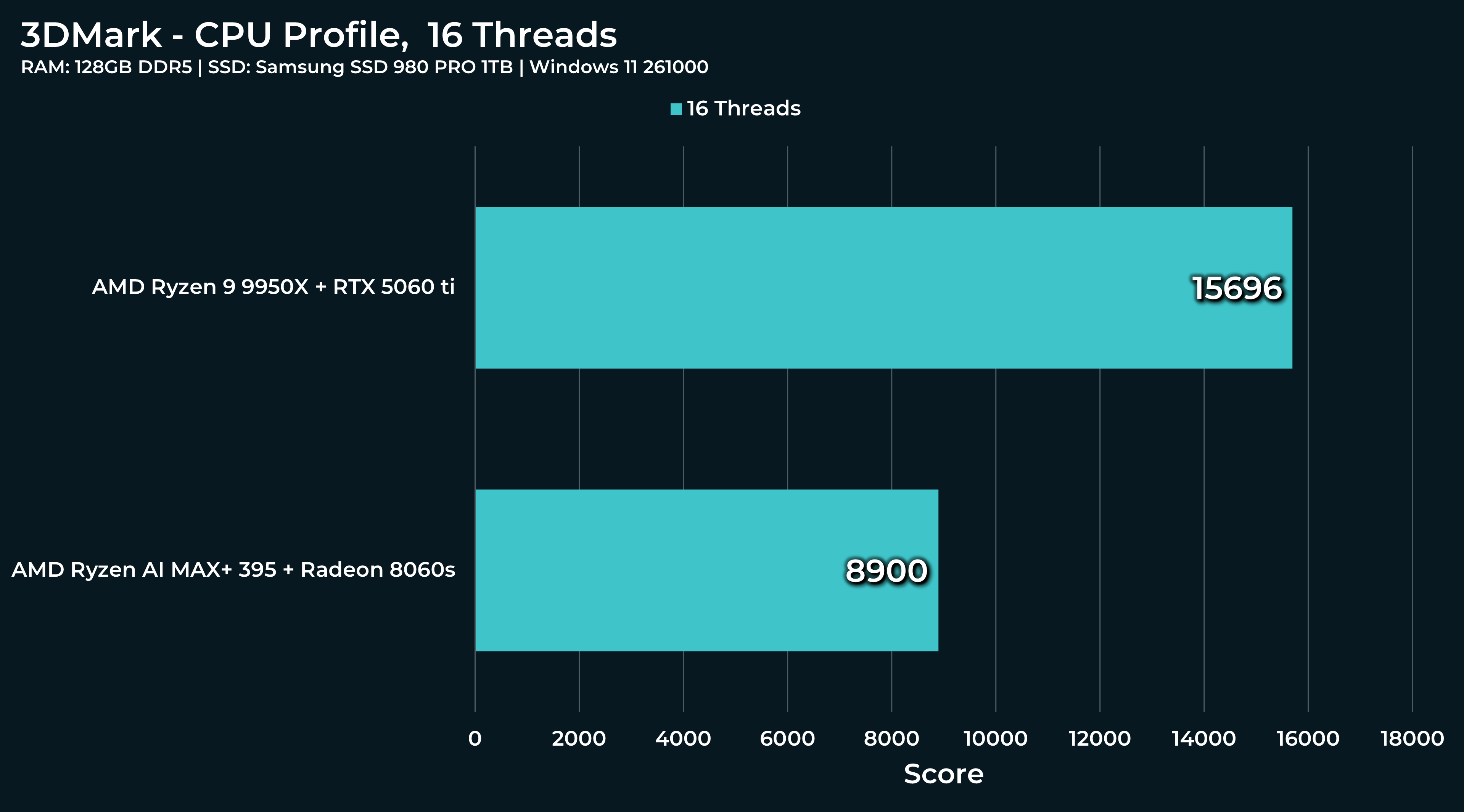
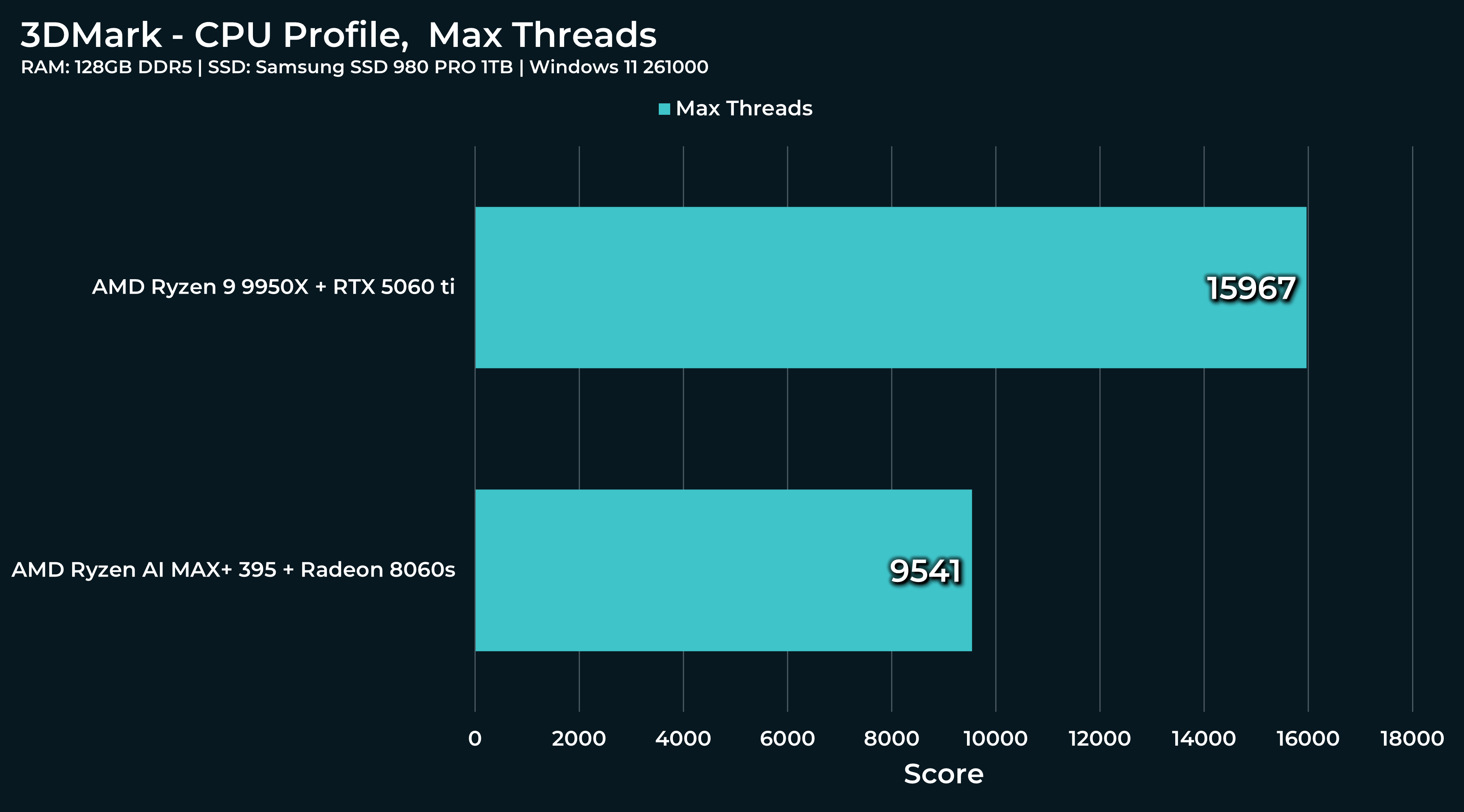
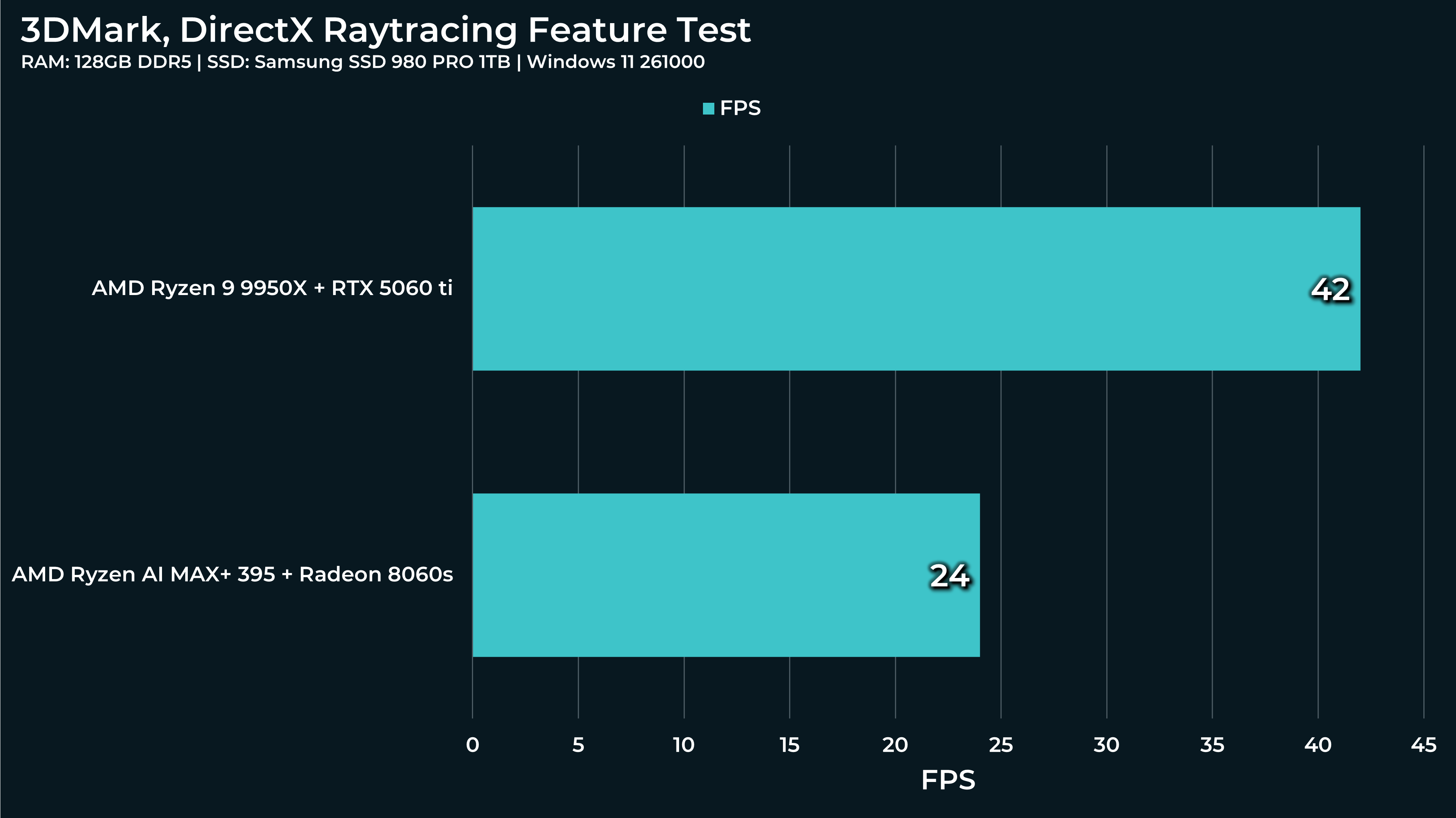
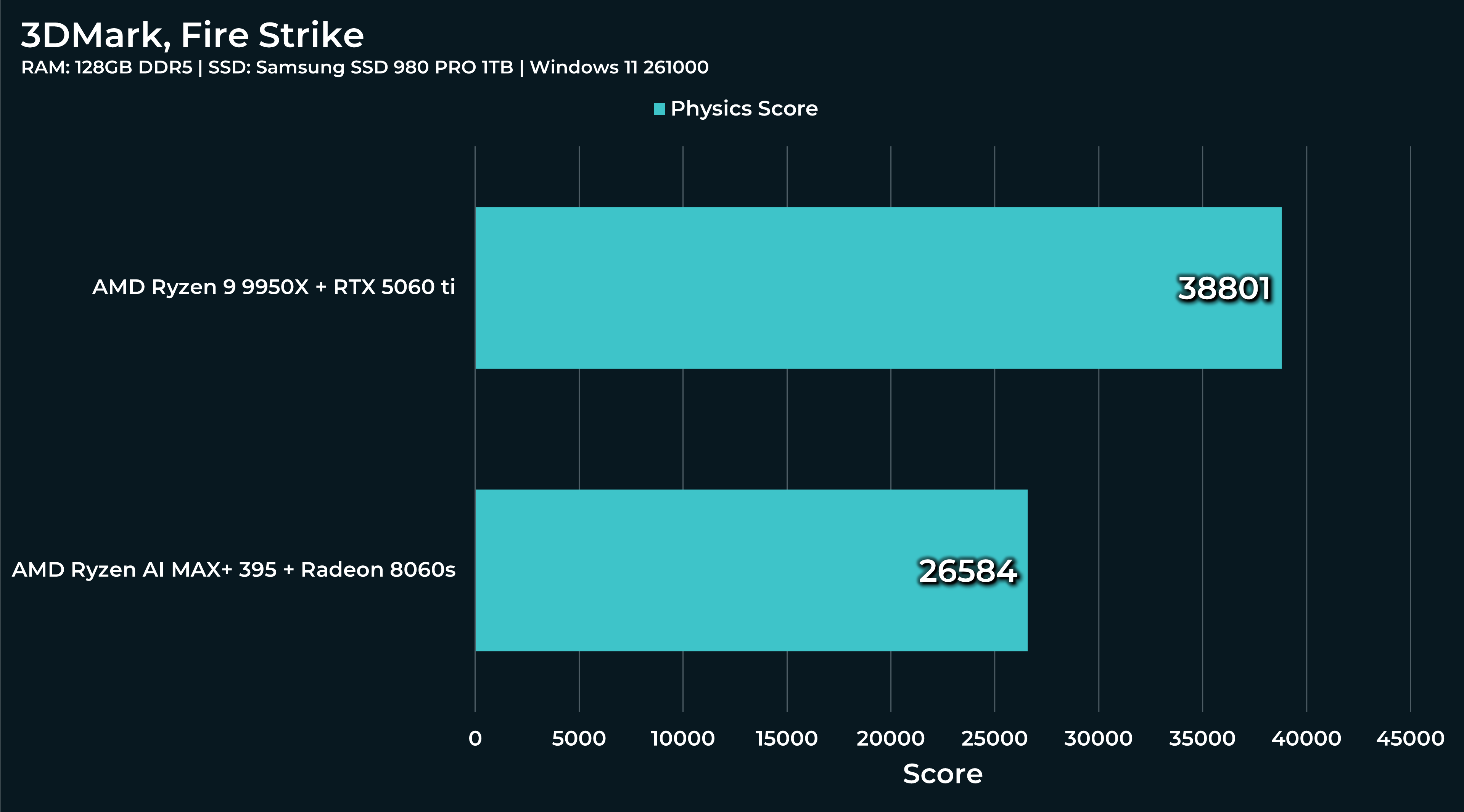
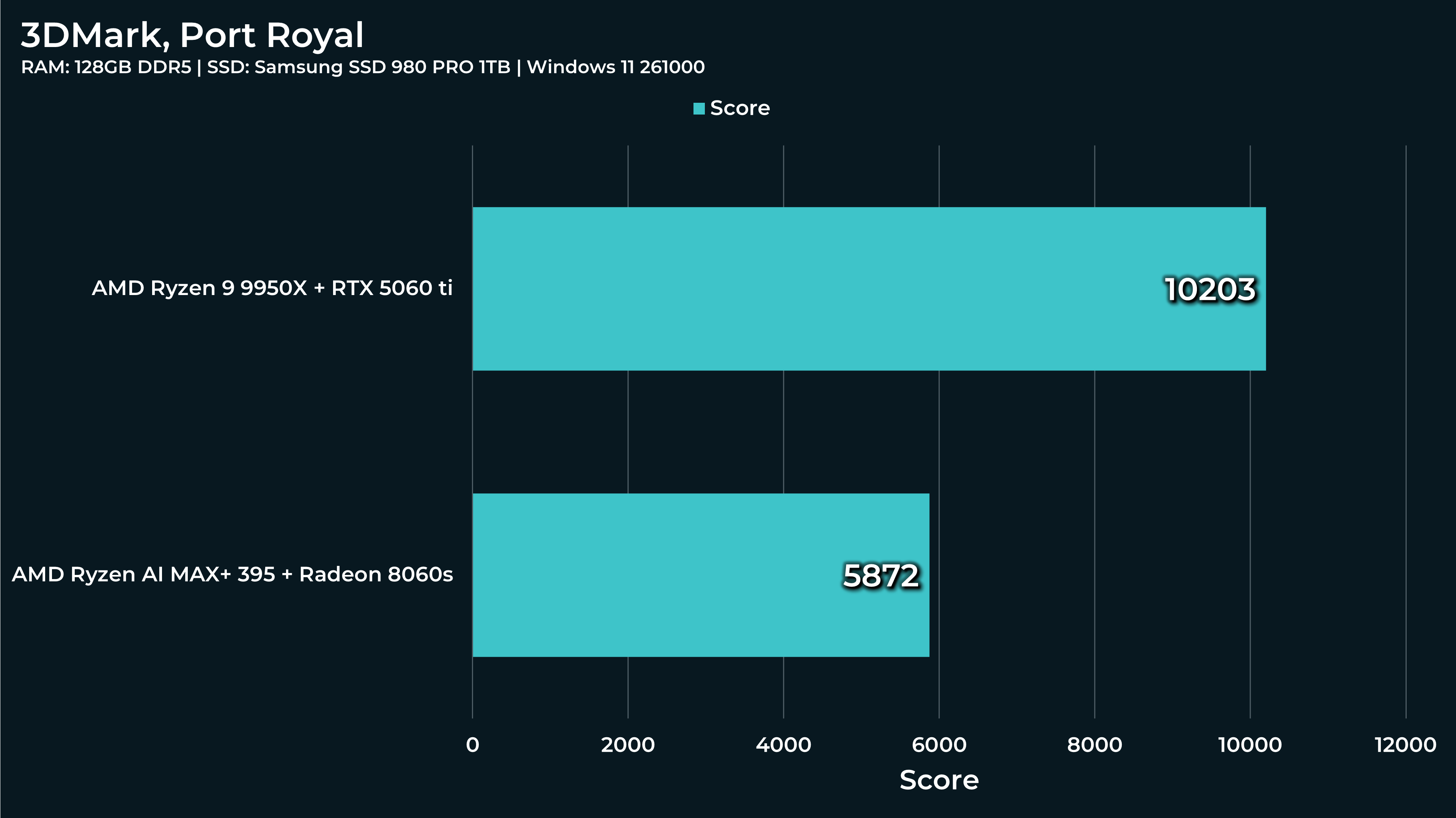
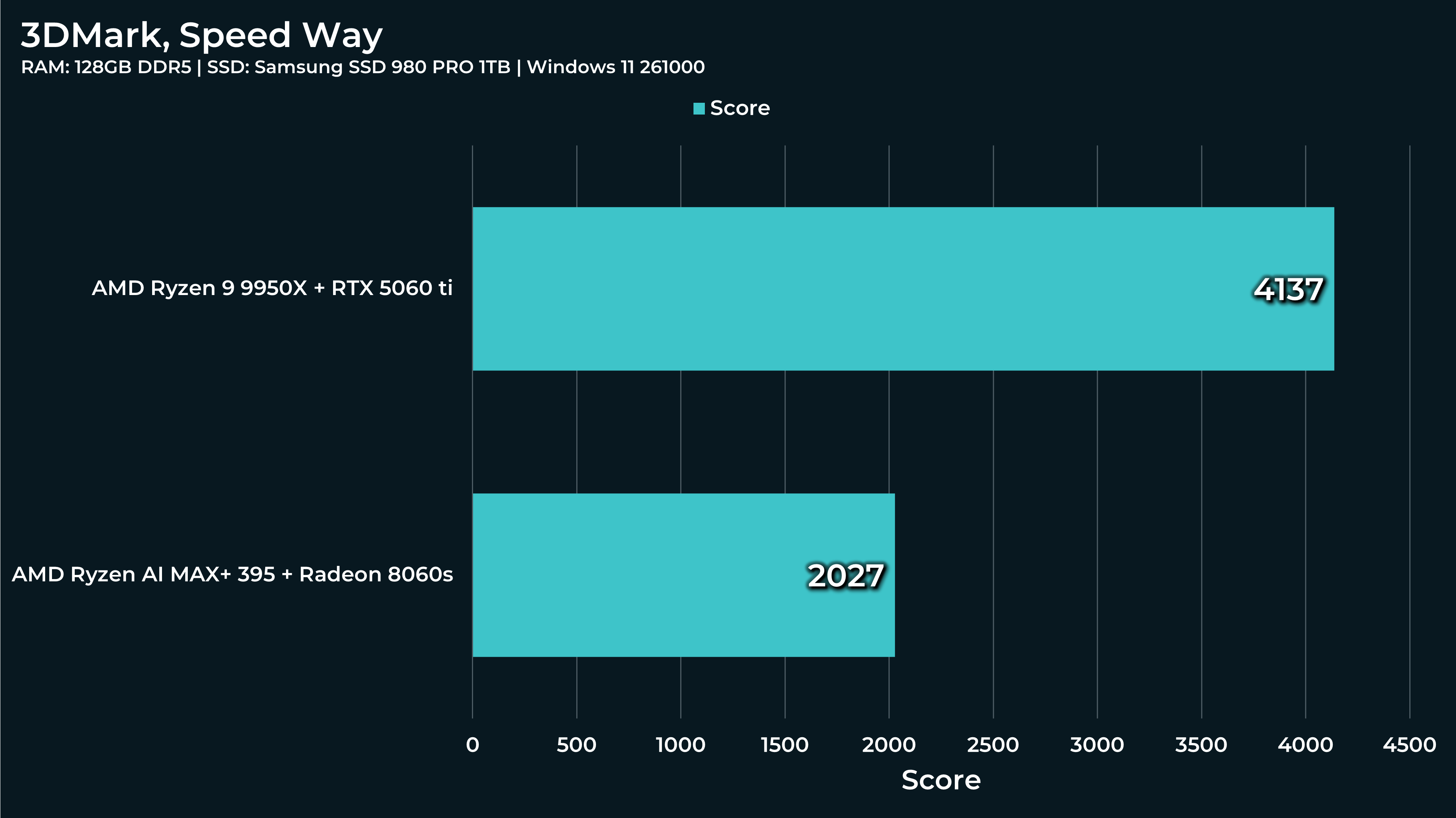
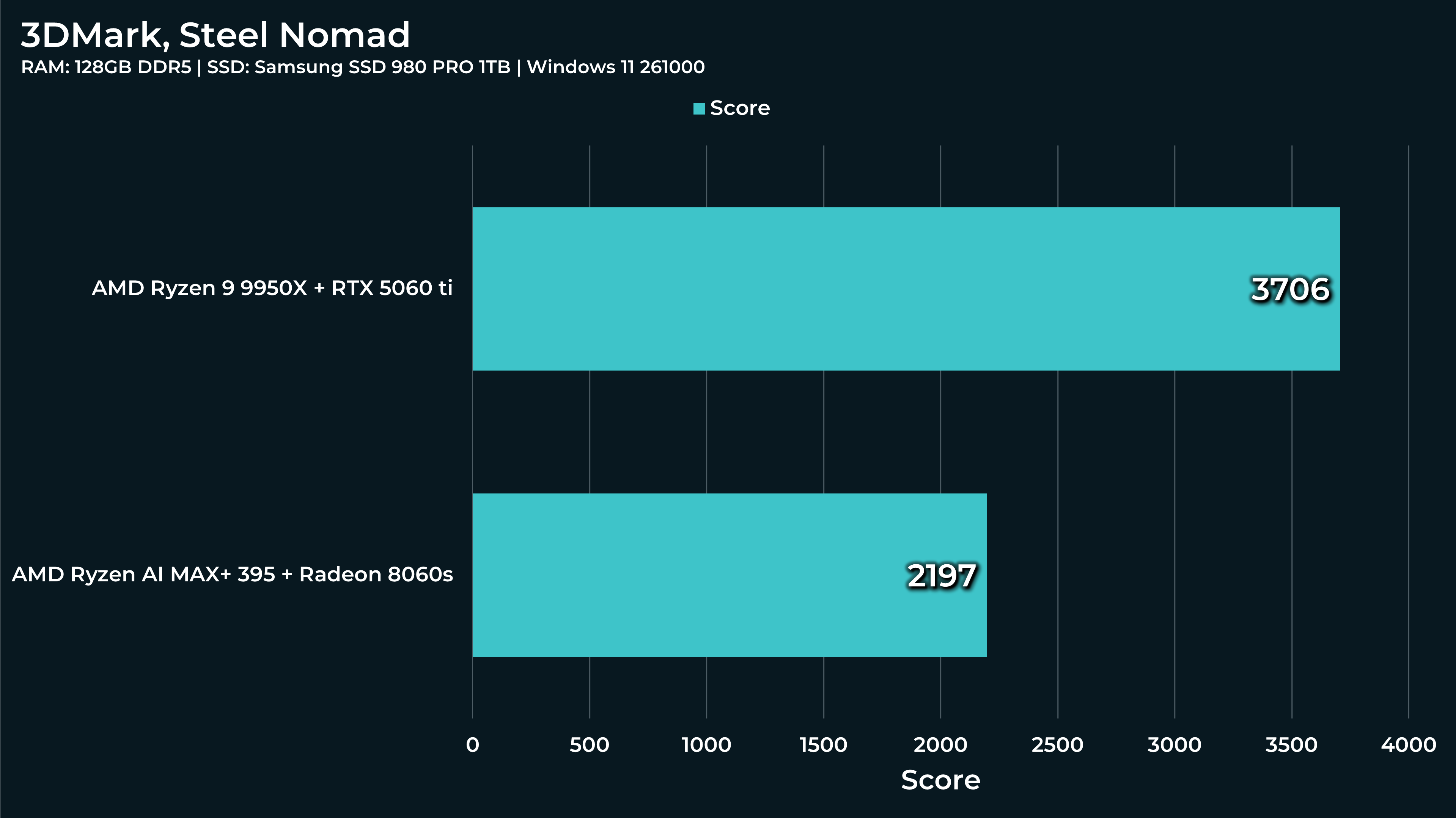
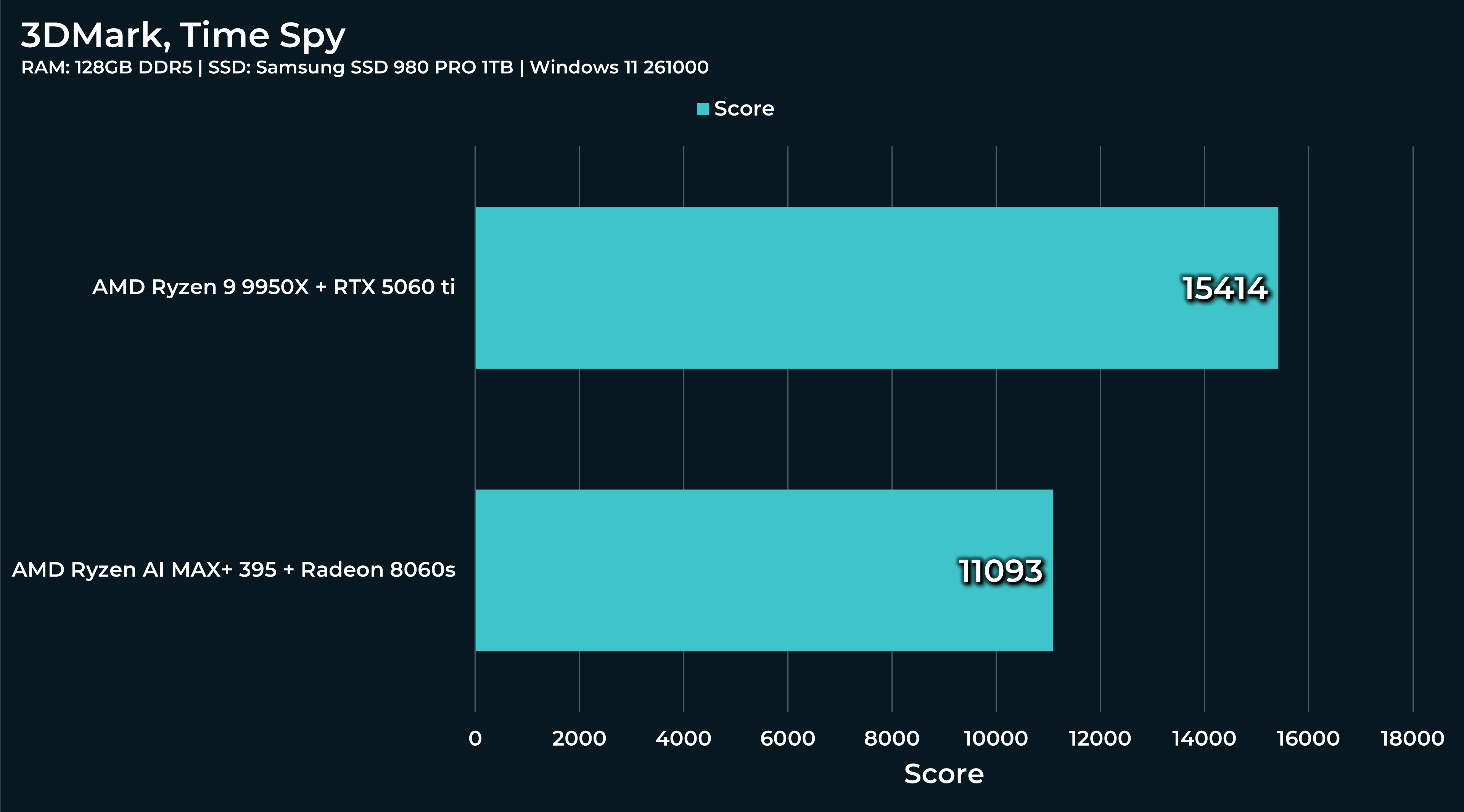
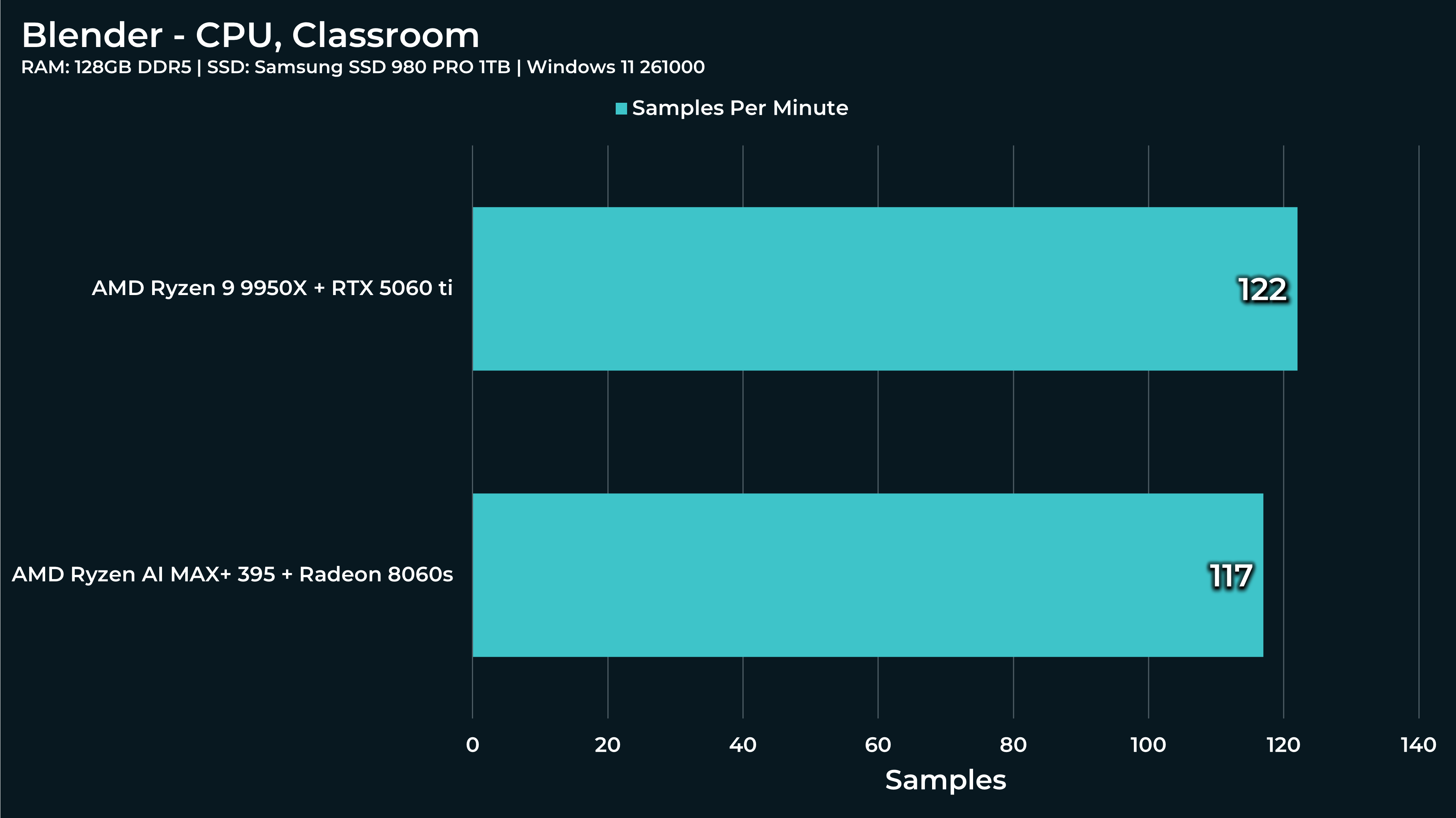
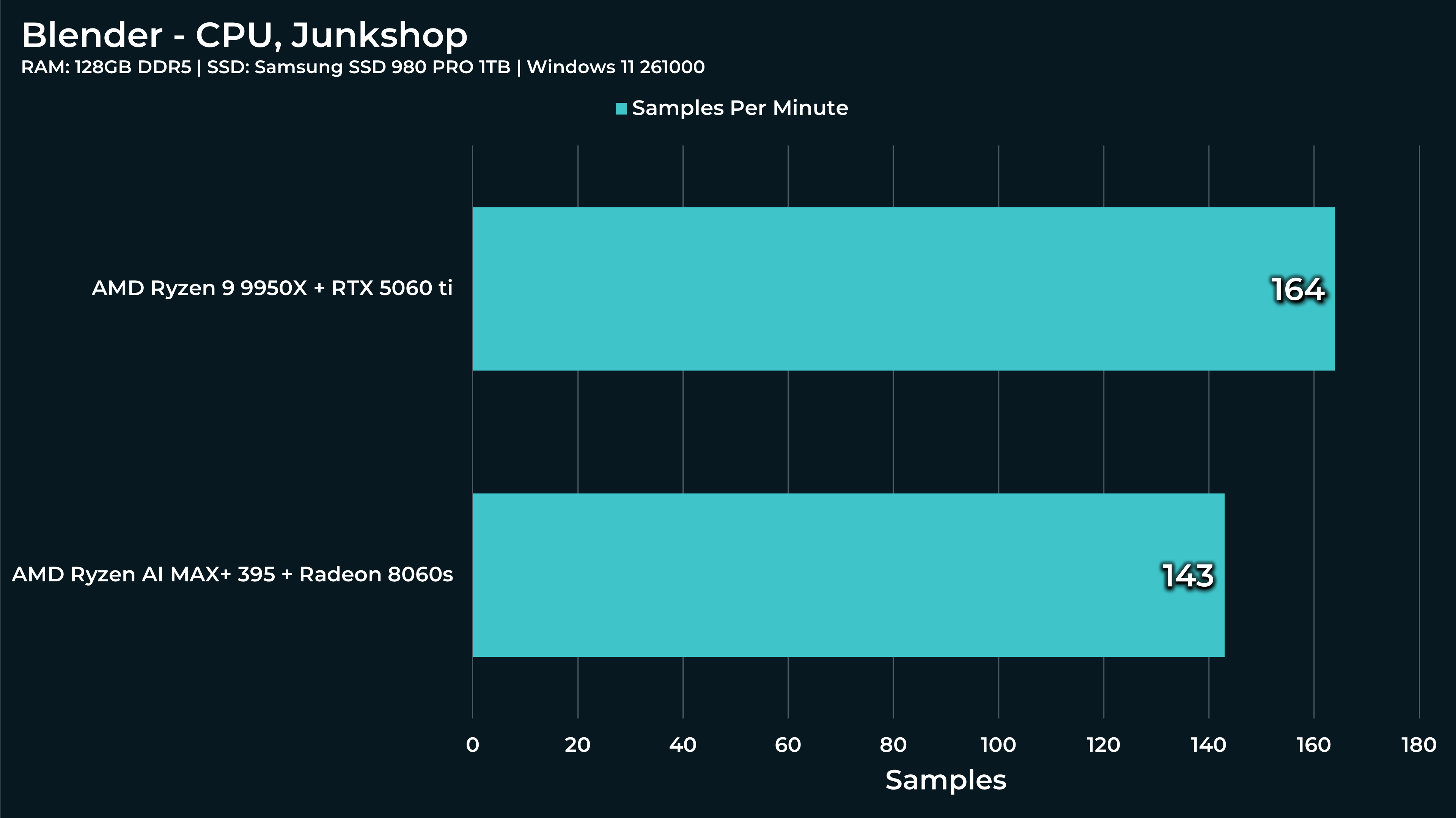
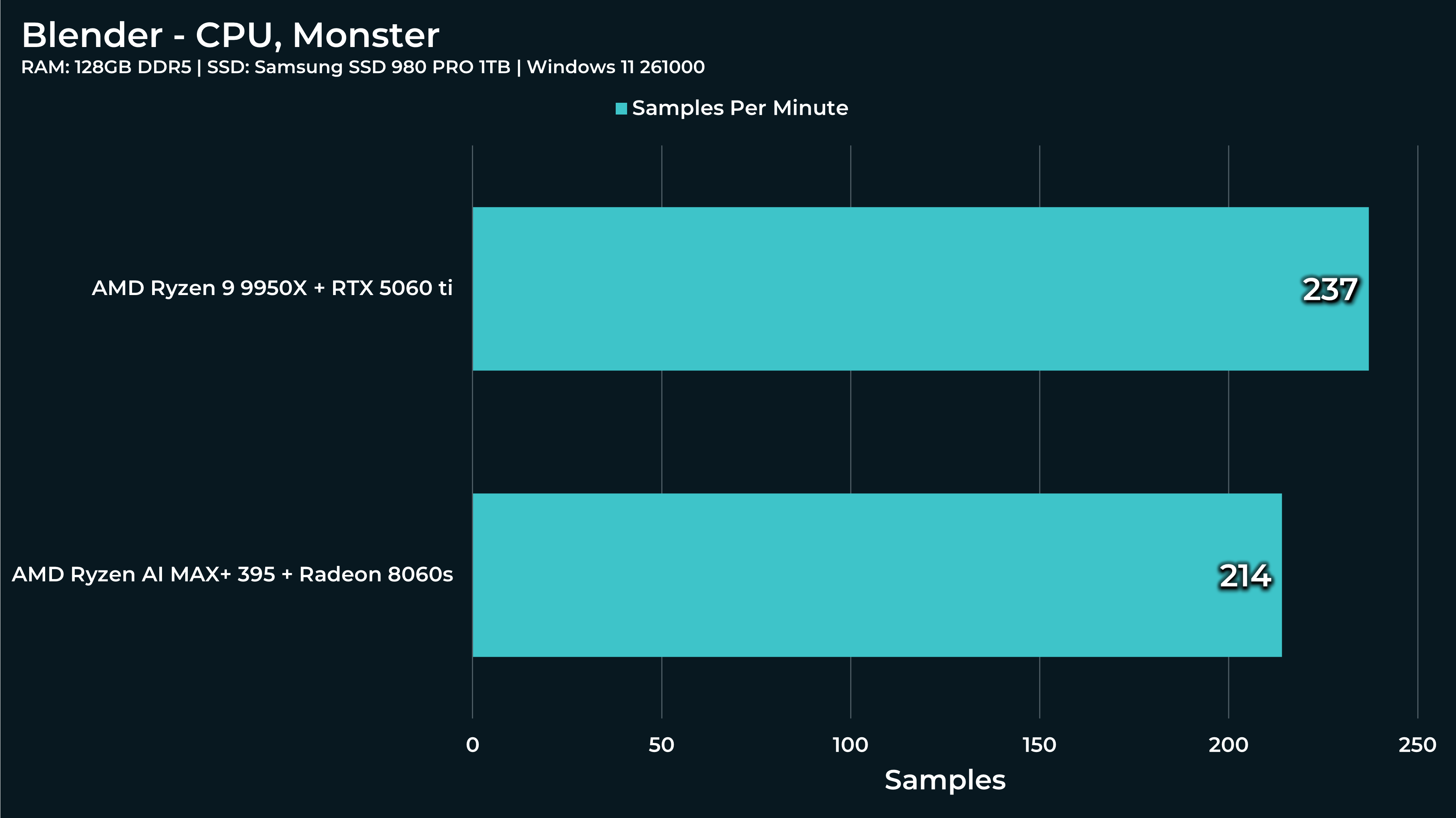
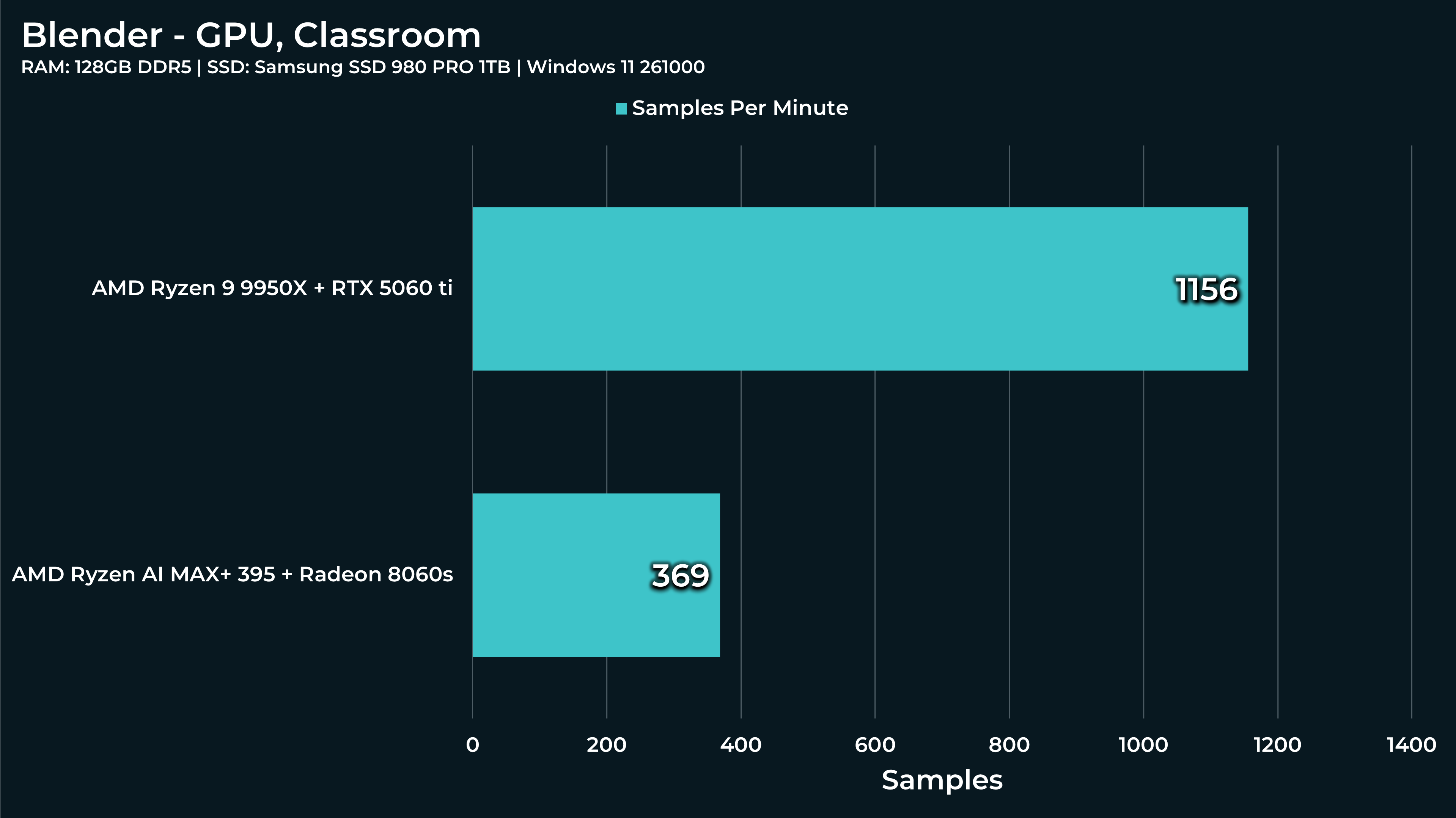
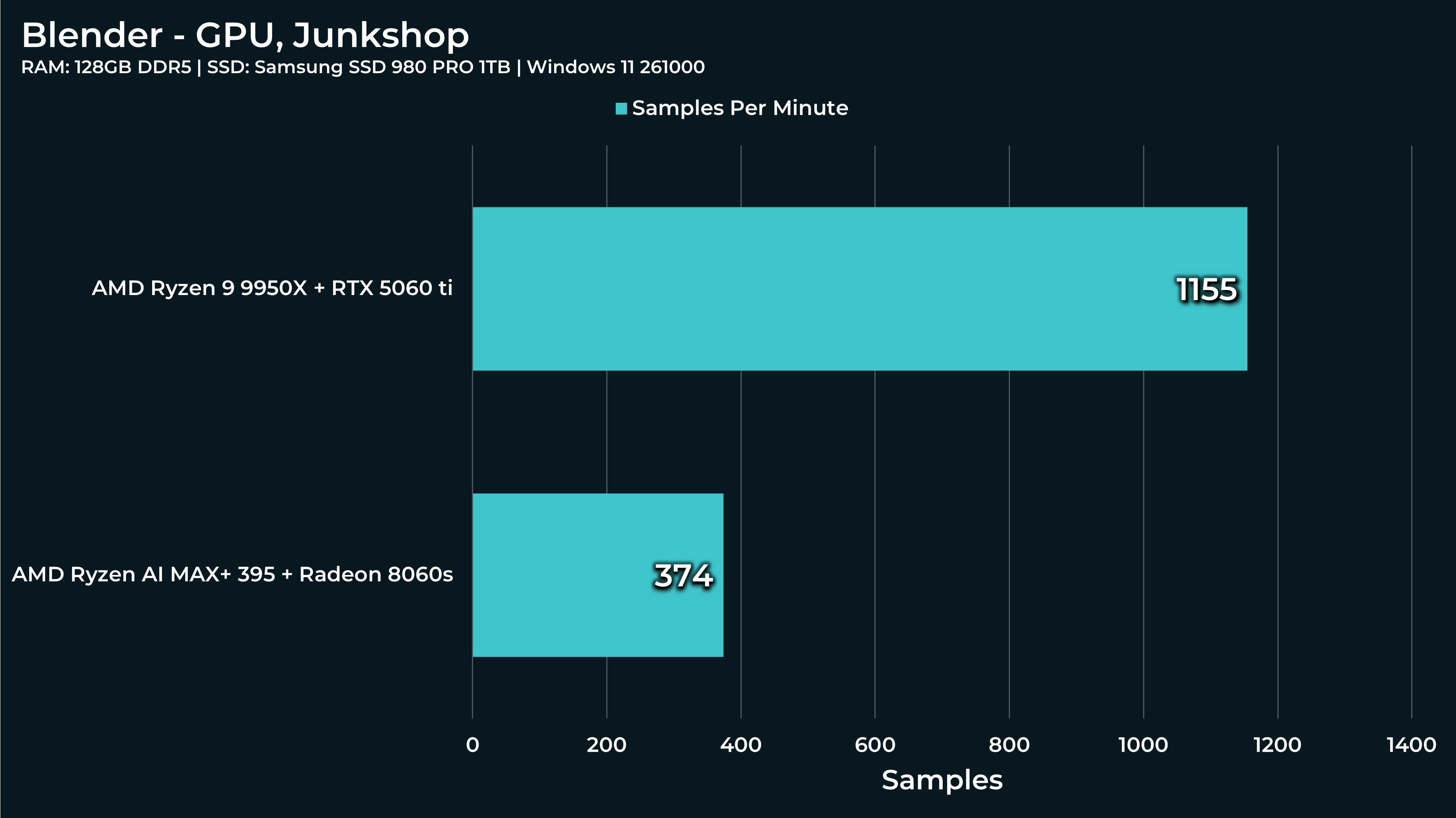
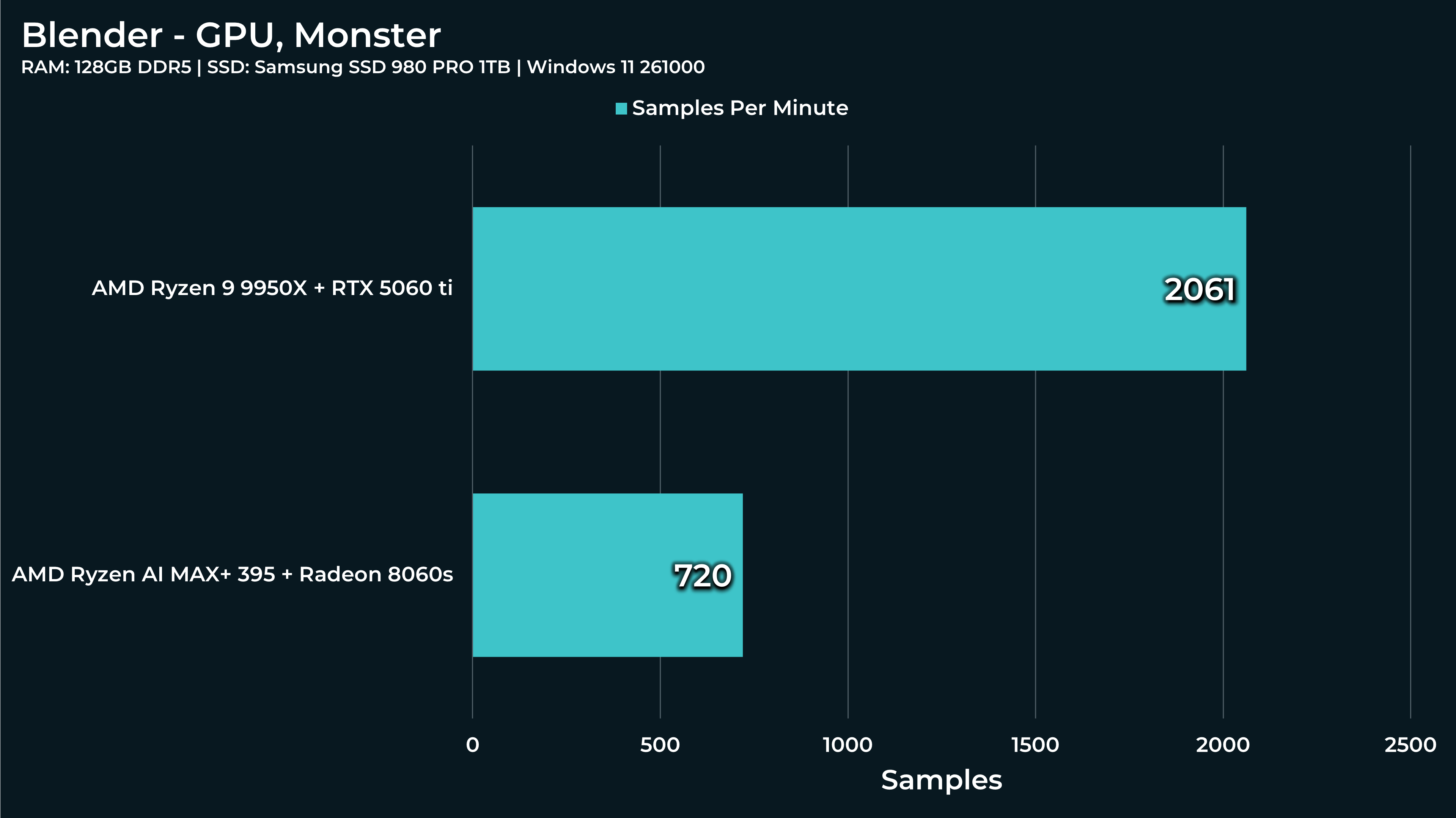
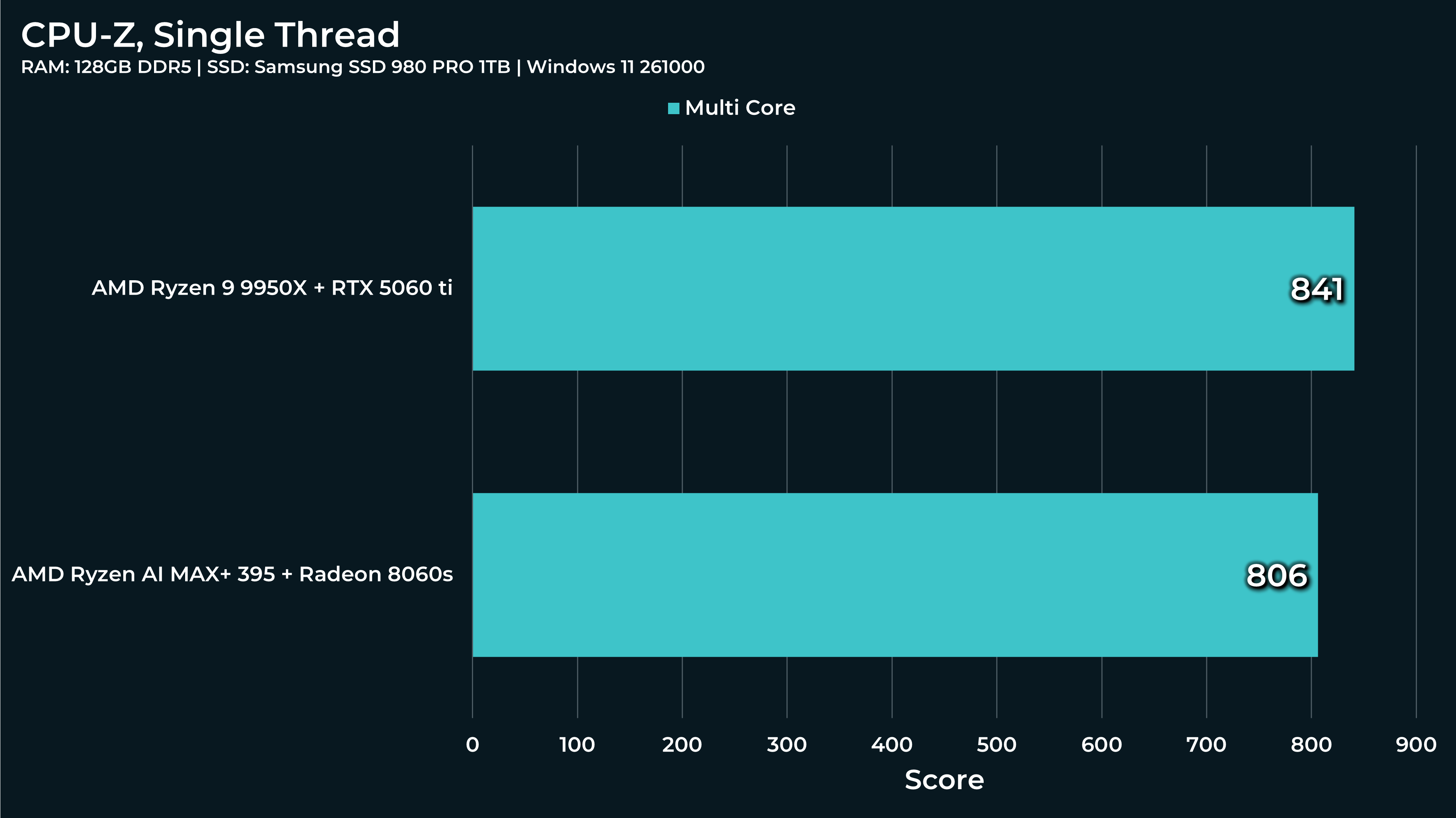
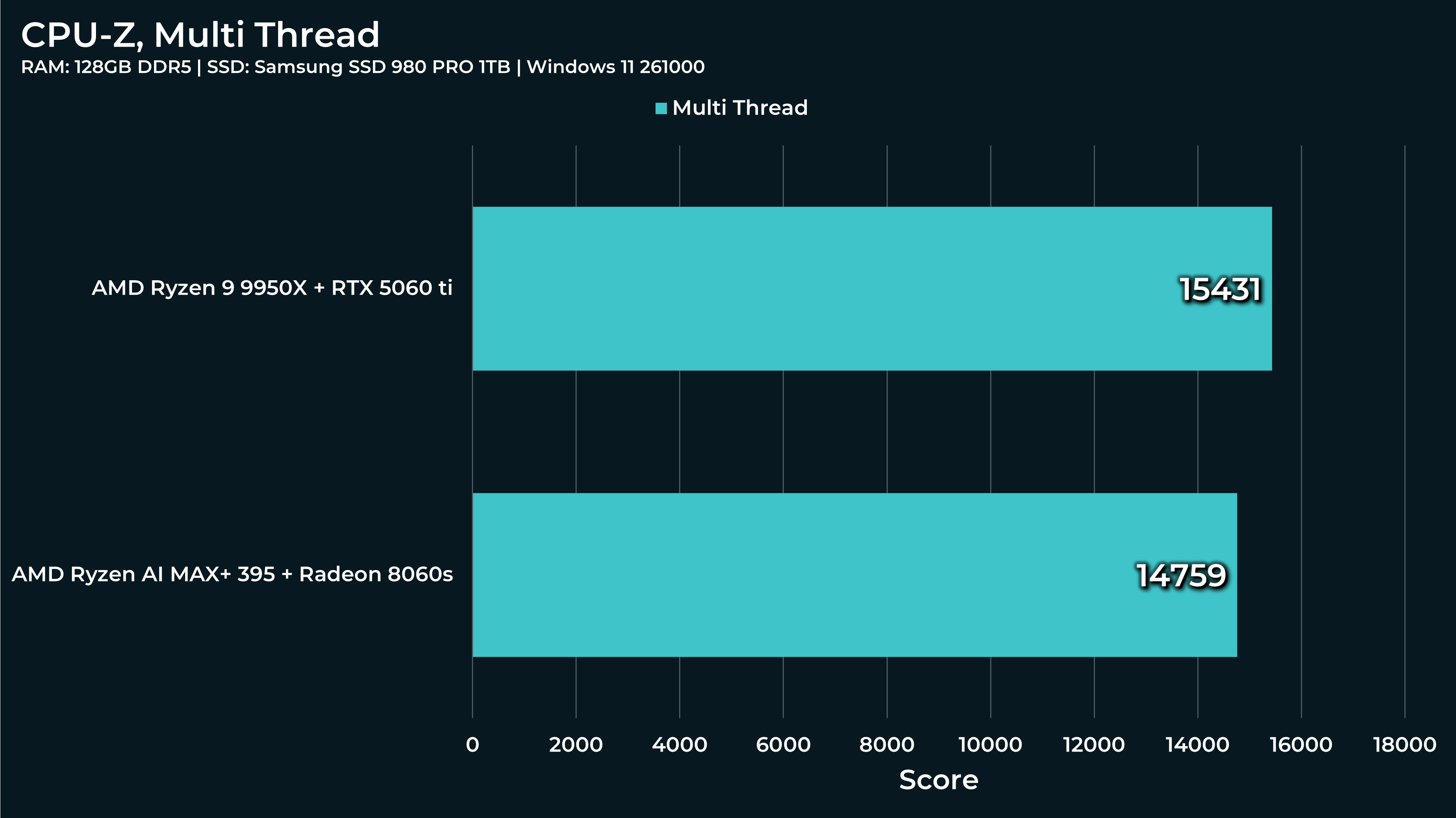
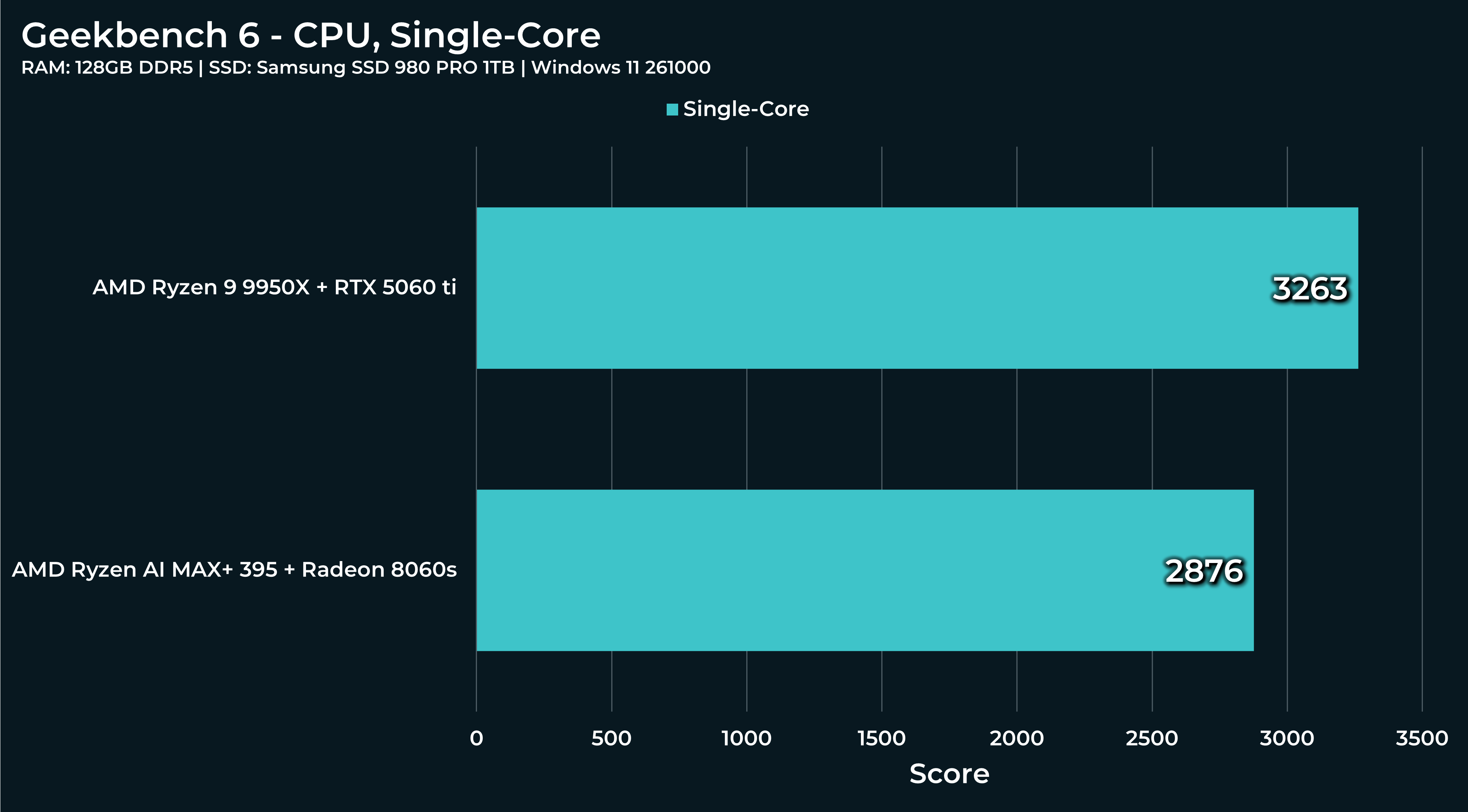
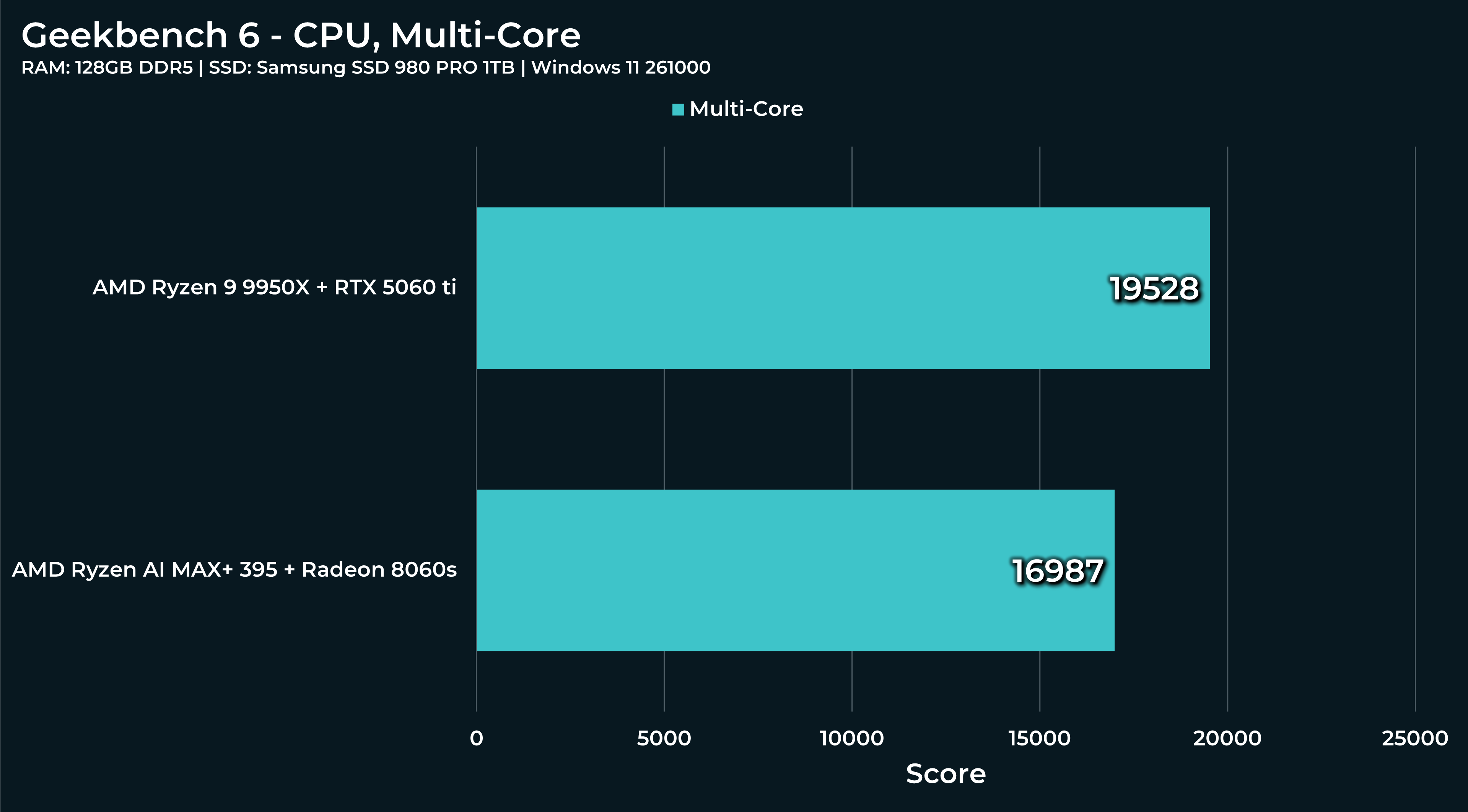
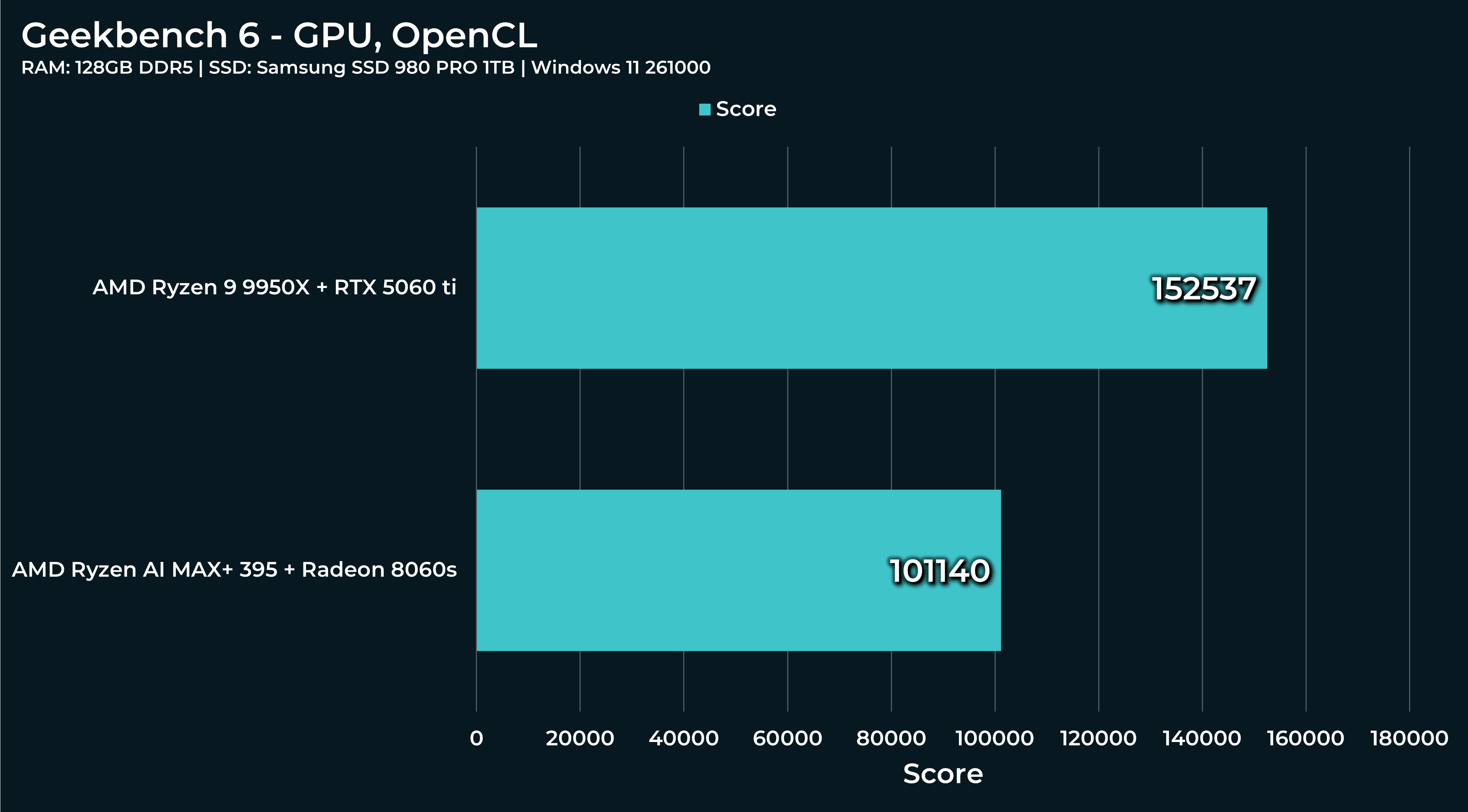
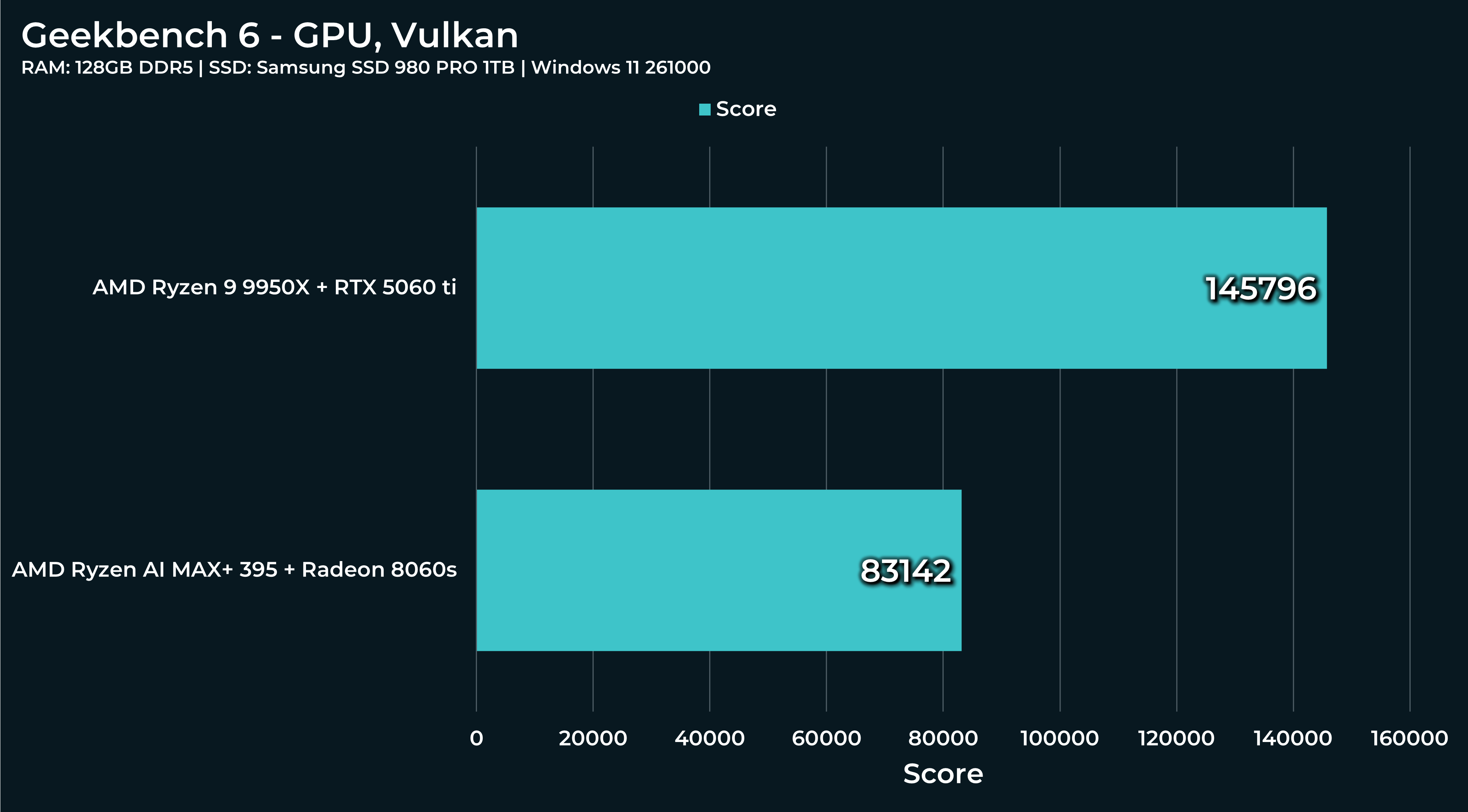
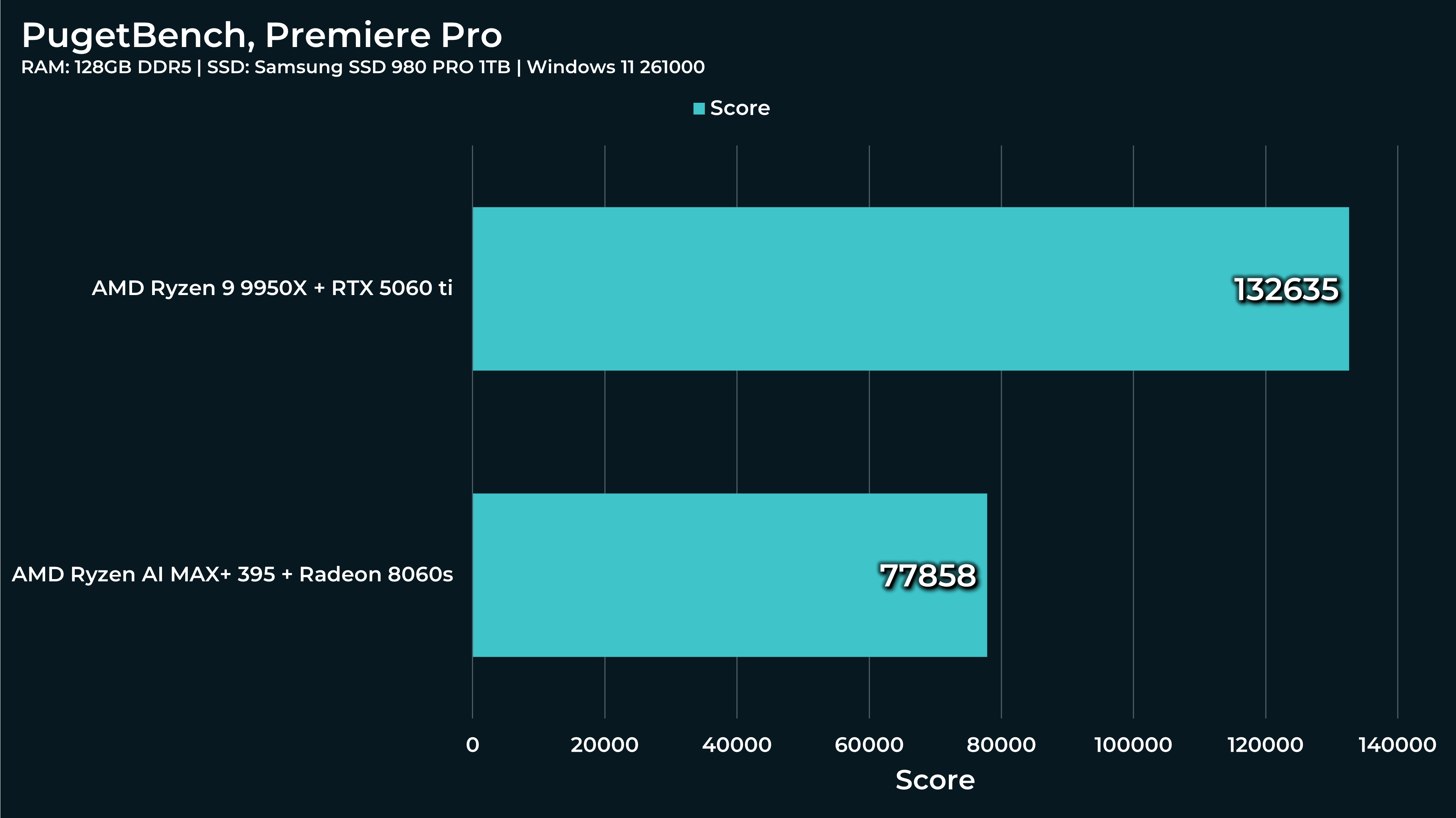
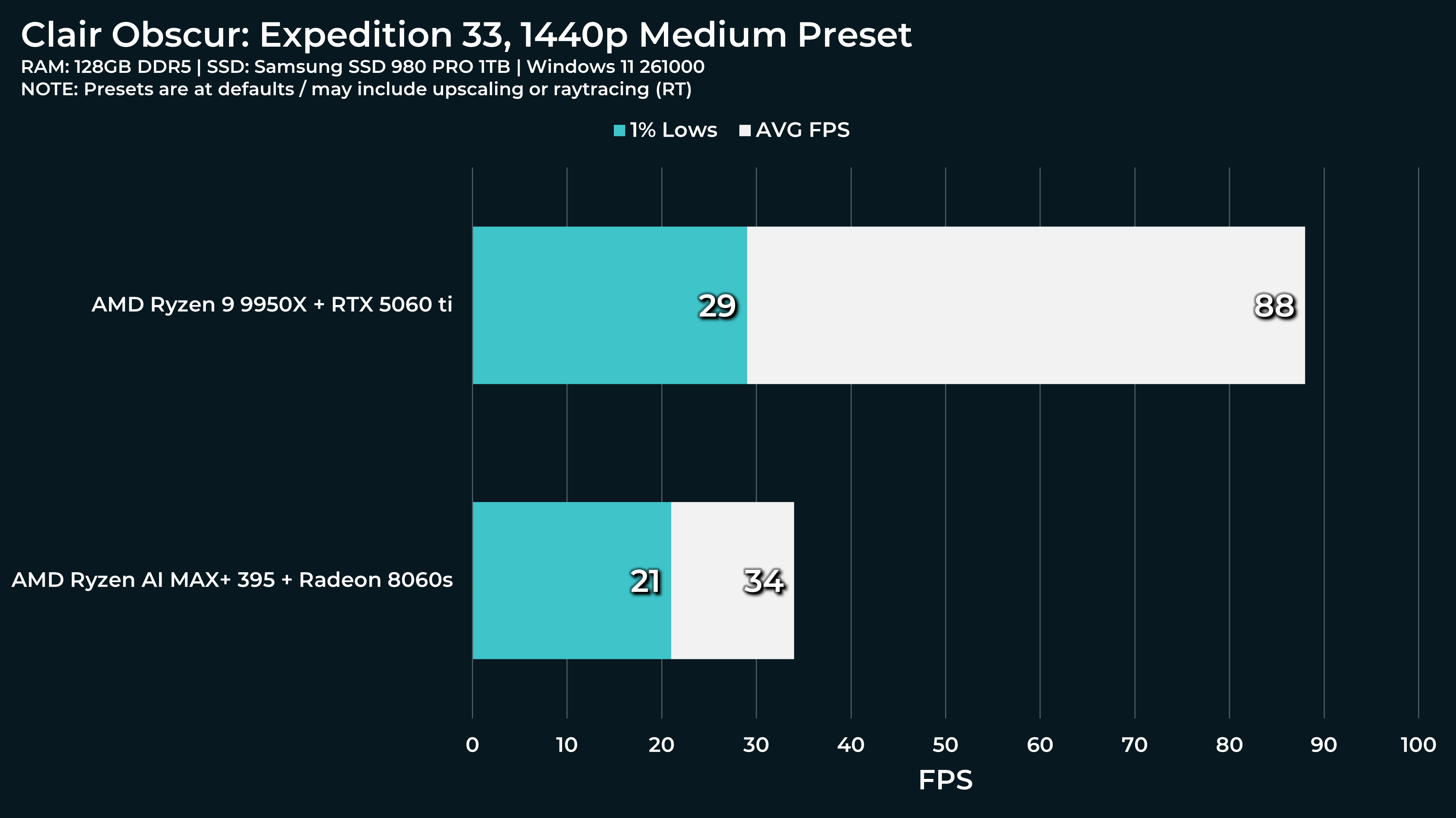
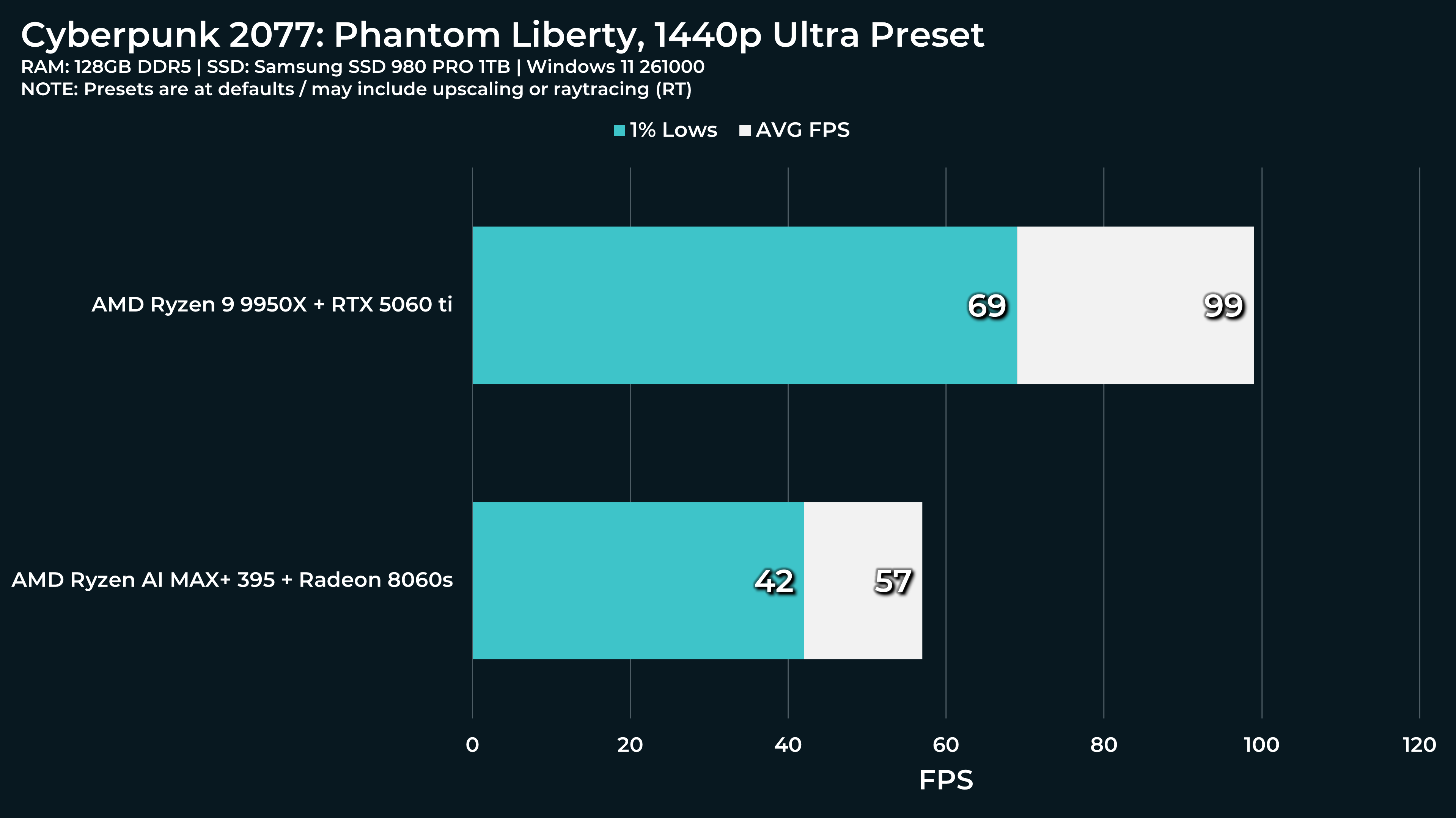
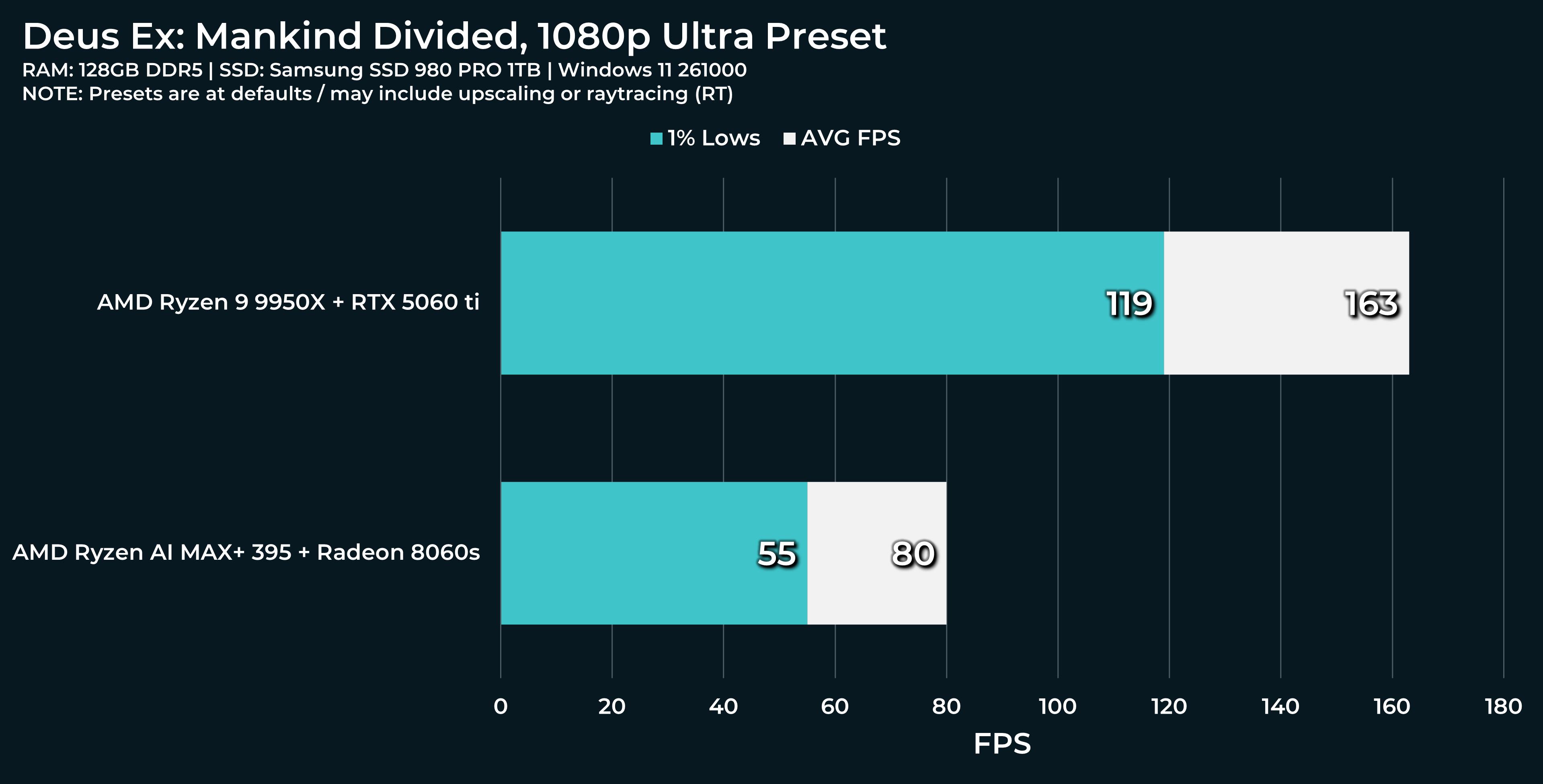
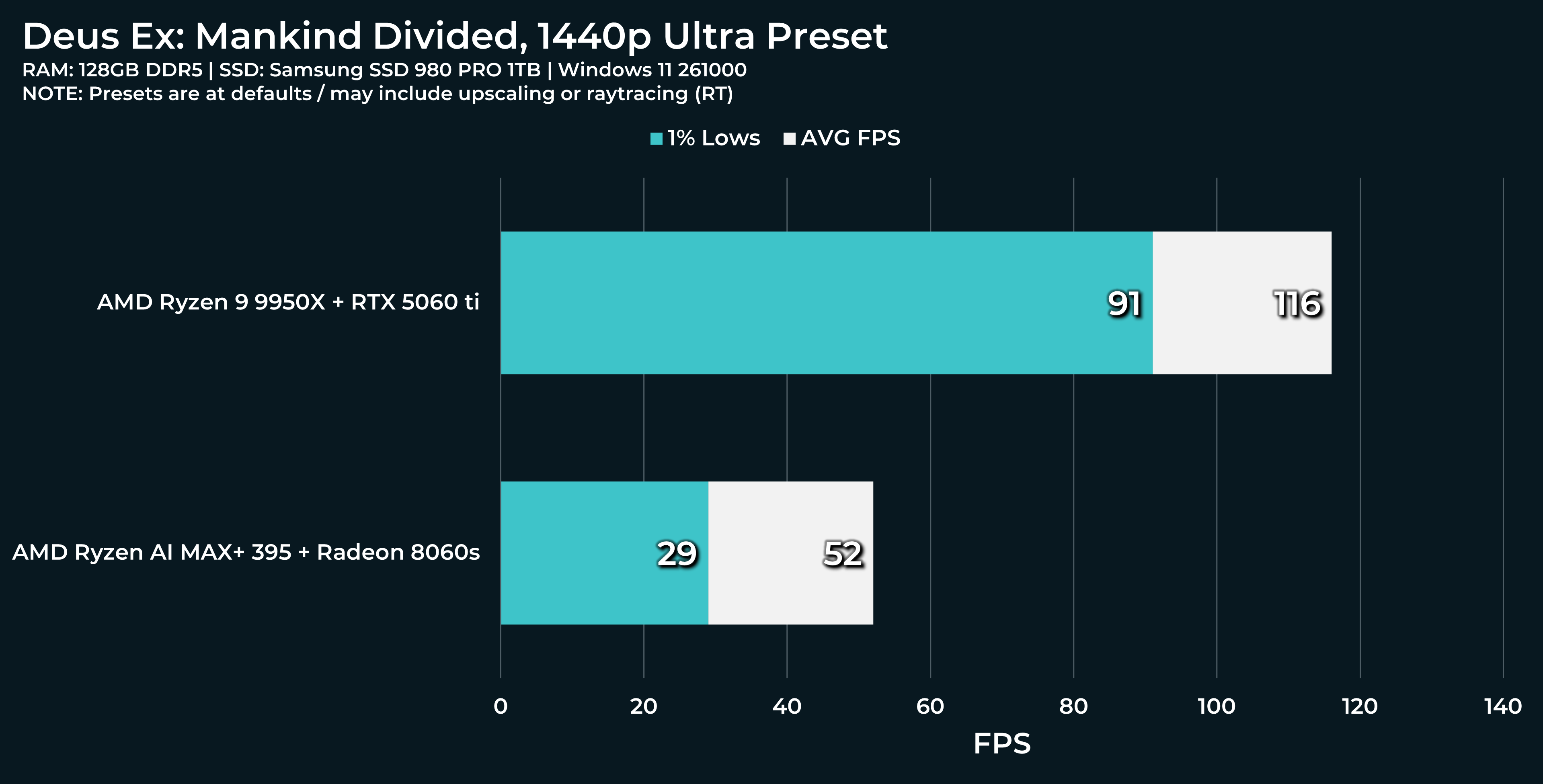
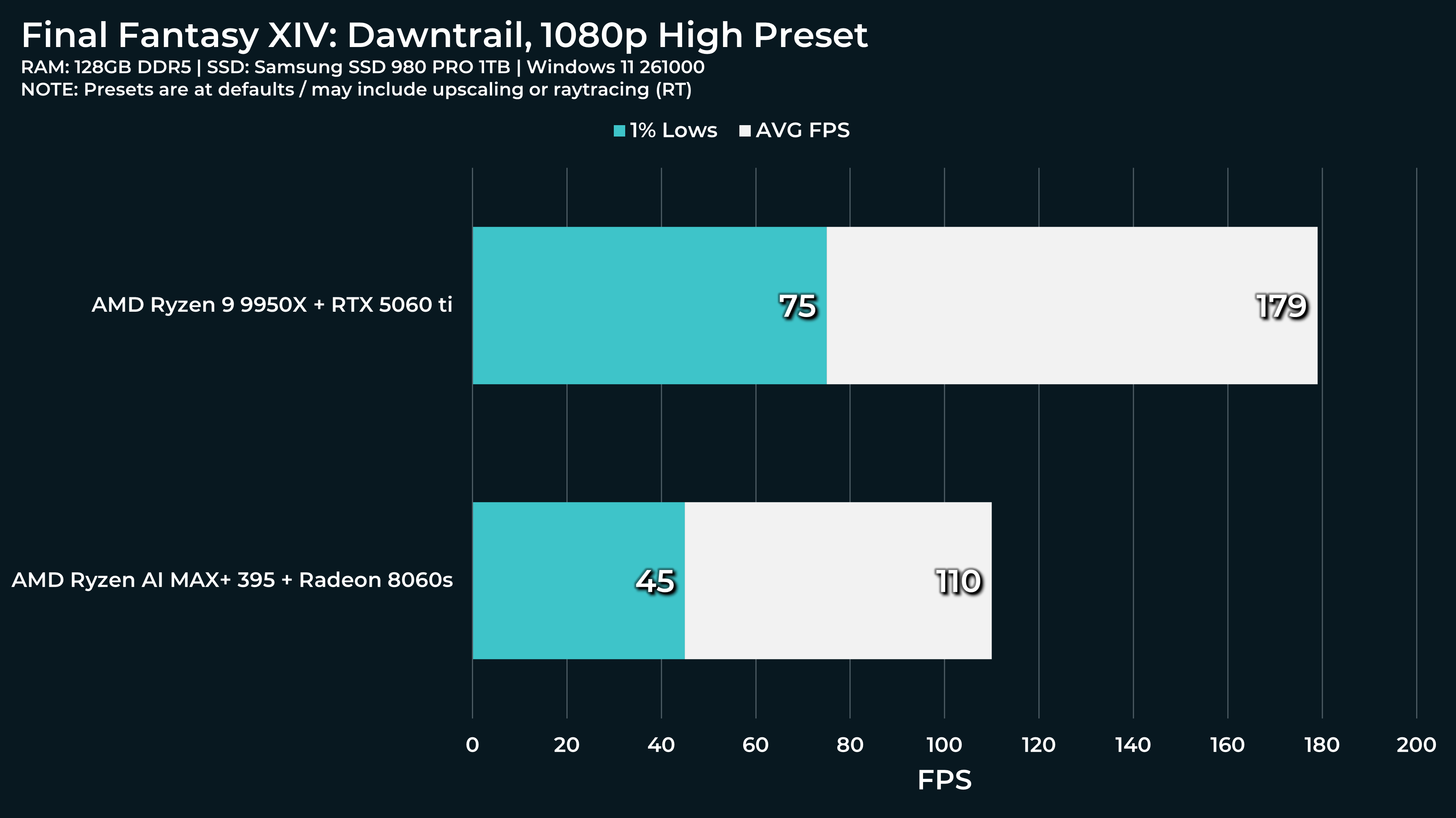
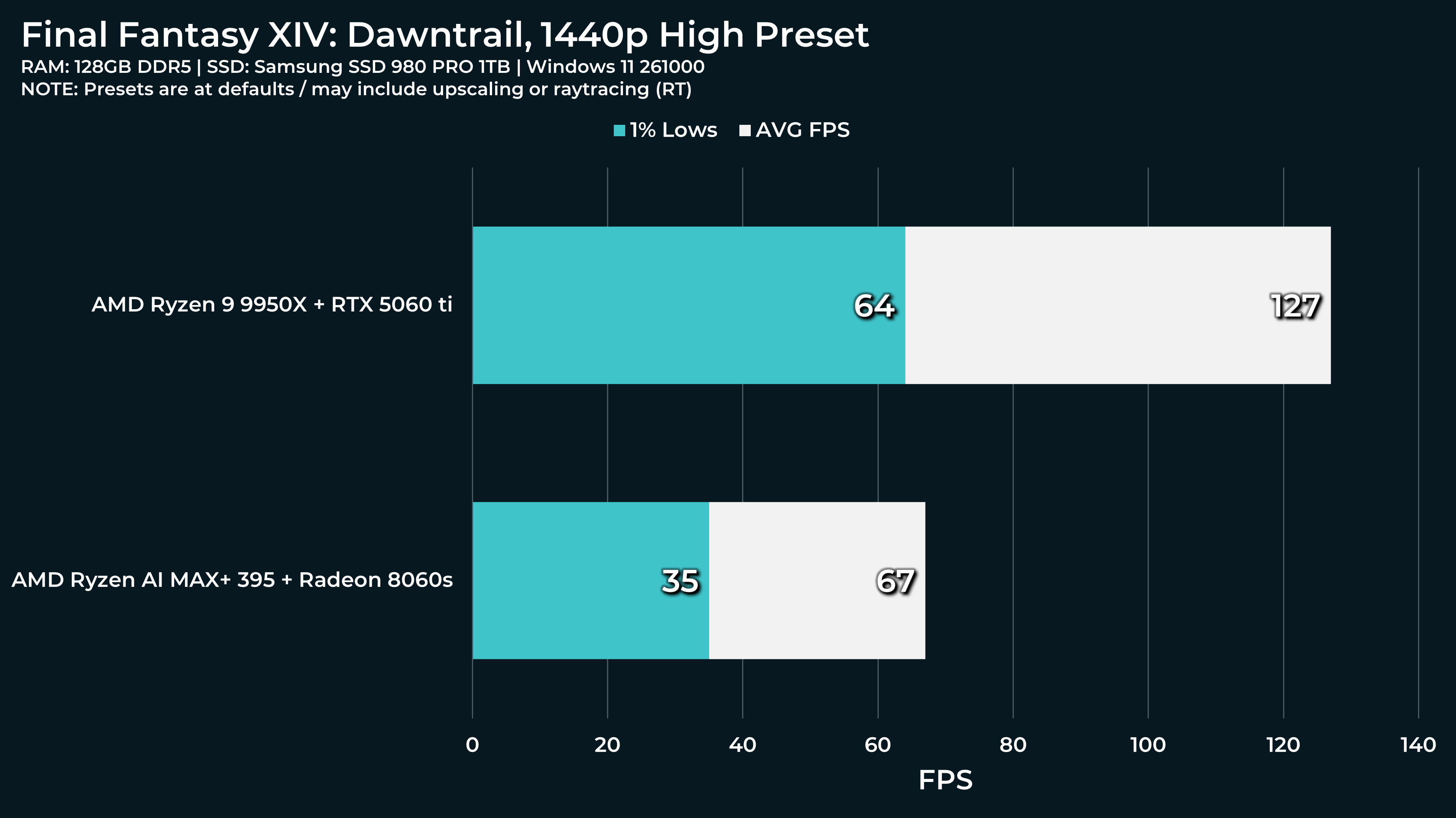
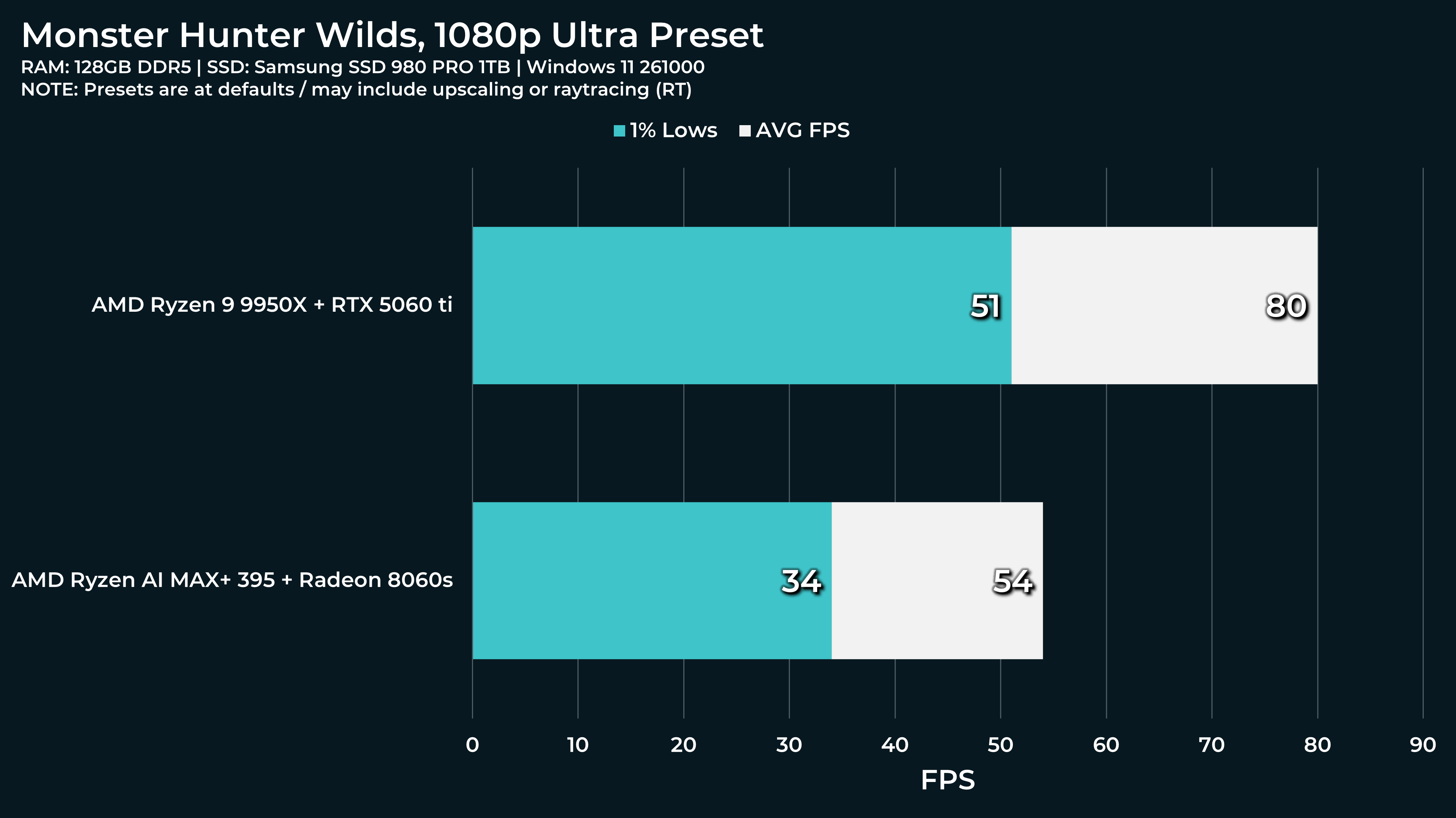
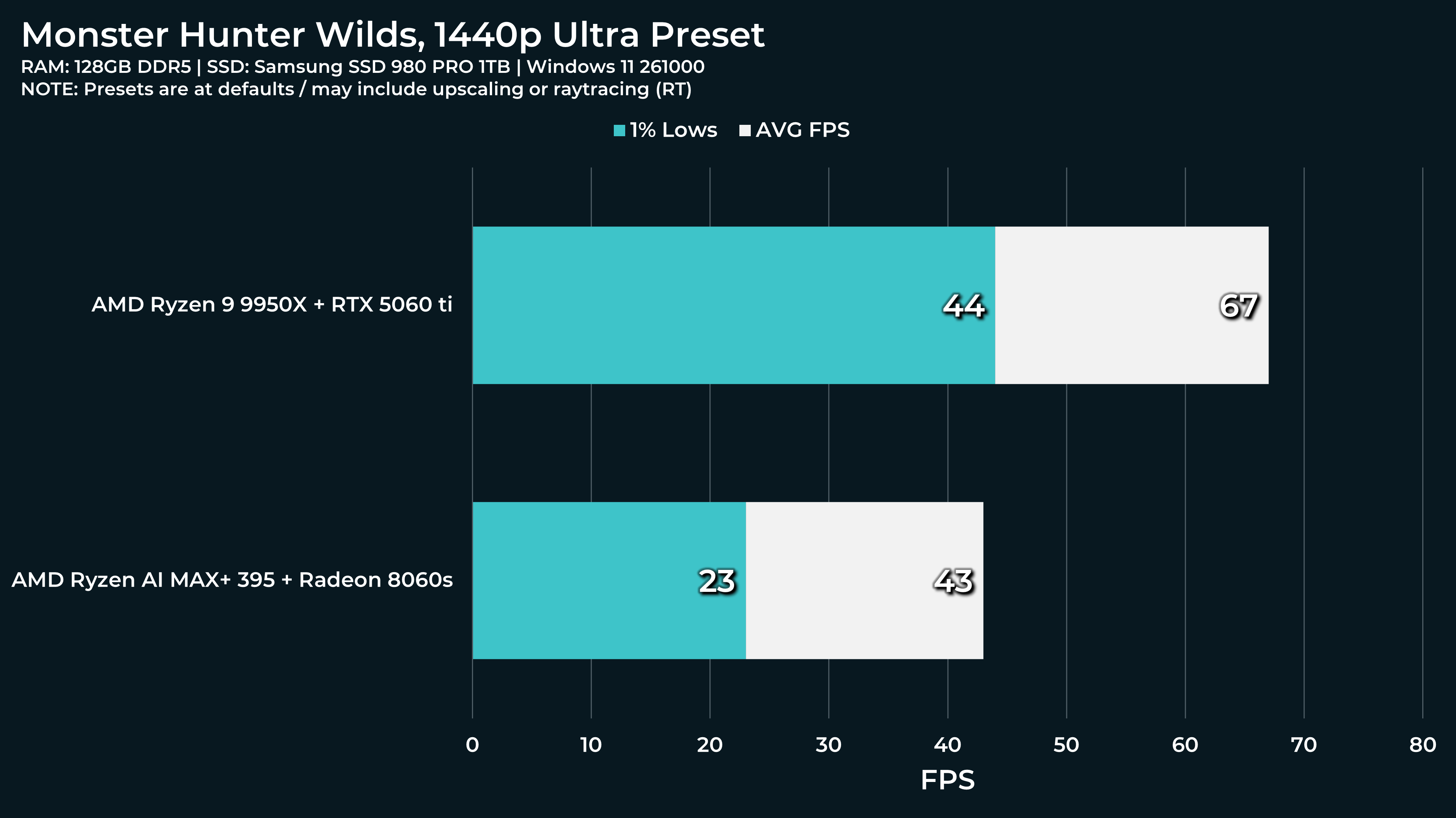
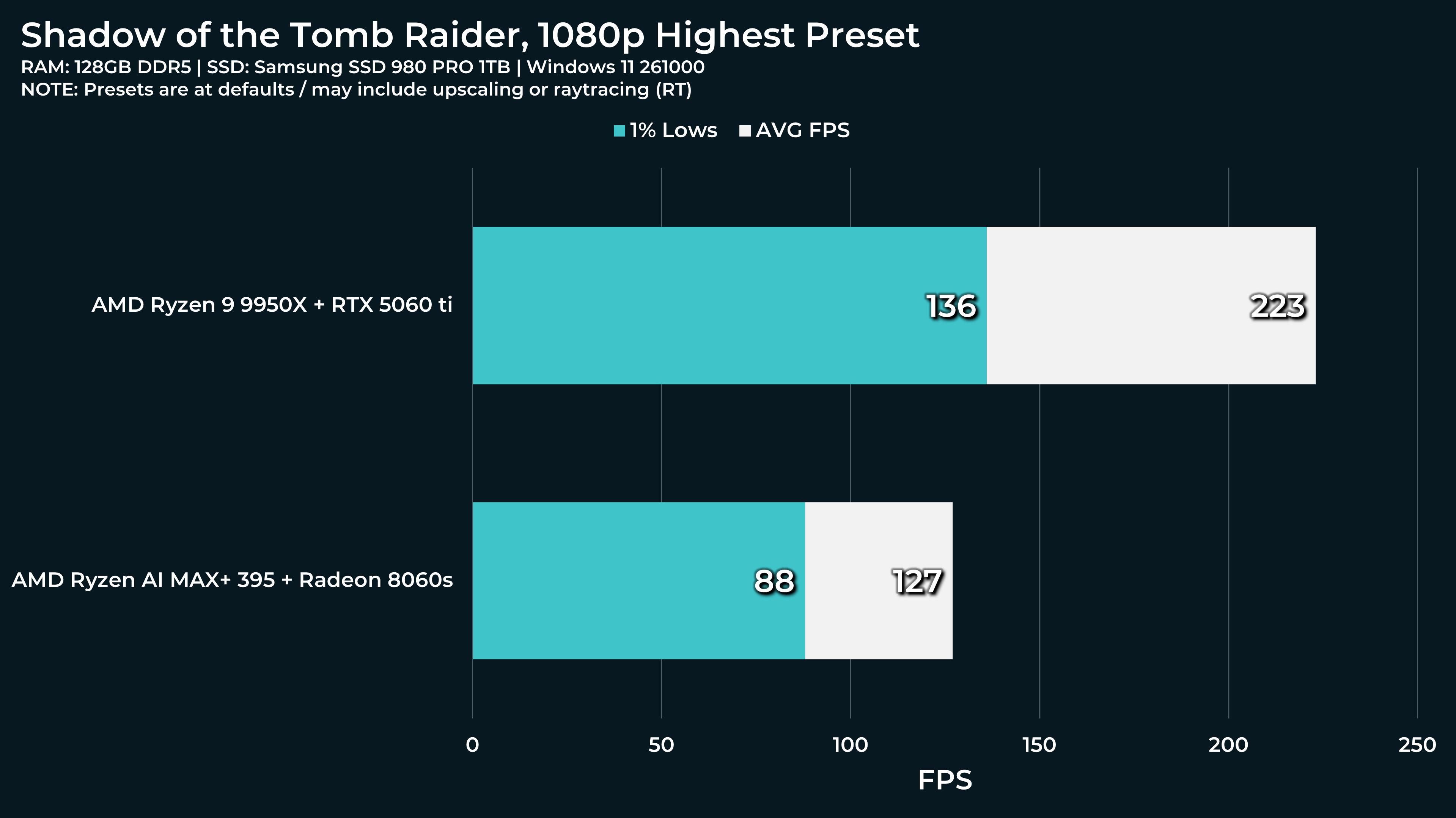
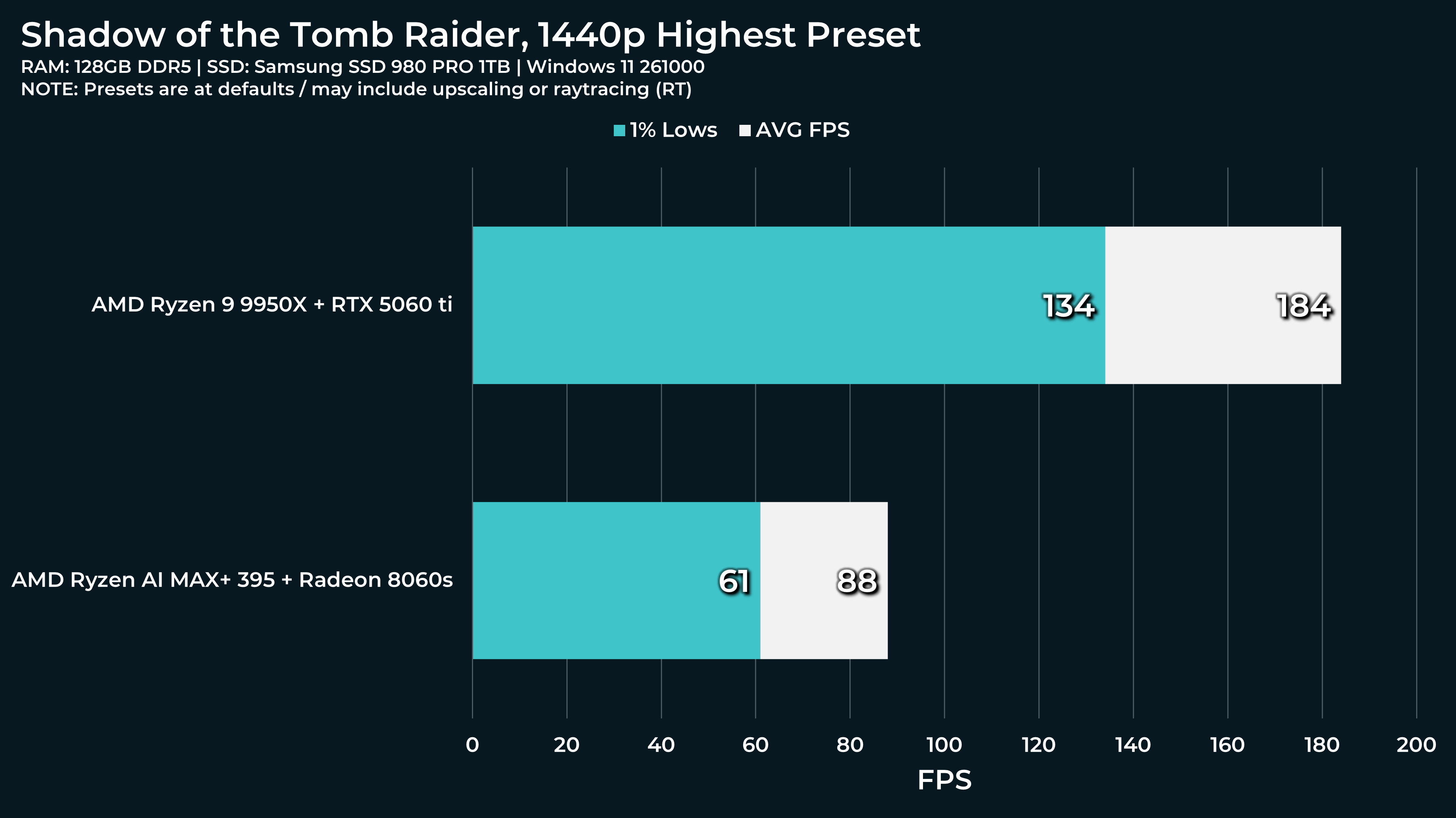
Here are the productivity and game benchmarks we did for the new Framework Desktop which features the AMD Ryzen AI Max+ 395 which makes use of onboard Radeon 8060S graphics.
Overall despite the incredibly small size of the desktop it’s still able to hold up pretty well.
The Framework Desktop is a very interesting product full of compromises. Thanks for all the benchmarks.
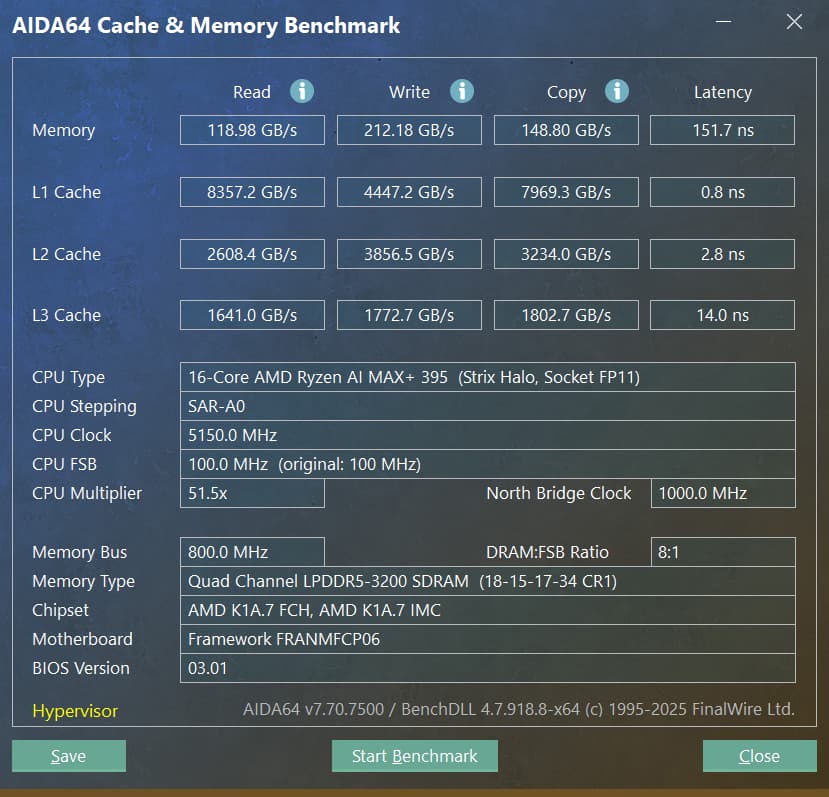
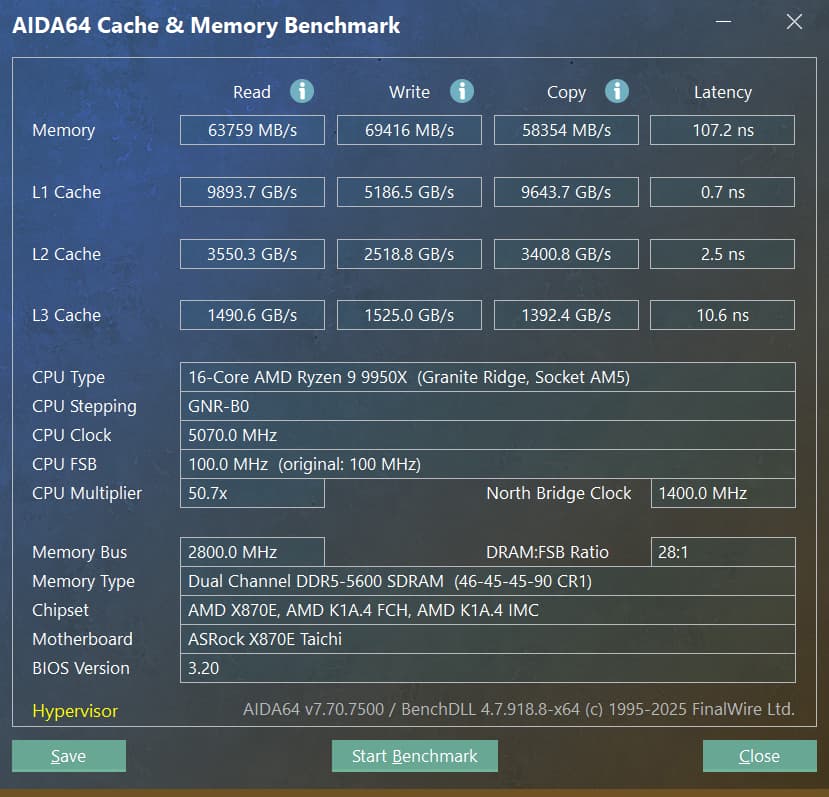
I think in 2025 soldered RAM as a compromise to achieve basically twice the memory bandwidth (at 50% higher latency) is acceptable. This is probably only acceptable temporarily until comparable socketed memory performance is available at a similar or lower price point (yes, we have 4 channel or higher memory for HEDT/workstations, but the total system cost sits on another level).
The 5gb network port is a weird compromise to me. There are basically no 5gb switches available to take advantage of this speed, or you need a switch with 10gb port that can negotiate 5gb, or you drop to 2.5gb or lower. Wouldn’t a budget of close to $2k allow a 10gb NIC?
The PCIe slot also doesn’t quite make any sense to me: there are few to no PCIe cards that fit into this 4x slot (I would embrace it if it was an open port). And it wasn’t possible to engineer a standards compliant 75W power delivery for it? The mobo comes with a standards compliant power supply…
It’s a product seemingly aiming to compete with Apple on specs and price (did you notice that a 64GB memory upgrade costs $400?), but not on looks or finish. Again a weird compromise.
Finally, and this is probably only a pet-peev of mine, Framework manages to explain how to install or swap a m.2 SSD in 20 steps, but doesn’t publish a motherboard layout nor a block diagram that explains how the 16 PCIe 4.0 lanes are connected in this system. That’s something I expect to see before I buy a $1700 motherboard.
I for one am waiting for a version of the SoC with regular, 4(8)-channel DDR5 buses. Even the SODIMM DDR5-5200 frequency and timings should already be more than the 2xIF bottleneck of the chiplets, for CPU-bound workloads. It could also mean twice the memory to 256GB, for those who need that much.
I think that we know where at least 14 of those lanes are going to, 2 NVMe ports, and 1 x4 slot, and on most of them it seems that 1 lane is used for Lan, and one is used for Wifi, so that leaves an x2 unaccounted for that’s usually used on SATA adapters or extra x1’s.
There’s actually more USB 10gb ports than the SoC has, so maybe one of the lanes is used for one of those. (2 USB4, 3 USB3 10gbe, 3 USB 2.0 built into the SoC, while we have 2 USB4 and 4 USB 10gb ports total.)
I’ve seen a few x4 cards, but not video cards. Things like Oculink adapters, some single port 10-gbe cards, and pretty much any x1 card will fit.
On the memory front, I checked LPDDR5 chips on Mouser, and these aren’t even the 8000mt ones used by the framework, but a 64 gigabit chip is about $70-80, and a 128gigabit chips is $135-150. that’s around a $400 price difference for 8 of them. Salem Techsperts took the heatsink off one and showed off the 8 LPDDR5 chips… We can actually find roughly the price of the ram since these chips are used in a lot of embedded SBCs that smaller dev houses might build a small computer out of.
This isn’t like where apple was charging $400 to go from 32 to 64 gigs of flash storage when that was only $100ish on an SD card, this is far closer to the actual cost of the upgrade.
If @wendell is looking for additional crazy ideas to test Intel is making 48GB GPUs, the Arc Pro B60. And well the Framework Desktop has a PCIe x4 slot that can host an Oculink adapter, and a second M.2 PCIe x4 slot that can host another Oculink adapter. Why not put in 2x 48GB GPUs + 128GB RAM = 224GB in one machine?
@wendell Any chance you might be able to test an optane pcie card in the framework desktop? Interested to see if the power restrictions would cause problems for the drive or not.
I have a USB4/Oculink PCIe dock. I just got my Oculink w/ Redriver adapter today and I can’t get it working on my FW Desktop Dock never lights up like it does when it detects USB connection.





 Dock never lights up like it does when it detects USB connection.