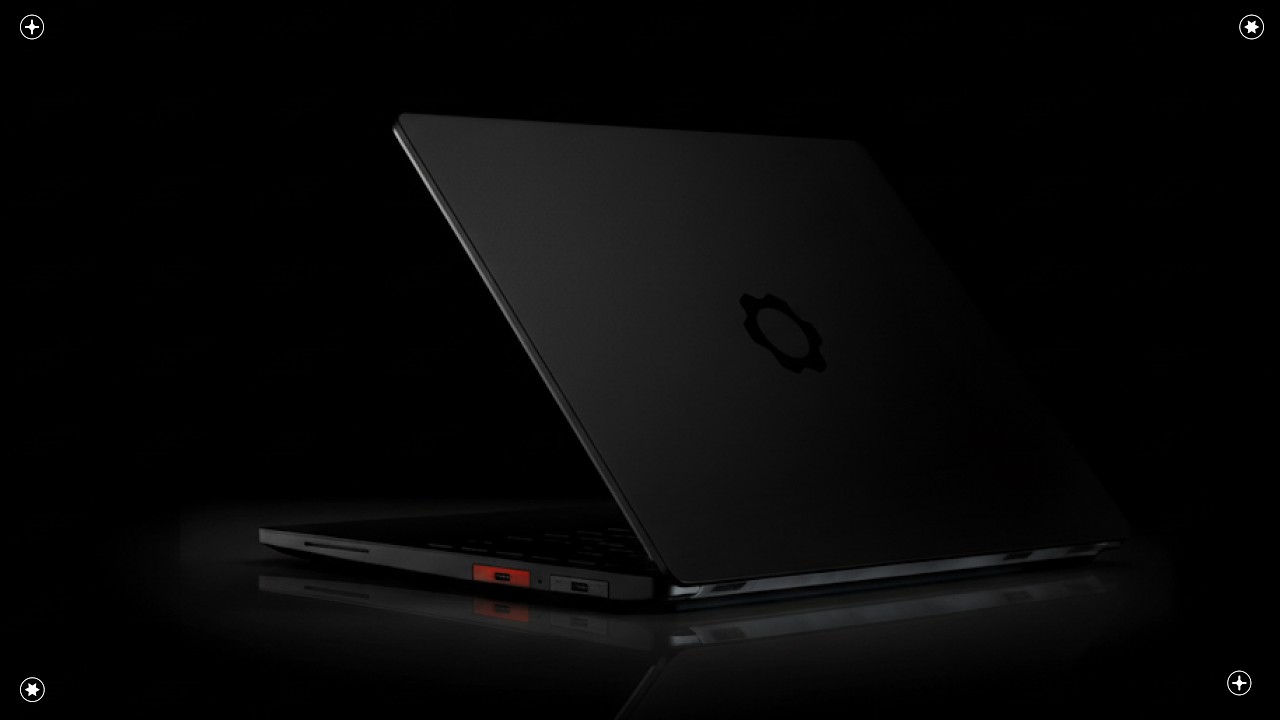
Framework dropped the reveal video for the new Laptop 13 Pro this week, and if you haven’t watched it yet, you might want to give it a watch on 1.5x speed. Below are my running thoughts from the announcement, in no particular order.
CPU
Panther Lake. I’ve heard promising things about it, but I haven’t had the chance to get hands-on time with it yet, so I can’t speak to it from personal experience. The ultra-low-power cores are a genuinely compelling feature, and at this point, CPU schedulers have had plenty of time to mature around big/little architectures, so I think this is the strongest option available right now. That said, it comes with an asterisk depending on how you feel about the memory situation (more about this below).
External Improvements
Chassis rigidity and trackpad quality were easily my two biggest gripes with the original 13, so improvements here are very much welcome. The keyboard was serviceable, but compared to the MacBook Pro, it’s nothing to write home about. A stiffer chassis should translate into at least a modest improvement in keyboard feel, so that goes in the win column for sure. The trackpad, though, is where I’m most excited. After spending the last three or four years on MacBooks for work, the trackpad offerings from PC manufacturers have been genuinely disappointing. The Dell XPS 15 came the closest, but even that had its rough edges. Framework never really stood out, even among PC competitors, so here’s hoping they’ve caught up, at least.
The redesigned expansion module lock is also a very welcome change. Swapping modules on the original 13 chassis always felt more fiddly than it should. Replacing a hold-down button with a simple switch is a sensible improvement. Personally, I’ve tended to load all USB-C ports and largely forget the modularity is even there, but it’s clear Framework has listened to user feedback, and the experience is better for it.
Memory Confusion
This is where I think Framework loses the plot. LPCAMM2 memory on the Intel board is a curious choice. I understand the reasoning behind the form factor and architecture, but it feels like a step backward in terms of genuine DIY accessibility. The reveal video was my first encounter with the acronym, and what I found afterward did not inspire confidence. A quick search on Newegg for “LPCAMM2” surfaces a single result: a Crucial 64GB module for $1,000 USD. Crucial? The brand that the AI Memory craze killed off? Yep, that Crucial. That is not a healthy ecosystem.
It is hard to articulate precisely why this bothers me, but it feels like a close cousin to the questionable call Framework made with the desktop last year, where memory was soldered directly to the board. This time, instead of soldering, the memory ICs land on a poorly-supported interposer. The intent is clearly different, but the practical outcome for buyers is similar: a niche, hard-to-source format that adds friction to the ownership experience. Memory is in a rough spot industrywide right now, and I struggle to see how leaning into an obscure module standard serves the consumer-first ethos Framework has built its reputation on.
On the bright side, the AMD side of things is in considerably better shape. Framework is still shipping the Ryzen AI 300 series boards with the Laptop 13 Pro, and I have a strong suspicion those will outsell the Intel configurations by a wide margin, unless LPCAMM2 adoption picks up meaningfully from other manufacturers.
Bespoke Display
The Framework 13 Pro debuts the company’s first fully custom panel, and it’s a strong showing. The signature 3:2 aspect ratio and 2880x1920 resolution carry over, but the headline addition is a 700 nit peak brightness claim, which is genuinely impressive for a laptop LCD. Paired with a matte polarizer (the objectively correct choice), this should be a comfortable panel to work on indoor or outdoor.
The display also supports variable refresh rate across a 30hz to 120hz range, which is a welcome inclusion. VRR at the low end in particular should do real work keeping power consumption in check. On top of all that, it’s a touchscreen. Not my cup of tea, but I’m sure it will tickle the fancy of some.
Storage
The jump to PCIe Gen 5, and the continued support for standard M.2 means you can drop in whatever drive you like and take full advantage. No complaints here.
Audio
A side-firing audio module joins the spec sheet, with Framework claiming improved sound quality. The proof will be in the listening, but there is real room for growth. Framework’s audio has historically fallen well short of what MacBook and Dell XPS users are accustomed to, and at this point those two are the implicit benchmark the company is measured against. They’ve effectively set that bar for themselves.
Battery
The Framework 13 Pro now ships with a 74Wh battery, up 13Wh from before, which works out to roughly a 21% capacity increase. In context, squeezing that kind of gain while maintaining mainboard compatibility and keeping the external dimensions unchanged is a real engineering achievement worth acknowledging. However, the CEO’s claim of 20 hours of Netflix streaming on the Panther Lake configuration is a stretch that deserves some scrutiny. Combine Panther Lake’s efficiency, the new display, LPCAMM2 memory, and the larger battery, and you might land somewhere in the neighborhood of 60% better real-world battery life. Doubling it? I am not convinced.
Final Thoughts
Overall, Framework is doing a lot of things right here. The chassis, display, battery, and trackpad improvements are all meaningful, and I think the trackpad in particular could be the star of the show, assuming the chassis stiffness delivers what they are promising. The LPCAMM2 situation on the Intel board remains a concern, and it does not feel like a decision that plays to Framework’s strengths or mission statement. My hope is that the AMD model sells extremely well, and that the memory market finds its footing soon.
Announcement Video