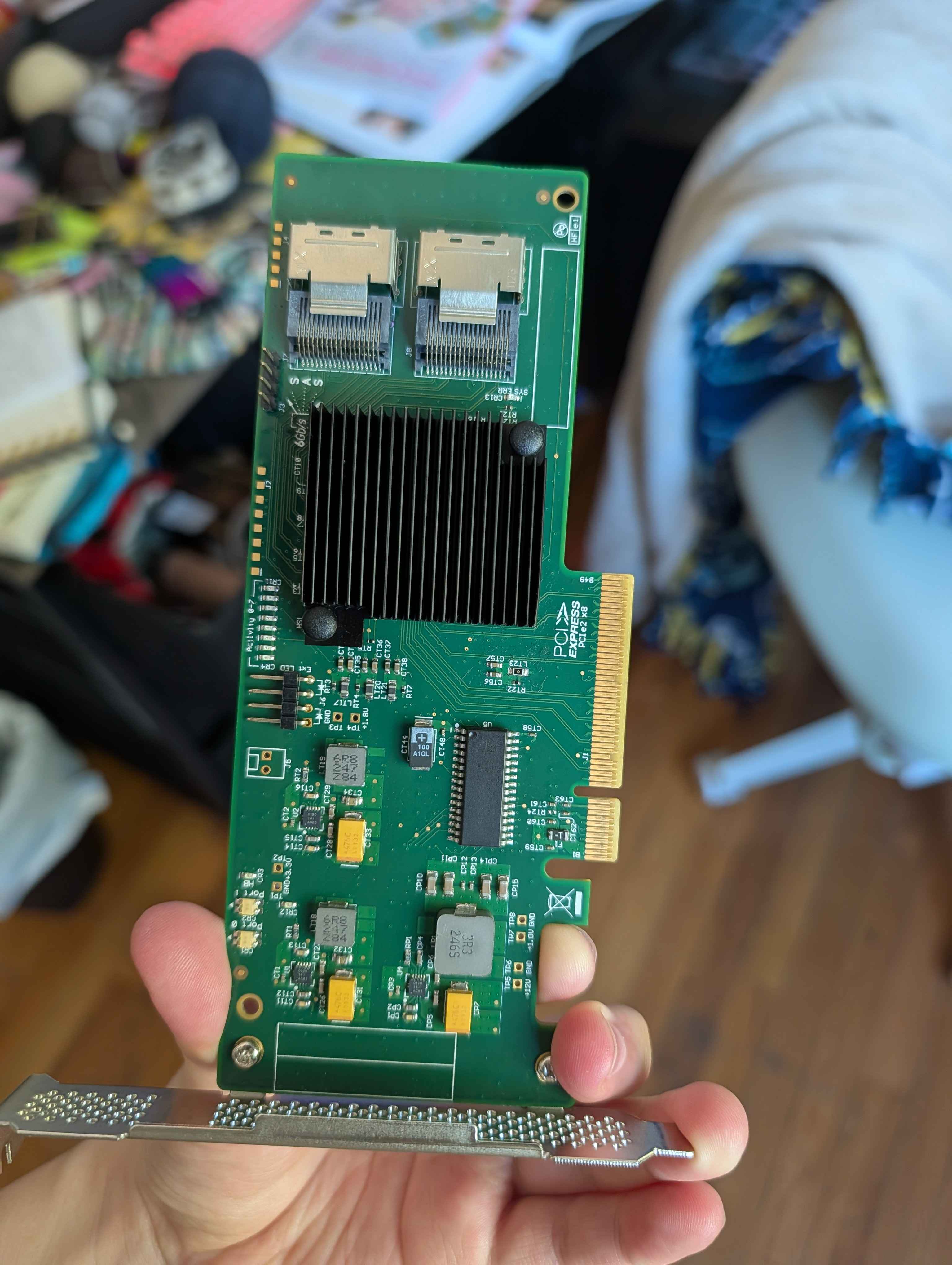
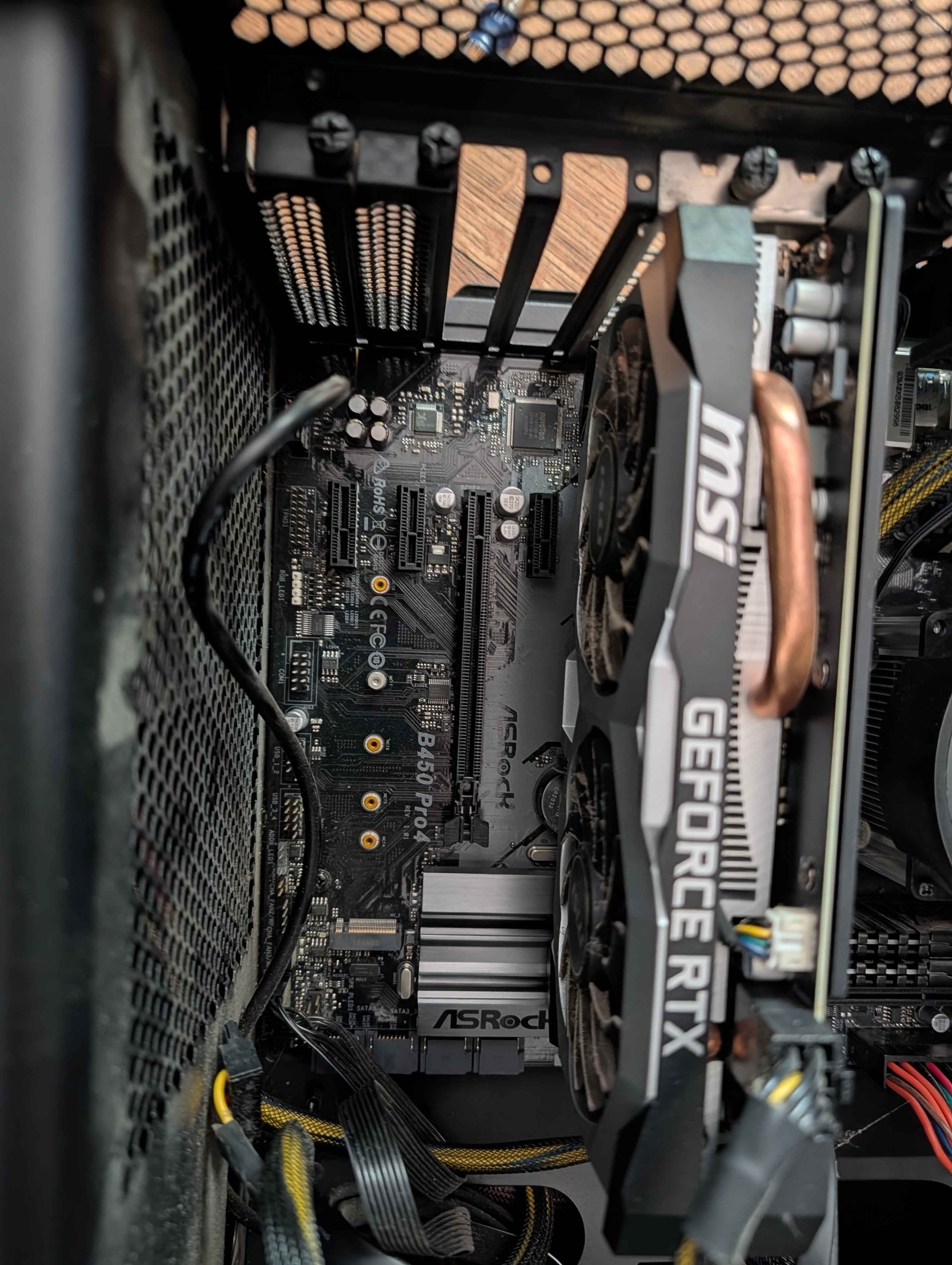
Hi y’all, I recently suggested starting a home server and was entrusted with my partner’s old gaming rig to build our first go. I’m on a budget but trying to learn new systems skills and future-proof a little, so I also grabbed some SAS HDDs and a 9211-8i card. The PC’s motherboard is an ASRock B450 Pro4.
The problem I’m running into is what seems to be an aluminum heat spreader next to the PCIe x16 port and the far inner corner of the 9211 running into one another.
My first thought is to either gently file down the corner of the controller card so that it fits where I want it to go before resorting to disassembling the computer just to switch heatsinks. I’m especially wary of decreasing cooling capacity because this computer has apparently always run rather hot (ordering more case fans is already definitely in my future).
Is this a reasonable plan of action, or is there something I’m missing? Am I better off just getting a PCIe extender and mounting it elsewhere in the case, so it can have more dedicated cooling?
Kapton tape. Just a little bit, to cover the contact surface. I would recommend against filing a card unless you know what’s on the inner PCB layers. It might be fine, but I think it’s unnecessary here.
Currently it just barely reaches the port, I can’t get it in deeply enough to screw it into the case. I’d estimate the heat spreader is ~.25 cm or less taller than the PCIe slot. Basically, one of them has to be shorter here or move somewhere else.
Actually, I guess trying to bend or file the heat sink is also a viable method, but I don’t know that I would be able to do that effectively and safely right now.
I personally would be ok filing the card, mostly because it’s cheap as dirt to replace anyway and because I don’t believe there is much in that corner. But I also have some basic electronics experience and have done that in the past (full disclosure I also killed cards in the past).
You can see the clear part of the pcb and the darker green part. The clear part near the edge is just fiberglass and should be safe. So if you only need a mm or two it’s doable. The darker green part seems to have a copper plane (usually ground plane for shielding but can be anything, I’m just a monkey that files cards, what do I know). You risk shorting the ground plane to another plane underneath which may carry power, which can kill the card (ask me how I know), and potentially damaging the motherboard slot as well.
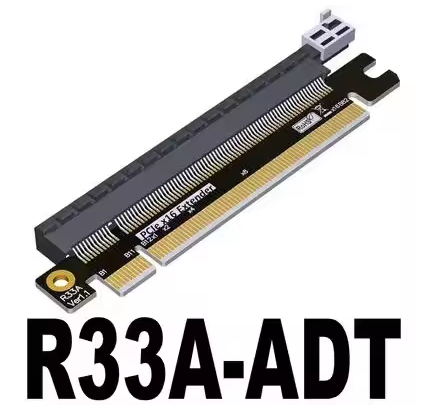
A safe suggestion besides using a pcie ribbon adapter to move the card somewhere else is to get a simple and dumb pcie slot extender adapter like this one (the listing also has versions that fit in a x4 or x8 slot on the motherboard) https://it.aliexpress.com/item/1005004697330934.html
that just rises the card a little, and unmount the pcie bracket from the card entirely. Unless the case is getting shipped around the card won’t shake itself loose from that adapter even if it’s not screwed in the case with its bracket. It’s also very light so it does not need much strenght to be supported.
Dremel or angle grinder if you feel adventurous (please don’t, I’m kidding).
The chipset below the heatsink is naked silicon so it’s fragile. It’s best to unmount the heatsink before filing it. Not sure if you can bend it but probably not a good idea since the surface under the heatsink must stay unbent to contact the chipset and do its job
I’m pretty sure something else is going on, it’s extremely rare to have motherboard bits interfere with PCIe devices because both typically conform to pretty decent standards (most interference comes from the location of front IO headers that have stuff plugged in). Especially since your GPU seems to be in place fine.
Would recommend unplugging the PC, removing the GPU and getting a better view of what is happening when trying to insert the storage controller card. Something seems odd if it’s not going in the slot properly, possibly interference at the PCIe cover side of things.
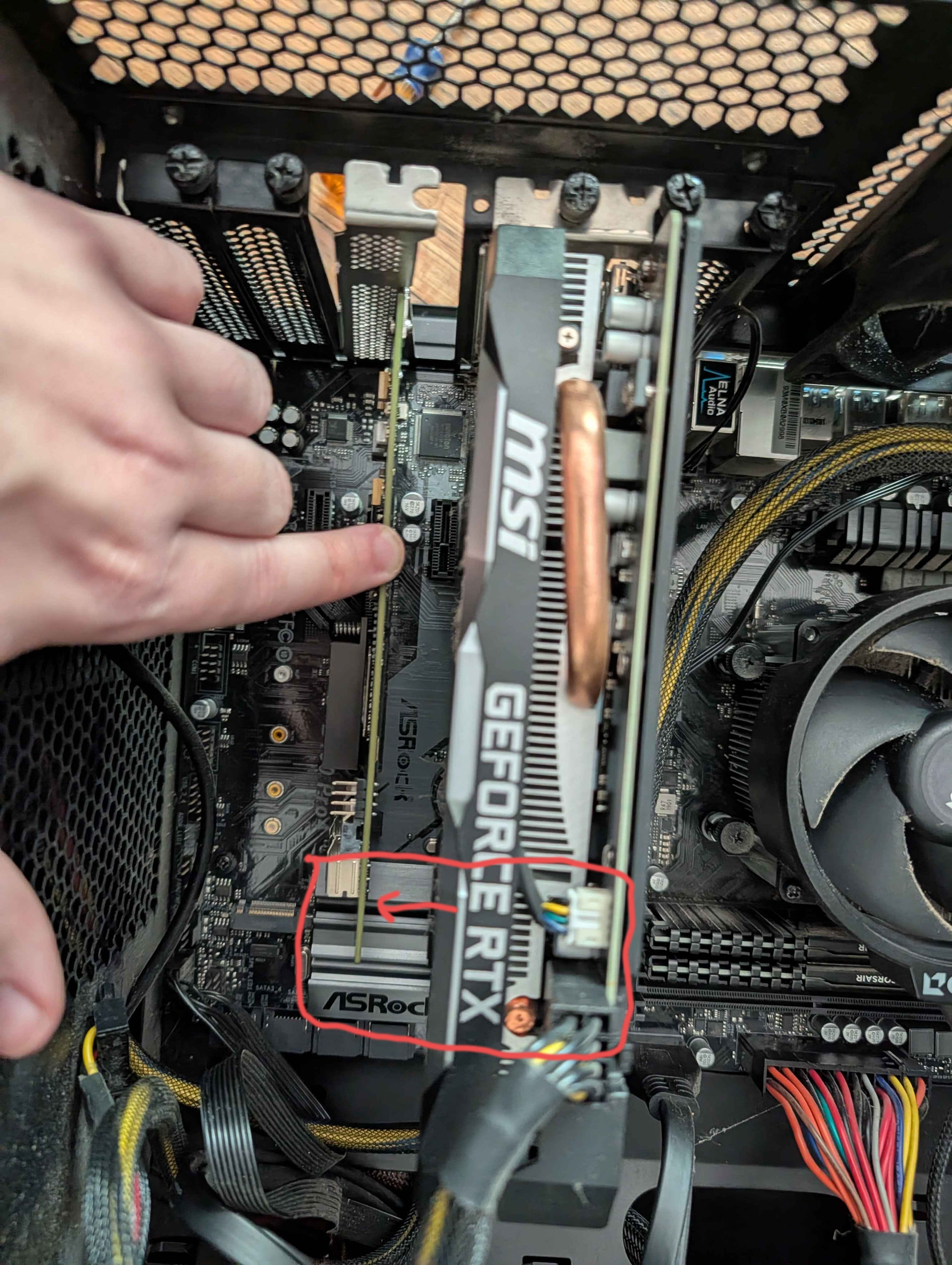
Both the PCIE x16 slots go over the heatsink, so if the graphics card fits, so should the other card. Are you sure it isn’t the PCIE latch at the end of the slot getting in the way (circled below in red)? If it is, you might be able to pry it off (carefully).
Not sure if you’re aware but it looks like you have your memory in slots A1 & A2, they should be in A2 & B2 (marked in green below), it is hard to see, so I might be wrong.
No concern about unplugging, as it’s been in a closet for a couple of years. HOWEVER! This did make me look a little closer and it seems like the weigh of the graphics card hanging on it for about a decade (stored upright the whole time) seems to have warped something, whether that’s the case or the motherboard, causing a few spots to be pretty tight and a bit misaligned. I ended up removing the mounting bracket from the card while putting it in, then re-inserting the bracket afterwards, and everything fits now!
This was also my thinking, worst case I know better next time and the biggest inconvenience would be waiting for shipping. I’m not completely opposed to hardware dying in the name of science, but I like to know what the risks are.
lolol, I would definitely take it out first. Actually, probably out of the house and onto a tarp, because I know how much it sucks to have aluminum shavings in your house. All the staying power of glitter, with all the pain of legos