Hi. I know there are already topics about this, but most are pretty old and I’m leaning towards a less standard solution.
I’m still on Win10, but want to move over the Linux instead of going to Win11. I’ve just had enough.
That said, I need the machine for work and I’m quite a noob when it comes to Linux. So want a dual boot setup so I can try Linux and work out all the issues/quirks before getting rid of my Win10 install completely. Also, I might want to try more than 1 distro while leaving my Win10 install untouched.
All of my personal work/dev environments are virtual machines using VMWare. I will be recreating these VMs on my Linux setup and all the source code is already backup on GitLab.
It’s been many years since I tried any dual boot shenanigans. What I did was install Windows XP on 1 drive, then pull the drive, and then install Windows 7 on the other drive. Then put the WinXP drive back then choose which drive to boot from and from what I remember this worked fine.
Can I do the same with Linux where the 2 OSs don’t know about each other?
Any gotchas I need to be aware of?
Two separate drives will work just fine. I know with Win11 updates it can rewrite the efi boot list to remove linux entries, but I don’t think Win10 had that problem. There is no real need to remove the windows drive when installing linux onto a separate drive, just make sure you choose the correct one during the linux install.
In my opinion, the desktop environment is more important than the distro. Don’t get too hung up on Arch vs Fedora vs Debian. Once you have the software you need they all behave close enough to the same. Deciding between a desktop environment like KDE Plasma vs Gnome vs Xfce etc. is more important since that is what you will be interacting with far more often.
There is a spectrum also of Most Handholding to Least, but what LeeTalbert says is good advice. At least see from a live iso which DE you think you’ll like.
You mention an interesting approach with VM’s. I offloaded workflows to VM’s & remote connect to them, though even locally this splits up the scope into smaller pieces. While changing the host you may be able to keep your VM’s to migrate one at a time later, or maybe keep them as they are.
That might mean you want to consider whichever distribution/s VMWare workstation works with, if you use that now.
You should be able to r/w a presumably ntfs partition if the vhd’s are stored there.
If you are considering VM rebuilds - consider what VM platform you’d use to build them with, as you’ll also interact with them.
+/- to each of virt-manager, gnome boxes, virtualbox & indeed vmware.
My current VMs are also Win10 and then I have 1x Win11 VM. I want to see if I can create new Linux VMs for my dev work. I work in DotNet, but since DotNet 5.0 I should be fine on Linux… just haven’t tried it yet.
For my day job I remote into a Desktop at the office. I’m hoping I can continue to use dual monitors when connecting to Windows at the office from Linux.
Still totally viable. You gotta go into the BIOS to choose (unless you add the Windows bootloader to the boot options in the Linux bootloader) but it’s much more reliable than having a single shared drive due to the different bootloader partitions and the tendendcy of Windows to just wipe everything it doesn’t recognize.
RDP applications exist and work multi monitor. I’ve found this more of a nuisance under wayland (it doesn’t want to expose things about the monitor/display space). You might find it works fine but if not give it a go under an X11 session for now (so not fedora 43 then).
If you have to VPN in you might need to get details from a hopefully not uncooperative corporate IT.
I’m finally making a point to try a dual boot setup, but I’m having endless issues with writing to a brand new external 128Gb SSD.
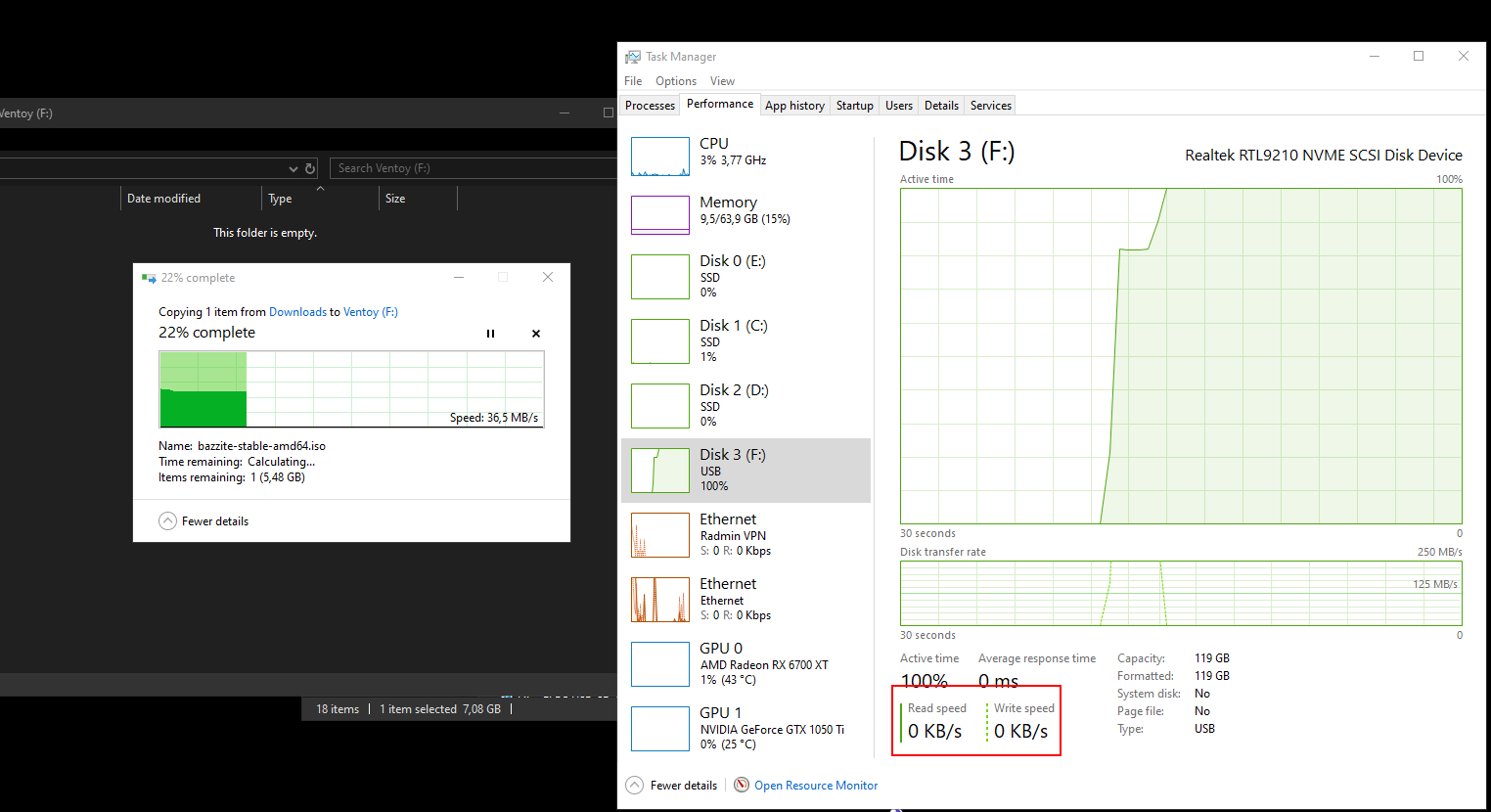
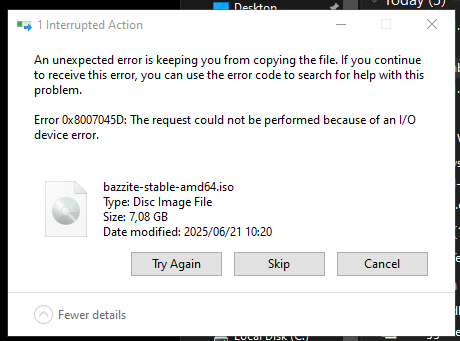
At first I used Rufus, which is what I usually use, but it failed. So I thought I would try Ventoy and then I can just copy the ISO over. It took a while for Ventoy to install, but now when I try and copy the ISO to the drive it will start the copy, then the drive goes to 100% and after a bit I get an error. I then have to unplug the drive and plug it back in for it to work again.
Plugged the device into a different USB port, slightly lighter blue, and now it seems to work fine.
I’m wondering if it might not have been a power issue where the drive was needing more than USB can supply when operating at high speeds. I think the lighter blue USB ports are USB 3.0 and as such can’t go as fast as the dark blue ports.
Just want to make sure that you know you are using a live iso and not a full install. Any changes you make will not persist through a reboot and you won’t really be able to install and test other software.
No, it’s installed on a separate 1Tb SSD I bought specifically to do this. So far everything I’ve done persists through a reboot.
Currently waging war with OpenRGB and the rules file… but bazzite locks it and I’m having trouble figure out how to get the rules file for openRGB updated…
Apparently this is the answer, but seems to not work… I can’t get the rules updated still…
Ah I thought you were only booting via ventoy, my bad.
Bazzite is an immutable distro, I have never used an immutable system so I can’t help at all. A similar gaming experience that is not immutable would be Nobara. Both are based on Fedora and, as far as I know, come with much of the same stuff pre-installed.
Maybe I should try Nobara then as I’d like to have a bit more control. Bazzite looks pretty good, but the boot time is pretty horrible and this on a 5700x3d, 64Gb Ram, and brand new ssd. Not sure if it’s just a bazzite issue though…
Got OpenRGB to work so I can dim the backlights of my Logitech G610 keyboard to a light glow…
Get Piper installed and tune my Logitech MX518 hero…
Installed Proton-GE and was able to play Space Engineers and transfer my saves from windows over. Some of this Proton stuff is not quite as polished as I’d hoped. For example, I could only see Proton-GE option in Steam after I did a full restart. It would also be nice to have an easy way to get to the “/home/[user]/.steam/steam/steamapps/compatdata/[id]/pfx/drive_c/users/steamuser/AppData/” folder. I did not know it’s a thing and happen to find the info while looking for where Space Engineers would store save files on linux. Sure, once you know you know, but this is probably one of those things my brothers will never figure out on their own for example.
Got my Bluetooth headset working. I have 2 BT dongles… 1 is from 2006 and works great on windows, but struggles with Nobara. The other dongle I bought new last year and works great on Nobara, but not on Windows. Reasons I guess…
I use FanControl on Windows and have it set so that all my intake case fans will stop if both the CPU and GPU are below 50c. I also have it set that the case fans will ramp up depending on if the CPU or GPU is the hottest. This works great and has a huge impact on reducing dust intake. There is a Fan-Control for linux, but it’s not quite as well polished. CoolerControl looks really good and you can access the UI with the browser which I like a lot, but I’m taking a break from trying to figure fan control stuff out for bit…
I’m just starting with creating and setting up VMs. Virtual Machine Manager looks like the obvious choice, but it requires extra stuff to be installed while Boxes seems pretty simple and just works after installing. Busy setting up a Linux Mint VM for testing. (Mint is usually what I use as I like the out of box experience, but I’ve never used it for any real work…)
Things I’m not a fan of:
Boot time is not great… (Mint boots a lot faster as a VM)
The font and icon size of the taskbar/task manger is too big and so far I’ve not find a way to adjust it…
Audio seems a little hit or miss especially with browsers… I would love something similar like MixerFixer that I build for Windows which turned out a lot more useful that I thought it would be, but I’ve not done any searching for something like this for Linux yet…
Overall, I have no major complaints and things have generally gone quite smoothly which is a huge step up from when I first tried linux as a daily OS on a laptop about 5 years ago. That said, I don’t think I can set my brother’s up with Linux just yet. Looks like they will have to go to Win11 although I will highly tune it to be less crap.
Although I’ve used Linux here and there over the last few years, I’ve barely needed anything more than browsing the web. I do have a Proxmox server with OpenMediaVault and a Mint VM for some stuffs, but I’m now trying to daily drive linux on my main rig which has some different requirements. It has to do everything from game to actual work.
As someone who’s been playing and working in tech for 20 years… So far… I’d give my experience of getting up and running with Linux a 7/10.
It’s been a while since I started this journey and if I’m honest, I’ve not made much progress in the last few months. In large part it’s due to pretty rough burnout. I’ve been trying to disconnect, but with my day job being the biggest cause of the burnout I’ve not really been able to take the break I need.
For the last few month I’ve kinda given up and just continued to use my Win10 install as is and just living with the crashes, but with Win10 now not getting updates I have to get back to this whether I like it or not. I promised myself I will NOT go with Win11 and the recent announcement from Microsh!t that they will be Making-every-windows-11-pc-an-AI-pc means I’m very much still committed to avoiding Win11. I can’t avoid it at work though
I tried Linux Mint last weekend. It’s something I’ve used quite a bit and I like Mint’s out of the box experience, but it took me 1.5 hours to get Steam working. I normally use Mint in a VM and I’ve installed Mint on my old laptop and my mother’s laptop and I think it’s pretty much perfect for that use, but this was the first time I tried on my main rig where I want to be able to still do some gaming and work. I was almost certainly doing something wrong, but I need to get off Win10 asap.
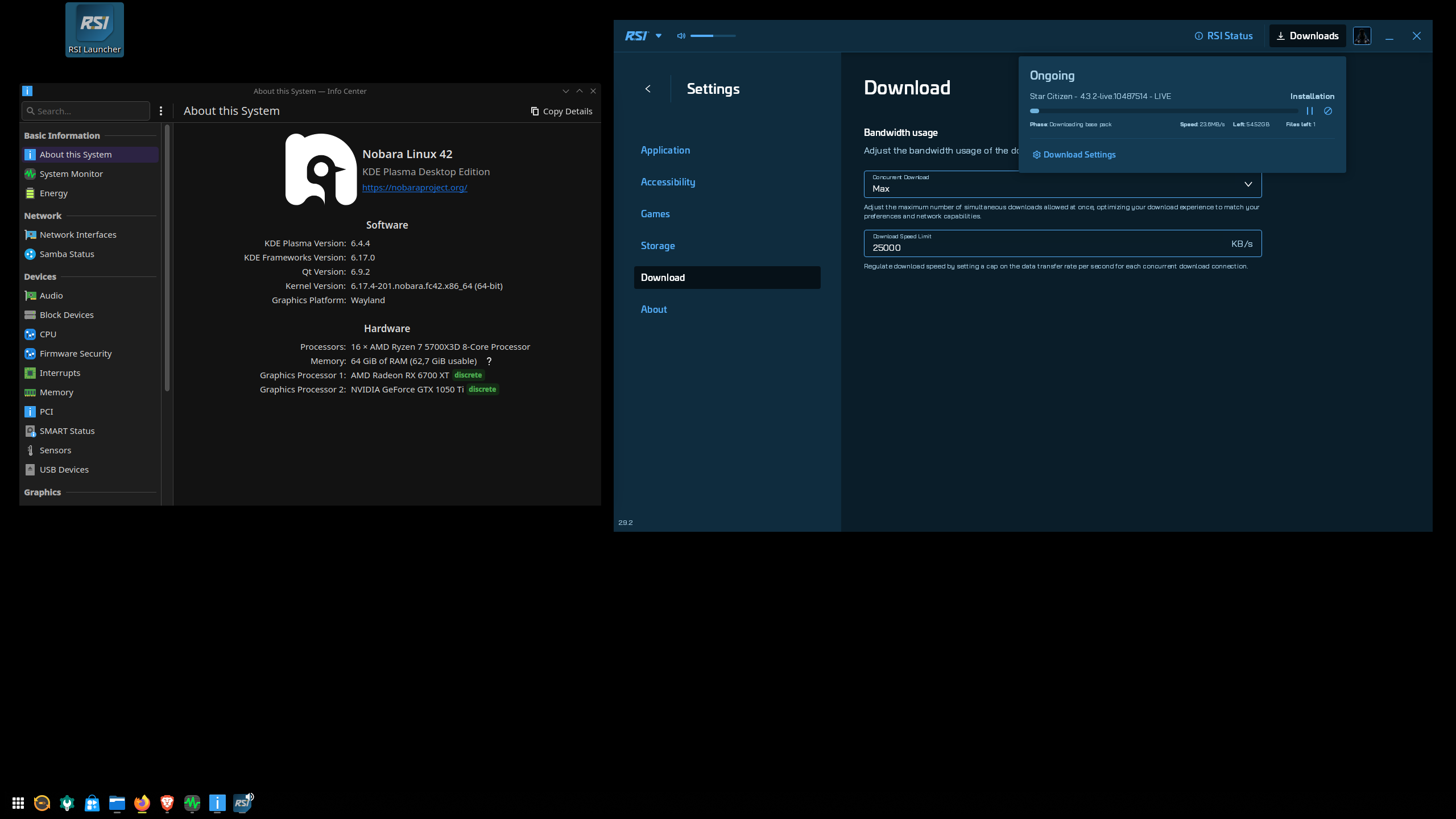
So today I switched back to Nobaro 42 and it’s been pretty good. I am struggling with some virtual machine multi monitor stuff which has eaten up most of my day, but right now I’m leaving it and looking at some gaming stuff.
I have also testing No Man’s Sky and on Mint I had weird frame issues, but on Nobara it ran fine with similar performance to Win10.
I do still want to setup OBS and I need to make sure that Teams + my camera works in a Browser. Last thing I want is to install the teams app… it worked fine in the browser on Windows so I assume it should be fine running stupid teams in a browser on Linux.