I have a system with the EVGA SR-3 Dark, W-3175X, with an RTX 4090 and want to expand my storage. So I got the Asus HyperX M.2 Gen 4 card and 4x Samsung 990 Pro 4TB NVMe SSDs (to be put in RAID-0 as a single ‘16TB’ drive).
The problem is, the card/drives are not being recognized and the way the lanes are split, there doesn’t seem to be a way to get this to work.
So, I have the Intel 905P PCI-E SSD as my 'OS" drive and 2x Sabrent Rocket NVMe SSDs in RAID-0 installed in the on-board slots (PM1 & PM2).
I have the GPU in PE1, the Intel 905P in PE4.
I came across a thread on this forum by @keeph8n who seemed to have the same issue. (it won’t let me post the link here for some reason)
The thread is locked and he says that the card along with all four drives show up when he installed it in PE1 (and I assume he moved the GPU to PE4?). Where would I put the 905P? In PE2? The 905P takes 4x PCI-E lanes and from the diagram, it does seem like it should theoretically work.
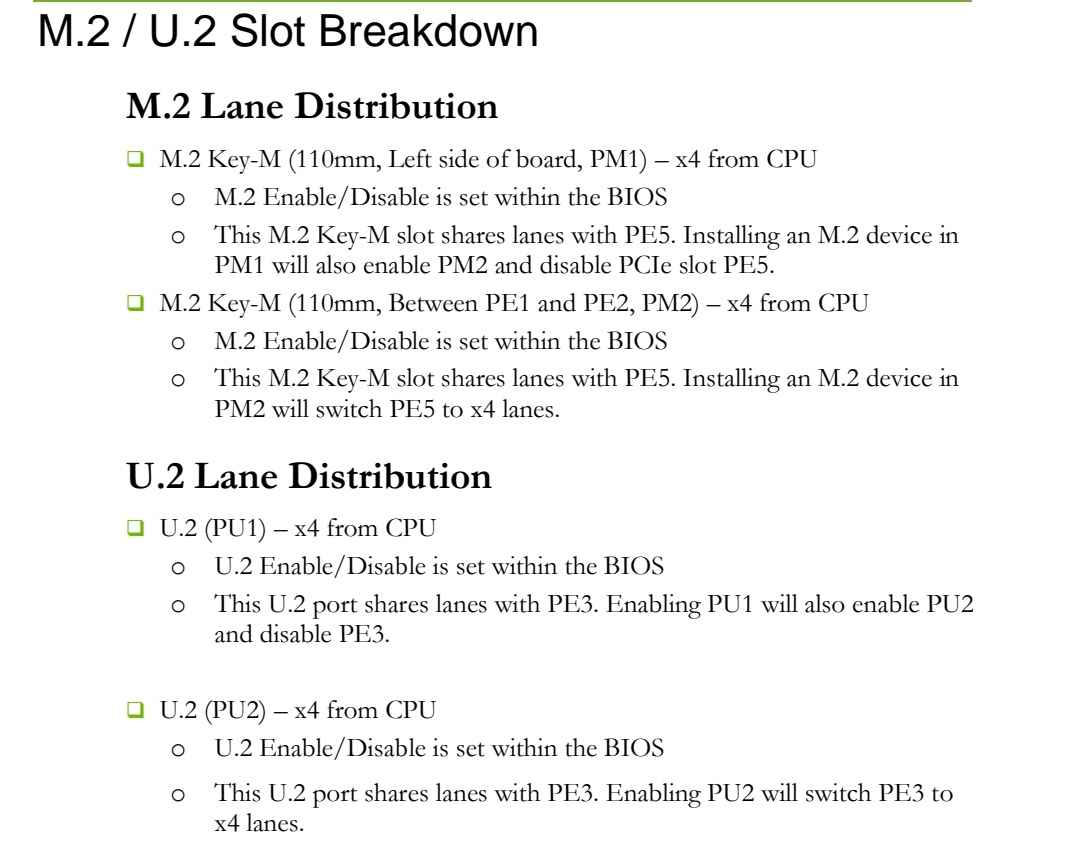
Here are the instructions from the manual for the SR-3 Dark:

@keeph8n please help me out since you had the exact same system.
Once the card was recognized in BIOS with the 4x drives, were you able to set the “lane bifurcation” in the BIOS? Is there an option for that? Do you still need to use the VROC key?