Nope again. I don’t know how I ended up down a rabbit hole to get here, but there is a project that exists to add more support for Lenovo Legion laptops:
However, it’s a kernel patch and recompile to do, and debian (and derivatives) support is not the most straightfoward path. I’ll be the first to say I’m not there yet as a linux user, as far as maintaining that over upgrades go. I already smoked a ZFS-on-mirrored-root Ubuntu version upgrade from 22.04->23.10->24.04 to the point of the grey screen of death. At least it had nothing on it, and I was literally testing what a version upgrade would be like. But it seems Nobara (https://nobaraproject.org/) ships with that kernel patch and a whole bunch of other things that seem like they might be nice quality of life things. Just have to learn KDE and dnf. More to come there, I’m sure.
A brief update: Tried Nobara on the laptop, and on the desktop. Laptop was more or less fine, but the Legion-specific kernel patches didn’t have quite what I was hoping for, functionality wise - model specific, board specific limitations. Flattened that back into a dedicated games drive for the Windows install.
On the desktop, I’ve been having issues with video streaming playback. Happens for Youtube, Twitch, and any other site that streams media. Does not happen in MPV or VLC with local files. Thought it might be the Firefox version (127.0, which does have issues with Youtube) but a Fedora machine with that version of Firefox didn’t have the problem, and Chromium also has the same issue on this machine. Tried reinstalling the gstreamer plugins, no change. Did not happen on the Nobara install (which was a jank partition shrink of the Pop partition), but Nobara can’t seem to run my main game correctly. It started up once, then just immediately crashes to desktop after that – so that’s a non starter. So I did a refresh OS on the Pop partition, which didn’t fix the video issues. So whatever setting is messed up, it’s something that didn’t touch, and in the process gdm is acting strange about where to place the clock since then.
Probably just going to flatten the box and reinstall, which… almost made it a year? Hard to tell if that’s a good or a bad thing.
This was actually just new patch shenanigans, and after clearing/repairing the game it’s working just fine. Plus, since it’s KDE and running on wayland, HDR and adaptive sync work. Even that wacky multi-monitor issue I was fighting with on the (admittedly, broken in other ways, too) Pop install don’t happen.
The only downside is that I got so used to Pop’s Gnome that I’m tinkering with KDE to work and/or look like Pop. Cue cries of heresy. On the other hand… it’s really easy to do so, and if I’d come from Windows (10, especially), the default KDE setup would likely feel more like home anyway.
Another patch cycle, another DNS outage. This time it was dependency hell, because pihole->lancache->Quad9, but pihole and lancache were on different hosts. This isn’t even my desired config anyway, but with all the recent distro hopping after I had to do the reinstalls on the desktop, ‘temporary solution’ lancache instance created a problem.
What I really want is DNS that does local recursion over DoT, supports DNSSEC, adblock / sinkhole lists, and also can host some internal A records and point things at a lancache-monolithic container. So far as I’m aware, the platonic ideal of a DNS server is doing it all with bind9, but doing all of those asks with it is… well, a lot of legwork, and piecing together a lot of different docs and a few other systems besides. One alternate option is stacking up pihole->lancache->unbound in recursive mode and duplicating that stack on multiple nodes, and then handing out the piholes via DHCP. Have to do it that way because the pihole and lancache containers need to auto-update their own lists, and the lancache container doesn’t support a non-standard DNS port for forwarding off the next request – pihole doesn’t have that limitation. But at least this way they’re all in the same stack, so ‘depends on’ can be written in to avoid the out of order problems.
Then I tripped over Technitium:
It’s probably a non-starter for a lot of folks because while open source, it runs on .NET Core. Or the ‘yoink a script and pipe to sudo bash’ as the default install recommendation (if not using Docker), or download a random tar is a problem. But… it does tick all the boxes, and has a GUI that’s about as good as pihole’s over top of all of it. The one rub was lancache, but there was an open feature request for it on github that runs through setting up a custom ‘advanced blocklist app’ for that (in their terms), and that will do the same periodic check for urls and redirect to an IP.
From playing around with it, it has a couple of weird defaults that I don’t personally care for, but are easily changed. The first is related to handing out EDNS TXT responses that tell the requester that the request was blocked, and which lists it was checking that had blocked it. Useful for debugging, but don’t hand out freebies, hey? This is disabled in Settings > Blocking > uncheck ‘Allow TXT Blocking Report’. This also has to be manually specified in the json for ‘allowTxtBlockingReport’ if setting this up for lancache, as well, as it bypasses that setting (because it’s a separate blocking app, presumably). The second is just the default hostname for it being the name of the software; more of a ‘security through obscurity’ angle but still - why? Settings > General > DNS Server Domain, at the top. I don’t know if this is the software itself, the install script, or the tteck helper scripts that configured it that way, though (which… yeah, scripts on the internet. But this is why I’m playing around in a sandbox ).
On the up side, though, this simplifies the DNS chain to client->technitium->whatever recursion is needed, or cache hit. Self contained, rather than a startup order race condition. Stand up at least another one with the same config on at least a pair of hosts to allow for patching, hand those out via DHCP, bliss? Time will tell - give it another patch cycle or two But I certainly look forward to not posting about yet another DNS snafu, and instead moving on to something more interesting.
I was poking around trying to find my ‘grail’ tiny home server: ECC, 4 3.5" bays, igpu for transcodes, low-ish power consumption at idle. All of the off the shelf options give up one or the other thing, or multiple things.
Then I tripped over the Odroid H4 / H4+ / Ultra boards. They support in-band ECC since they’re embedded processor SKUs (give up some ram capacity and performance for ECC support using normal udimms), can drive four sata ports, have two 2.5GbE ports, and - if you flash the bios to do so - can take a breakout board to split the m.2 Gen 4 x4 socket into four m.2 Gen 4 x1 slots. Gives up sequential speed for capacity, but even at x1 it’s still faster than the NICs are. And, after poking around in the Dasharo user group stuff, there’s even work being done to bring coreboot to these boards. Win!
Base parts list:
Type
Item
Price
SBC
Odroid H4 Ultra
$220
Case
Audheid K3 4-bay
$80
PSU
FSP Flex Guru 300W
$120
ITX Adapter kit
Odroid
$15
m.2->4x1 board
Odroid
$15
Motherboard front panel extension cable kit
NOYITO amazon special
$9
Molex Y-splitter
Startech
$6
–
Total
$465
Add RAM and drives to taste, as with anything. In my case, 48GB RAM, and the SSDs and HDDs can come out of the spares pile and/or machines I’m not using. This sounded perfect. Alas, the implementation details matter
The first big fail:
The 4x1 breakout board for the m.2 slot is too tall, and physically interferes with the structural support on the case. Given the design of the 2x2, that one is also likely to interfere with it. This is a case specific issue, but also even amongst Odroid’s cases you’re likely to need a net card-capable case, and at least at present I haven’t found much for aftermarket or even 3dprinted case options. Not that I have a 3d printer (yet.. )
But I was so looking forward to having metadata special vdev and a l2arc on this build. I suppose there’s always a dremel.
These are just my inexperience, as this is my first SBC. I’d forgotten to double check on molex connector count on the PSU, so had to get a y cable as the HDD backplane and the SBC needed one. Cue a couple days of waiting. Then realized after that arrived that the front panel IO connector (which on the case is the standard 9 pin) doesn’t line up with the GPIO on the board. Cue another couple days of waiting for wires.
The other part is the Audheid case comes with a 2 pin DC fan that is both plugged into and wax sealed into place the HDD backplane they’re using. Bizarre choice, annoying to remove, but I’d swapped it out with a PWM fan I had in the spares pile. I have no opinion on its noisiness or not, as I pulled it before first boot. Amazon reviews do have opinions about the fan, mostly negative.
Speaking of fan noise: the FSP PSU’s fan is definitely audible. I don’t find it annoying as it’s a “yeah there’s a computer in the room doing work” noise, but if absolute silence is the goal I wouldn’t recommend this. Now if someone can explain to me why a 40mm fan is okay but GPU coil whine drives me up the wall…
The wins?
BIOS updating was dead simple to do, their wiki is great. There’s work on coreboot for this platform, which is really exciting. And it idles around 14W while running Proxmox, the 120mm fan, and a 2.5" SSD. The majority of the system’s ongoing cost is going to be in drive selection. And, the iGPU supports SR-IOV, too, from testing it out for another thread ( Intel Arrow Lake for homelab? - #12 by Molly ).
Other than that, Technitium has been perfectly serviceable these past few months. I have more issues with lancache monolithic not starting up correctly than I do with DNS. The way things should be.
This is one decision I do not understand on the H4-ITX-Kit: Why Molex at all? The ATX 20-pin may be limited in available 12V pins, the 24-pin is not. Since they have the 20-pin there for signalling, why not use it for power too?
Suffice it to say, when I get round to Project-Unjank-NAS, I will give this a shot.
The only thing I can fathom is because they had some bits sitting on a shelf or in the supply chain that were cheaper done that way, rather than doing it all off of the 20pin. But yeah, I really wish this was just a little bit bigger than the 4"x4" SBC square to put the space to just take a DC 4 pin or ATX 24 pin and a normal 9 pin front panel connector. It would be pretty much perfect, if they had.
I went and looked again, as far as the m.2 breakout cards go: the 4x1 card is simply too tall for this case, even if I were to use a dremel and remove some of the supporting structure. the 2x2 might maybe fit but I honestly don’t know that i’d chance it.
Well, it finally happened, year and a half later - and almost right on schedule:
And roughly around the same time, albeit unrelated, Active Backup for Business quit working on my remaining Windows machine in a way I can’t troubleshoot on my own (the error’s literally ‘internal error occurred, contact support’). It’s never worked on my linux (desktop) machines because of my distro’s kernel being too new, or specific filesystem dependencies. Which removes the remaining value from the device for me, beyond basic ‘box on network serving file share’ that any NAS can do.
Guess it’s time to get serious about getting out of their ecosystem.
As far as the Odroid build goes: Frankly, it stalled once the physical hardware compatibility issue with the 4x1 card and my case happened. Neither the 4x1 or the 2x2 card are likely to work with the mini ITX kit without modification - the PCB they use for mounting it to the ITX hole pattern is too thick to slot the card without putting weird torque on the m.2 slot. So one could chop off that corner of the mount for the ITX kit, but then you’re messing with one of the supports for the IO shield and introducing a loose corner to the SBC’s mount, too.
If one were dead-set on the 4x1 card along with using all four sata ports, path of least initial resistance is just buying their H4 Type 3 or Type 4 case. But then every time you have to swap drives, you have to deal with the disassembly and reassembly of basically the entire fiddly case to swap any drive that isn’t the very bottom one.
Alternate thought was getting one of those m.2 relocation kits that puts a m.2 card with a ribbon cable in the slot, and then just mounting the 4x1 card inside the case somewhere. Cue idle musings of custom 3d print ITX mount to do this; with a printer I don’t have, obviously. Ditto the thought of a 3d printed vertical case (similar to the terramaster flash NAS boxes that have come out recently) with a fan at the bottom to just make it a flash-only server. But again, no 3d printer.
Which leaves me with a 4 bay spinning rust machine, and a boot drive – effectively putting me back to the DS415+ that I started doing home server things with, when that was new. Or, if I were a crazy person (maybe ), Proxmox installed onto a pair of ZFS mirrors on the spinning rust, and a SSD for l2arc or slog (or both, with questionable choices in partitioning) to speed up the hot data. This is a terrible idea from a performance standpoint when the caches miss, but on the other hand it’s not like I have high performance needs. Just backups of the client machines, over 2.5gbe at most.
So that’s where that’s at, and I’m just playing around with software options. Trying to pick between a few options:
Having the N305 box run Proxmox, store things local on that host (whether in the VMs or via a LXC running samba/NFS with a host path map), and put Proxmox Backup Server bare metal on the N100 build I did.
Run two TrueNAS CE boxes and have the N100 pull from the N305 for backups’ sake.
Or just admit none of my data actually matters (because, by and large, it genuinely doesn’t), and poke around with Unraid or a mergerFS/snapraid setup. Not that I really need that kind of flexibility with disk sizes, I don’t need more than 4TB and I’ve got 12 drives in that size sitting on the shelf from past stupid purchases. But it might be nice to let the drives spin down for the 20-22 hrs/day that i’m not using them.
Oh, and tangentially, but longer-term review: 2 years in on the Arctic Liquid Freezer II in on the AM5 desktop, starting to hear a clatter out of the pump on it. 6 year warranty, so I should talk to them about it, but… given the 7800X3D just isn’t that hot of a chip, debating going for an air cooler instead so I can just ignore it until the system dies of old age. Probably will, and probably should have to start with. Live and learn.
Ended up picking up one of these Minisforum MDS-A156 dual monitors to run on my desktop as side content / reference material screens:
The only things to add to the review in my experience so far:
VESA mount is 75x75, I used M4x6mm bolts and that seemed to do the trick. The bolts are not included with the monitor, you’ll have to pick those up separately.
HDMI will only ever get you the mirrored mode. Unlike competitor monitors with dual HDMI inputs so you can drive the screens independently (there’s a VisionOwl one that comes to mind), it’s either mirrored or nothing.
If you’re connecting with HDMI and you hit the Fill on/off button, the monitor goes into a state that seems to only be recoverable by attaching a USB-C device. The monitor shows up in the display manager, but it outputs a blank screen and then goes to sleep and the control buttons wont wake it up again until the other connector type is used.
It has speakers, but it really doesn’t. My Thinkpad T480 is louder at ~20% volume than this monitor is at 100%. Better to pretend that they don’t exist, and just mute it in the monitor’s settings.
2026-01-01 update: This died within six months of usage. Admittedly, abnormal usage for a portable monitor, as I was using it as part of typical desktop usage for myself (i.e. on and busy for double digit hours/day). But still, strike two for my MinisForum devices dying at random a handful of months down the road – and this one isn’t even as complicated as a mini PC is.
It’s always DNS: bad default configuration edition.
About that So when I’d set up Technitium, it was via the Proxmox helper scripts stuff. As a test, short term, right? Right. Definitely didn’t end up being production. Cobbler’s shoes, and all that.
Anyway, when it was set up the LXC that it was set up within was given 2GB of space. Well, with the logging (such as it is - more on that later), that did eventually flll up. The default log retention is for one year (365 days). One of the DNS servers keeled over three weeks ago, the second ran out of space ten days before the auto-prune would’ve started taking effect. Once the issue was ID’d it took less than 3 minutes to fix, yay for LXCs on Proxmox.
I don’t have a particularly busy environment though, so I started poking through the logs trying to see if there was a DNS flood or something of the sort from some misbehaving client that had tipped it over. And I guess as a follow-up review on Technitium, I don’t really know where the space even went for how little of use there was in the logs. It also doesn’t keep more than a pretty front page dashboard of graphs, not a DNS query log in the same way PiHole does. At least not by default. So it’s happy to say ‘hey this client is getting blocked a lot’ but then when you want to drill into where that client is going that it is getting blocked (you know, the thing you’d actually want to know…), it doesn’t keep that information.
So on one hand, it’s serviceable. On the other hand, the default configurations in Technitium are a bit wacky – the ‘hey this is the list that blocked you’ text records being served back, the logs not actually logging, and so on. Lack of docs (aside from github issues) and/or community is also a bit of a concern. Again – it’s not pihole, or unbound, or bind.
Given the ‘cobbler’s shoes’ part, though, I think I’ll be swapping back when I have the time to. I don’t need homeprod to be clever, i need it to work.
10 days later edit since still last post, and still on the same topic:
Went ahead and tore that out. Back on the Pihole → LanCache DNS → Unbound (as recursive resolver) config. Different LXCs for each, rather than screwing around with Docker’s macvlan networking. And duplicate stacks on multiple hosts so I can take systems down individually for maintenance and the internet stays up. Simple and easy, and honestly this DNS stack would easily run on a Pi4 2GB with room to spare if I wanted to start chasing even lower wattage devices than the laptop i’m using as one of the nodes (or just simplifying the cable mess a bit with a POE device).
One thing of note for this setup that isn’t in the respective upstream projects documentation: if one chooses to use the Proxmox Helper Scripts, the scripts choose to default config unbound to listen on port 5335 for whatever reason. Lancache-dns isn’t clever enough to do non-standard ports at time of writing, so you’ll have to go into the unbound LXC and edit /etc/unbound/unbound.conf.d/unbound.conf and change the port, then restart unbound (either the service or the container).
Along the way, set up Apt-Cacher NG as well for my LXCs, VMs, and clients to use. In an of itself, is this a huge bandwidth savings? From setting everything up again and having it present during the DNS infra rework, it only pulled down ~100MB of stuff from upstream. But it’s served out at about a 81% hit rate so far, and that will only go up as I add more and/or continue reconfiguring services to use it. So no, not initially, but it will scale as the environment does and seems like the correct thing to do from a “don’t abuse their bandwidth” perspective. It also doesn’t cost much in disk space (default is to evict cache after 4 days or 500MB). The one unexpected thing it also does is massively speed up how long apt update takes to run. Latency matters, who knew
But with that caching OS updates, that will be nice for maintenance days even if it’s evicting fast. Lancache holds on to the big stuff (Baldur’s Gate 3, for example, being a 120+GB download) for a year or until cache size requires eviction. Big gains? Yes and no, the WAN is still quite comfortably sub-gigabit - initial installs will always take forever. But re-installs or patching the same things on multiple hosts are now comfortably covered be it games or Windows (lancache) or my linux hosts (apt-cacher-ng).
Also along the way, ended up moving the UM560 off to be a HTPC dangling off the back of a TV. Playing around with Bazzite’s deck version at the moment, but because it’s based off universal blue it’s a little weird in one default – what it unsealed for the Firefox flatpak it ships with. Some extensions get into a weird state where they show as installed but don’t actually persist or work after closing and reopening the browser. But Flatseal is already present so you can fix it. Otherwise it seems ‘fine’ as a distro in the ‘has worked for the precious few things I’ve done with it’ sense. But I’m not in a rush to swap my desktop over to it from Nobara, or anything like that.
I could probably get away with Debian + Steam in Big Picture mode when I open it (rarely on a HTPC, and mostly as an in-home streaming box), rather than starting in Steam’s Big Picture mode and having to go back out to the desktop for the browser. YMMV, of course.
Next stop: Proxmox Backup Server, then a SMB host, then figuring out file sync options. Then migrating data from the Synology, and testing backups. And then maybe decommissioning or repurposing that box.
As it sits now: Proxmox running on a pair of Thinkpad T470 laptops (2c/4t, 16gb RAM ) with ZFS root drives. But services themselves, cluster-wide, only use ~4GB of RAM, the rest of the usage is the ARC – and even that isn’t using more than 4GB. Proxmox Backup Server running on the N100 box, ZFS there too. ZFS send/receive backups are very nice, vs. the LVM to ZFS copies it was doing before I’d wiped and reconfigured them. Much easier on the hosts for CPU and/or IO pressure.
I’d dabbled with having a third node via the n305 box, and running the fileserver as a VM upon that. Worked fine enough, but backup times for the fileserver LXC were bad (several hours, for 1.5TB). Not really news to anyone there, though. Without that, though, there’s only ~50GB to back up. And really, all of the services are a script away from redeploying anyway. The ones where the config matter have their config files backed up elsewhere, so I’m not really sure why I’ve got this box dedicated to PBS right now
So I pulled the N305 box out of the cluster and threw TrueNAS on it, bare metal. And with the switch from kubernetes to docker they did? Apps now ‘just work’ through the UI, without much in the way of wackiness.
So, ended up landing on two compute nodes, and a dedicated storage host and dedicated backup server for the prod cluster.
And now for the third big fail:
The Audheid case’s backplane started to fail. First a drive activity indicator light that either never turned on (with either of the HDDs I’ve put in it) or was always on (with the one SSD I’d tried in the slot). Then it started making sizzling electronics noises. So I pulled a mirror out of the config and am down to a 4TB mirror. But without the other drives in the cage on this case, the sleds make an actually rather loud buzzing noise from drive vibration too.
I can’t for the life of me find a replacement backplane. It’s probably a $10 part, if that (or.. was…). But now it’s a choice of buying another case from them and running the gamble on it doing it again, picking up one of the many 4 bay Datto boxes on ebay (either working or nonworking) for the case or the system as a whole, or waiting for U-NAS to get their cases back in stock. But in every case (ha ), they appear to be the same case design. With all of the same foibles, save maybe not using the obvious knock-off backplane that the Audheid came with.
But in 2025 pricing, the used, working 4 bay NAS units or any of the off the shelf new NAS units are the same price as x99 12 bay rackmount servers, or the microcloud ceph cluster-in-a-box servers. Or a pair of x99 motherboards to put the two chips and RAM on my shelf to use. Or pick any x99 workstation or tower server (e.g. Dell T5810, T430, HP Z440, etc.) from the big three. But then it stops being a small, quiet, efficient home network and turns into a hvac bill in the summer
I don’t know. I’m just sick of my consumer NAS units dying for one reason or another (Atom c2000 bug, cheap backplanes, etc.). At least I haven’t lost any data from the misadventures so far.
The sizzling noise in the Odroid NAS build, upon closer inspection, doesn’t seem to have been the backplane of that case. Nothing looked scorched, anyway. Then, the PSU in it died not terribly long after the last post. Not sure why, but still in RMA / warranty window. Life goes on. Still don’t entirely trust that case and/or backplane, but.. TBD. The Odroid was fine, though, when I gave it power from a different supply.
Ended up picking up a Dell Poweredge T330, while that system’s been out of commission. It’s basically a N100 compute-wise with some PCI-E expandability, redundant PSUs, 8x hotswap 3.5” bays (via their HBA card), and DDR4 ECC UDIMM support. Plus, the motherboard has enough SATA and MiniSAS headers for another six SATA devices in the three 5.25” bays. Only real problem is that none of the PCI-E slots actually deliver 75W; it’s 40W max, depending on which slot. So single or double slot GPUs that run off of board power (like my Arc A380) may or may not work in there, and there is no provision for PCIE power cables for a bigger GPU off of the power supplies. At least, not without some custom soldering work to modify the power distribution board – well beyond my comfort zone, frankly. Wrong platform for something like that, if that’s in your needs. But it cost the same as a N100 mini PC, and it’s thusfar been a reasonably serviceable storage host for my needs, so can’t complain too loudly. Just needs a little more RAM (and don’t we all? ).
Edit, because I forgot one thing about the T330: it arrived at my door with a dying fan. OE is a Delta 120x120x38 3900 RPM fan (P/N: afc1212de-sp). I tried replacing it with one of the Noctua industrial PPC fans at first (the 3K RPM one, specifically - NF-F12 industrialPPC-3000 PWM) , but the board management would pitch a fit (beeping, flashing warning light on the front panel about system fan RPM out of range), and the performance itself wasn’t quite good enough to be comfy. Single fan system really depends on static pressure to move air through everything. So I picked up one of the Arctic 120x120x38 4K RPM fans (S12038-4K). No more RPM warnings, and it pulls enough air to keep the HDDs happy. It’s also a PWM system, so it’s not screaming unless it needs to be. Day to day, the redundant PSU fans have been louder, but not annoyingly so. Honestly like this fan enough that I’d just use these exclusively for 120mm spots, provided the case has the depth for it.
A quick post? In this thread? But, fell down enough of a rabbit hole chasing the answer, so may as well.
Lemonade Server on Bazzite
At least as of this posting, on Bazzite 44: Flathub doesn’t allow AI stuff, so a third-party repository has to be added to set this up as it’s not available in Bazaar. Referencing the docs:
Install the app: flatpak install --user lemonade ai.lemonade_server.Lemonade//stable
Open Flatseal and allow Lemonade access to the /home directory. This is because its default permissions do not allow access to the local directories that Lemonade defaults to, and there seems to be no way to change them. Initial speedbump was that model downloads were blocked saying it was out of disk space (when it wasn’t), but I’m sure there’s others. To fix: Flatseal > Lemonade > scroll down to Filesystem > tick 'All user files' (or manually set up all of the individual directories it complains about while you're using it)
Why this way? Because none of the normal install options work on Bazzite. Likewise, trying to do so in a distrobox fails (tried Arch, Fedora, and Ubuntu) because systemd isn’t present in those images.
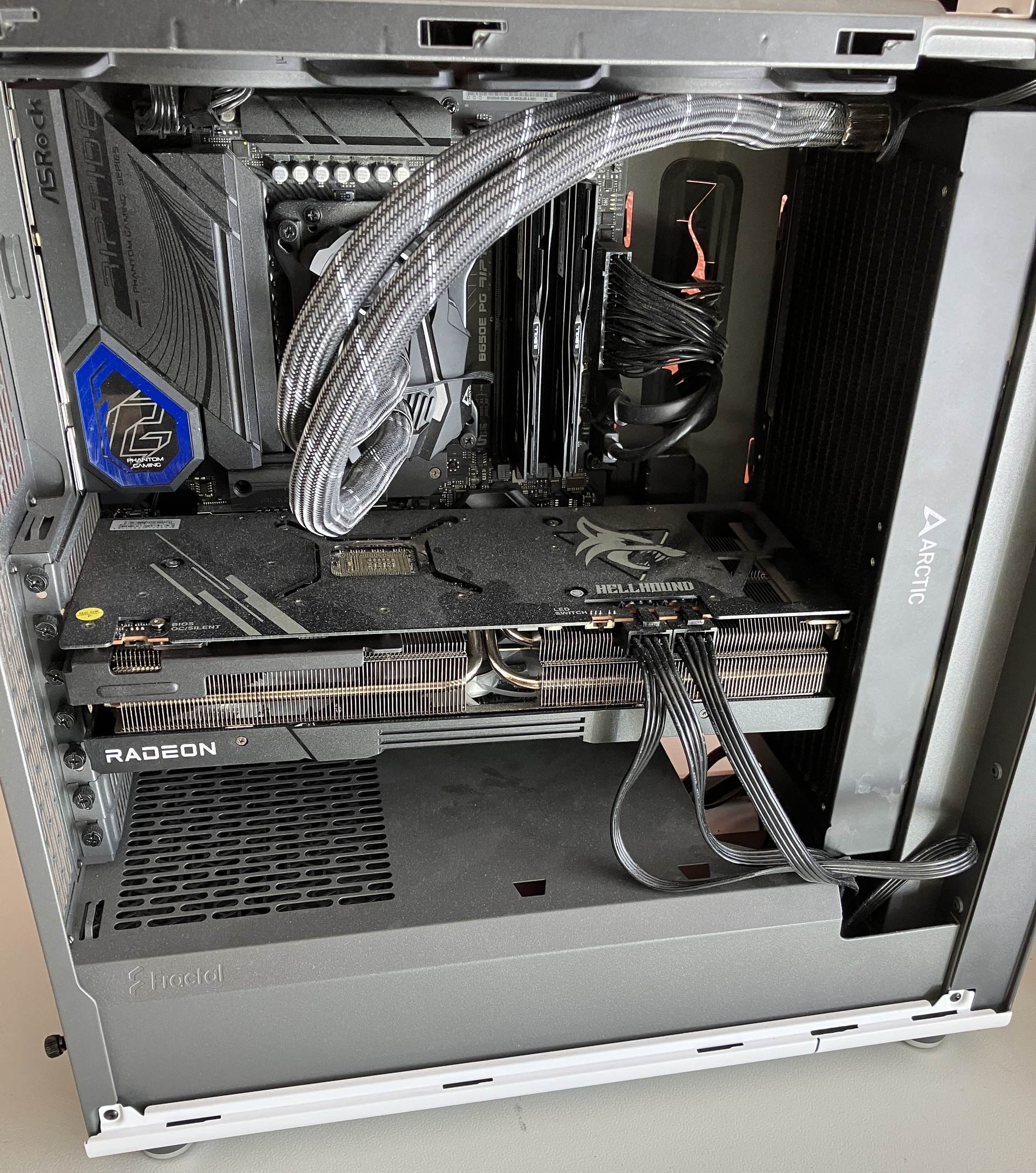
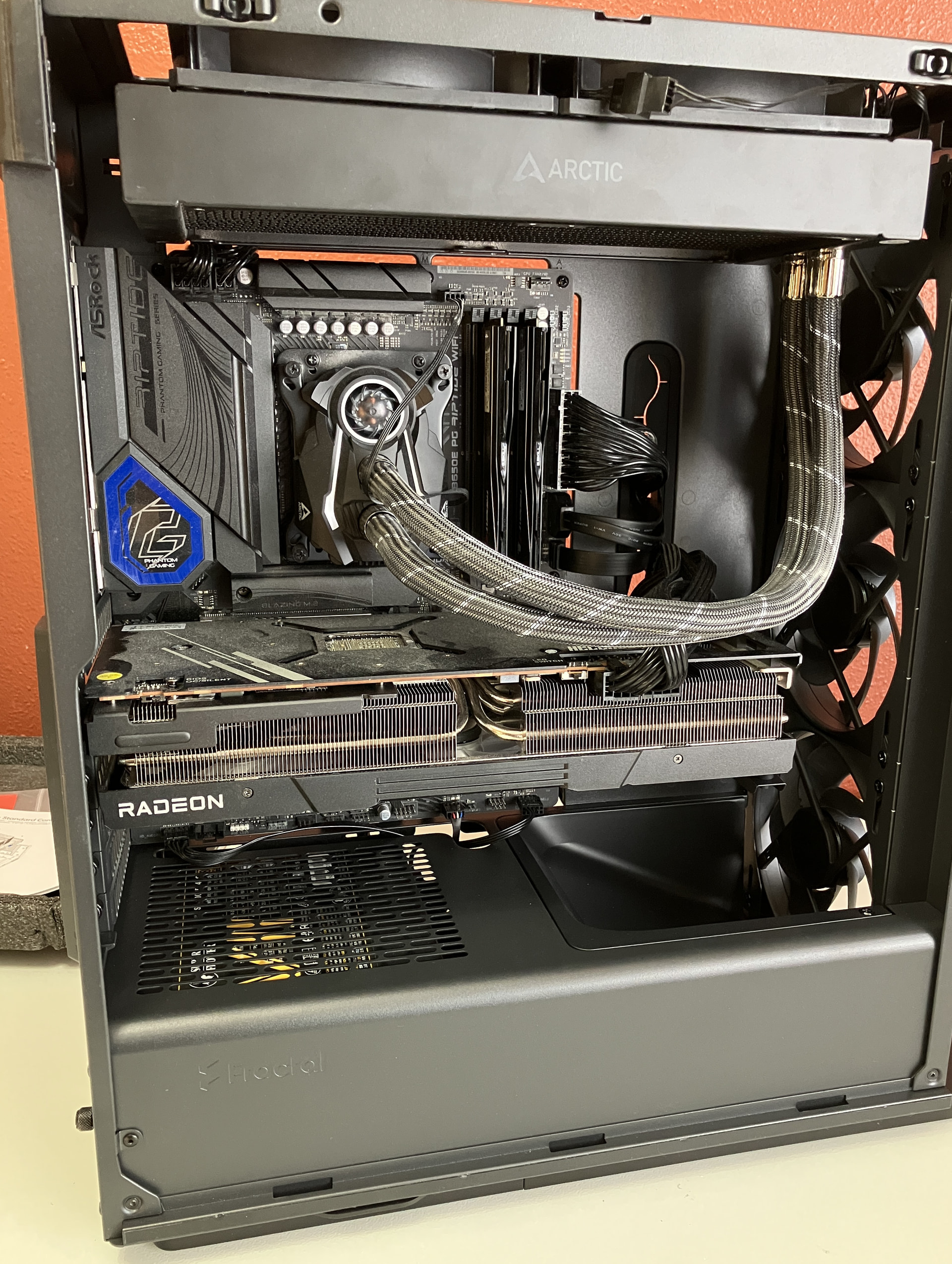
I reshelled my gaming desktop from a Fractal North (white mesh) into a Fractal Define One (solid black). North’s a nice case, but the dust control leaves a lot to be desired. Ditto that if you happen to have components with a coil whine problem, as my 7900 XT does, then the North mesh does absolutely nothing to mute it. And if you have a long GPU and a thick radiator, clearances got really tight really quickly. I had to move the rad to the front rather than the side mount I did initially (upthread) as I was getting some issues with the trapped air bubbles making noises whenever they settled into the pump.
The Define One rather neatly solves both problems for me. All ingress air is filtered, save the incidental bit that comes in via the back - can always tape that off if needs be. Radiator is up top (pull exhaust), so it’s the highest point in the loop and will capture all the air bubbles. Far as I can tell, the temperatures haven’t really changed much either on either the CPU or GPU after running my usual benchmark rounds (FFXIV Dawntrail, Forza Horizon 6, Cyberpunk). And, given that the GPU isn’t crammed right up against the radiator now, this is much easier to service.
One thing that the reviews of the Define One left out, though is that you’ll have to remove one of the default cable raceway clips in order to move the GPU support arm into position. Not a huge deal, but the clip required a surprising amount of force to remove – felt like I was going to break it before it came up off of the studs it hooks on to.
All in all, quite happy so far with it. Even if it is not as sturdy as the old Define R5 I have, or the old Silverstone case I have.
Past that, mostly been tinkering with the gaggle of Thinkpads I’ve picked up and/or flipped while trying to figure out what I actually need and/or want out of a laptop. Turns out the performance floor is a lot lower than I thought, and my resistance to carrying 200-300W power bricks is higher than the performance gains on the gamer and/or desktop replacement workstation laptops. Personal take, of course – everybody’s needs vary. Now it’s just waiting for the right ones to get old enough to go for ‘get the heck out of my warehouse’ prices.
 Nope again. I don’t know how I ended up down a rabbit hole to get here, but there is a project that exists to add more support for Lenovo Legion laptops:
 But it seems Nobara (https://nobaraproject.org/) ships with that kernel patch and a whole bunch of other things that seem like they might be nice quality of life things. Just have to learn KDE and dnf. More to come there, I’m sure.


 This is disabled in Settings > Blocking > uncheck ‘Allow TXT Blocking Report’. This also has to be manually specified in the json for ‘allowTxtBlockingReport’ if setting this up for lancache, as well, as it bypasses that setting (because it’s a separate blocking app, presumably). The second is just the default hostname for it being the name of the software; more of a ‘security through obscurity’ angle but still - why? Settings > General > DNS Server Domain, at the top. I don’t know if this is the software itself, the install script, or the tteck helper scripts that configured it that way, though (which… yeah, scripts on the internet. But this is why I’m playing around in a sandbox
 ).


 Or, if I were a crazy person (maybe