I recently purchased a Microsoft Surface 3 on sale over the Boxing Week sales up here in Canada. I opted for the 128gb 4gb ram model with type cover and new pen.
Overall I had been only impressed with the performance and had zero complaints.
It wasn't until I tried to play 1080p 60fps in Chrome full screen that I noticed dropped frames. I wondered aloud, "WTF?" and began to investigate.
Apparently Google Chrome uses VP8/9 for video. This standard does not support GPU acceleration and thus uses far more CPU resources and can cause stuttering on lower end systems (apparently). Doing some more reading revealed that not only others with Surface 3's had discovered this but also Surface Pro 3 and ultra book users noting high CPU utilization in video playback with Chrome and resulting poor battery life. In the various forums I perused it appeared that the answer was to use the new Edge browser in Windows 10 as it enabled GPU acceleration, lower CPU usage and better battery life. With all of this I conducted my own tests.
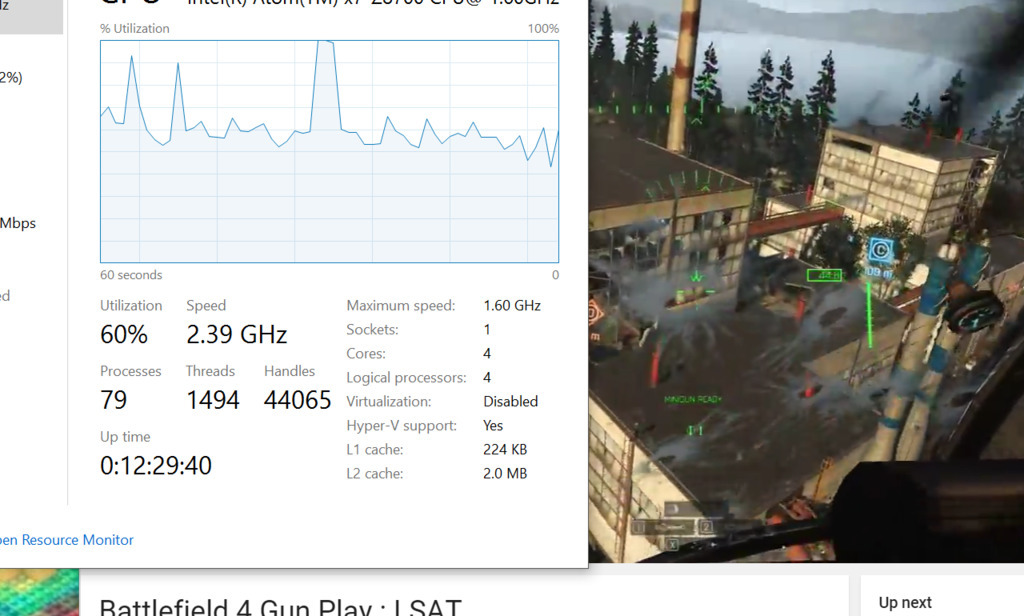
The first image is a screen shot of task manager while a 1080p 60fps clip plays in Chrome. NOTE This was done AFTER installing h.264ify extension to chrome to enable GPU acceleration.***
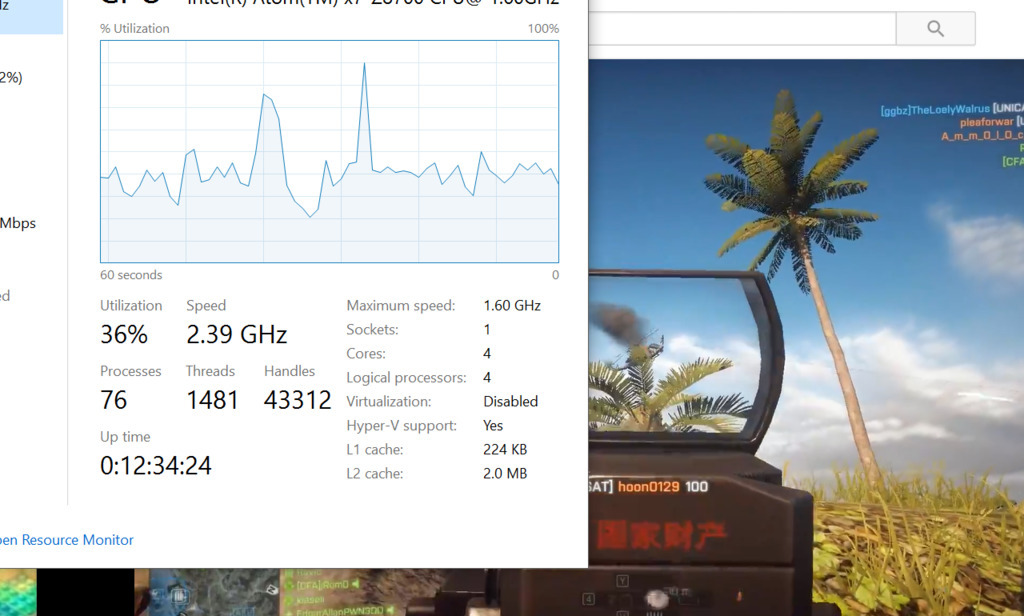
The second image is of Edge running the same clip from YouTube. I played the video for long enough to let the graph in task manager at least show a bit of an average for CPU usage.
I was honestly shocked by the results. Again I thought aloud "WTF?"
The h.264ify extension does help for Chrome, without it 1080p 60fps drops frames. Even with that help though the Edge browser is still more efficient in video playback.
Now lets move to Twitch 1080p 60fps...
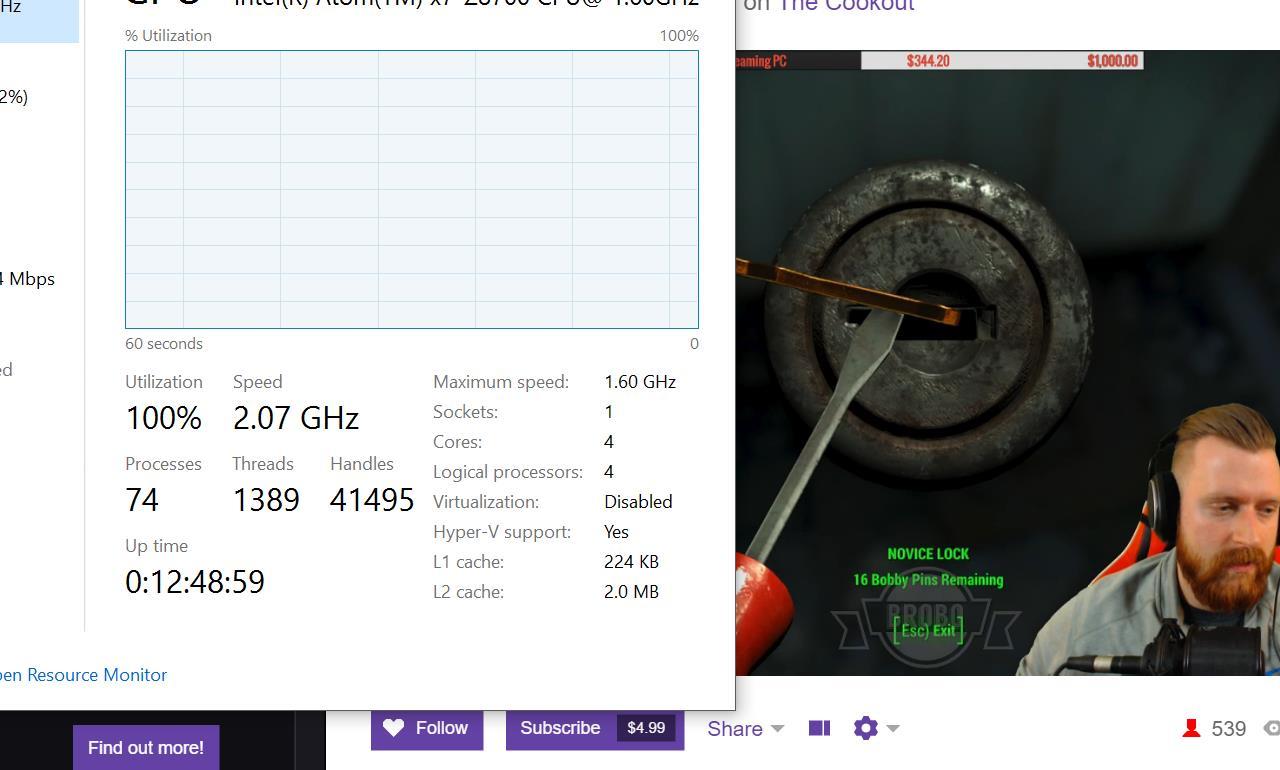
The first picture is Chrome playing a 1080p 60fps stream. As you can see CPU usage was 100% the entire time whether in full screen or windowed mode. Unreal.
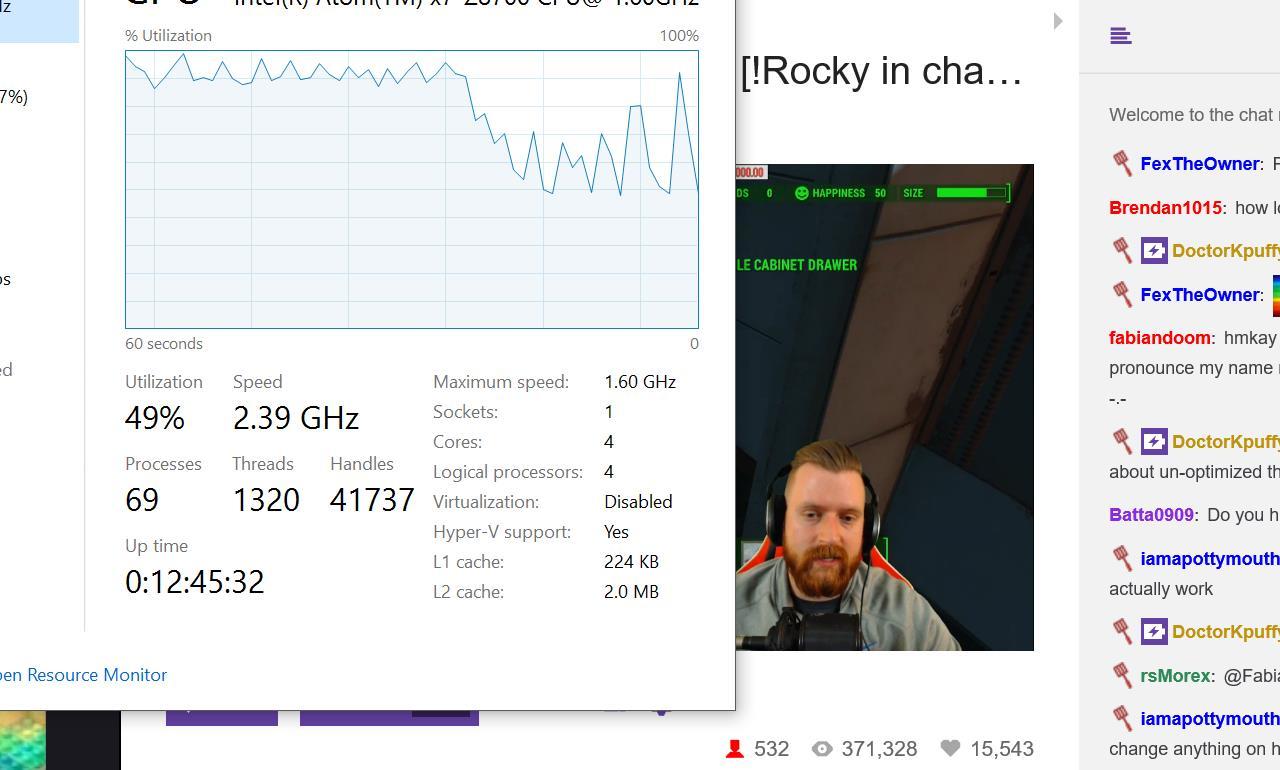
The second picture is the Edge browser running the exact same stream. You can see the higher point of utilization in task manager and this was during the full screen playback. Even at full screen Edge doesn't even come close to the 100% pegged usage of Chrome.
My tests are not 100% scientific although I did make efforts to replicate conditions on my system during both tests.
I was extremely surprised by the results, what do you guys think?