KVM Model:
Combo USB-C Power Delivery & DisplayPort 1.4 KVM - Dual Monitor
USB Interface (5-gigabit or 10-gigbit):
5-gigabit
Problem:
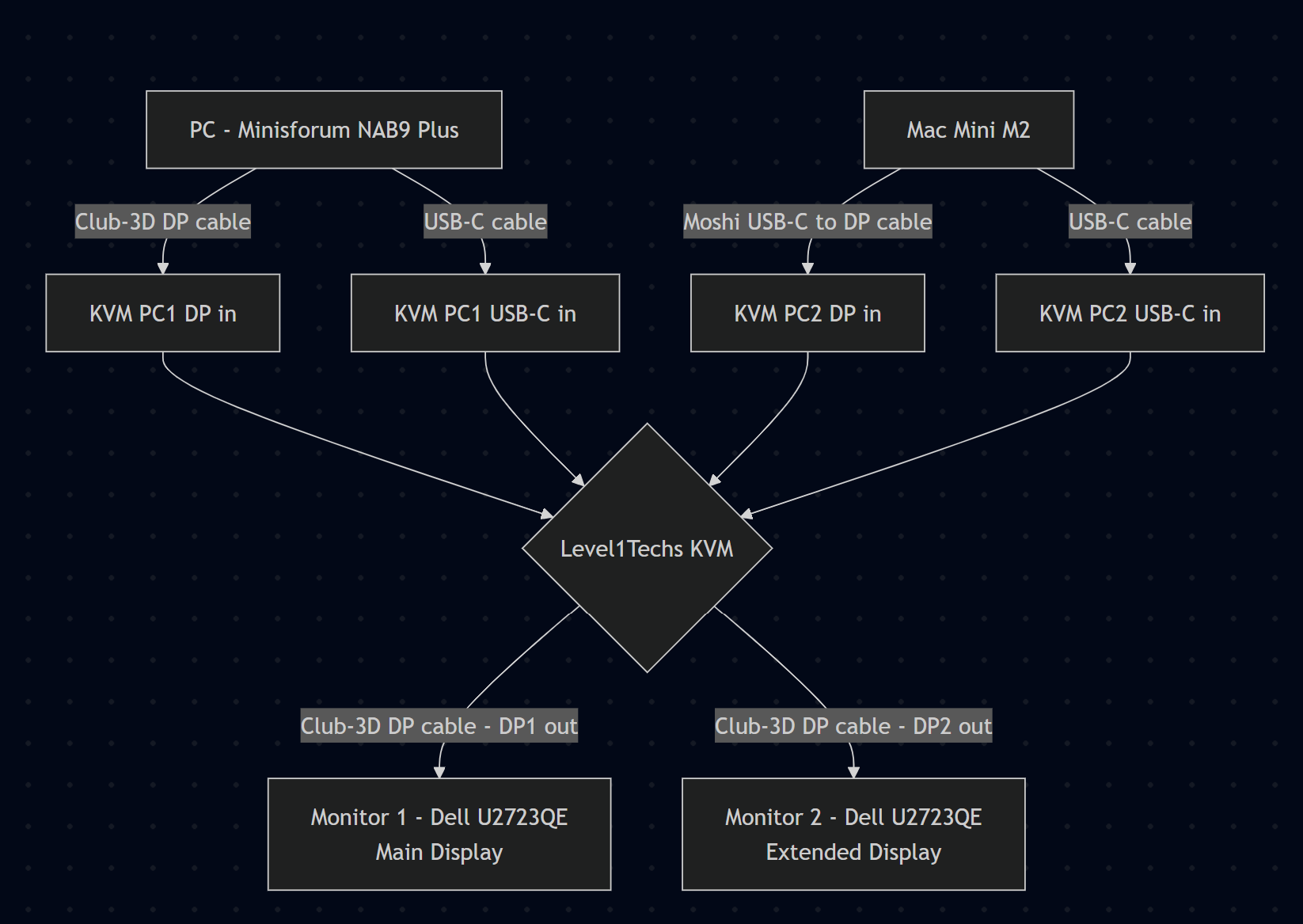
Only one monitor works with PC + M2 Mac Mini
My set up
PC and Mac work perfectly with both monitors only when connected to the KVM alone. But when those 2 are connected simultaneously, switching between them reliably causes one monitor to drop out. I can never have both displays working when switching back and forth.
On rare occasions both monitors work after a power cycle, but it is not reproducible.
Are there any specific settings, or additional equipment that would resolve this? Thanks for help.
Hi there’s a few things you can try.
I noticed in your monitor’s settings there’s a “Fast Wakeup” option, please set that to ON, and also select DisplayPort instead of Auto.
Since you have a Mac, there’s several random troubleshooting posts like this with with different products.
Example:
Seems like they recommend:
Turn On “Prevent automatic sleeping when display is off”
and upgrading your OS if available
Let me know if any of that works for you 
Hi, thanks for the quick response and suggestions!
I’ve tried all of them unfortunately with no luck. Each computer still works perfectly with both monitors when connected to the KVM alone.
- Set “Fast Wakeup” to ON on both monitors
- Set input to DisplayPort instead of Auto
- Enabled “Prevent automatic sleeping when display is off” on the Mac
- macOS is up to date
Is it an EDID issue?
Happy to try anything else you recommend. Appreciate your help!
Hm yes switching back and forth issues are usually resolved with edid or power settings. You have 4K 60hz monitors so hardware edid wouldn’t limit you
So you recommend EDID emulator. Would I need two (one for TB/Moshi-DP and one for TB) for the Mac? Are there any specific ones that would work with this KVM?
I would try a ferrite core.
If all this works only when one machine is connected with the kvm in the mix it’s interference because ground mismatch. The devices on the same power strip or UPS?2
1 Like