I have a Quartz64 model A SBC as the mainboard of my server.
Connected to it ( via the PCIx4 gen 2 port) is the pine64 sata card ( PCIe to Dual SATA-III Interface Card - PINE STORE ) to expose the needed 2 sata ports that i need for my 2 4TB sata ssd drives to work as nas drives via mdadm software raid in mirror.
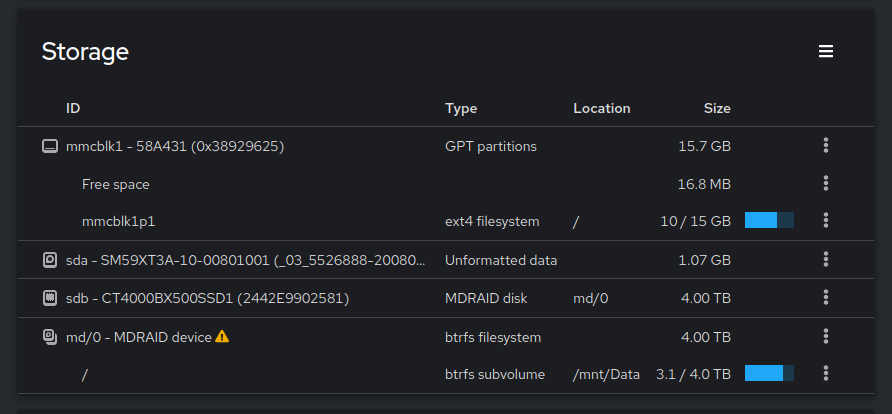
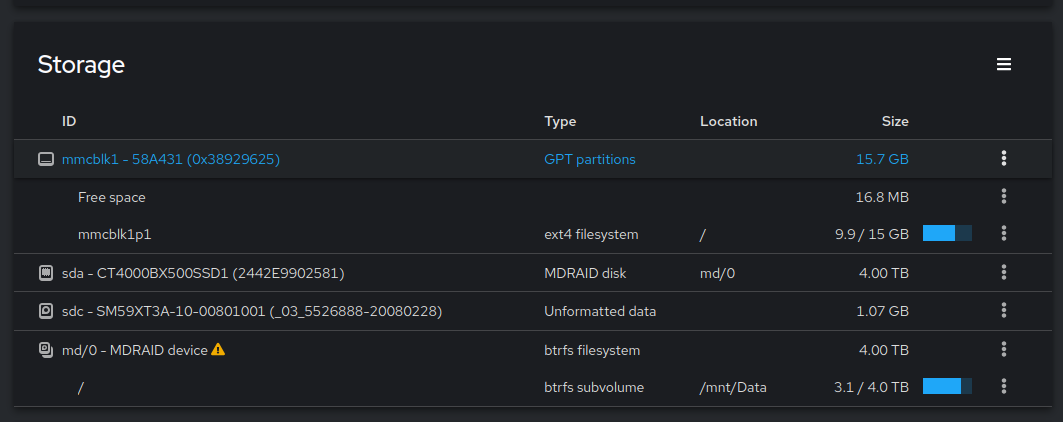
However, recently one of the drives randomly seems to ‘disconnect’ and ‘reconnect’ as a completely ‘random’ name with a 1 GB storage capacity. in the following screenshot /dev/sda is the troublesome one
These are 2 4TB sata drives so euh… no. Thankfully because this is a mirror setup everything is ok and no data is lost ( for now ) but it has started to make me worried.
i can ‘spindown’ the drive and delete it, and after a host rescan it comes back as a 1GB drive. The commands used for this are hdparm -Y /dev/sda, echo 1 | sudo tee /sys/block/sda/device/delete and for host in /sys/class/scsi_host/; do echo “- - -” | sudo tee $host/scan; ls /dev/sd ; done
only after a system shutdown or reboot does it report back as a 4TB drive and i can readd it to the raid pool via mdadm. after a sync of a few hours everything is back.
i have a theory that it is either the sata card crapping out or the drive because of power issues. The server itself is hanging on the wall in my storage cupboard so i figured if it is a wonky sata cable it would fail when there is vibrations, but since its a cupboard there are as good as none.
Any advise? any better sata cards i could be using? i dont want to spend tooooo much on a new card but im open to try some stuff
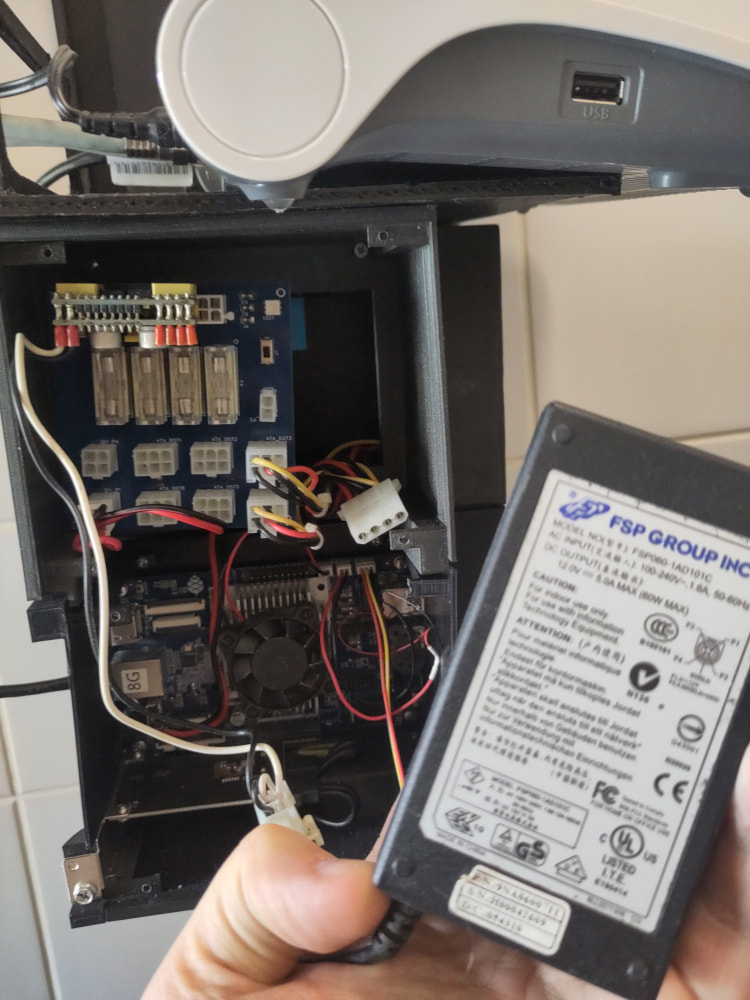
the server in total takes in 16W from the wall at max, so i’d be surprised if its power issues, but its possible i suppose. the power is a 12V brick connected to a picoPSU, which is then connected to a distribution board that has the needed psu connectors for psu→ sata/molex/…
oh, and its not a shutdown or reboot that fixes the problem. only a full power down and unplugging power to the drives ( there is a small PS5 controller battery to keep the board powered ) that fixes the issue
the picoPSU is the 120W model, the drives are 2 BX500 crucial drives which are marketed to have a power draw of 2.4W max.
the power brick is an old 12V 5A (60W) power brick.
the 16W i mentioned before is from the mains side using a power meter/socket thingy sit between my socket and the plug, so that is not 16W 12V but 16W 230V hehe
i also feel stupid to not have tried switching the sata cables, which i did now. im just hoping it’ll fuck up again soon so i can see which one went poof compared to the screenshot i posted earlier.
also, any specific brand/version of card you know uses the ASM1064 chipset? just to lookup price and availability as i investigate options while waiting for new data
JMicron JMB58* controllers can be bit of a hit or miss. There might also be PCIe flakiness causing the controller to act werid other I think the “only” solution would to be getting another controller such as ASM1166 (be sure to update the firmware). At least those have been solid in my RK3399 boards (RockPro64).
been looking at cards on a local tech webshop and found :
a StarTech 4 Port SATA PCIe card, 4P6G-PCIE-SATA-CARD, based on the ASM1164 ( 63 euro )
a Delock 90010 , based on the ASM1064 ( 83 euro )
these are brands ive seen before but im not sure how trustworthy they are tbh. ive heard good and bad things of either brands. just not looking in spending to much money or making things too complex. it is only a sbc after all
Update : i got the ECS06 card, and put it in the server. So far everything is running fine but the disks had not acted up yet since when i started this thread so time will tell if they will or not.
if they dont i will update the post on that. so far it looks to be running faster, which makes sense since this is x4 instead of x1 haha.
the new card seems to have fixed the issue. However, i wanted to delete my forcing of SATA 3(GB/s) parameters in armbian, which i had set before to test the old card with a lower speed, and noticed it was set wrong, so the old card was still running @ 6GB/s which might have caused the issues.
so between that setting being wrong, and the new card, the issue is now fixed and is running the full SATA6. If anyone reads this : validate your SATA3 setting and if its correct, the chipset is fucking up
btw, in the meantime, there were some investigations on the buggy behaviour of similar jmicron chipsets (the 5 port version of the 2 port used in the original card you have)
Just to say that blaming the controller isn’t simply irrational hate on jmicron, they have a track record and they keep adding to their rap sheet.