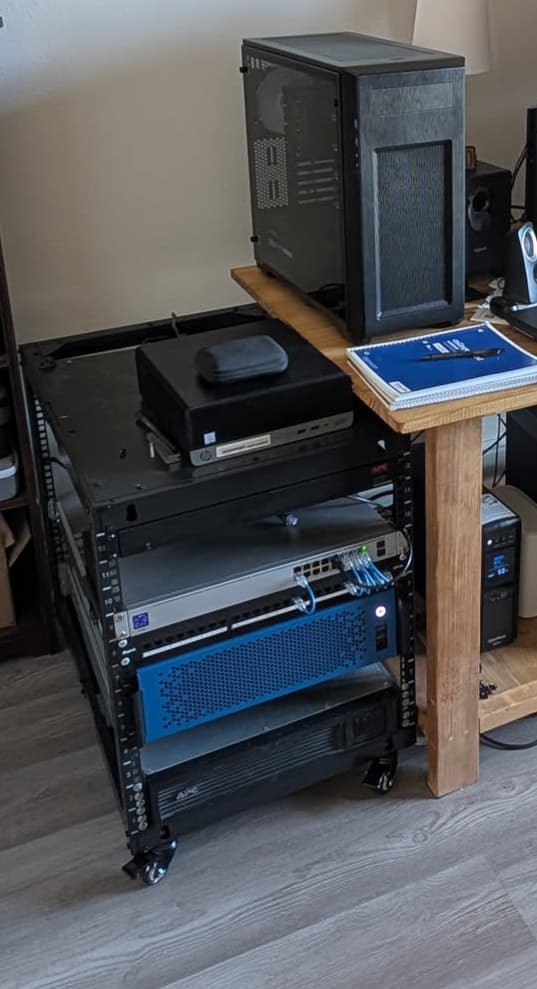
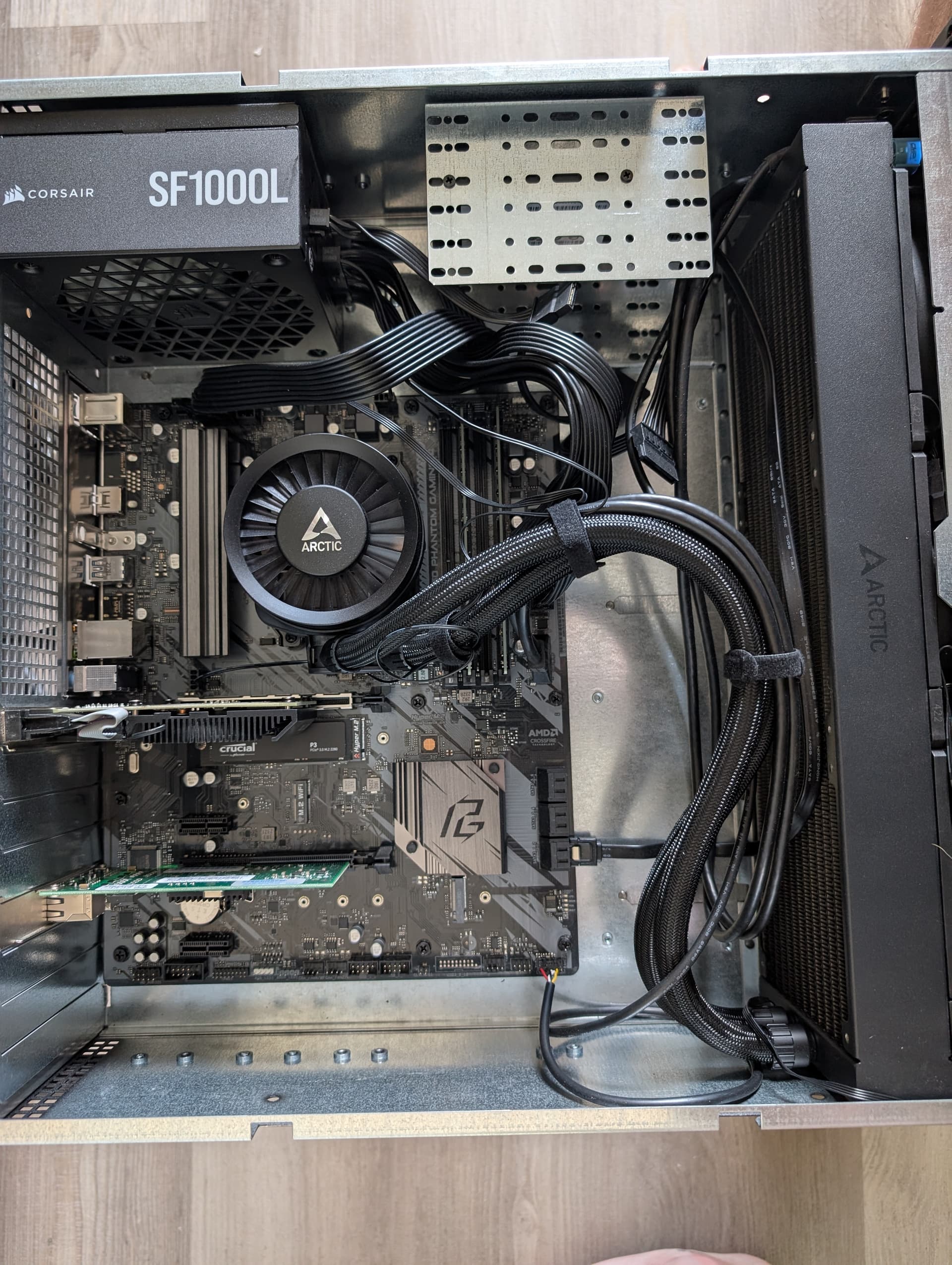
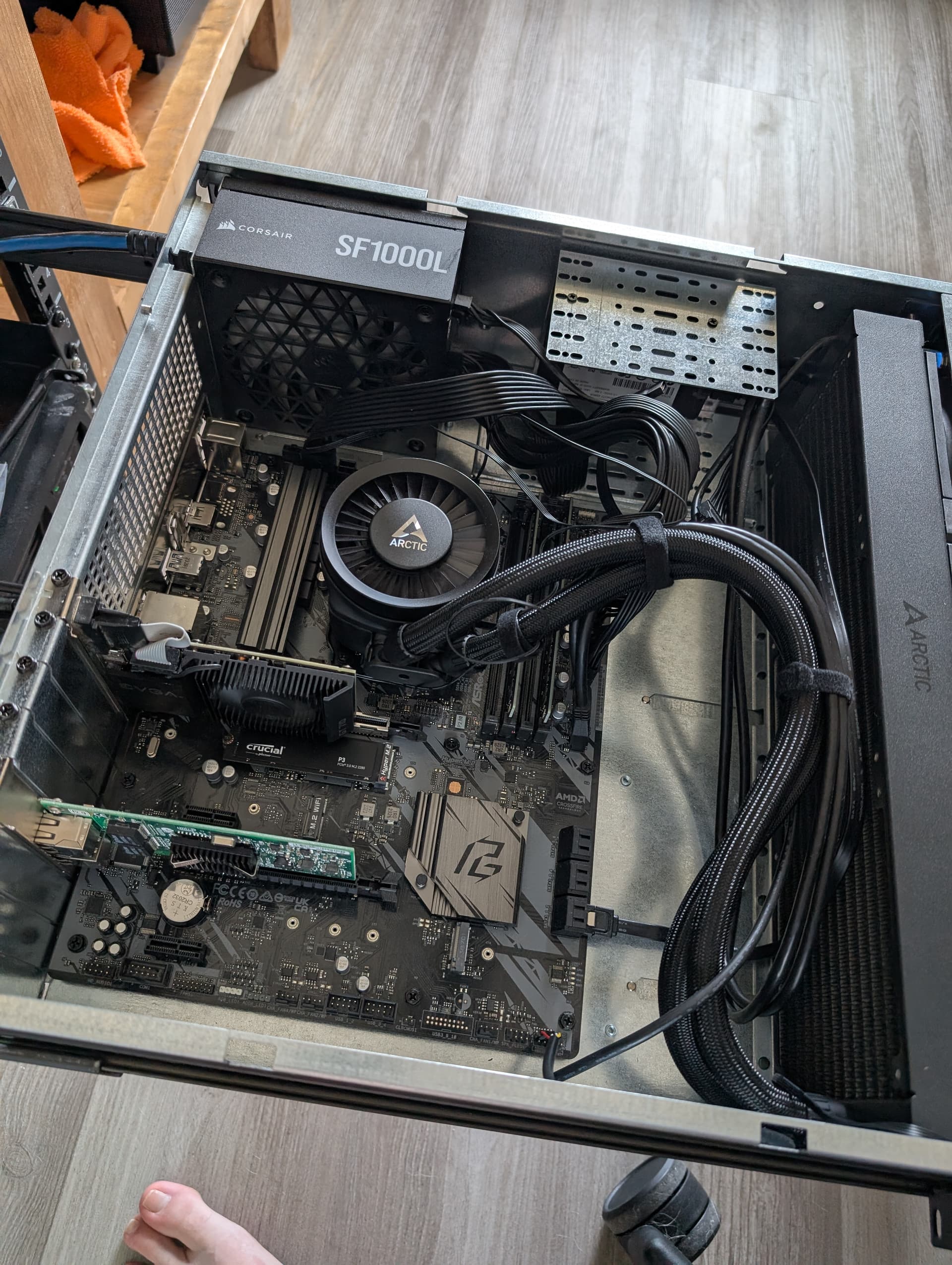
I have a couple servers, media server running unraid and net emulator, etc running proxmox, but still would like more storage.
I put together a Sliger case last year and have since realized I probably should have just bought their cases with a 10x 3.5" HDD NAS
anyway… I want to attach several drives to this Sliger case externally, but route the power and data cables into the case. What would be the best way to accomplish this without just slapping some drive caddies to a piece of wood?
NetApp disk shelves are sought after (thus fairly expensive) but alternatives exist (HP, Dell, etc). You could also use a 12-bay disk cage (essentially the business end of a disk shelf w/o the PSU’s etc) but you’d need a way to put some fans on it to keep the drives cool. These drive cages are fairly cheap (~50-60 bucks) from Aliexpress but you do need an external HBA, suitable cabling and of course a way to route power from the PC to the drive cage and fans.
Attaching drives with my internal HBA/RAID-card
Using an long cable form the internal HBA and then setting the drives up on another case with its own psu.
HP Disk shelf
I got an SATA2/SAS1-3G diskshelf as a accessory to one of the used servers I got. Using it with an internal SAS2 HBA. The biggest issue with this approach is the slow access to the drives and power consumption. Please do note, that just the diskshelf draws around 100w on top of my server setup with proxmox. On the software side, I am running proxmox on host and then bypassing the whole Pcie HBA to an Truenas Scale VM.
Also, please do check the price of the HDD sleds before pulling a trigger on a Diskshelf.
Replacing the current case with a new one with more drive spots
IDK if you have considered this, but it might be at least as cheap as the other options. Also the addition of not needing another device or devices pulling power
The HBA isn’t really necessary yet as I have 5 data ports and plenty of power available still on the Sliger’s mobo. All it has ATM is a nvme drive and a very very old 240gb 2.5".
I just want a way to mount the drives initially, though I have thought about getting an SC200 with a SAS controller for the future.
I thought about getting a shelf as well, the problem is that those are loud. There is the Lenovo SA120 which is supposed to have an acceptable volume level when using the fan utility but all the other ones I checked are 60db - 70db which is too loud to have it anywhere but a separate room or closet.
Over time you identify needs/wants and satisfy them one step at a time.
Looking at your picture I think you have a strong requirement for a quiet setup at this time.
IMHO the easiest way to add drives to your current setup is upgrading your case to one that allows running a couple of drives.
Take a look at the Silverstone GD08 which allows up to 8 drives in a short-depth 4U case (when adding the optional rack mount handles). It’s very versatile and allows a range of different use cases.
Think about how you want to connect your drives. You can start with a rats nest of SATA data cables plus a long power cable from your PSU. At some point you want to use a cable bundle for improved cable management.
I imagine as your need/wants expand beyond 5-8 drives you need/want to upgrade to a SAS HBA/backplane setup for reliability and performance. That’s when you realize that it’s getting increasingly hard to satisfy the noise requirements, that the bulk of your hw does not really fit next to your desk anymore and that it’s time to move all of that into a closet or a basement
Or you take on another hobby instead
Anyways, I hope the pointers give some inspiration - have fun and enjoy finding your path!
Yeah, no right or wrong. He might not be able to fit the 4500U. If he can fit his 17" deep CX4170a, then a 4200U would be fine. Throw a 9300-8e in the unraid server, couple 8644 and 8643->SATA cable sets, adaptec 82885T sas expander, PSU. Could be out for $300.
In that case, I would go on using the current case until you need more spare for drives and at that point maybe look into the options other people in threads talked about.
I am personally running my nas with one m.2 & 2x mirror on 3.5" nas hdd’s. I can fit atm at least 6 drives in my current unit, and assuming that you might be able to do some tinkering, you probably can exeed that.
I would not recomend getting a diskshelf if the noise can be an issue. There is a reason why I wear hearing protection when my homelab systems are up…
In the end, I don’t know your full situation, and these choises are personal on what you feel is the best option in the end.
Ugh, you have a thick AIO, that eliminates moving the sliger guts into a rosewill and paints you into a corner for putting a loose 8 bay HDD cage in the front of the case. I’m guesstimating you have about 90mm between the AIO and mobo so you’re about 20mm too short to fit it.
I suppose you could get some cheap HDD brackets and fit 2 deep and 2 across for 4 total. 3 deep is probably a bridge too far.