Hello Levelonetechs Community! I am thinking about setting up Frigate NVR on an older machine for Home Security. I have 2 properties i would need to connect cameras to the system to. Would it be possible to Connect the IP cameras of both properties to one Frigate NVR instance, or would it be best to Have 2 instances running? (I would prefer not to have two if possible). Has anyone played around with it alot and if so, can you share some getting started with the software pointers with me? Any Information would be greatly appreciated!
It depends on what kind of network connection you have between the properties. If the properties are next to each other and you can setup a WIFI bridge between them, then one NVR handling both is fine.
If your own option to connect the 2 properties is across the internet, then it will depend on your internet upload/download speed. Frigate has to connect to and stream the video from the cameras and if you have a lot of cameras and/or your bandwith between the two is slow and/or you want 4k video, then it’s better to put an NVR at each site so you will not be sending all the video across the internet.
Thank you for the fast reply! Both Properties would be Consumer grade connections (Max 60 mbps) next to eachother. One of the properties would be max 2 cameras over internet, and the other would max have 4-5 that would be running LAN (Most on Wifi because of the weird areas they would be in.) All would be 1080p most likely to get started What equipment would be best for a Wifi Bridge for the 2 properties being about 5 acres apart Maybe the ones that look like satellite dishes?
I like the UniFi airMAX NanoBeam 5AC for this. My main gate is about half a mile from my house, so I use a bunch of the NanoBeams to shoot over a hill (they run off solar) to my gate where I have cameras along with an intercom and stuff.
I have standardized on AmCrest cameras. They can do 4k, but I have found the gain in picture quality does go up much past 720p. Also I run them at 5fps to cut down on bandwidth across my 32 cameras.
You have to get power to the cameras, so it if comes to pulling wires, all the good cameras are POE, so if you can make them all wired, it’s less problems in the long run verses wireless.
You will also never think that you have too many cameras. You will discover that something happened and by pure luck, a camera was not pointing that direction.
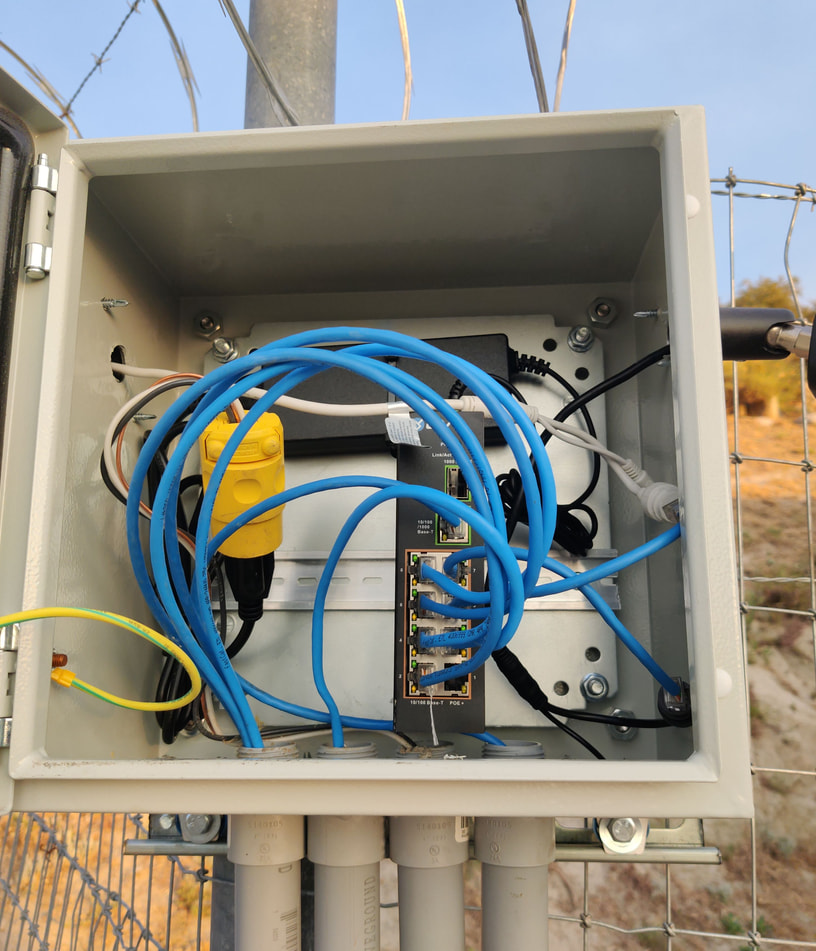
If you take the time to put in the cabling/infrastructure needed, you can add cameras at a later time quickly. This is one of my network boxes near the end of my fence line. Sometimes these have a POE switch in them, other times it’s just a POE splitter. This started with 2 cameras, looking at the house from this location, but I added 5 more later on.
Also, Frigate NVR object detection (using a GPU or Corel) is a killer feature, but you want a good view of the object. Don’t mount a camera on a high poll and expect it to pickup a car in the far distance. Get the camera close to the sensitive areas as you can. Good quality AmCrest cameras are about $100 a pop and Frigate can handle a lot of them. Don’t skimp.
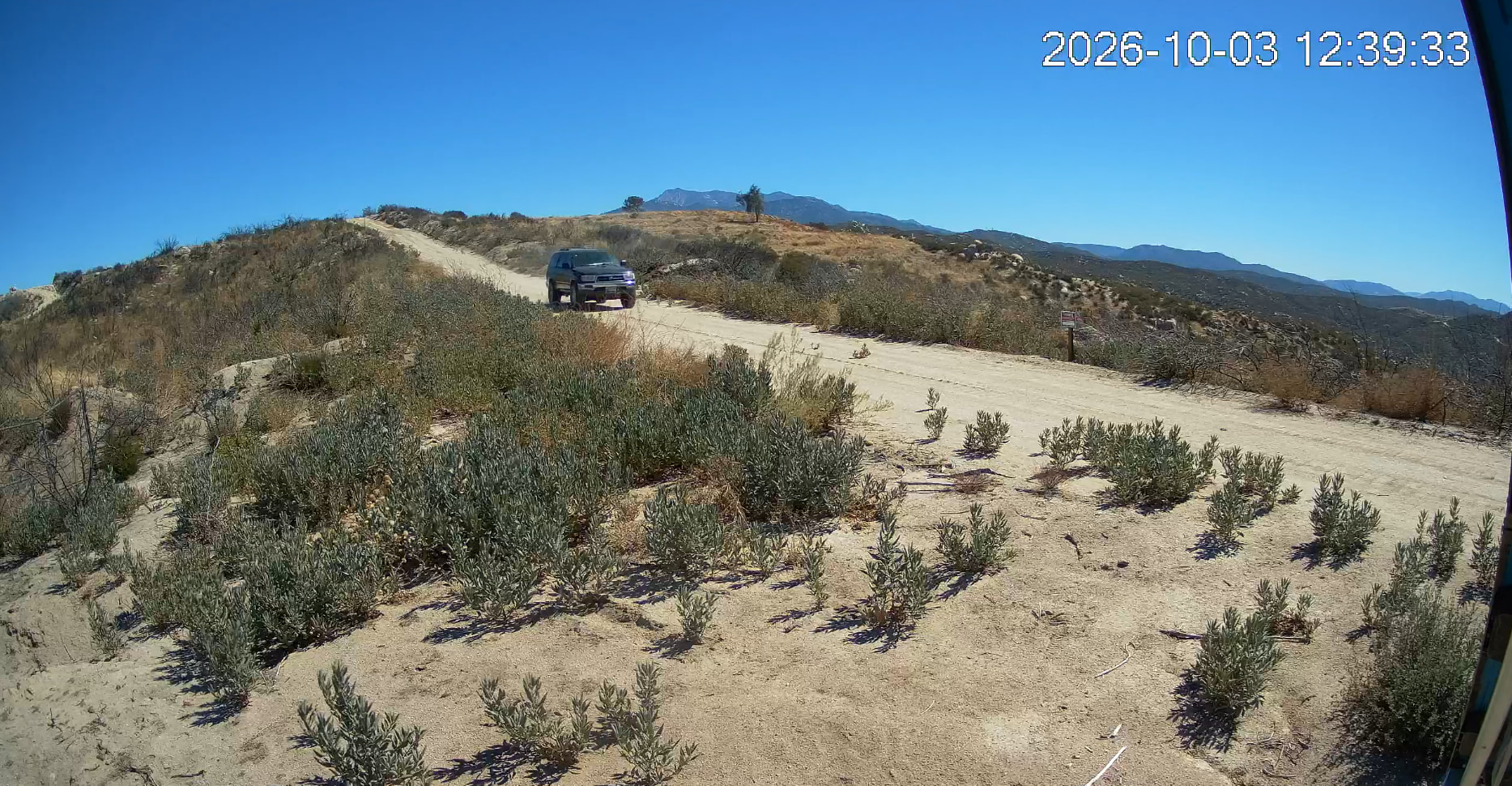
To my point on distance, this car is about 30-40 feet away from the camera when it was first detected. This is basically the workable size of something I want to detect on camera. Any smaller and both the object detection starts to fail, and I can’t really see what is going on. If I wanted to see what was going on at the top of the hill, I would need a camera up there, or a camera with a zoom lens to see, and then I would need an IR light to see what was going on at night. Sort answer, more cameras, close to what you want to record.
1 Like
That is a very intereesting setup. My use case for the second property is a “temporary” old metal shed that does not have a cement foundation or power run to it is why i am preferring wifi/solar for that specific property. Do any of your cameras use some setup like that? Orcould i find Wifi bridges i could set up with a solar panel and battery for that old building? My home i can get by with some wired cameras But i’ll be climbing 2 stories to set thoes up LOL. (It would not be cost effective to try and run electricity to shed when it may be torn down and replaced at some point in the future BUT Ido have equipment i need to keep eyes on)
This is also changing rapidly. You can do a plugin that has a wide angle camera and a ptz with 20x zoom and not wear out the ptz. Using one as a far field and only zoom in when something interesting is happening
1 Like
That is very useful information too! I will keep this in mind as well when i start looking for different cameras to try. Thanks Wendell!
Also, for AI acceleration, Since the coral accelerators are abandoned from what i have read. Has anyone tried using cards like this one? https://ameridroid.com/products/radxa-aicore-ax-m1?_pos=3&_psq=ai+acc&_psid=2e05c0b4f&_ss=e
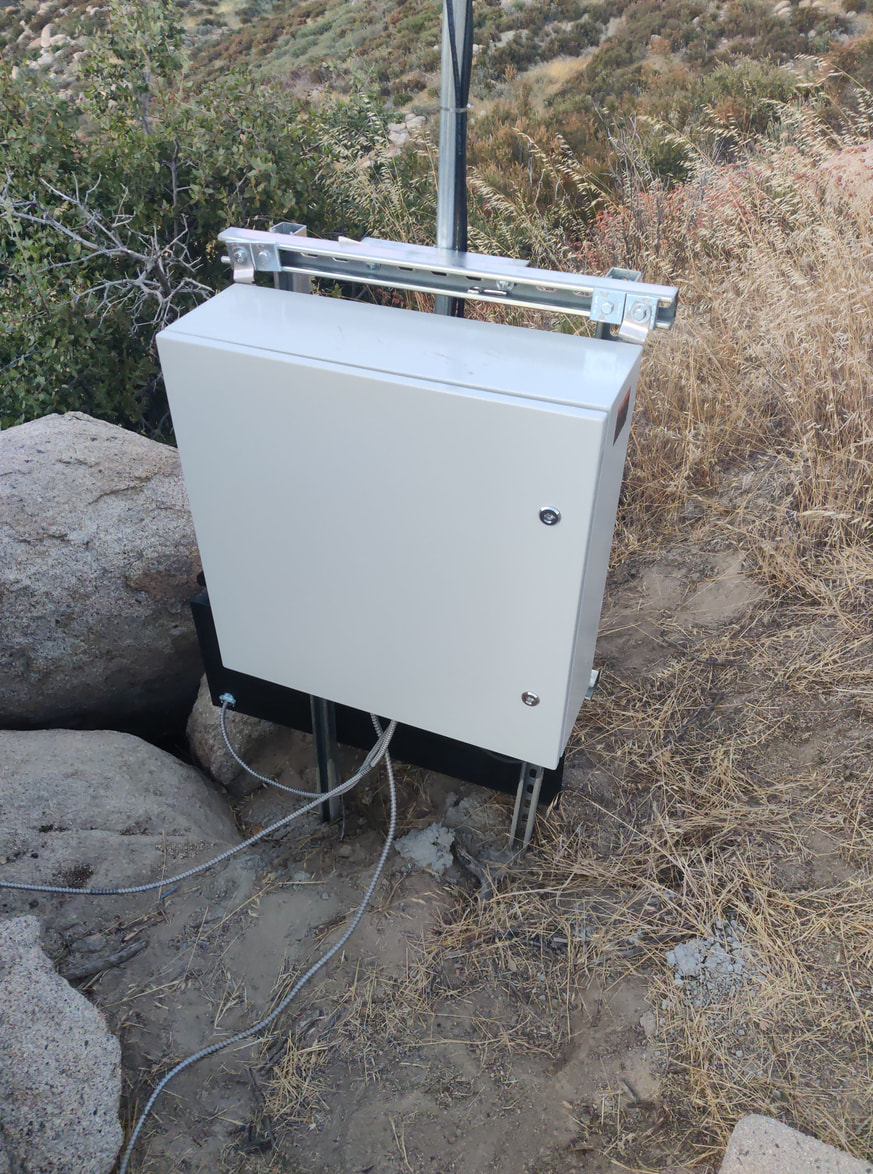
This is one of the solar power wifi/camera boxes. It’s a big Vevor box mounted to some uni-struct I cemented into the ground. Mounted to the back is a trailer tongue box (from Harbor Fright) that has a 12V 100AH Lithium battery in it. Cameras and wifi antennas are mounted on the top and a 80watt solar panel off to the side.
Inside the box.
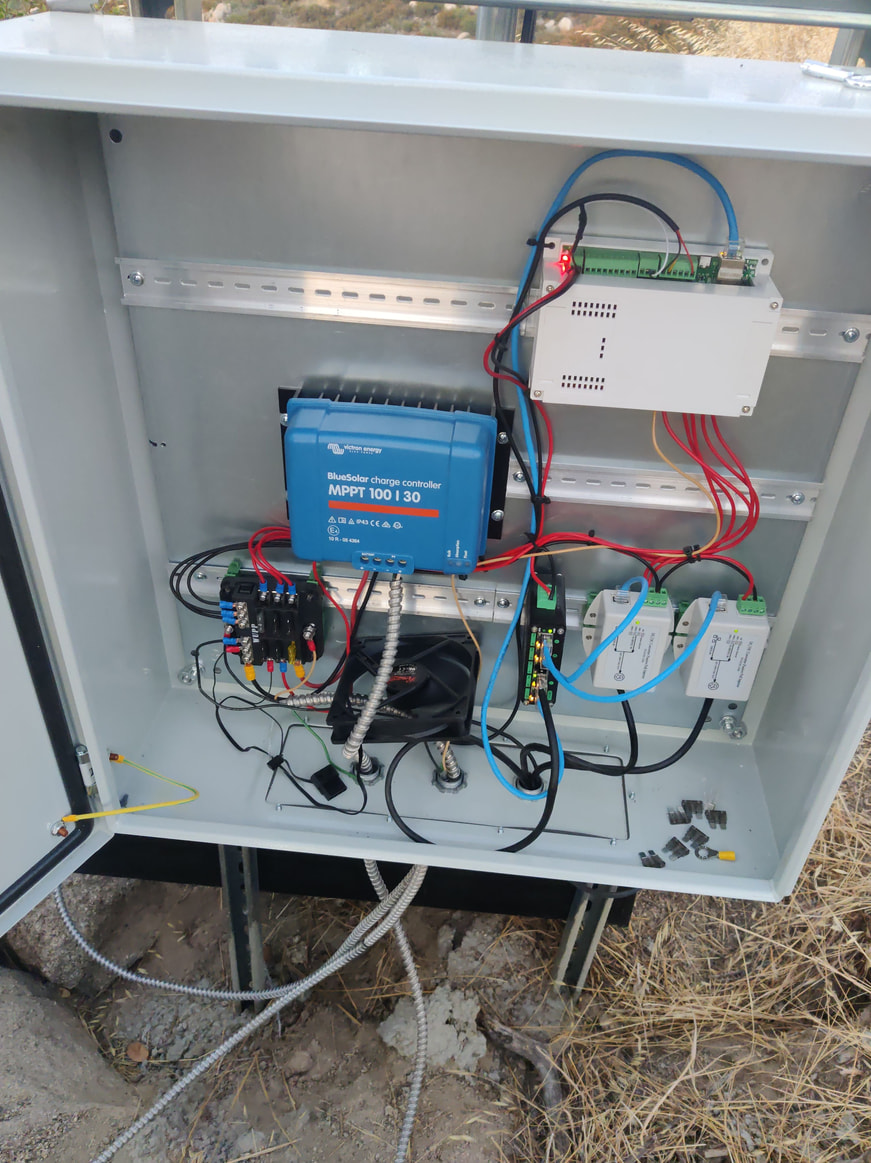
Basic 12V POE switch that sends power to the camera. The two boxes on the lower left are DC-DC power injectors for the 24V Wifi antennas. Victron charge controller for the solar panel and the battery with a fan blowing air on it for a little cooling. Top box is an KinCony KC868-A8. It has relays and sensors and talks to ESPHome. It reports back battery voltage and allows me to powercycle everything remotely if something stops working. It also controls a 12V light.
This is a bit overkill for just running 2 wifi antennas and 1 camera, but I like to keep things standardized so I just have to keep 1 type of spare part on the shelf, and it’s also so it will keep working for years without me having to visit it to fix stuff.
Avoid putting cameras that far out of reach if you can help it. It’s both beyond what most IR emitters at night, but it also makes cleaning them a pain. Outside cameras do get dirty and the lenses do need to be cleaned. A spider makes a web over the front of the camera or just dies on the lens. A big bird lands on the camera and tilts it down. Make them serviceable and accessible.
How much did a setup like that cost you roughly, and as far as power storage, did you opt for lifepo4 battery system, or something else? Also, in regards to not putting them up high up or out of reach, would setting them up on a fencepost or something similar using the box setup you have shown here be a wiser choice if the are really high up? And I have a 3d printer and could design “Temporary” brackets to hang over porch rails and stuff for temporary setups to play with placement, would that be a viable use of my time?
Around $1,000 to $1,500. The battery is a Li-Time 12V 100AH battery.
On one of the fence post I have this. It’s about 10 feet high. There is nothing in the box but the camera electrical connections.
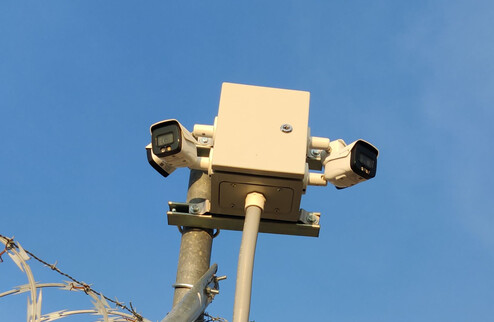
Smaller single camera setup.
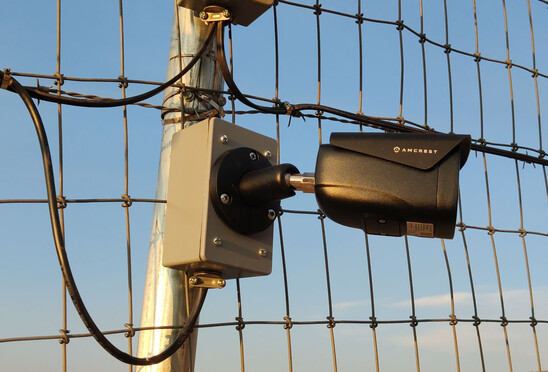
Sometimes the best way to figure out where to place the camera is to get your head up there and use your eyeball.
1 Like