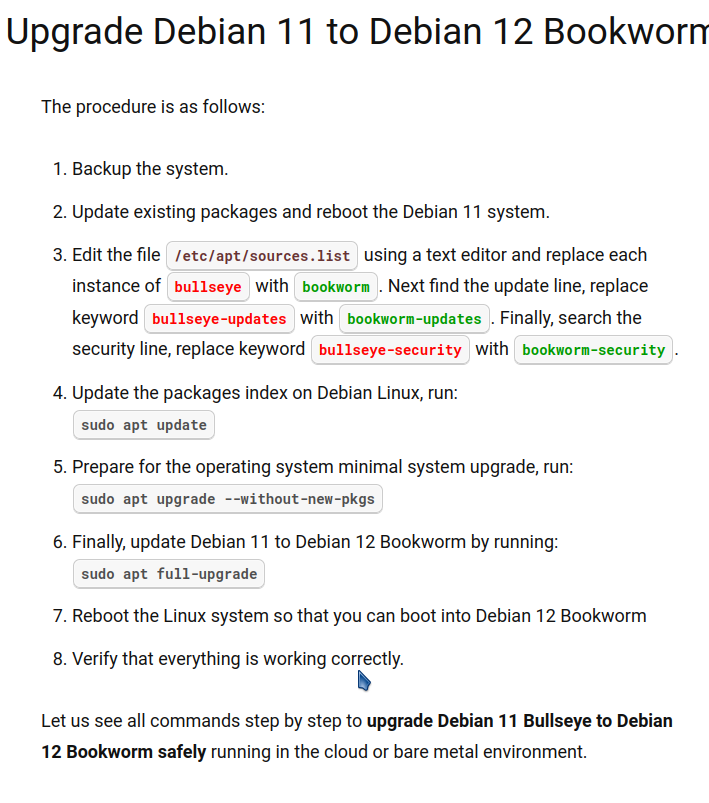
I was using Debian Bullseye for about a year. Then Debian 12 Bookworm was released and it was advised to upgrade since Bullseye will eventually stop getting updated. I followed some generic guide on how to simply update the apt sources to point to bookworm instead. Everything is working fine now for a month. But now when I runt sudo apt update, it never finds any updates. In my experience, there is almost always updates to install when I search for updates.
xxx@home-server-nuc:~$ sudo apt update
Hit:1 http://security.debian.org/debian-security bookworm-security InRelease
Hit:2 http://deb.debian.org/debian bookworm InRelease
Get:3 http://deb.debian.org/debian bookworm-updates InRelease [55.4 kB]
Hit:4 https://download.docker.com/linux/debian bookworm InRelease
Fetched 55.4 kB in 1s (96.0 kB/s)
Reading package lists... Done
Building dependency tree... Done
Reading state information... Done
All packages are up to date.
Is something wrong with my sources.list perhaps?
xxx@home-server-nuc:~$ cat /etc/apt/sources.list
# deb cdrom:[Debian GNU/Linux 11.6.0 _Bullseye_ - Official amd64 NETINST 20221217-10:42]/ bookworm main

#deb cdrom:[Debian GNU/Linux 11.6.0 _Bullseye_ - Official amd64 NETINST 20221217-10:42]/ bookworm main

deb http://deb.debian.org/debian/ bookworm main
deb-src http://deb.debian.org/debian/ bookworm main

deb http://security.debian.org/debian-security bookworm-security main
deb-src http://security.debian.org/debian-security bookworm-security main

# bookworm-updates, to get updates before a point release is made;
# see https://www.debian.org/doc/manuals/debian-reference/ch02.en.html#_updates_and_backports
deb http://deb.debian.org/debian/ bookworm-updates main
deb-src http://deb.debian.org/debian/ bookworm-updates main

# This system was installed using small removable media
# (e.g. netinst, live or single CD). The matching "deb cdrom"
# entries were disabled at the end of the installation process.
# For information about how to configure apt package sources,
# see the sources.list(5) manual.
It depends what you’re doing with that machine. But yes, minimizing what’s available is a proper policy. I was mostly stating that the behaviour seems expected regarding your configuration.
If really the lack of update makes you nervous, select a few packages you consider central to your installation (kernel, docker, shell, etc) and check manually if they are the same version on your system and on a remote repository. But honestly, that’s only to buy your-self some peace of mind
Debian usually gets a few packages updated once a month. It is designed to be stable in the sense that it is unchanging. Thus they don’t push updates unless there is a reason to. If you look at the software versions you will find they are a few years behind because Debian doesn’t change what is in stable. If there is a security issue they backport the fixes.
If you want constant updates Debian is the wrong answer. If you want to never have to think about future breakages then Debian is for you.
You may also wish to consider installing the package unattended-upgrades which as the name suggests does “automatic installation of security upgrades”. When using the CLI :
sudo apt install unattended-upgrade
I have this installed on every Debian machine and virtual instance that runs 24/7, since, as stated above, Debian’s stable branch is aimed at systems which should (or must) remain stable and operational all the time. This package will keep-back some items - typically kernels - which would otherwise require a reboot.
HTH.