Progress Oct 11 to Oct 17
-
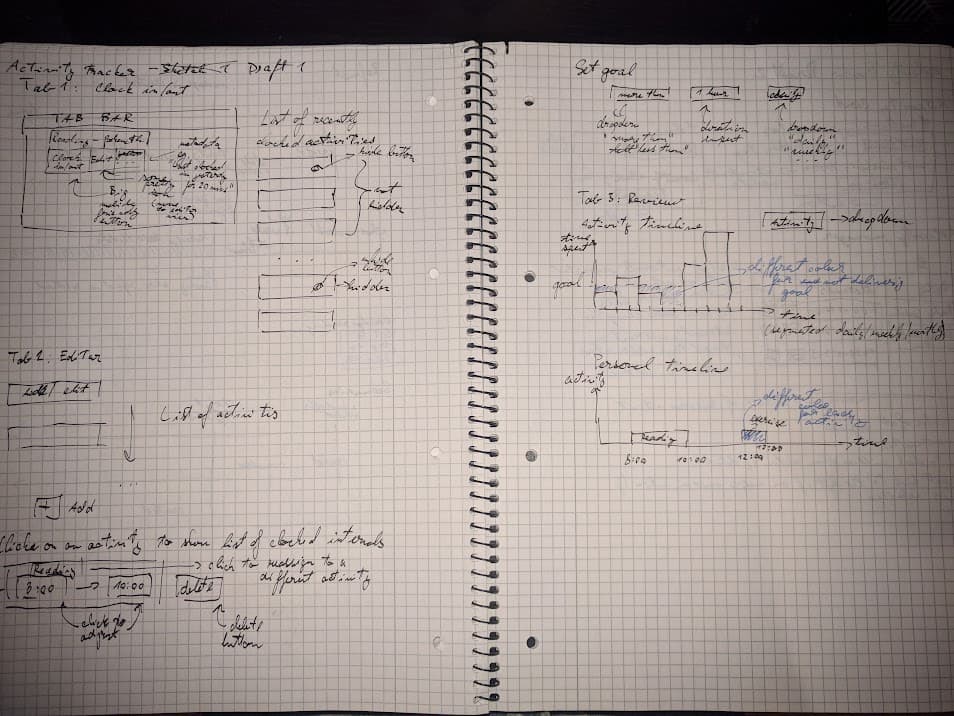
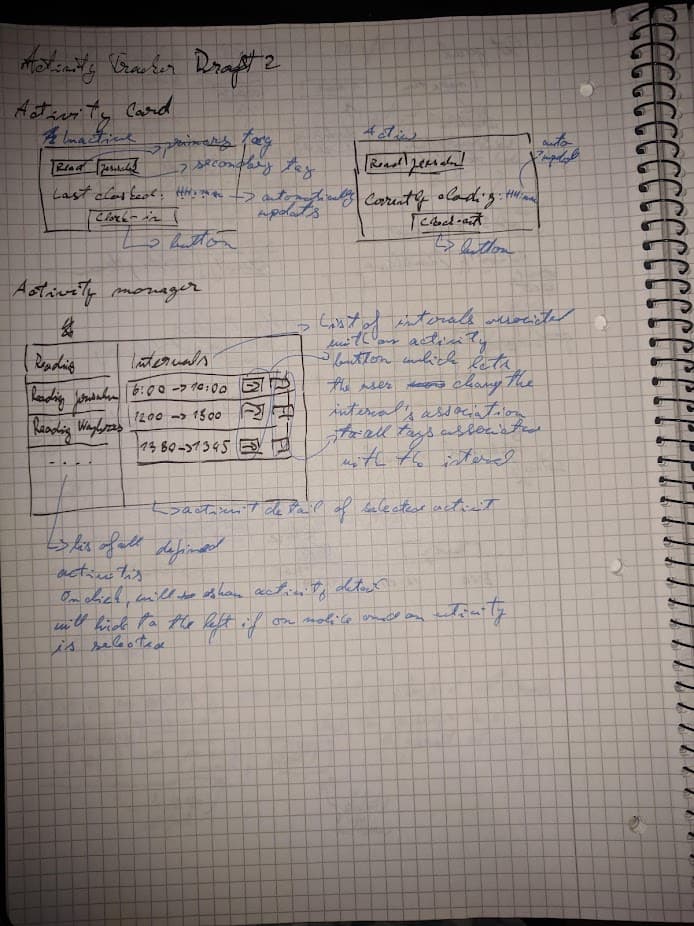
Drew a few sketches of the UI
-
Setup gitlab repo
-
Built a skeleton web service with
clojure+reitit+ring -
Added some mock data on the backend
-
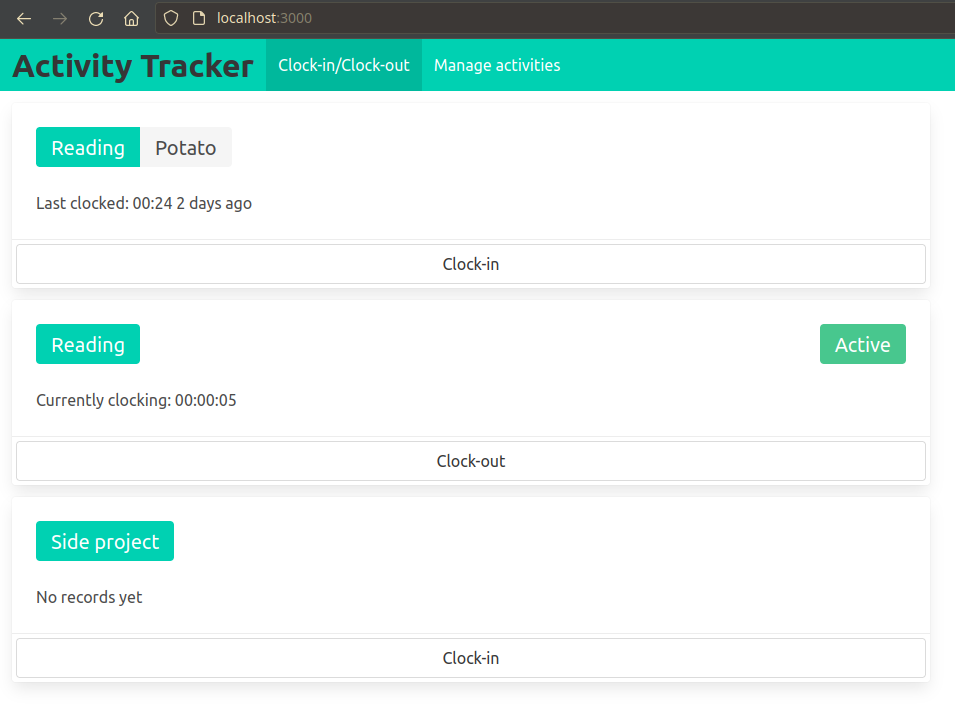
Added some basic views for activity cards with clock-in/clock-out functionality powered by htmx
-
Added running “Currently clocking” element powered by hyperscript
-
Setup linode account through the level1 promo link
-
Created a basic ubuntu based linode deployment
-
Configured nginx, linode dns and ssl certificates through let’s encrypt
(it points to activity-tracker.msladecek.com, currently serves a static file, not the activity tracker application) -
Announced project on level1 forums
Few selected devnotes
commit 1150c6bea66e75600b58acd17074588fc1c670a4
Date: Thu Oct 14 19:58:25 2021 +0200
add a running clock for active intervals using hyperscript

Notes:
I struggled quite a bit with the hyperscript here,
I kinda assumed I could just use it mostly like javascript with some
special keywords, but it changes a lot more things.

For example the construct
in js:

    let now_ts = (new Date()).getTime()

I assumed I could do something like this:

    set now_ts to (new Date()).getTime()

but that's not how you instantiate a class,
instead you have to use `make`, so I thought this would work:

    make Date() called now
    set now_ts to now.getTime()

but that's not how you call a method, you have to use `call` or `get`:

    make Date() called now
    set now_ts to call now.getTime()

except you can't capture the results of a call like that,
you have to use the special `it` variable:

    make Date() called now
    get now.getTime()
    set now_ts to it

In the end it reads pretty nicely,
but assembling it took a lot of "unlearning" of the familiar.
My advice would be to not assume any similarity to js,
just go through the hyperscript docs as you would with any new language.
commit b048107b28803e1518c0fe271af66bb75a4624a5
Date: Fri Oct 15 16:29:29 2021 +0200
add navigation menu

Notes:
Some css struggle this time.
I'm developing on desktop, but Bulma has some built-in logic for hiding
navbar components when the window is narrower than a certain width.
This confused me quite a bit, because I didn't read the docs before
working with the navbar.

I ended up implementing a modal for navigation on mobile.
The modal is triggered by Bulma's navbar hamburger menu with a small bit
of hyperscript.
I must admit that for this use case hyperscript is actually pretty great.
I'm starting to get a feel for the right time to use it and when not to.
commit d55d57c3e821e6857cbe17009a4887b920ebd9b0
Date: Fri Oct 15 17:24:31 2021 +0200
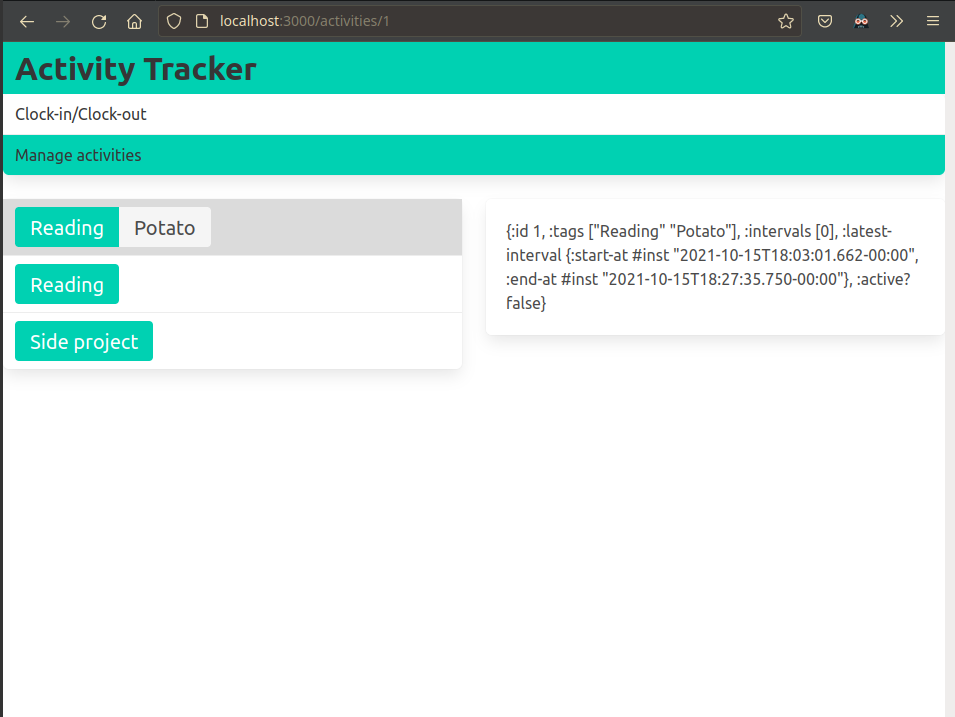
add activity detail view

Notes:
More css trouble.
This time with leveling two tags in a bulma panel item.
There is some strange interaction between flexbox and the .tags class.
I wasn't able to vertically center two sets of tags in a flexbox.
I also tried wrapping the elements in a .level, but that also didn't
work exactly how I liked.
I ended up wrapping the .tags element in another div, this somehow
isolated it from the spooky interaction.
It's a bit hacky but it works, and I don't want to spend another minute
debugging these css things so I'll take it.
commit a6a2a4be3f7dbce7351a8373289c4381b5bb6f3c
Date: Fri Oct 15 18:12:19 2021 +0200
differentiate selected activity by background color

Notes:
Even though I spent a lot of time making the tag-based indicator work,
I wasn't quite happy with it.
Using background color feels a lot more natural.
commit 15534ec28b72d4aec013d5bb2e4ec590641b9c9b
Date: Fri Oct 15 20:59:57 2021 +0200
replace mobile navigation modal with a fixed panel

Notes:
The modal navigation component was very unintuitive and clumsy.
I decided to replace it with a secondary vertical panel right under the
regular navbar.
Bulma has some useful helper classes for this which let me hide it when
the window is desktop sized.
<2021-10-16 Sat 23:42>
Initial linode setup

I already had a linode account from previous devember but I never did anything interesting with it.
I was unable to easily add the devember $100 credit because that gets applied only on newly created accounts.
I dropped my old account a created a new one and was able to apply the promotional credit.

I followed these two tutorials to setup an nginx based web server and route it to the `activity-tracker.msladecek.com` domain
https://www.linode.com/docs/guides/set-up-web-server-host-website/
https://merelycurious.me/post/connecting-namecheap-domain-to-linode

It was surprisingly easy.
<2021-10-17 Sun 17:20>
https setup

managed to setup https, site now runs on activity-tracker.msladecek.com
It was pretty easy, all I had to do was follow this article
https://www.linode.com/docs/guides/enabling-https-using-certbot-with-nginx-on-debian/
Screenshots
(I’m pretty sure that nobody (even myself) will be able to decipher my handwriting in these sketches, but I want this log to be an as-complete-as-possible documentation of my process, so tough luck)
-
Sketch 1
-
Sketch 2
-
Clock-in / Clock-out view
-
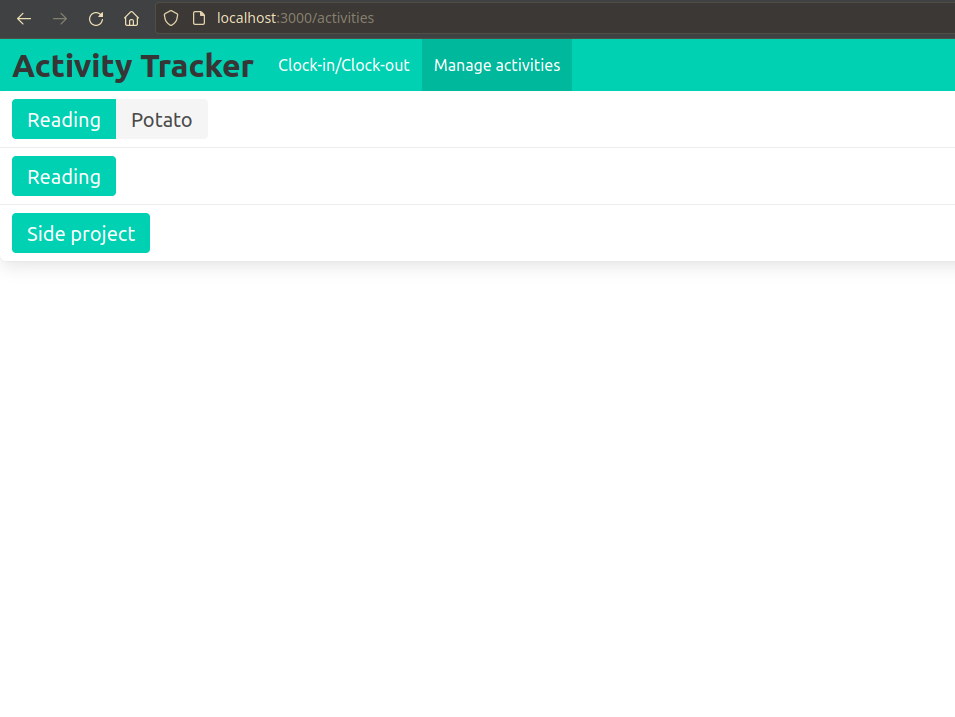
Activities listing
-
Activity detail prototype (in narrower window than previous screenshots, note the navbar changes automatically with bulma css)