My setup:
I have two ReServers thanks to Wendell’s vode " The Ideal Home Server! Is it Possible?". One is Alpha-NAS (local), and the other is Omega-NAS (remote). Both have 2x10GB HDDs.
On Alpha-NAS, I have a dataset called ALPHA that contains one ZVOL also named ALPHA. It’s shared to Windows over iSCSI. The volume is protected by daily snapshots with a 100-day retention policy. All snapshots are replicated to Omega-NAS over a VPN. That part works fine.
The problem:
I deleted a single file and need to recover it. Here’s what I did:
Logged into Alpha-NAS → Data Protection → Snapshots
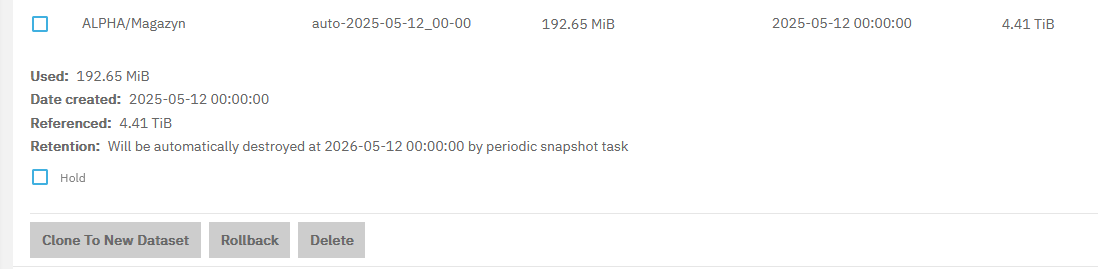
Selected the appropriate snapshot → Clone to New Dataset
Navigated to Datasets → the cloned dataset appears in the list
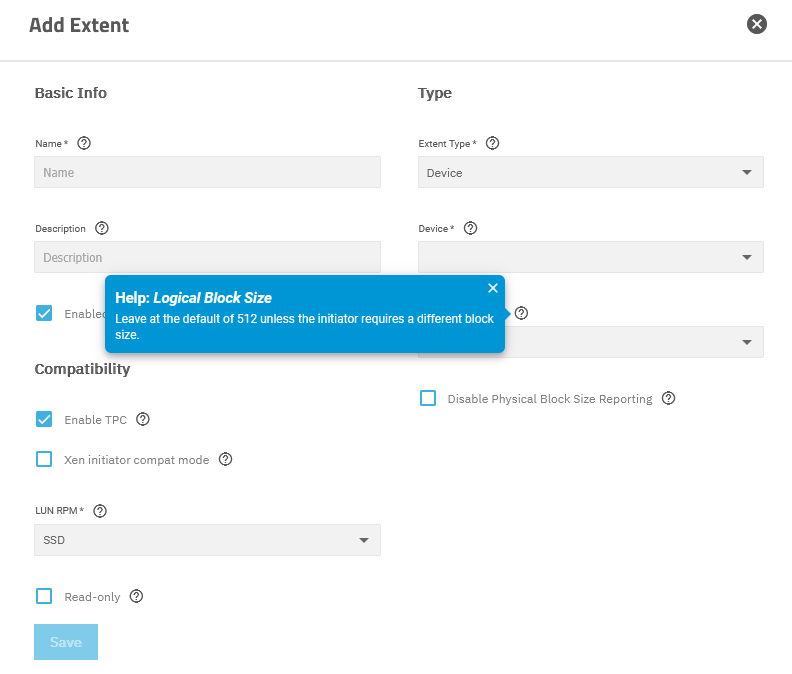
Went to Shares → created a new iSCSI target → went through the wizard
Then on Windows:
Opened iSCSI Initiator
Went to Discovery → clicked Refresh
The new target appeared in the list → clicked Connect
It connected successfully
Windows Disk Management
I can’t access the data. I can’t assign a drive letter, and the partition looks strange.
My only guess is that the snapshot contains only the blocks that have changed. The original volume is over 5TB out of 7TB used, but the snapshot is only around 2TB.
Is it possible that the snapshot is “disconnected” from the source — meaning it only contains the changed blocks, with no reference to the unchanged data?
If so, how can I “combine” it or reconstruct access to the full dataset?
You would need to setup a clone iSCSI share pointing at the snapshot. Then from windows connect to it, and you would be looking at the iSCSI drive at the point in time of the snapshot. You should then be able to copy any and all files you want from the snapshot where ever you want.
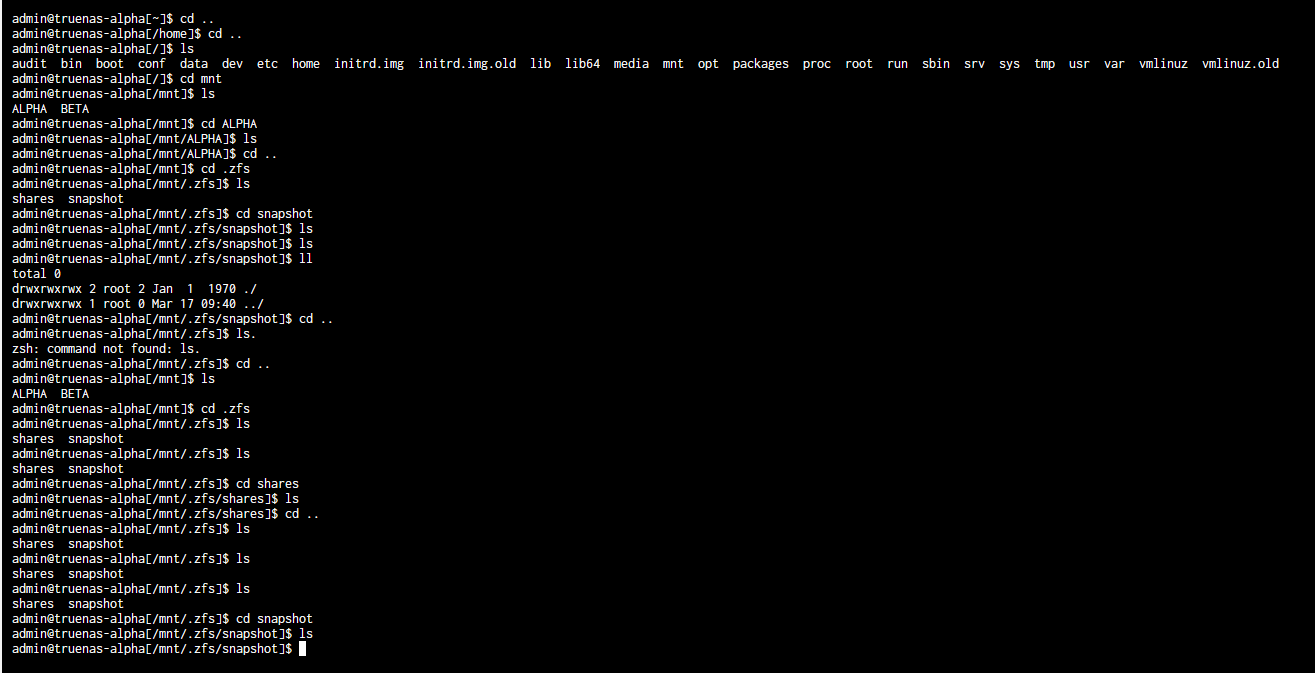
If your zfs pool is called pool and mounted at /mnt/pool and there is a dataset data at /mnt/pool/data then the snapshot called hello then you would acess the snapshot at /mnt/pool/data/.zfs/snapshot/hello/
As not a truenas user idk how to setup an iSCSI drive in the gui but really you just need to setup a iSCSI drive with the /mnt/pool/data/.zfs/snapshot/hello/ as the backing store. also as a non iSCSI user i would confirm setting up one would not wipe the backing store
im not sure from a truenas consle you cannot just pull the file out of the snapshot directly without messing with iSCSI, really depends on how/if the iSCSI share was formatted from a windows perspective.
I doubt that TureNAS is able to see inside ZVOL. It can’t see what is inside the main working ZVOL wright now. It’s NTFS and i is encrypted under Windows by BitLocker. iSCSI is a block device for Trunas.
ok so your pool ALPHA is mounted in /mnt so the pool itslef is /mnt/ALPHA/ and if your zvol is “data” with a snapshot of “hello” then the full location would be /mnt/ALPHA/data/.zfs/snapshot/hello you forgot to path to the pool and then the zvol before doing .zfs/snapshot/shanpshotname
There is no data visible in /mnt/ALPHA. i dis ls, it does not return data. But I’m not surprised by that. It is expected. ZVOL is a block device. It works differently, normal dataset will expose files. For example:
Also if this is a zvol doing ls on /mnt/ALPHA/data/.zfs/snapshot/hello will show nothing, unless you mount the zvol at the snapshot somewhere with the correct filesytem type for what is used with windows
linux example here but you would do mount /mnt/ALPHA/data/.zfs/snapshot/hello /my_temporary_mount_point
Then you could do ls /my_temporary_mount_point and see files
There are some missing pieces here like the partition table for the zvol and that info would need to be in the mount comand.
Again either you need to point a iSCSI share at /mnt/ALPHA/data/.zfs/snapshot/hello and access via the share from windows to acess the actual data or know the block storages layout on the zvol (partition table and partion format) such that you can mount it directly and copy the file. considering the ntfs and encryption your going to need to do the iSCSI option probably.
promote makes a clone zvol or dataset the new leader vs being the clone(to be clear i dont think this is what you want or need).
You can make a new cloned zvol based on the snapshot, if that makes it easier to make the iSCSI share in the gui, then delete the clone later after getting the file
Edit: you should not need any extra drives, a cloned zvol or dataset based on a snapshot uses no extra storage space for the cloned data since its referencing the snapshot.
The zfs promote command in the context of ZVOLs (or datasets) is used to promote a clone to become the new parent, effectively breaking the dependency on the original snapshot it was created from.
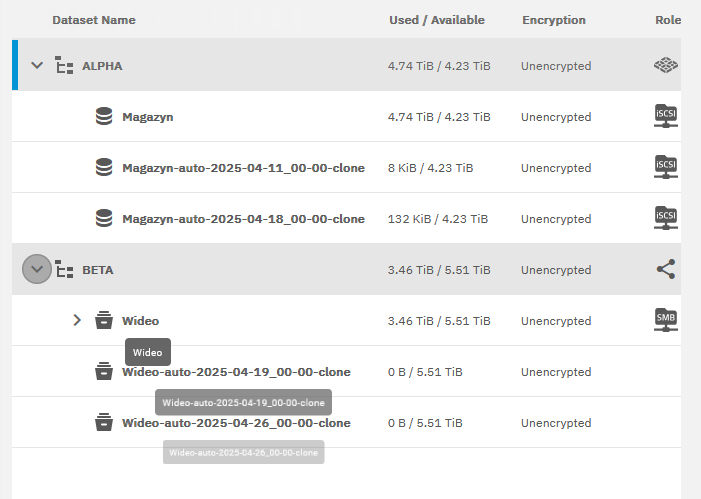
I think that i should zfs promote Magazyn-auto-2025-04-11_00-00-clone but i need to put the promoted VOLUME to second HDD where i have free space. I’m looking for solution on TreNAS forum simultaneity. I will share final solution.
What im trying to tell you is, you dont need to promote the snapshot, you need to make a clone zvol based on the snapshot. Promoting is usefull when you need to break the dependency so you can delete the snapshot a clone was created from later. You would not have this issue because once you get your file you will be deleteing the cloned zvol based on the snapshot removing any need to promote it to be able to delete the snapshot later.
Basicly i believe when looking at the snapshots you want to click on the snapshot and click clone to new dataset. This wil make a new dataset that is a clone based on the snapshot. You dont need to promote this clone in order to use it.
Yes, and I’ve connected them to Windows. Clones are not-linked to the blocks that have NOT been changed. Cloned snapshot contains only changed blocks, that makes it useless for windows.
No something else is going on then,it is very much linked. (suspected bitlocker is not recognizing the cloned ntfs partition on the clone iSCSI and decrypting it which would make it look like there is no data)
From the console of Truenas do a fdisk list on the orignal zvol and the clone zvol you should see a identical print out of the gpt partition table which is part of the snapshot for both the orgininal and clone.
while you cant unencrypt the ntfs partion from TrueNas you should be able to read the partition table.
Assuming the partition is there, that is proof that the clone has all the data intact via the reference via snapshot, and your next question is how to get bitlocker on windows to decrypt the partion.
So there was no data to recover, just Windows not connecting properly. Good to know ZFS just kept on delivering while that clunky iSCSI wizard messed things up.
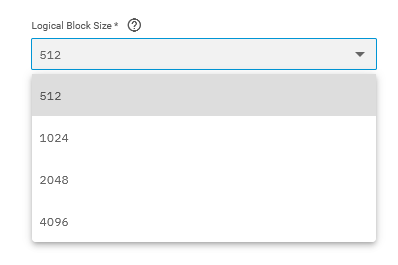
Why do we have to use that kind of stuff? iSCSI is 20yr old stuff and an open standard besides that. And why would you default stuff to 512b in 2025? You probably can’t even run that kind of (very) old hardware with modern Windows “requirements”. Imagine ZFS defaulting to ashift=9.
I hope you didn’t wipe the zvol in the process of figuring out stuff and all the data is still there.
Happy iSCSIing to you! I’m in “team block storage” myself and it’s great.
However, TrueNAS does know the correct block size for a cloned ZVOL based on original ZVOL, and that information should be applied automatically in the wizard to CLONED iSCSI extents…

 to CMD?