Hi all, first time as a non lurker, really need some advice from the pros
I´ve pulled together an old machine, running Windows 10, I´d the idea to stick a wifi card in it to create an AP or hotspot (Ideally to share my VPN´d connection over wifi). Seems a lot of this functionality has been striped from Windows, I´ve been reading for 24hrs straight now and can´t seem to find a single answer online other than “This is no longer supported” & if netsh says “Hosted network supported: No” - then your sh*t outta luck
Would be eternally grateful to anyone who could give me a steer on this
TLDR - Need to share wifi w/vpn on win 10
From what I remember, Windows still probably has a built-in AP, it’s a very simple model, but…
There used to be a few programs for Windows that made Win a kind of wifi AP, but most of them are long gone and I would be afraid to use it.
You can think about virtualization, virtualbox + OpenWRT and instead of Windows doing the AP directly, just let it host the virtual machine that will act as the AP.
The end result should be satisfactory and you will get more or less what you want.
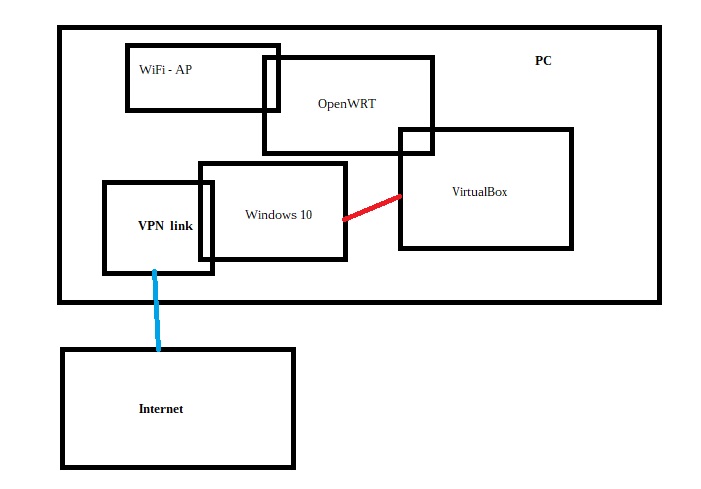
Of course it’s not necessary for the vpn to be terminated directly in Windows, it can be in OpenWRT, but by doing it directly in Windows all traffic of the machine will go through the vpn, if you only want traffic from the AP to push through the vpn then set the tunnel in OpenWRT instead of Windows.