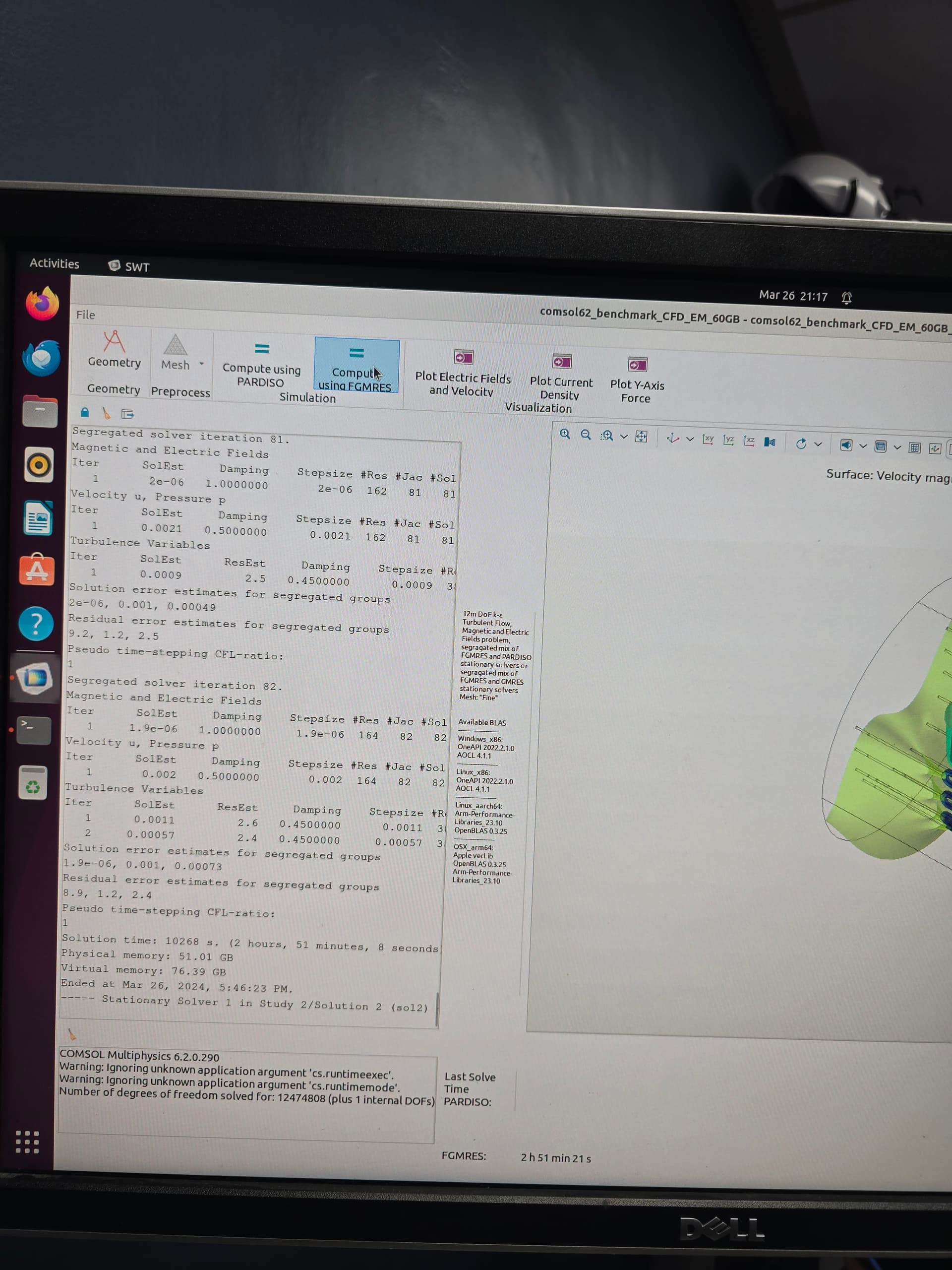
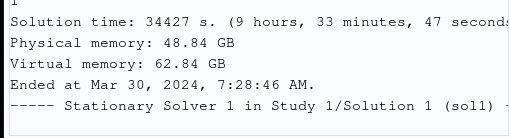
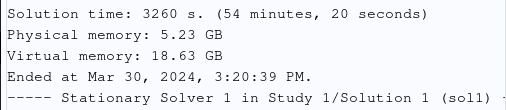
7800X3D will be bandwidth limited by fabric, so it will underperform vs core count. It can only do about 60-70G/s due to single CCD GMI3 If is limited to 64G/s at Inf 2000 for example. While M1/2/3 Max has about 220G/s to the CPU. And my TR 7960X has about 190G/s.
7960X 24C 12,660 s ~190G/s
M1 Max 8C 19,650 s ~220G/s
7980X3D 8C 25,200 s ~65G/s
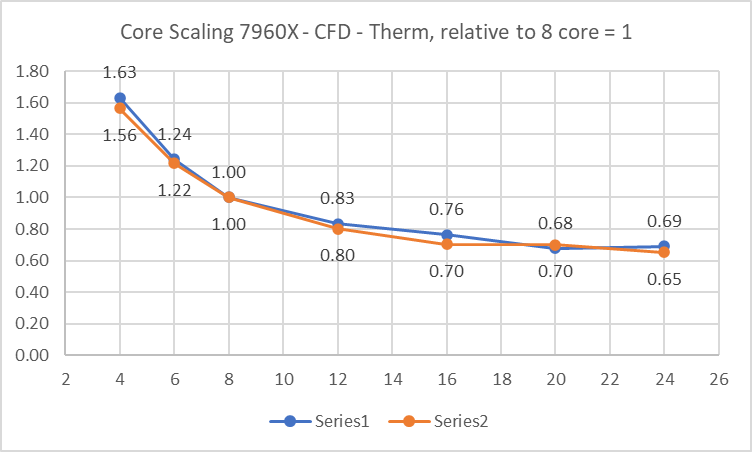
So my TR with runs in about 64% of the time of the 8C M1 Max. However below is some testing I did on core scaling with my own thermal CFD problems, one with 1M DOF, and one with 5M DOF. Form 8C to 24C the expected time reduction is about 67%, not far off.
I spent about 3500 USD on the TR system with 128G and 4T.
M2 Max with 96G 4T is 4200 USD
M2 Ultra with 128G 4T is 5800 USD
Lets say M3 Max is same cost, lets say 20% faster for CPU, and 25% faster for 12 vs 8 core scaling, that would give about a 67% total time reduction. Or just behind a 24 C TR for a little more money, that is my prediction anyway. Note that 20% overall faster is optimistic as memory bandwidth is about the same M1 vs M3, with 30% raw CPU increase and no memory increase, I guess would be in the 15-20% increase range.
My impression is that it will be impressive what M2/M3 will be able to do it will not be cost competitive with a tuned TR DIY build, we need to wait and see if anyone can post some M2 Ultra or M3 Max scores to see where they land. Anyone want to to Apple forum and hassle people to come here and post, ha ha.
Core scaling example relative to 8c = 1x for my own CFD Thermal problems.
Reran the benchmarks on the 7800X3D. Fresh runs for both benchmarks, as I’d had to fuss with PBO and RAM speeds/timings since the last runs I posted while chasing a game stability issue. These new runs are with just ‘PBO enabled’ and EXPO enabled via the easymode UI on an AsRock PG Riptide WiFi b650e. As result, these should be comparable to each other, but not necessarily comparable to the prior runs I posted upthread.
I did throw out a 39m 40s-ish AOCL run on the CFD-only bench because it was a ‘dirty’ run – was using the machine for browsing and video at the time. The one in the chart above is a clean re-run. But for this, it really seems like there’s no optimization in BLAS or solver that’s going to significantly change the actual bottleneck with these workloads on this platform. Probably the (lack of) memory bandwidth, as RMM said.
I’m extrapolating off of passmark benchmarks, so take with a grain of salt but I think the M1 Max is closer to 110GB/s memory bandwidth to the CPU portion of the SoC… however the memory latency is really really good, like half that of threadripper which I’m sure helps alot.
Apple’s per core performance must be pretty close to Zen 4, even though it is running at a lower clock… or perhaps it’s not purely core performance and Apple’s improved memory latency is making up the difference in performance, hard to say.
I just posted on their subreddit, hopefully we get a few bites. I could be saving big on my electricity bill if the performance is similar and I switched.
@RMM I got someone with an M1 Ultra to run the benchmarks and have updated post #2; very decent scores considering the power being used.
It seems to perform the less-memory-intensive, more-compute-intensive CFD-only benchmark relatively slow compared to how fast it completes the very-memory-intensive, moderately-compute-intensive CFD-EM benchmark.
I think this highlights that it has very ample memory bandwidth compared to the amount of cores it has; makes me think force using the E-cores during computation might actually benefit the platform.
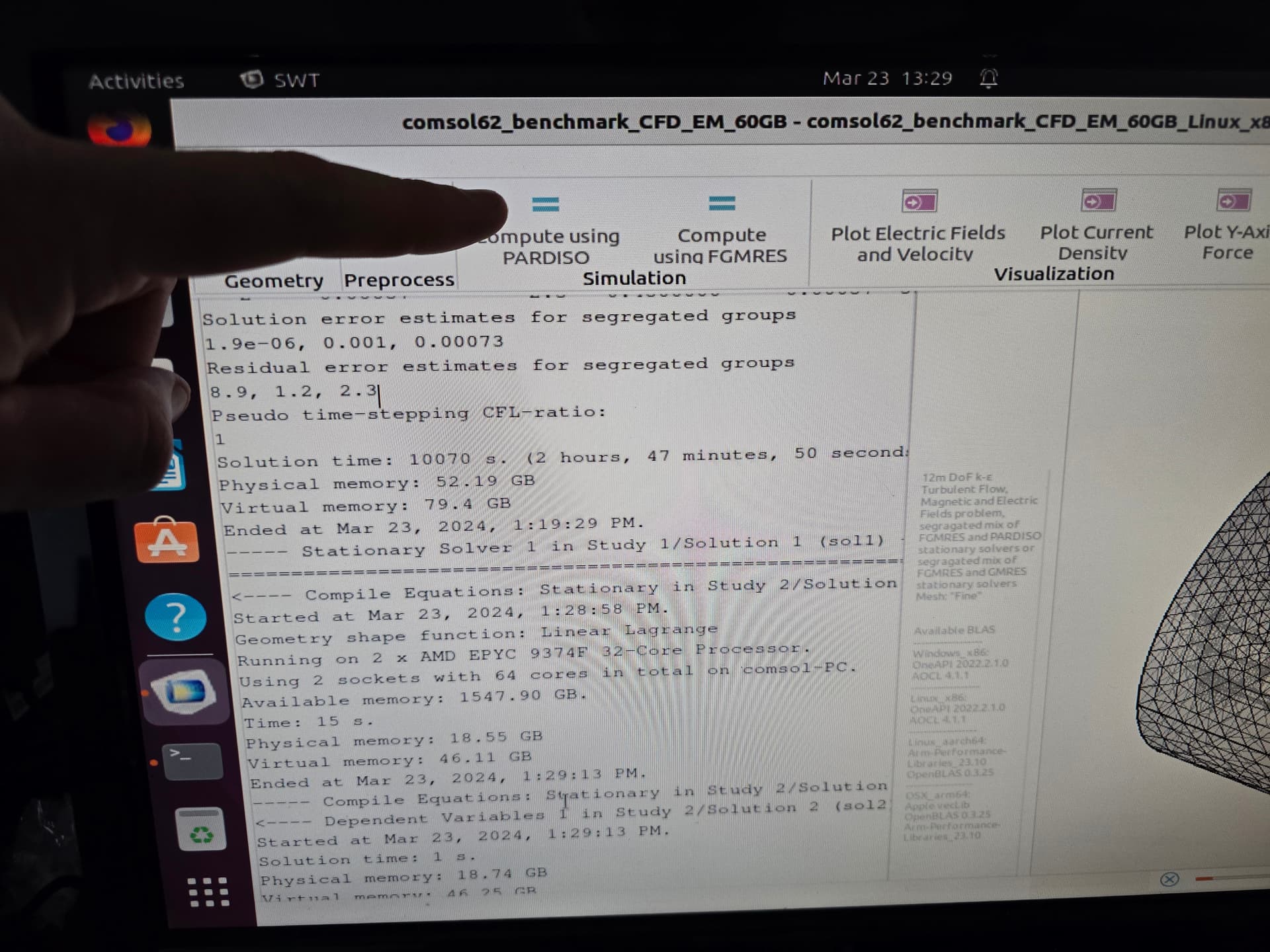
Your dual EYPC server’s performance falls in line with similar systems for the benchmark, so at least you don’t have to worry about some kind of bad software/hardware un-optimization plaguing you.
For these small problems I think CPU clock speed is the main thing they improve with more than core count (atleast beyond a certain number of cores, perhaps a couple dozen).
Another optimization for the small problems is actually Optane storage as opposed to NAND based storage since relatively more time is spent loading in the model and assembling matrices compared to computing them.
-this process isn’t very sequential or high queue depth so Optane’s low latency beats the pants off of NAND’s higher theoretical bandwidth.
Well that makes me happy to hear that my system is comparable similarly to others. On one hand it’s nice to know that components are working alright, on the other hand I was hoping I missed something so I can squeeze more power out of it.
I’ll take a look at Optane storage, thanks for the suggestion.
Yeah its kind of sad that it was discontinued because it really was an amazing product.
There is still new stock of Optane being sold though, but the downside to it is that it is all either PCIe gen 3 or gen 4 based as opposed to the NAND storage we can get that is PCIe gen 5 based now; That being said, switching from a PCIe gen 5 based NAND to a PCIe gen 3 based Optane drive did noticeably improve my performance.
Just stumbled on this article, looks like a small boost might eventually come to my 9684x once Ansys decides that they’ll support the newest version of linux.
Your numbers sound lower than what I would expect… I ran my 13700k with 5600mhz ddr5 on the cfd only and the run time was pretty close to 40 minutes. How much memory bandwidth are you getting?