Hello, I have this Panasonic CF-19 MK4 with an Intel i5 u540 that supports vt-d and vt-x and I need to run a couple of legacy software that requires an X.11 Modem in the PCMCIA slot, but its windows only, so I need to run it through a Windows VM since my main OS is Debian.
My only luck is setting up a PCI passthrough or dual booting.
However, I first tried libvirt with no luck, the situation is the following, the PCMCIA card is in the IOMMU group 9
Those are the full IOMMU groups
IOMMU group 9
00:1e.0 PCI bridge [0604]: Intel Corporation 82801 Mobile PCI Bridge [8086:2448] (rev a6)
0b:00.0 CardBus bridge [0607]: Ricoh Co Ltd RL5c476 II [1180:0476] (rev ba)
0b:00.1 FireWire (IEEE 1394) [0c00]: Ricoh Co Ltd R5C832 IEEE 1394 Controller [1180:0832] (rev 04)
0b:00.2 SD Host controller [0805]: Ricoh Co Ltd R5C822 SD/SDIO/MMC/MS/MSPro Host Adapter [1180:0822] (rev 21)
I tried to unbind the drivers of all those 3 devices, and then passing them to vfio-pci, but for the CardBus device only (the one I need) I get the following error on the dmesg vfio-pci: probe of 0000:0b:00.0 failed with error -22
Trying to start up the vm manually via QEMU didn’t work as I get again an error
qemu-system-i386: -device vfio-pci,host=0b:00.0: vfio 0000:0b:00.0: error getting device from group 9: No such device
Verify all devices in group 9 are bound to vfio-<bus> or pci-stub and not already in use
According to the arch wiki, I enabled unsafe interrutps as this is an old system that does not support interrupts remapping with the following options vfio_iommu_type1 allow_unsafe_interrupts=1
Now, one thing I’m not really sure is how I should consider the PCI bridge itself in this IOMMU group.
Just to make sure other devices were passing correctly in the same IOMMU group, I can say that passing the SD host controller and the Firewire port were successful with no issue reported. Qemu run fine.
you will probably need to pass the actual PCI bridge through and let it carry all of the devices on it. like when passing an HBA through the VM can see the real drives connected to it.
i have done similar things with old hardware to make windows XP see ancient things in a VM.
yeah something at boot is polling the devices and an active device on the host can not be passed through. you will need to blacklist the drivers for those devices in /etc/modprobe it is possible to hunt through all this on the commandline but if you have a GUI tool for system info, like hardinfo, it can make finding driver info easier.
I tried searching with lspci -vv as root for drivers that were using the device, regarding the PCMCIA slot, I couldn’t manually unbind the same way as the others (driver/unbind folder is missing from echo "0000:0b:00.0" > /sys/bus/pci/devices/0000\:0b\:00.0/driver/unbind)
Blacklisting the yenta_socket driver (the one for the pcmcia card) and still vfio-pci can’t accept the device as its being used
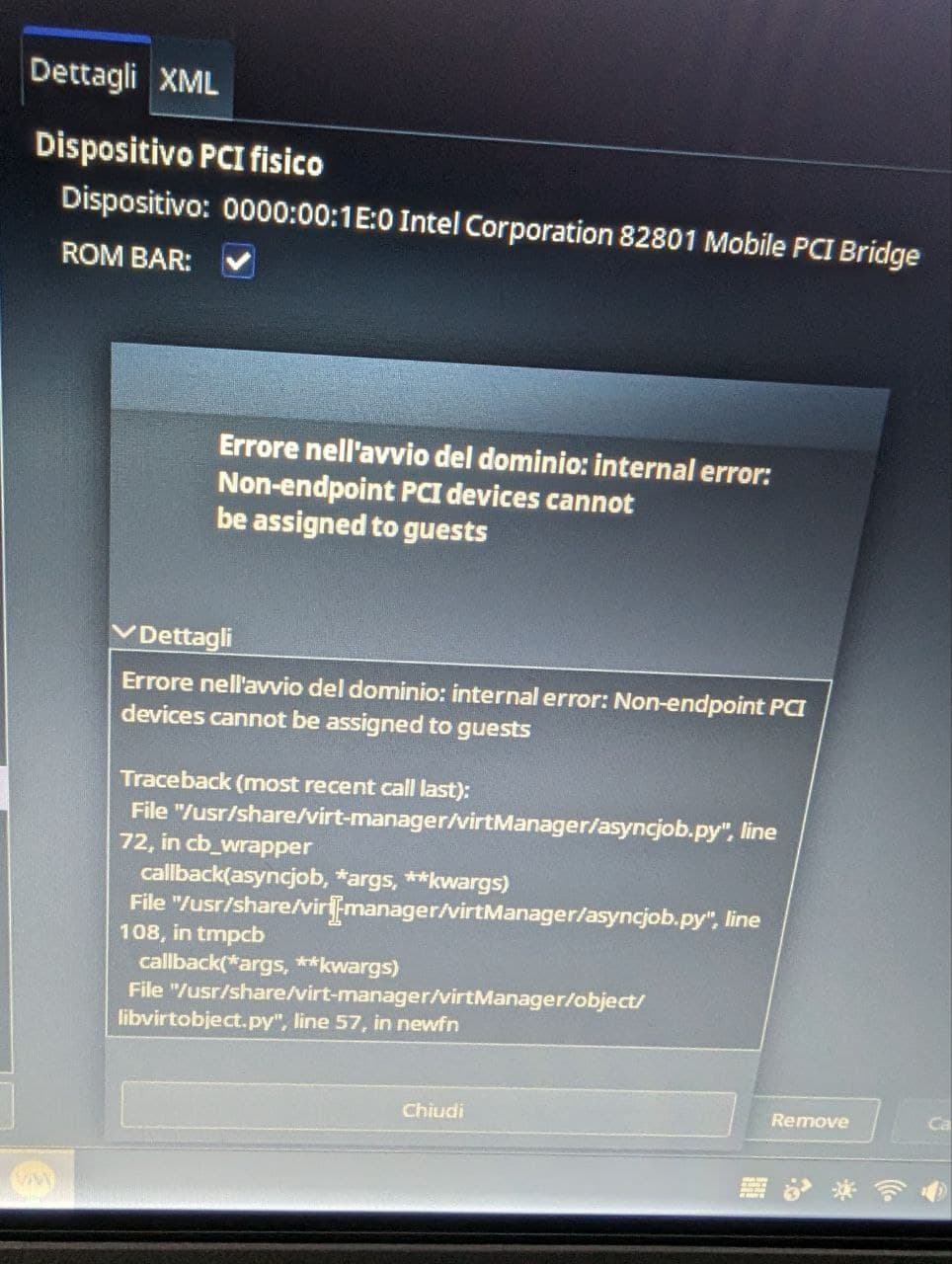
tried again with libvirt, and complains about it being a “non endpoint PCI device”