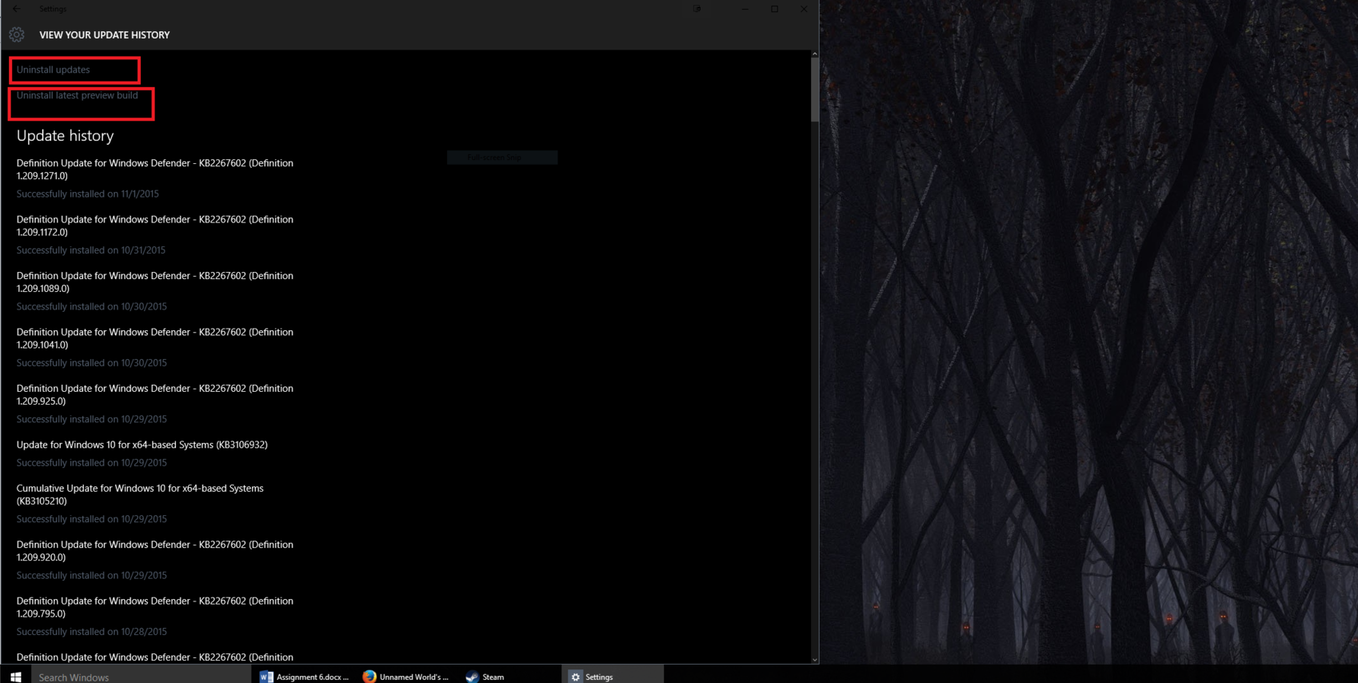
Hey everyone! If you are running Windows 10 and have seen the new Windows Update, you'll know exactly what I mean. It's horrible, and you have almost no control over it, and I really hate it!
I'm wondering if anyone here knows how to bring back the old control panel version of Windows Update to Windows 10, because this metro app crap one is complete shit.
P.S i've tried Googling it, but wasn't successful on a fresh install of Windows 10, nor a couple month old version.
Takes very little time to learn and in most cases you shouldn't need to use the terminal for normal desktop stuff. If you need containers for code and all that stuff there are GUI tools available, but again, it's a matter of a little research on the topic at hand.
There's no "control panel" because of the move to SaaS model. The idea is to have client systems auto-update. Granular selection of updates doesn't make sense within that context.
But: Technically yes, it is possible to be granular about updates in Win 10 if you really really want to. Microsoft releases the software by the name of "Windows Update for Businesses".
It involves getting a server version of Windows, installing the appropriate role, and pointing the client to that server using group policy (Pro versions and above). Then the server software can be used to whitelist/blacklist certain updates to the client systems. It's basically a proxy that allows granular selection of updates from WU to allow organizations a lot of control over their systems while still being able to update them.
Technically it should be possible to install a WUB server in a VM, point your host system to that VM (using registry hacks for Home versions if necessary), and then use the WUB software to be granular about the updates.
That might be overkill for what you're looking for however. If you really want granular selection of updates on a home system using a control panel app then please note that Windows 10 was not designed with your use case in mind, but rather designed to prevent that. You might be happier on an earlier version instead.
So even with Windows 10 Business, I still won't get the type of updates like 7/8/8.1? I don't want to completely stop updates, I just want to actually have control over it, so Microsoft doesn't try to sneak any crap onto my laptop without me knowing.
Sort of. For most people they are/will be anyway. But nothing of the sort is true for bussineses/domains/pro/enterprise versions of Windows 10 (which is what I was describing). But unless you're willing to go that far granularity isn't really possible else they are on or off with the ability to temporarily uninstall some updates before they reinstall automatically.
So basically, you can't be granular about the updates you install only remove them afterwards for non-Pro (or above) versions.
And that's kinda missing the point which is: To be granular about what updates install before they install. The idea is to stop junk from installing itself in the first place not hope to remove it after just have it auto-reinstall.
MS is always going to fight with you over control of the OS in Win10. You're better off on an earlier version if you want granularity.
But if you want to fight with them: The way to prevent updates ("all off" mode) is to either disable the WU service or to configure the GP settings (just a frontend for the registry) to point to some invalid WUB server and disable MS WU fallback.
I also would like the choice for picking and choosing Windows updates. I feel this is a preference to me and it has definitely saved my ass on more than a handful of occasions, but Windows has now taken the choice away from me.
I can understand why Microsoft is doing what it is doing but by the history of absolutely terrible security, optional and OS updates I have seen the past 12 months is astounding.
Just a couple hours ago when I was playing The Witcher, I noticed my sound went out. So I ALT+Tabbed out to the main menu and tried to mess with sound settings+access the start menu. Alas, both were unclickable! I attempt to restart the computer via the Ctrl+ALT+DEL method and found the culprit... A windows update started as soon as I hit restart.
This isn't the first time Windows updates have messed with my computer and programs I had open.
I really hate this new method of auto-updating. If only Windows actually listened to community feedback and stayed with the "update when you want" method, I would love Win 10 a lot more.
EDIT: I should also add that sometimes my computer will not shut down (only exits to the log in screen) until I restart it and update. Huge pain in the ass.