Hello
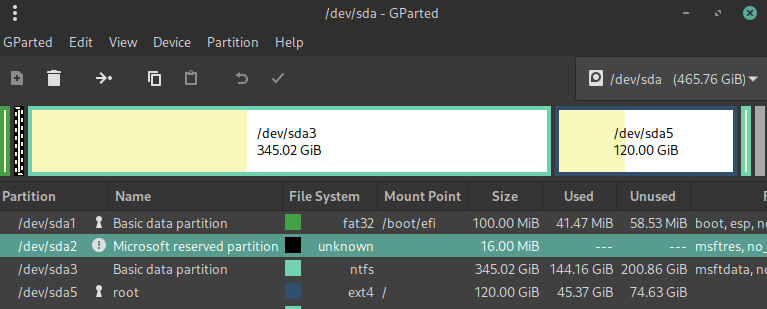
I am currently running a dual boot system on my laptop, I am wondering is there any way to boot the windows partition in a kvm.
I have tinkered with the method from this post on this site linked below, to no avail
if you could please lmk where i can find more information about/ if it’s possible (it should be?) that would be appreciated
note: both partitions are one drive and share the same EFI partition (I think) and that is probably having problems with booting the partition
other post:
Booting from an already existing Windows Partition in KVM/virt-manager
I also tried this guide but couldn’t get the efi partition to show
“simgunz. org” Boot a Windows Partition From Linux Using KVM
thank you for your time and help