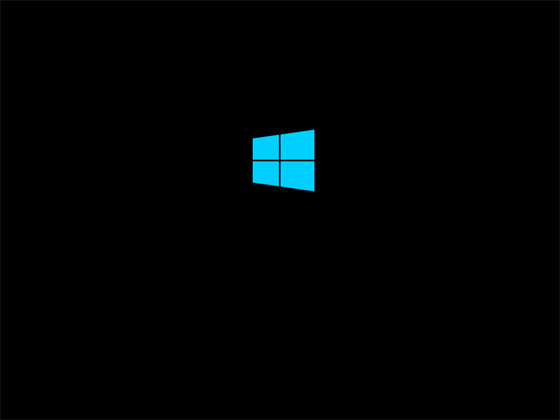
I'm running out of options! My computer will hang when loading windows, resulting in me executing a forced shut down. It will go as far as this in windows 8/.1 and 10 and sometimes not even as far as this in 7, I've seen it just blank before
Now when I first saw this happen was before I upgraded to x99, but that could be a coincidence Since then I've upgraded Mother board, RAM, PSU and today a Hard Drive I tried 3 different PSUs and I still encountered this problem, though the problem is not persistent enough to test ram by swapping it out one by one and I've tried with and without an overclock
(side note: on certain overclocks 4 GB of RAM = one DIMM disappears to windows and I am left with 12gb but in bios all 4 dims are detected but even in bios 4gb is missing and in CPU-Z all 4 DIMMs and all 16gb are detected)
I should mention I have an i7 5820k, ASUS Sabertooth x99, and CORSAIR Vengeance LPX RAM
There must have been something corrupting the drive or a bad sata cable. I fixed this issue by formatting the SSD that I use as a boot drive and at the same time I also replaced the SATA cable. Which ever one it was or a mixture of both I haven't seen the issue thus far.
[BUMP] This issue is still persisting but [UPDATE] I have ruled out the PSU by using 4 different power supplies a 450 watt gold, 650 bronze, 750 bronze, and 1000 platinum I ran a 10 hour ram test so I'm pretty sure it's not the ram I have reinstalled windows too many times to count I've tried multiple GPU's 3 different 970s a 750ti and a 550ti I'm pretty sure its not my SSD(boot drive, I have a 250gb SSD and a 2tb hdd connected) because what ever device I boot off of does this I have a few more things to try I need some help maybe someone more deeply experienced than me can help because I don't want to spend 50 bucks to ship my motherboard to ASUS just to get it back with them saying "There's nothing I can do" Does anyone remember that show^
EDIT: I think I have too many usb things plugged in. This is so obnoxious I have no idea whats going on anymore
I'm thinking its one of my usb devices. The thing is is that it seems so random that I'm not sure. I can't even boot into safe mode when it does happen, I can't get that far into the boot when ever I look at the event log(read this a while back) it was always something to do with power. now that I've unplugged everything it seems okay. SEEMS
But how just unbelievable like I've had this problem FOR MONTHS since slightly before I upgraded my parts and its just a simple usb issue?? are you serious??? I mean I'm glad its noting expensive, but even when I saw it happen before I upgraded I thought it was just too much of a coincidence to mean anything.
I just can't believe I've spent months ruling out one by one each and every one of my parts. the only two I couldn't extensively test were my CPU and MoBo, but factory broken Intel CPUs are so rare and the Sabertooth line up of mother boards go through so much testing that I came to a loss. The stress that this issue has put me through and to be honest I don't know if it's fixed yet only time will tell so To Be Continued... maybe
On a regular basis I use 6 USB-3.0 devices, all of which just stay plugged into my mobo at all times. Never have I had an issue. (my mobo has 8 usb ports)
This is interesting Recently, my computer wouldn't post, would freeze when I opened the bios, unplugged all drives n shit nothing Changed the mouse Fixed