OK, so I am going to assume that your SAS drives are not SSDs, so the best bet is striped mirrors (raid 10), then I would use 2 of the optanes for a ZIL, unless they are crap optanes, you have to remember that when you add a ZIL that now becomes your bottleneck, if your pool is fater than your ZIL you will be sad.
I am not sure how much ProxMox hit’s it’s root disk, but if it is just some generic logs and configs and not a lot of always traffic, I am a huge fan of good SATA DOMs, looking at the DL380 I see it has an SD card slot, it would be a bit crap, but you could use a high endurance SD card and a good quality USB drive for a mirror, but if proxmox is cool and will let you use the root pool for VMs and what not, I would just put all 8 SAS disks in the striped mirrors root pool and go on about my day. (not a huge ProxMox person)
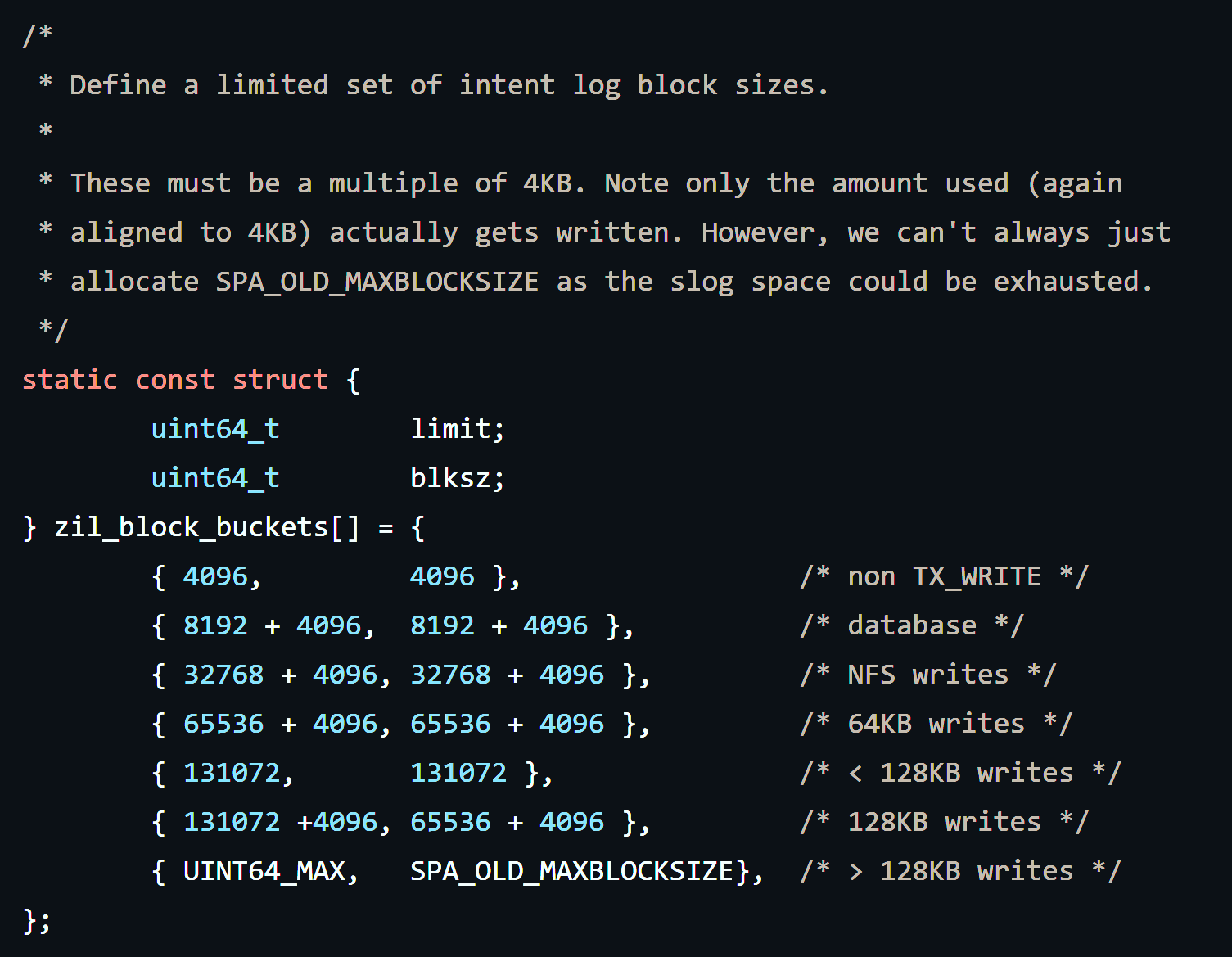
Also keep in mind what @Exard3k said, you only need to keep like 1 transaction group in the ZIL at any given time, so size is kinda meh unless you do something crazy like set your TXGs to be 30 sec apart or something. The ZIL also does a bit of its own tricks as shown below.
As far as how much space you need, if this is all local and no network traffic, then it only needs to be like 2x the total writes you can shove through it in whatever the TXG timer is set to. The real kicker here is endurance, throughput, and how fast the ZIL disks can ack a write, hence why I use optane for a ZIL. Though I use the crazy nice stuff.
As far as adding another CPU, more NUMA nodes can be sad, but it usually fine unless you are making super huge VMs, more RAM is always a plus, but you will need to balance your ARC vs system/VM required RAM, the last thing you want is paging.
As far as AC Hunter CE goes, it doesn’t look like the requirements are going to be crazy, I log a crap ton of stuff with Splunk at home and even more at work (~100GB/day) but that only works out to like 4.167GB/hour or 69.44MB/min, then you add compression to that as it’s mostly text and now you are writing a lot less total data to disk, if you are feeling frisky, you can use ZSTD-3 for compression, it does like to eat up CPU cycles though, so maybe only do it on the dataset for that one data disk. Writes should get soaked up in a TXG if it’s an async write, or the ZIL for sync writes, unless you really really care about the data and set the dataset to sync=always then every write will go through the ZIL. I would probably just suck it up for a better overall pool experience than having to wait an extra few seconds to pull up a large dataset.
I am also curious what optane you plan on using, if it’s like the good optane or is it like the throwaway stuff they were putting in desktops to augment a spinning HDD and only have ~100-200MB/s of throughput?
As a side note @cloudkicker, you could do a ZFS send to a remote/temp box to just sit on the data until you are ready to move it back. Or if ProxMox has some export option or something. I have gotten spoiled with ESXi and multiple storage targets that I can just do a storage vMotion and go on about my day. You might also be able to just back it up to a NFS target? Too lazy to google it.
 But I have 13 tunables running, so I’m not a reference in that regard.