Hi Folks,
Not sure if anyone is still watching this thread but thought I thought I’d add my story… I just purchased the new PG43UQ, which I assume is the 144hz version of this panel and I’ve got the exact same problem and came to pretty much the same conclusions as you guys did above… Here’s a post I just put up on reddit:
Before I send this monitor back and cry myself softly to sleep while staring at the prepared empty place for it on my desk I thought I’d see if anyone here has any wisdom they’d be willing to share.
Photos don’t really capture it very well, it manifests mainly as text just looking a bit fuzzy and generally wrong . You kinda get used to it after a while but then if you look at another monitor and back again it’s glaringly obvious again. Here’s a picture of some text. Can you see how blurry it is across the top of the letters?

While it’s kind of hard to describe the text problem the lagom monitor sharpness test is really damning.
The idea with this test is that each square has the same average colour. If you allow the image to blur buy taking an out of focus photo or by squiniting a bit they are all supposed to look the same shade of grey.
And this is a photo of it displayed on my screen:
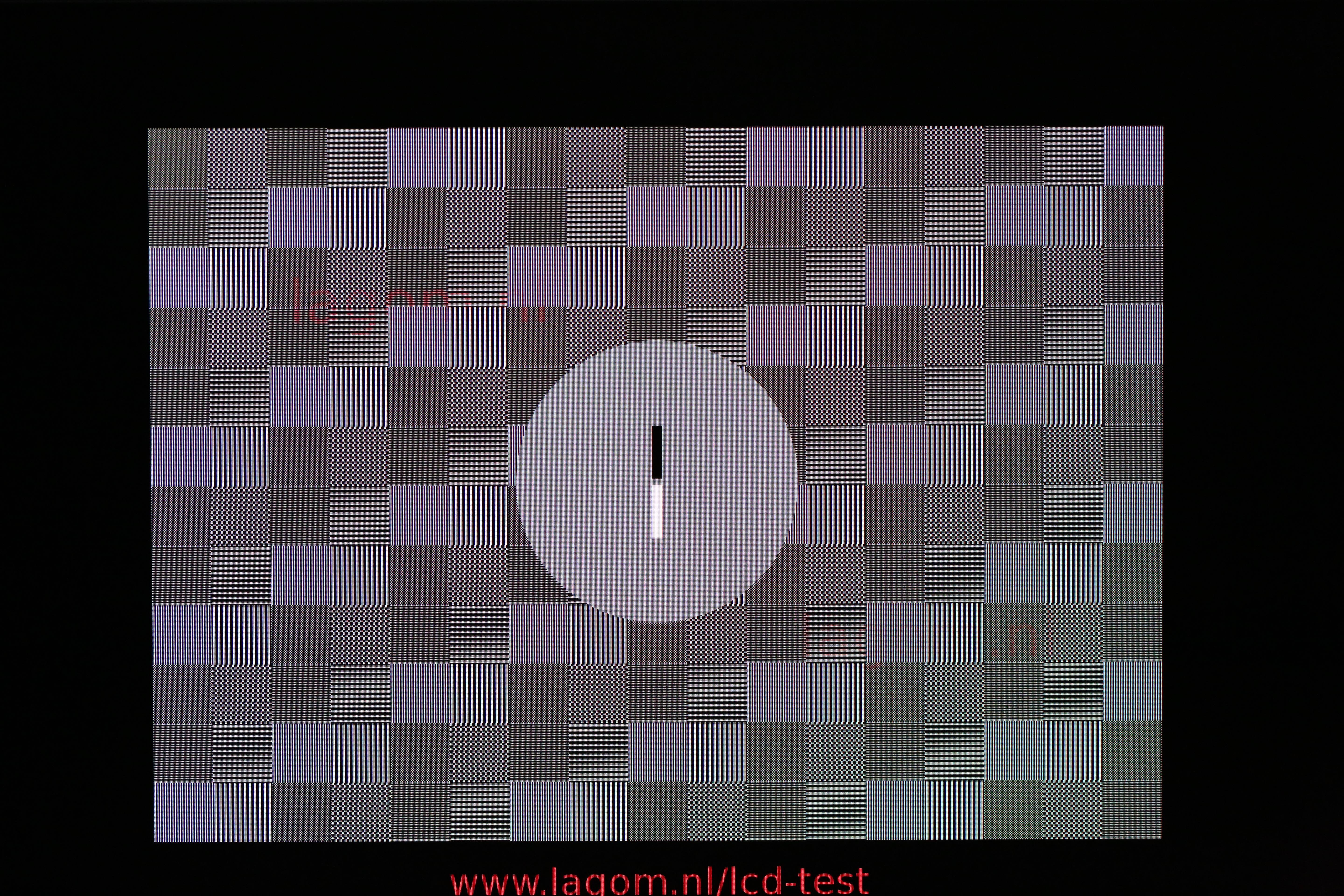
It seems that when there are two rows of grey pixels together, the top row of is dimmer than the ones underneath? I think the monitor is applying some sort of smoothing filter or something, there definitely seems to be some sort of processing going on, I don’t think it is an issue with the panel itself.
Here’s a purposefully out-of-focus photo (missing as I can only put two photos up being a new user) of my monitor displaying the test image; this should look a uniform grey (and does on a spare monitor old 27’ I tried) but as you can see it is far from it:
There is a sharpness setting on the monitor OSD, which defaults to 50% (which I am assuming means ‘off’ – lowering it blurs everything and increasing it ‘sharpens’ things, but it fail the sharpness test whatever the setting).
Let me know if there is any more information I can provide! I would be super interested to know if anyone else can replicate this on another pg43uq if you have one, or otherwise have any ideas about what might be up. It looks fabulous when gaming or watching fims but it’s unpleasant to use for coding which is what I do most of the time!
Stuff I have tried:
-
This is a BGR monitor not RGB (didn’t even know that was a thing until a couple of days ago) I have spent the best part of a day messing about with cleartype settings and turning the screen upside down, I’m pretty convinced that isn’t the bother here.
-
This is running at 98Hz, 4k native RGB mode. No chroma subsampling or anything. I’ve tried at different refresh rates up to 144hz (though that required chroma subsampling due to displayport limitations, and my 1080 graphics card not supporting DSC) and the problem is the same.
-
I’ve tried a few displayport cables including the one that came with the monitor.
-
I’ve been through the OSD and twiddled every setting that seemed it could conceivably could be related, no joy.
-
Running at, e.g. 125% display scaling mostly masks the problem by making text thicker but I really don’t want to do that.
Sorry for the wall of text. I probably just need to send it back but I wanted to give the thing a fair chance first 