The whoie situation is just weird and I HOPE that it’s still only some kind of bug situation and not AMD needlessly locking down ECC DDR5 frequencies on AM5. Absolutely nobody asked for that.
I haven’t seen a DDR5 UDIMM SKU that has an EXPO profile integrated, so as they should they always operate at the JEDEC DDR5 standard frequencies and timings.
And DDR5-5200 basically doesn’t physically exist with JEDEC standard modules (trash chips that didn’t make DDR-5600 even with DDR5’s On-Die ECC to increase the yields), the steps there have been DDR5-4800, DDR5-5600 and more recently DDR5-6400.
And since Ryzen 9000 officially supports DDR5-5600, arbitrarily downclocking to DDR5-5200 seems extra weird.
Proper ECC on UDIMMs uses additional dedicated traces to the extra chips on the PCB of the memory module, so ECC isn’t harder to run than non-ECC. For experimentation I’ve sometimes run DDR5-5600 ECC UDIMMs at DDR5-6400 to check if memory erros get properly reported and that mostly even worked with stock voltages at the rather loose JEDEC timings for DDR5-6400.
I hope this situation gets resolved, I tried that Beta BIOS with AGESA 1.3.0.1 for the ASUS ProArt X670E and so far the situation remains unchanged.
This 5200MT/s is the max supported speed of ECC memory on Raphael processors; a possibility is that somehow that limit is being applied to Granite Ridge processors by mistake. This is a wild guess without any evidence by me though.
My money is on them not testing ECC memory. ASUS was one of the companies to push out the pre-AGESA 1.0.0.5C BIOSes that completely broke ECC.
I’m not so sure about this, keeping 36 transmission lines coherent should be more difficult than keeping 32 transmission lines from skewing too much.
One of the reasons LPDDR got so fast is because they went down to only needing to keep 16 lines coherent.
Even so, that wouldn’t explain why you couldn’t or shouldn’t be allowed to use speeds “below and up to the maximum speed”.
In the Asus forum they seemed to imply that that would somehow be a ‘normal’ thing… That you can not change the memory speed at all when ECC is enabled for Granite Ridge.
Asus would have had more credibility if they had said something in the BIOS release notes.
It might come as a complete shocker so you better sit down, ASUS Tech Support seems to be either lying or just be incompetent.
Why these harsh words?
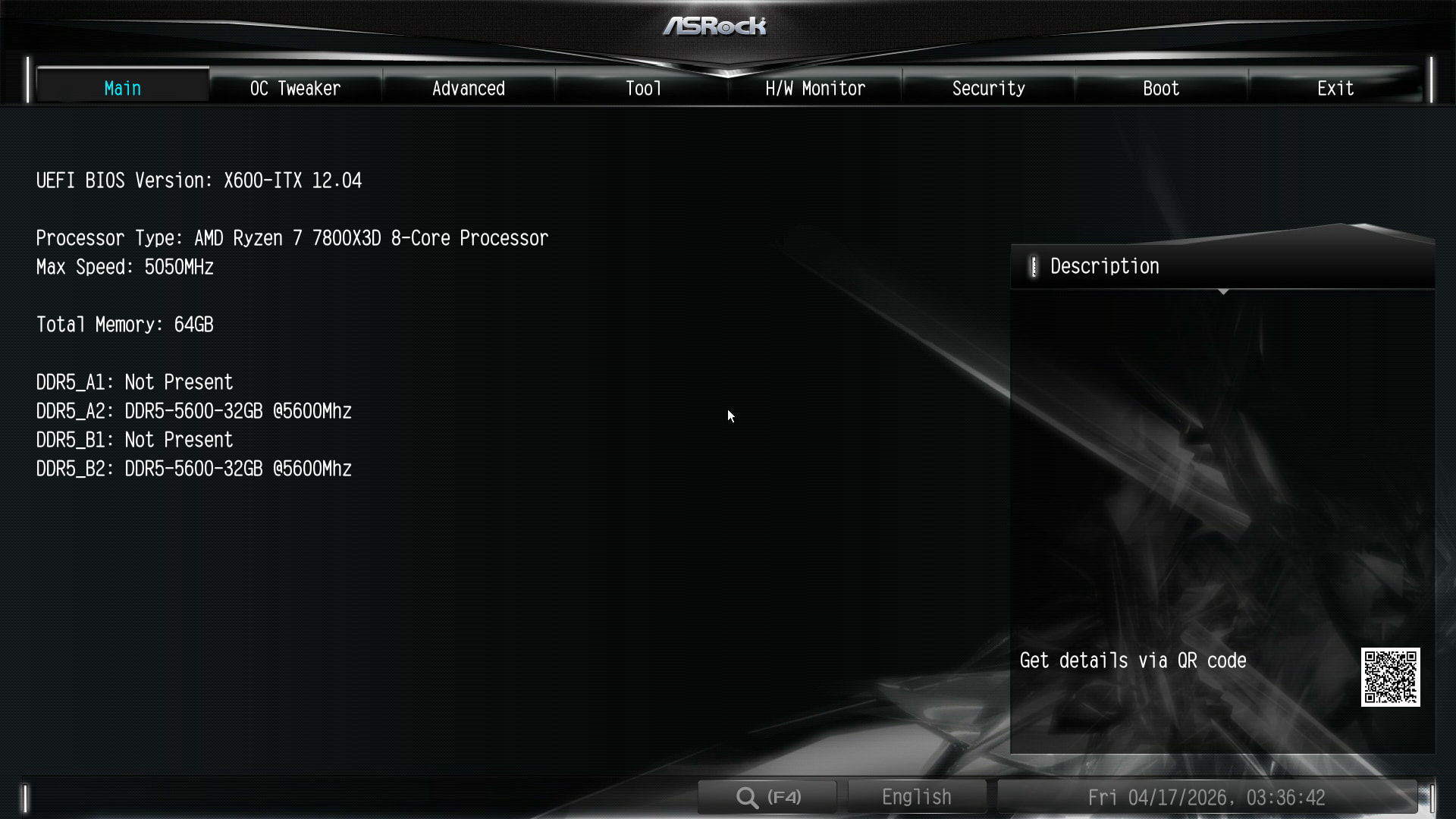
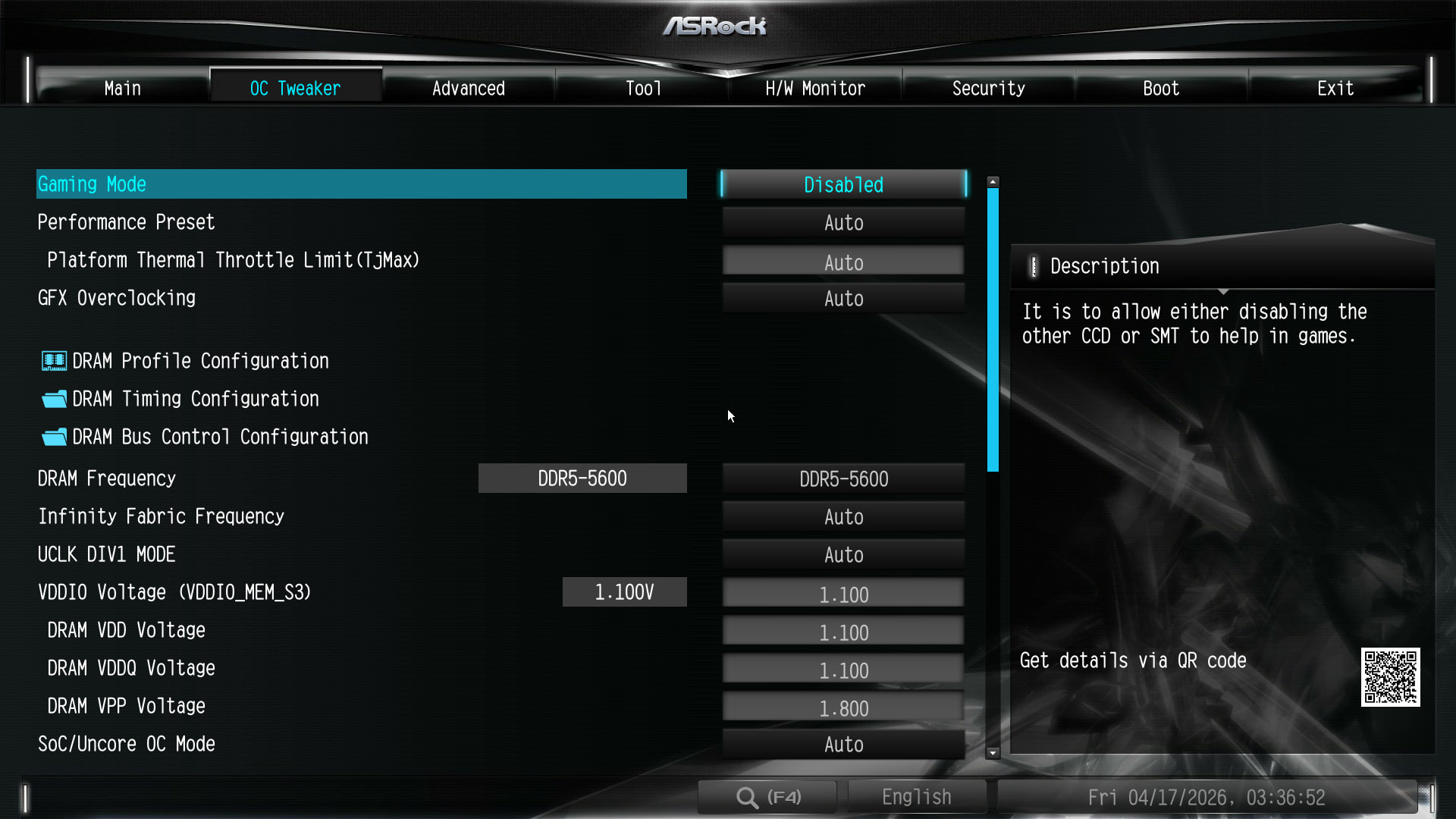
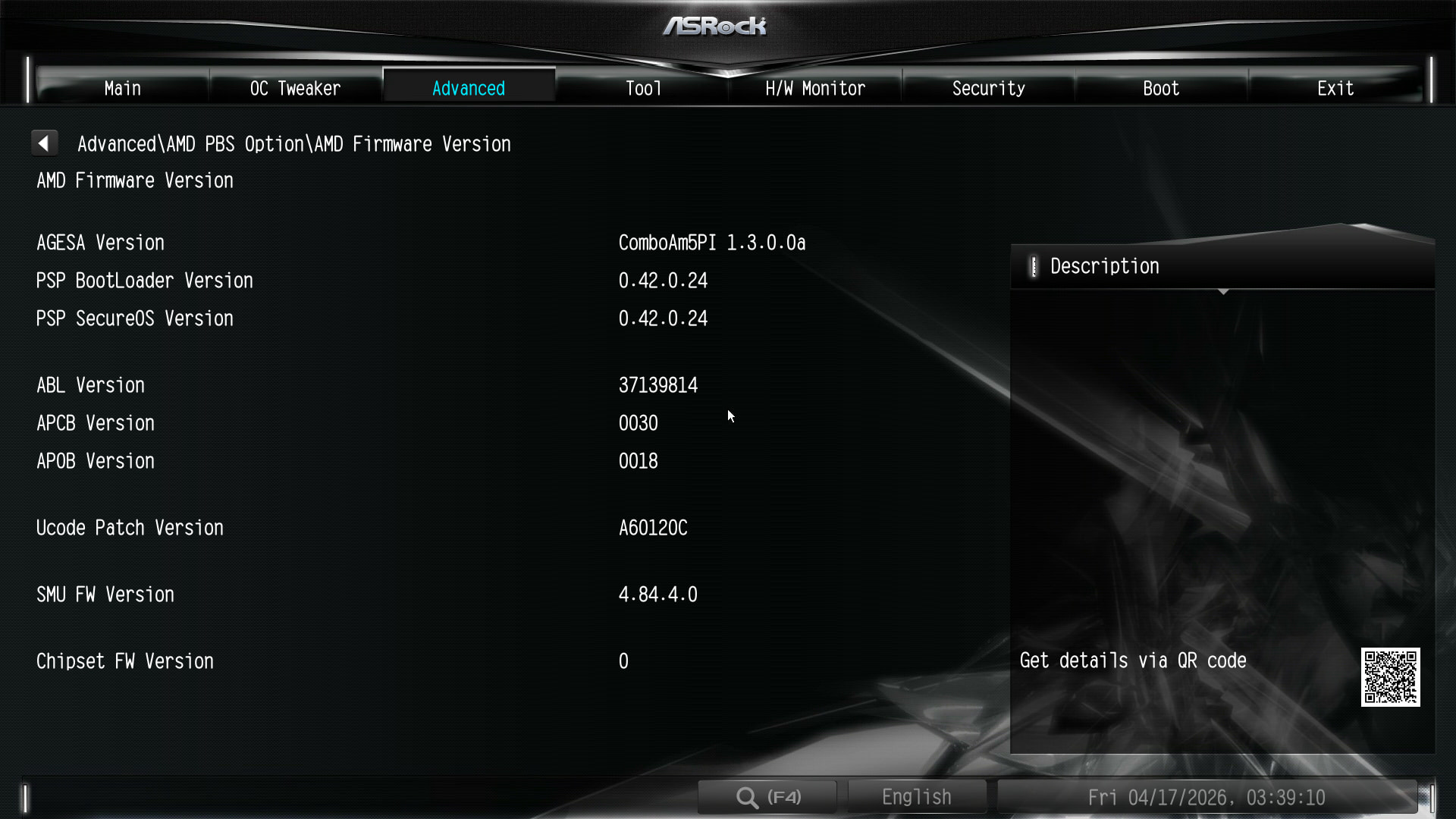
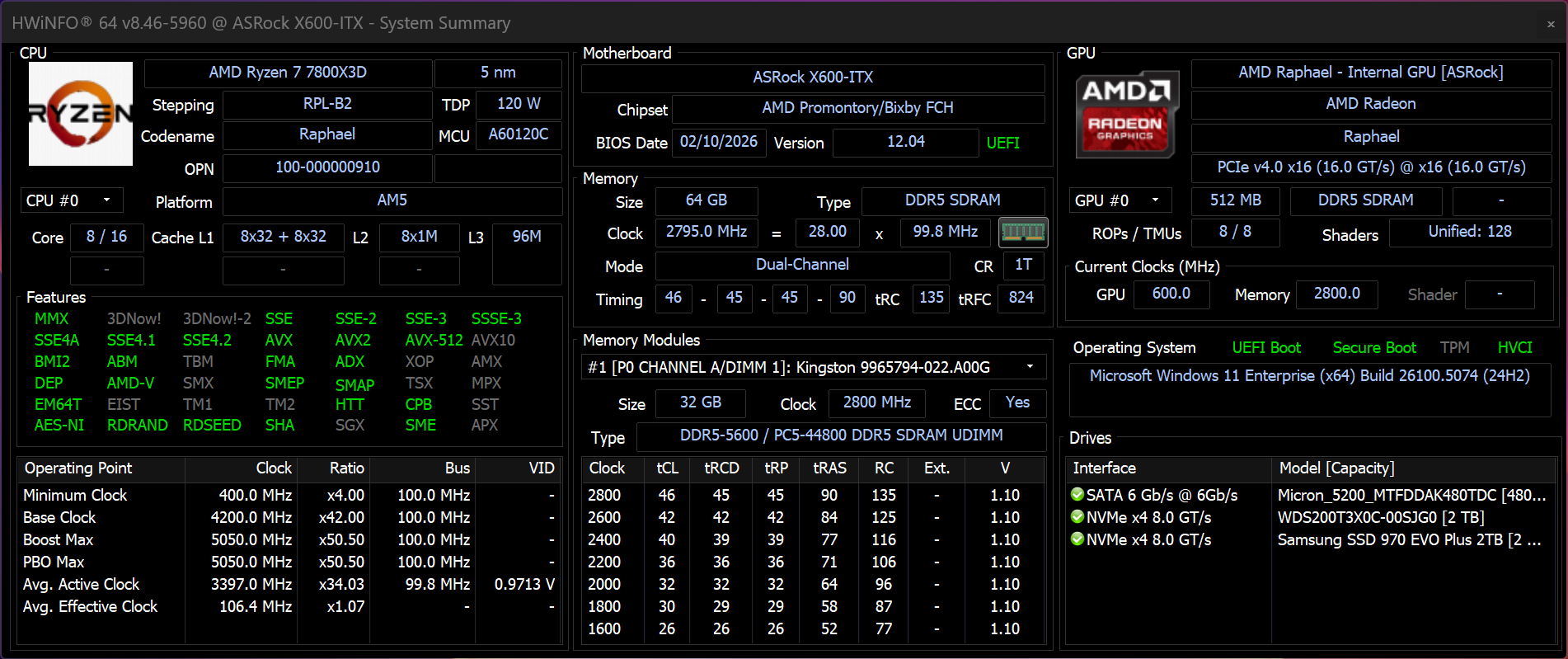
Was finally able to check another AM5 system with a Raphael/Ryzen 7000 CPU, ECC DDR5-5600 modules (2 x 32 GB Kingston ECC UDIMMs) and an updated BIOS with AMD’s AGESA 1.3.0.0a.
There, the DDR Frequency settings can be adjusted just fine to DDR5-5600 from the Raphael default DDR5-5200 ("or as you would expect”), even when the ECC option in the UEFI is explicitly set to Enabled. Meaning it’s not some new restriction AMD introduced with a new AGESA version. So ASUS f’d up their AM5 BIOSes for seemingly all motherboards?
The other system:
ASRock DeskMeet X600/BIOS 12.04/AGESA 1.3.0.0a
7800X3D
2 x 32 GB Kingston KSM56T46BD8KM-32HA
@Wendell Again the plea for help to please get this topic to the right people at ASUS since the ones that face the general public seemingly aren’t doing their job and even distribute misinformation in forums.
Have to partly issue an apology to ASUS - while their tech support still doesn’t seem competent this INDEED seems to be a bug caused by AMD!
The situation didn’t seem right from my gut feeling’s point of view so I swapped the 7800X3D (Raphael) for a 9700X (Granite Ridge).
Then, the issue with the DDR frequency being locked to DDR-5200 appeared on the ASRock DeskMeet X600, too - exactly like discussed in this thread with ASUS motherboards as examples.
Summary of this issue:
Zen 4 CPU (Ryzen 7000) + ECC + AGESA 1.3.0.0a/1.3.0.1 = DDR Frequency fine, you can set it to anything.
Zen 5 CPU (Ryzen 9000) + ECC + AGESA 1.3.0.0a/1.3.0.1 = DDR Frequency locked at DDR-5200.
Really weird situation since the used IO Die on both generations doing the DDR PHY is the same thing. So “something” Zen 5-specific seems to mess things up.
@wendell Slight course correction, please notify those AMD BIOS guys about the situation.
I’m facing the same issue on my ASUS X670E ProArt with the Kingston UDIMMs and a 9800X3D since AGESA 1.3.0.0.
I’m glad this is not an ASUS-only problem but an AMD problem, maybe we’ll be more likely to get a fix.
I’d like to think that if AMD deliberately limited ECC at 5200MT/s on 9000 CPU it would be part of BIOS release notes from motherboard manufacturers, but it’s not the case.
I had also encountered an issue over a month ago on my Asrock X870E Taichi when I updated the bios from 3.50 to 4.10. My ECC memory would refuse to try the set frequency past a certain point, I think it may have been limited to 5200MT/s but I’m not entirely sure.
Also observed this issue, thought I was going crazy and doing something wrong.
Similarly found it locked at 5200, not being able to go higher or lower, and VSoC was always higher than my manually set voltages by a good 0.03V or so.
The new BIOS beta (2301 Beta) for x870e proart boards also doesn’t resolve this either, unfortunately. I was loosely hopeful since it mentioned memory timing improvements…
Does it let you run faster and/or slower than 5600MHz?
Weird part is ASUS seems to have finally confirmed this bug on this BIOS pages, which were just updated some time today to say “Starting from AGESA ComboAM5 PI 1.3.0.0, ECC-UDIMM memory speed will be limited to 5200 MT/s when paired with 9000 series CPUs.”
If that Gigabyte board is locked to 5600MHz, then maybe ASUS (and ASRock I guess?) messed up and the 5200 was supposed to be 5600? Though perhaps its just a +400 Wendell bonus…
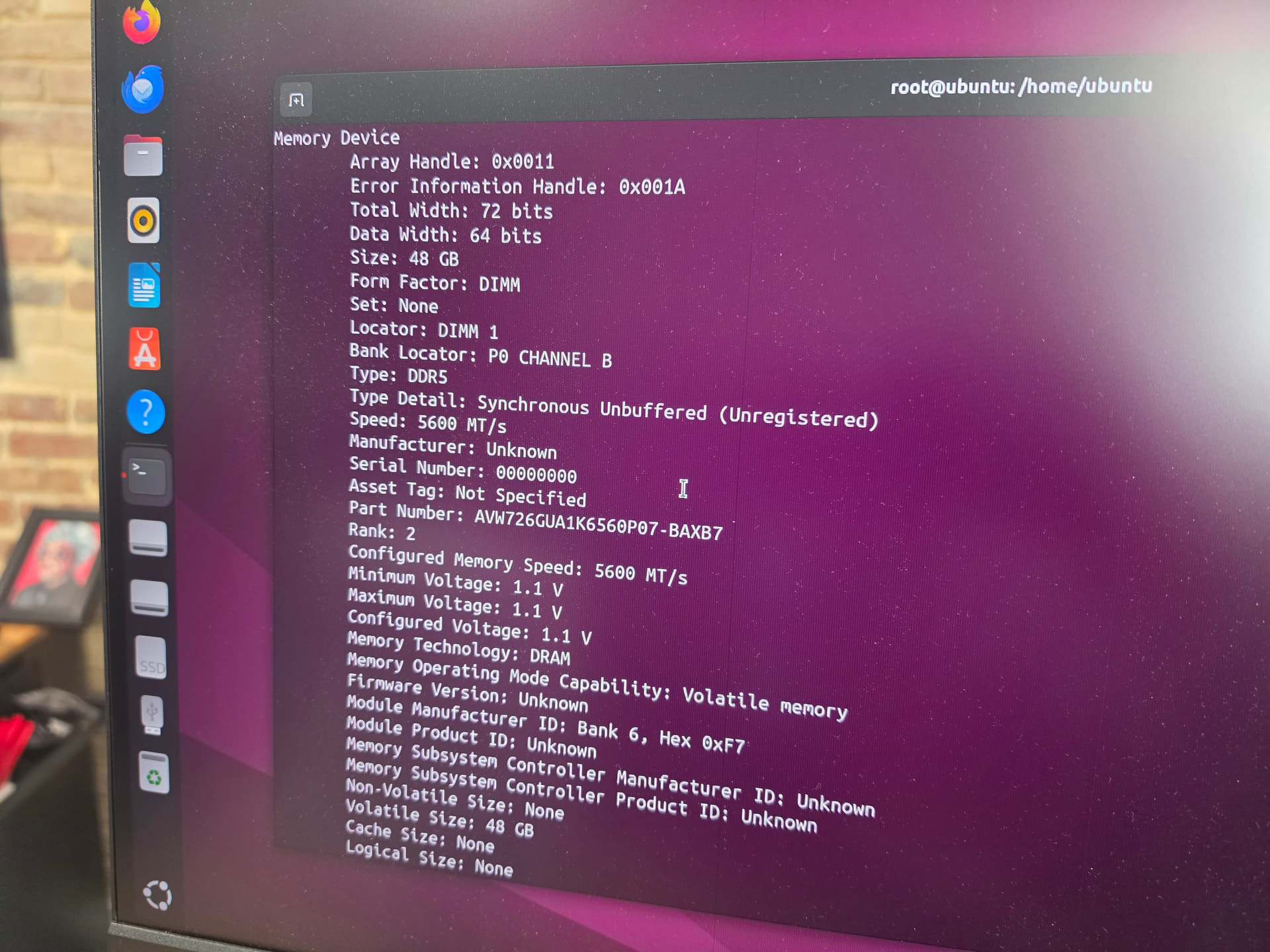
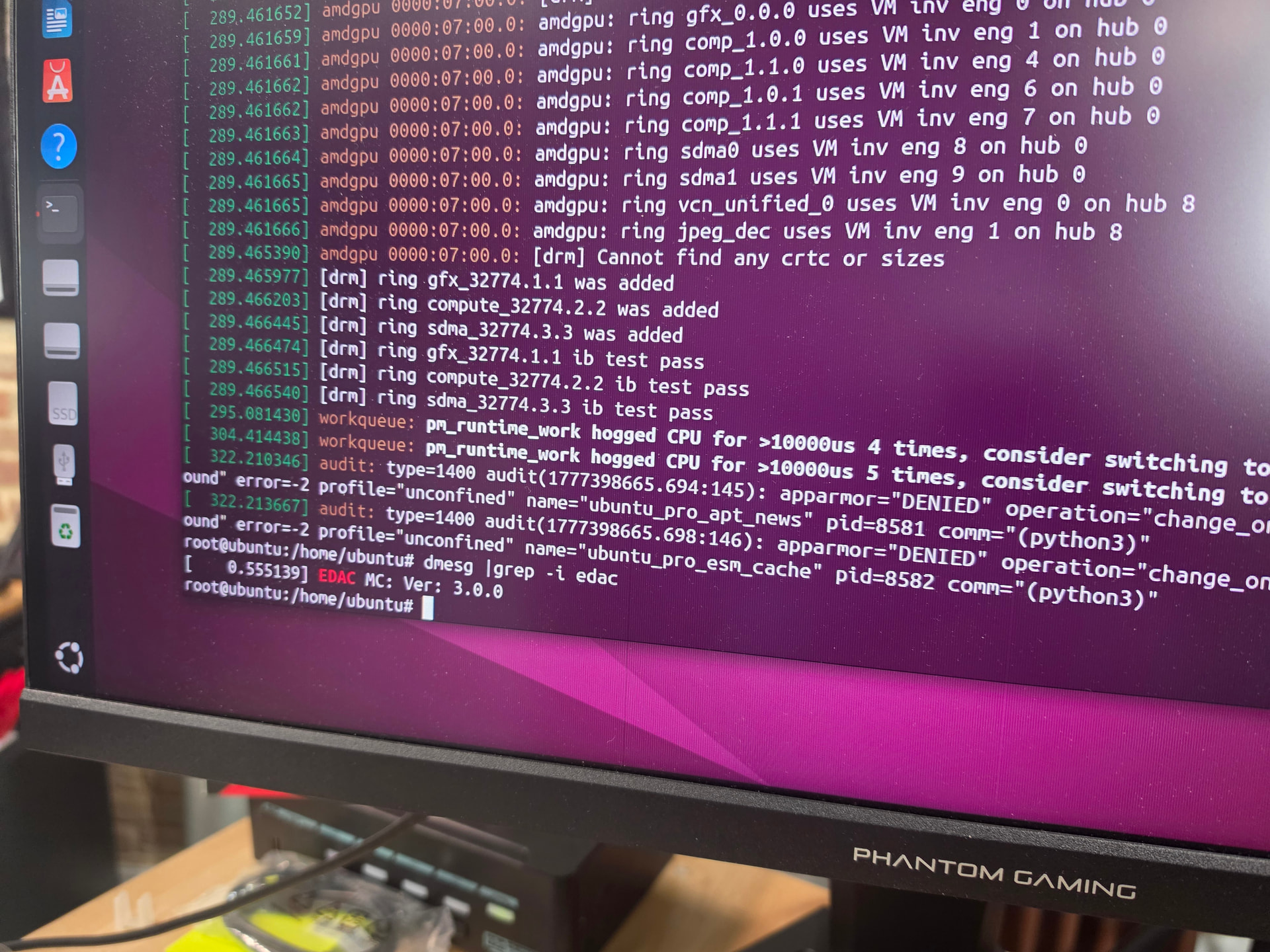
My gut feeling says a bug in what Linux displays there is more likely.
I can imagine that the software displays the supported JEDEC spec of the used ECC UDIMM instead of the speed the memory is actually running. Have seen that in the past on multiple operating systems.
@Wendell What specific CPU are you using on that system?
Since the AGESA package is something closed-source all motherboard manufacturers get from AMD as something they cannot change I don’t see how Gigabyte could bypass the ECC DDR5-5200 Frequency Lock in their BIOS compared to ASRock or ASUS.
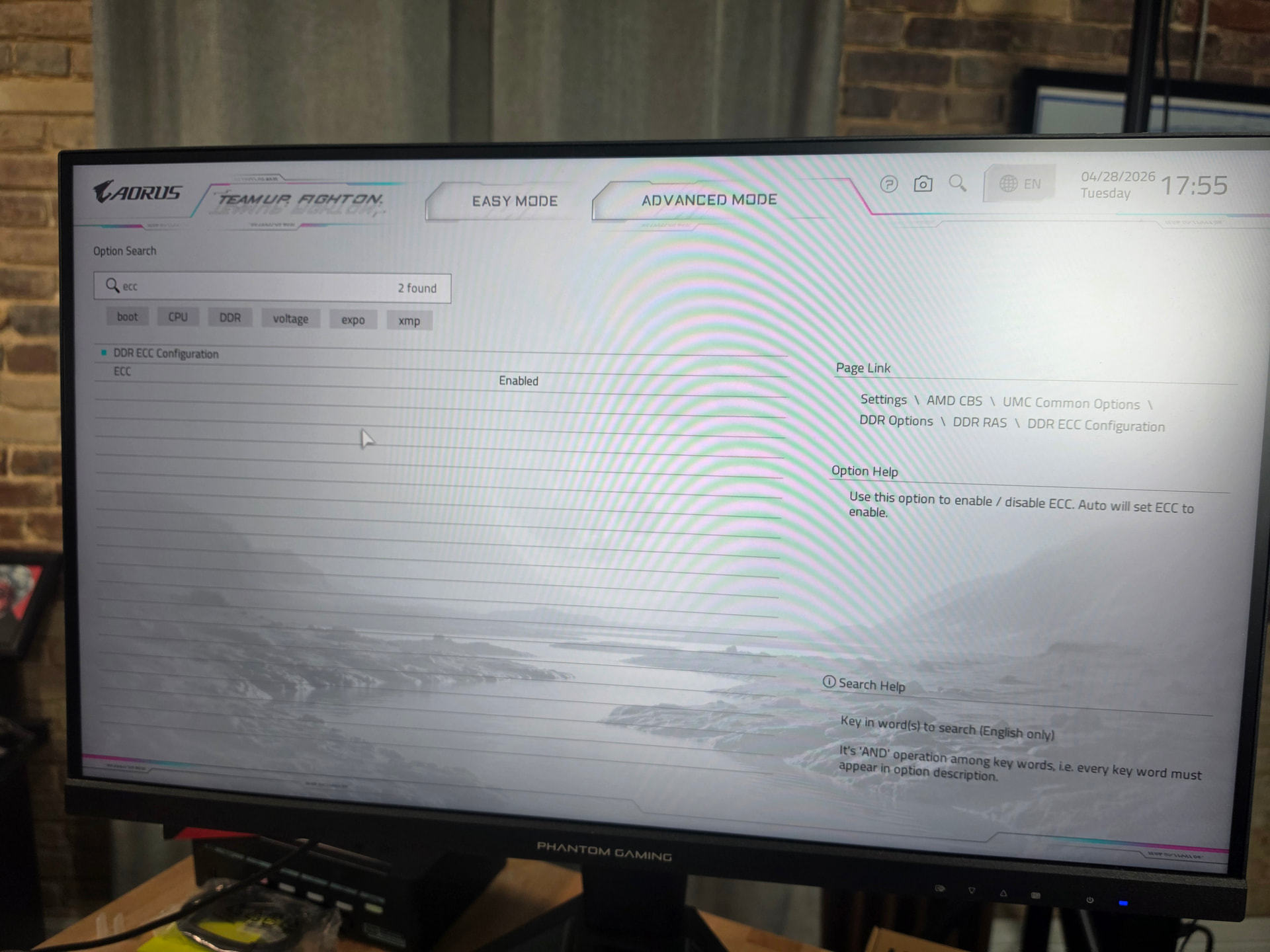
I confirmed that ecc auto means disabled on this aorus motherboard. But only on this new bios version. And ecc enabled (forced on) is no post anymore from this board. The agesa halts boot immediately with error code c5 when ecc is explicitly set to enabled.
Same hardware ran ECC at 5600 on pre-1.3.0.0a BIOSes, so this lines up with the AGESA 1.3.0.0-family transition.
Given @aBav.Normie-Pleb’s DeskMeet X600 test — 7800X3D/Raphael + ECC + AGESA 1.3.0.0a works at 5600, but 9700X/Granite Ridge + same platform locks to 5200 — this no longer looks ASUS-specific.
@wendell’s Gigabyte result also seems useful, but I would treat it as a separate failure mode rather than a 5600-ECC counterexample: ECC Auto appears to mean disabled on that board, while forced ECC Enabled fails POST with C5.
So the current cross-vendor pattern seems to be:
ASUS + Granite Ridge + ECC + AGESA 1.3.0.0a+: boots, but locks/falls back to 5200
ASRock DeskMeet X600 + Granite Ridge + ECC + AGESA 1.3.0.0a: boots, but locks/falls back to 5200
Gigabyte AORUS X870E Master X3D Ice + ECC forced + AGESA 1.3.0.0a: no POST / C5
That makes a simple “intentional 5200 cap” explanation feel incomplete. A deliberate cap should not normally produce no-POST behavior on another vendor’s board. It looks more like a Granite Ridge + ECC path regression in AGESA 1.3.0.0+ where different vendors handle the failure differently.
I would have read that to mean “5200 and below”. In reality (at least in my case) that seems to really mean “5200 Only”… Why that is isn’t obvious to me…
Would be curious if the DDR5-5200 ECC lock happens there, too given they also have official DDR5-5600 Support. Surely AMD would expect an “Epyc” CPU to be paired with ECC memory.
That’s how the tea leaves are currently read but the situation is idiotic from a PR perspective.
You don’t suddenly castrate your products’ specifications after they’ve already been launched (years after being launched!). AMD not giving a public statement is bad but since this “feature” is now mentioned in the official BIOS change logs you can deduce that it’s something officially introduced by AMD.
The DDR5-5200 ECC Lock not being present on Ryzen 7000 CPUs is the icing on the cake.
It doesn’t seem like there’s a silicon fault issue with the Ryzen 9000 IO Dies that would necessitate such a sudden and drastic change to avoid physical defects, otherwise AMD wouldn’t go on declaring DDR5-6000 as the defacto standard for Ryzen 9000 when taking their CPU review guides into account.
ASrock X870E Taichi Creator with AGESA ComboAM5 PI 1.3.0.0a (BIOS 4.10) with Ryzen 9700X and 2x Kingston EUDIMM 32GB DDR5 is running at 5600 MT/s (with multi-bit ECC enabled ofcourse).
Edit: that DMIDECODE was from the previous boot. I take it back, the running system is at 5200 MT/s. Yepp. Sad.
If you are worried about Rowhammer (old and new) be sure to explicitly enable SME (Secure Memory Encryption, globally encrypts the system’s memory) in your AM4 and AM5 Ryzen systems.
It cannot mitigate the underlying issue due to physics BUT if you use a system with properly functioning ECC memory you should see the following scenarios:
A) Everything is running smoothly - No successful Rowhammer attack.
B) Memory Errors getting regularly reported: Defective memory or someone is trying a Rowhammer attack.
C) Full system freeze/crash: Successful Rowhammer attack with multi-bit memory errors, multi-bit errors should cause the platform to fully crash.
It still sucks that the system is totally crashing in scenario C then but at least it should be protected against getting compromised by for example a targeted privilege escalation attack from within a VM.
If I should be writing non-sense, please correct me!
I’m only working on a very small/personal scale but at least so far I haven’t had a single security incidence (knock on wood).