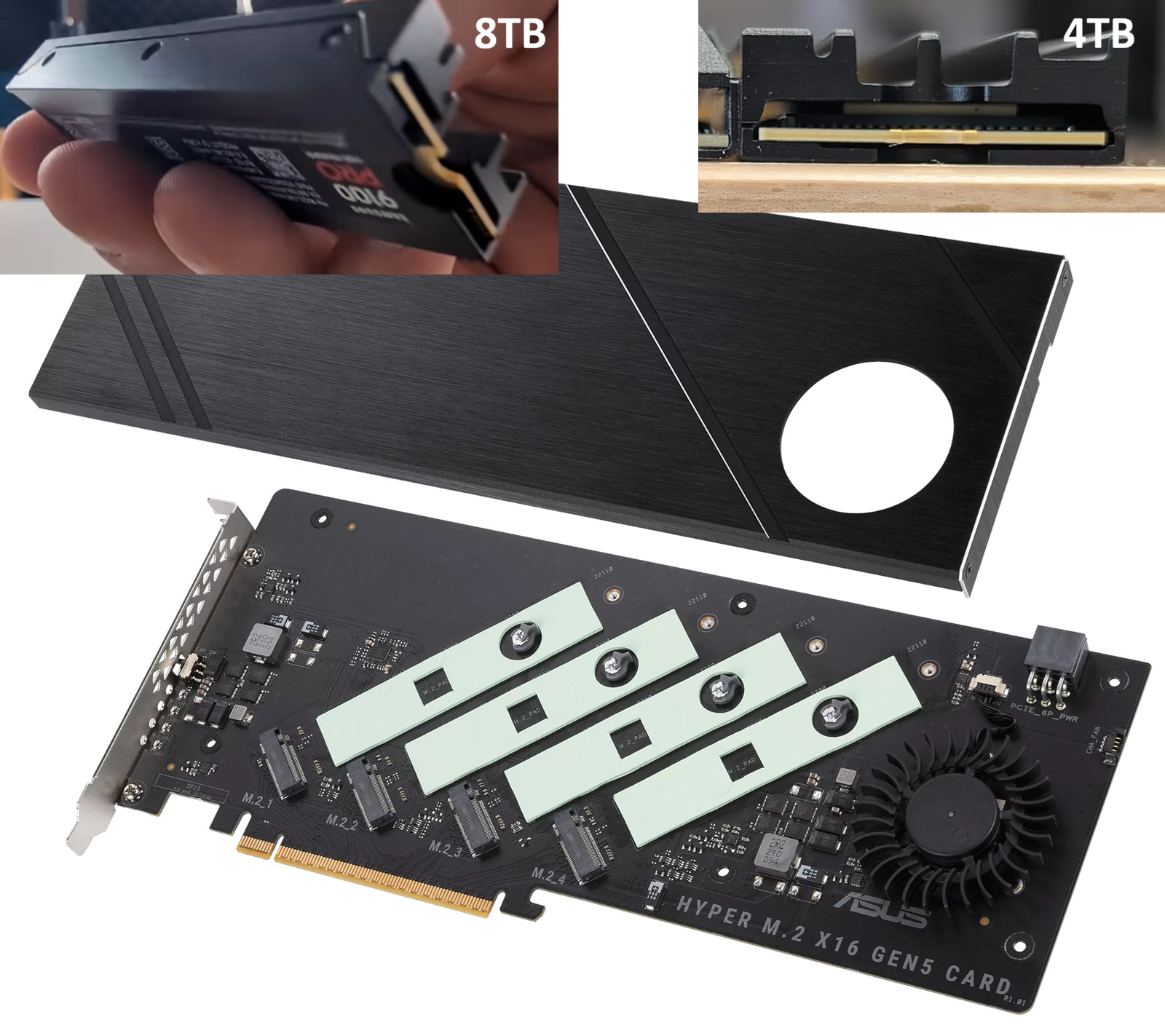
This is a pretty niche question, but can anyone tell me whether it’s possible to install Samsung 9100 Pro SSDs with stock Samsung heatsinks on the ASUS Hyper M.2 x16 Gen5 bifurcation card?
This would be assuming the removal of the thermal pads on the card’s PCB (do they come off cleanly?)
Obviously, this would be without the Asus card’s own heatsink installed (presumably this would not be a problem, since it’s not an active card and the heatsink is not cooling anything other than the drives).
I’m interested in compatibility with both the 4TB and 8TB versions of the drive. The 8TB’s heatsink is larger and needs more clearance under the drive, so if anyone has experience installing that specific one it would be doubly helpful.
It looks to me as though the M.2 sockets are of the lower profile kind and might not be able to accept the drives, especially the 8TB one.
The thermal pads Asus use on this card are for a lack of better words very similar to bubblegum.
You’ll get them off in one piece, but it’s likely they’ll stretch and deform unless you are very careful.
If you don’t care about the pads they’ll peel off easy and only leave a oil residu you can wipe away.
If you want to preserve the pads in one piece, not deforming and reusable a freezer is your best option probably.
I’m not pulling your leg, they should stiffen up considerably when left in the freezer for a hour or so.
Making them more durable against pulling and stretching.
Just be sure the card had ample time to get up to room temperature afterwards and all condensation on it has evaporated.
About mounting the 8TB SSD’s you’ll have a clearance issue with the smd parts placed next to the m.2 connector.
It won’t be much but it will prevent you from placing them flat on the board.
But I’ll tell you something intrestring just in case you don’t mind them being flat, a M.2 ssd does not need to be flat or flush to function.
A small incline, even up to 45 degrees they’ll function just make sure to secure the ssd and prevent it moving. (Be mindfull you don’t over tighten the screws as something will give and it’s probably the expensive part)
So if you are willing to make a some esthetic compromises, It will function.
But all joking aside it’s probably better you have a look at a different add in card for your ssd’s
Or take off the heatsinks which I also don’t think is the best move.
As which one to get alternatively, I’m not sure all quality name brands I know don’t offer a pcie gen 5 to quad nvme card to my knowledge.
Your one saving grace will probably be you got a tiny bit of wiggle room in the signal integrity department and don’t need the best (still pcie gen 5 rated) adapter as the traces will be pretty short from the slot to the ssd.
I did came across a MCIO to m.2 adapter here, allowing you some more flexible placement, but am doubtful it’s truly gen 5 capable.
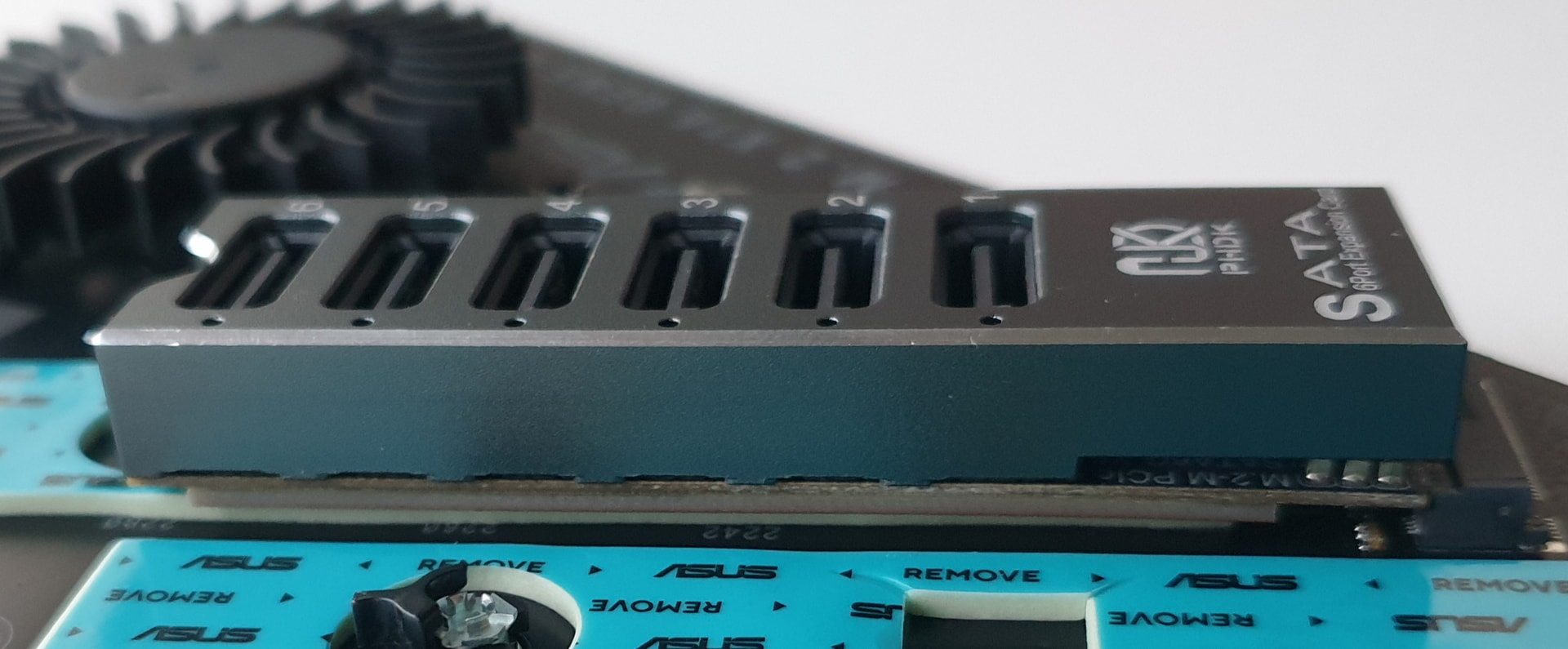
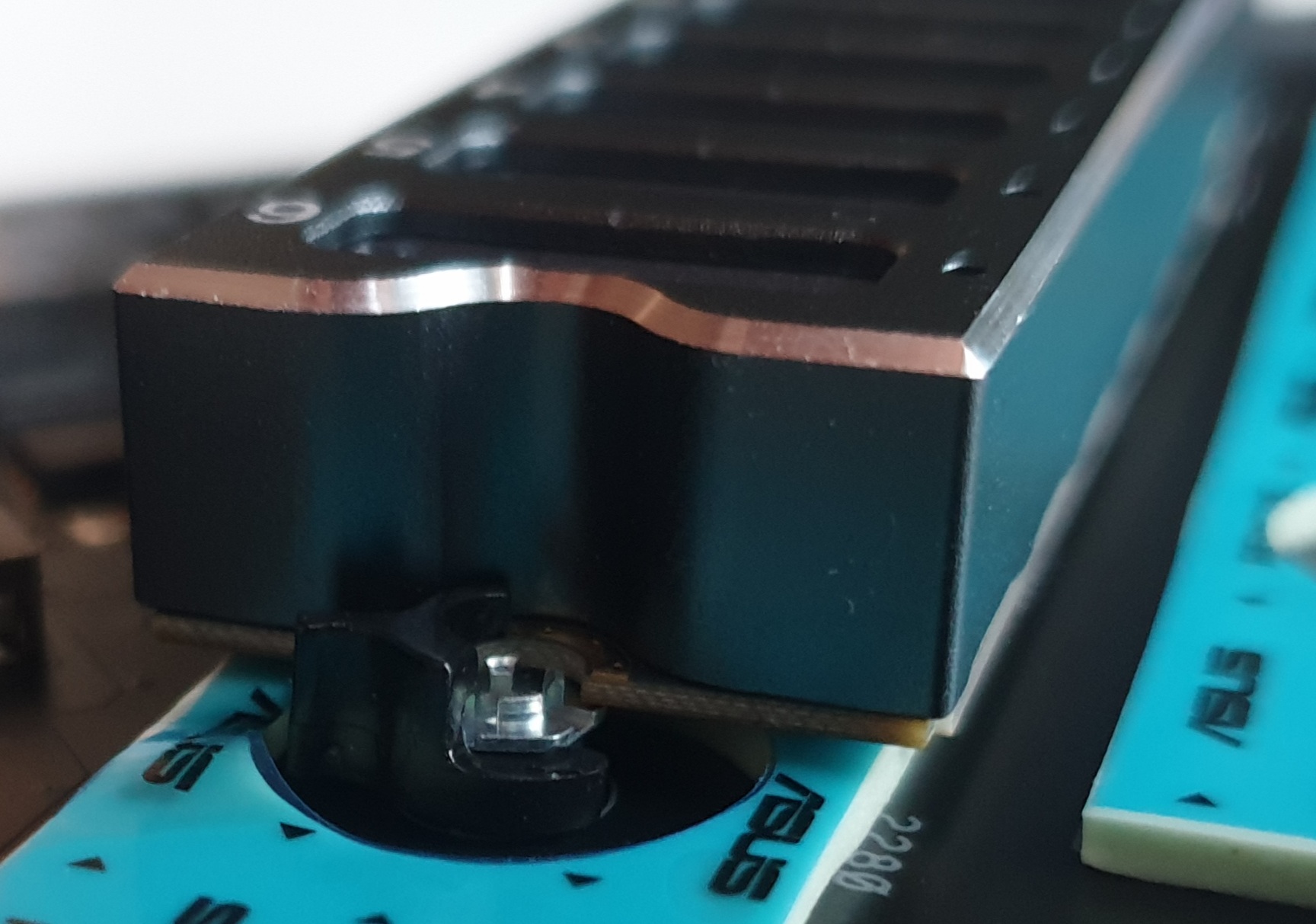
I don’t have such an SSD on hand right now. I have an “Asus Hyper M.2 x16 Gen5 Card” and an M.2 NVMe-to-SATA riser card featuring the ASMedia ASM1166 controller. The board is well-reinforced on the underside with a 2mm fiberglass (textolite) backplate. I tested this specifically for you: the riser card installs easily, without any strain. You can remove the thermal pads to create even more clearance. If you remove the thermal pads, there will be more than enough space for the thickest base.
I am attaching photos to better show what it looks like.
P.S.: I’m rarely online here, so it might take me a while to reply.
Pretty sure this won’t work. The ASUS Hyper M.2 card’s sockets are low-profile, and the 9100 Pro’s stock heatsink adds a good amount of thickness underneath the drive. The 4TB version might fit with the thermal pads removed, but the 8TB heatsink is bigger and will almost certainly bottom out on the PCB. Even if it physically fits, the card’s mounting screw holes won’t line up because the drive won’t sit flush.
The pads do come off cleanly, but that’s not really the issue here. If you want to use the stock Samsung heatsinks, you’re better off putting the drives directly on the motherboard or using a different card with more vertical clearance. Otherwise, pull the stock heatsinks and use the ASUS card’s own cooling as intended.